AirTags · Volume 1
AirTags Volume 1 — Overview & the Item-Tracker Landscape
What item trackers are, the four find-networks, the two halves of this deep dive, where it sits in the hub, the buy/detect decision tree, and depth indices into Vols 2-15
1.1 About this Volume
This is the overview volume of a fifteen-volume engineer-grade deep dive into item trackers — Apple’s AirTag and the broader ecosystem of coin-cell BLE beacons (Samsung SmartTag, Tile, Chipolo, Pebblebee, Google Find My Device tags) — and the counter-surveillance half that makes the topic a Hack Tools subject: detecting and locating hidden or unwanted trackers.
The series splits cleanly in two. Vols 2–10 are the trackers: theory of operation (BLE advertising, the crowdsourced find networks, Ultra-Wideband ranging, NFC/Lost Mode), a silicon teardown, how to use them, the varieties available, the phone-compatibility map, and a DIY volume on building your own Find My beacon. Vols 11–14 are finding the hidden ones: commercial detectors, the OS-native alerts, the Apple+Google DULT standard, DIY BLE-scan + RSSI-walk technique, and the add-ons that turn already-owned Hack Tools gear into tag-finders. Vol 15 is the laminate-ready cheatsheet.
Who it’s for, and how to read it. This is written for an experienced engineer — no hand-holding, no marketing gloss. Where a vendor page says “works with the Find My network,” this series says which radio, which advertising PDU, which key-rotation interval, and what breaks. Vol 1 is the map: §3 establishes the four find-networks framing that Vols 2, 9, and 11 all build on; §7 is the navigational spine. Read this volume first, then jump by the depth index — the theory volumes (2–4) reward reading in order; the variety, phone-compat, and detection volumes are reference material to dip into.
Spec-sourced now, bench-verified later. As of 2026-06-25 no tags or dedicated detectors are on the bench. The protocols are public — BLE advertising, the Apple+Google DULT IETF draft, the OpenHaystack/Macless-Haystack research, vendor teardowns — so most of this series is authored from primary sources, more authoritative than a research stub. But anything depending on a real-world measurement (detection range, RSSI-walk behavior, on-air key-rotation timing, battery runtime) is flagged spec-sourced until confirmed against hardware. The DIY (Vol 10) and detection (Vols 11–13) volumes get a bench-verification pass as Jeff acquires a few AirTags, a SmartTag, and a Chipolo.
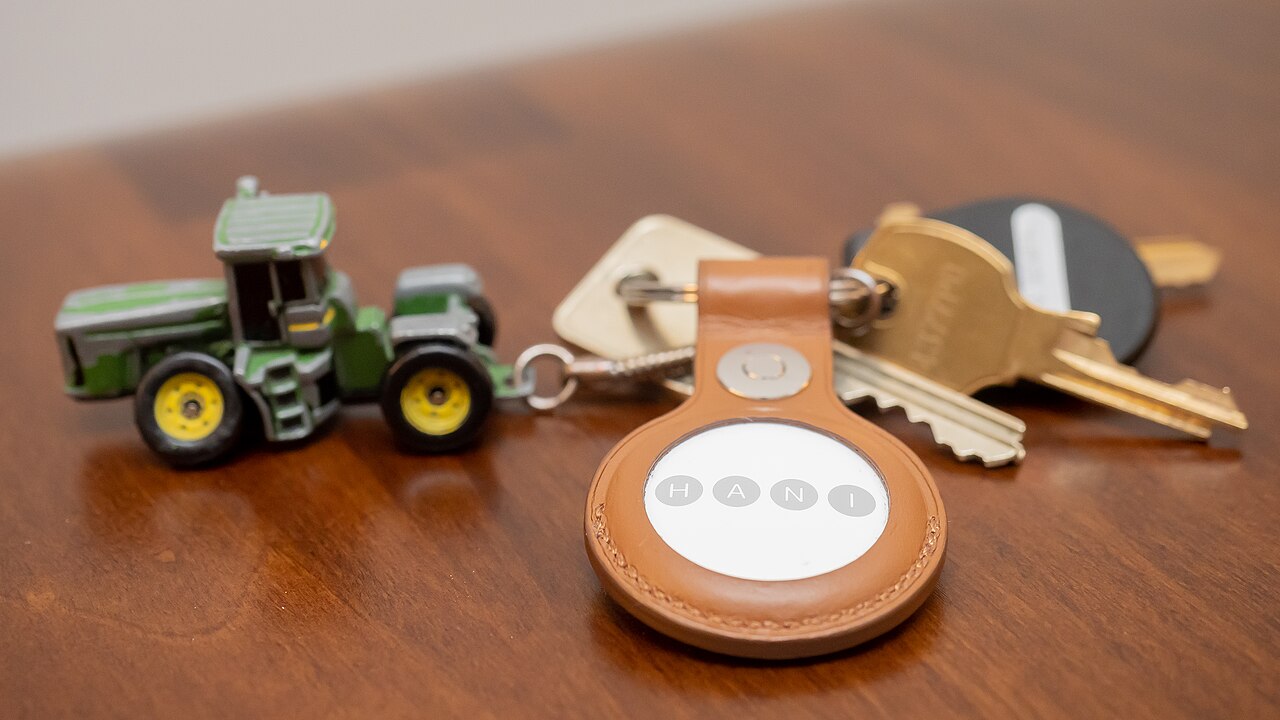
Visual content note. Hardware photographs are pending; they will be added once tags are acquired and on the bench. The comparison tables, ASCII diagrams, and decision tree throughout carry the visual load until then. This overview volume runs lighter on photos than the subsystem volumes by design — its job is framing, not teardown.
1.2 What “air tags” are
1.2.1 The item-tracker category
“Air tag” has become a genericized term — like “thermos” or “velcro” — for a class of device that predates and outlives Apple’s specific product. The category is the crowdsourced Bluetooth item tracker: a small, cheap, coin-cell-powered beacon you attach to a thing you don’t want to lose (keys, a bag, a bike), which is then located not by its own GPS but by borrowing the location of every nearby smartphone that belongs to the same find-network.
That last clause is the whole trick. A traditional Bluetooth tracker (the original Tile, circa 2013) could only tell you “your keys are within ~30 m of your phone” — useful for the couch-cushion problem, useless once the item left your Bluetooth range. The crowdsourced model — Tile pioneered it as an opt-in community network, Apple industrialized it in 2021 by silently enrolling ~1 billion devices — turns every stranger’s phone into an anonymous, unwitting finder. Your lost bag, sitting in an airport three states away, gets located because some traveler with the matching phone walked past it.
   The item-tracker category — a family tree
   ═════════════════════════════════════════

                    Item locators
                          │
        ┌─────────────────┴──────────────────┐
        │                                     │
   Proximity-only                      Crowdsourced
   (Bluetooth leash)                   (network-finding)
        │                                     │
   ┌────┴────┐              ┌─────────────────┼─────────────────┐
   │         │              │         │       │                 │
  Early    Key            Apple    Samsung   Google           Tile /
  Tile    finders        Find My  SmartThings Find My         Life360
 (pre-   (RF beep        (AirTag)  Find      Device           (own
 2017)    keyrings)               (SmartTag) (FMD tags)        network)
                                     │         │                 │
                              ──── UWB tags ────              BLE-only
                              (Precision Finding)
1.2.2 Passive crowdsourced beacon vs active GPS tracker
The single most important distinction a buyer (or an investigator) needs to internalize is passive crowdsourced beacon versus active GPS tracker. They look superficially similar — both “find your stuff on a map in an app” — but they are completely different machines underneath.
A passive crowdsourced beacon (AirTag, SmartTag, Tile, Chipolo, Pebblebee) contains no GPS and no cellular radio. Electrically it is almost nothing: a Bluetooth Low Energy SoC, a coin cell, an antenna, and — in the premium tags — an Ultra-Wideband ranging chip and an NFC tag. It does one thing on its own: it shouts a short, rotating BLE advertisement into the air a few times a second. It has no idea where it is; the finder phones know where they are (from their own GPS) and do the locating on the tag’s behalf. The battery lasts ~1 year precisely because the tag does so little.
An active GPS tracker (a Tractive pet tracker, a vehicle OBD tracker, a covert “GPS magnet box”) is the opposite: it carries a real GPS receiver and a cellular modem, fixes its own position, and phones that position home over a paid cellular data plan. It works anywhere there is sky and cell coverage with no dependence on anyone else’s phone — but it is bigger, costs more, needs a SIM and a subscription, and its battery is measured in days-to-weeks (or hardwired to vehicle power).
Why this distinction is load-bearing for the counter-surveillance half. The two classes betray themselves completely differently on a sweep. A crowdsourced beacon is silent except for a BLE advertisement every ~1–2 s — you find it by Bluetooth scanning (Vols 11–13). An active GPS tracker emits cellular uplinks in bursts and is invisible to a BLE scan — you find it with an RF power detector or a cellular-band sweep, a different toolkit entirely. Knowing which class you are hunting determines which tool comes off the bench. This series is about the beacon class; the GPS-tracker class is noted where the detection workflows diverge.
1.2.3 The coin-cell class
Nearly every device in this category is built around a single coin cell, and the dominant chemistry is the CR2032 — a 3 V lithium-manganese-dioxide (Li-MnO₂) primary cell, 20 mm diameter × 3.2 mm thick, ~225 mAh nominal. Apple’s AirTag, Samsung’s SmartTag/SmartTag2, Chipolo ONE, and the user-replaceable Tiles all run on a CR2032. The cell is replaceable on most of them (a twist-off back), which is both a feature and — for the disposable, sealed Tiles — a deliberate non-feature.
The coin cell is the design constraint that shapes the entire product. A CR2032’s ~225 mAh budget, drawn down over a stated ~1-year life, allots the beacon roughly 25 µA average. That brutal power envelope dictates everything: the BLE advertising interval (you cannot advertise continuously — you burst and sleep), the absence of a continuously-powered GPS or cellular radio (both would flatten a CR2032 in hours), and the duty-cycling of the UWB chip (it powers up only during an active Precision Finding session). See Vol 5 for the AirTag power tree and Vol 2 for how the advertising duty cycle falls out of it.
Table 1 — 2.3 The coin-cell class
| Tag | Cell | User-replaceable? | Stated life | Notes |
|---|---|---|---|---|
| Apple AirTag | CR2032 | Yes (twist-off back) | ~1 year | Speaker chirps when low |
| Samsung SmartTag2 | CR2032 | Yes | ~500 days (Power Saving) / ~700 days claimed | UWB on supported Galaxy |
| Tile Mate (current) | CR1632 | Yes (recent gens) | ~3 years | Older Tiles were sealed/disposable |
| Tile Pro | CR123A | Yes | ~1 year | Bigger cell, longer BLE range |
| Chipolo ONE Spot | CR2032 | Yes | ~1 year | Find My variant; loud ~120 dB ringer |
| Pebblebee Clip | Rechargeable LiPo | No (USB-C recharge) | ~8–12 months/charge | The outlier — not a coin cell |
The Pebblebee outlier. Most of the category is coin-cell; Pebblebee’s Clip/Tag/Card line is rechargeable Li-poly with USB-C — trading “swap a $0.30 cell once a year” for “never buy a battery, but recharge it.” Flag it because it breaks the mental model: when you teardown or power-budget a Pebblebee (Vol 8) the numbers don’t match the CR2032 family.
1.2.4 Tracker vs phone-GPS vs Bluetooth-leash
Three things get conflated in casual conversation: a crowdsourced item tracker, a phone’s own GPS-based “find my phone,” and the old proximity-only Bluetooth leash. They solve overlapping but distinct problems. This table is the clearest way to keep them straight.
Table 2 — 2.4 Tracker vs phone-GPS vs Bluetooth-leash
| Dimension | Crowdsourced item tracker | Phone GPS (“Find My iPhone”) | Bluetooth leash (proximity only) |
|---|---|---|---|
| Positioning source | Borrows nearby strangers’ phone GPS | Device’s own GPS + Wi-Fi/cell | Your own phone’s BLE RSSI |
| Effective range | Anywhere a network phone passes within ~10–100 m | Anywhere the phone has sky/cell | ~10–100 m line-of-sight from your phone |
| Own radios | BLE (+ UWB/NFC on premium) | GPS + cellular + Wi-Fi + BLE | BLE only |
| Cellular / subscription | None | Built into the phone plan | None |
| Battery class | Coin cell, ~1 year | Phone battery, hours | Coin cell, ~1 year |
| Real-time location? | Only when a finder is nearby (lagged) | Yes, continuous | Only within your own BLE range |
| Works if item is far from you? | Yes (crowdsourced) | N/A (it is the phone) | No |
| Typical cost | $20–35/tag | $0 (you own the phone) | $20–30/tag |
| Best for | Keys, bags, bikes, luggage, “where did I leave it” and “it’s far away” | Your own phone/tablet/laptop/watch | Couch-cushion / same-room finding |
| Counter-surveillance signature | Periodic BLE adv every ~1–2 s | N/A | Periodic BLE adv |
The takeaway: a crowdsourced tracker is the only one of the three that solves “my item is far away and not near me.” That capability — the borrowed-network locate — is also exactly what makes it abusable for stalking, which is why the back half of this series exists.
1.3 The four find-networks
The entire category resolves into four crowdsourced find-networks. A tag is only as findable as the network it advertises into, and the networks do not interoperate — a tag enrolled in Apple Find My is invisible to the Google network and vice versa. This “four-network” framing is the spine of the whole series: Vol 7 covers the UWB-capable native tags on the Apple and Samsung networks, Vol 8 covers the cross-network BLE tags (Chipolo and Pebblebee ship in either Find My or Google flavors — same plastic, different firmware/network), and Vol 9 maps which phones can register-vs-locate-vs-detect on each.
1.3.1 How crowdsourced finding works
All four networks implement the same basic dance, differing in scale, crypto, and openness. The tag advertises; a stranger’s phone (a “finder”) hears it, stamps it with the finder’s own GPS fix, encrypts that location, and uploads it to the network’s servers; only the owner can later pull and decrypt it.
   Crowdsourced finding — the common pattern (all four networks)
   ════════════════════════════════════════════════════════════

   [ Lost TAG ]                                        [ OWNER ]
       │                                                   ▲
       │  (1) BLE advertisement                            │  (5) "pull my
       │      every ~1-2 s, rotating ID                    │      tag's location"
       ▼                                                   │      + decrypt
   ┌────────────────┐   (2) hears adv,    ┌────────────────────────┐
   │ STRANGER'S     │       adds its own  │  NETWORK CLOUD         │
   │ phone (FINDER) │──────► GPS fix, ───►│  (Apple / Samsung /    │
   │ — anonymous,   │   (3) encrypts the  │   Google / Tile)       │
   │ unwitting      │       location to   │  stores encrypted      │
   └────────────────┘       the tag's key │  location reports      │
                        (4) uploads report └────────────────────────┘

   Key properties (vary by network — see Vol 2 for the Apple crypto):
   • The finder never learns whose tag it is (anonymous contribution).
   • The network operator ideally cannot read the location (E2E-encrypted
     to the owner's key) — strongest in Apple Find My; weaker elsewhere.
   • The tag has NO idea where it is. It only shouts an ID.
The privacy strength of step (3) is where the networks diverge most. Apple’s Find My is end-to-end encrypted with rotating elliptic-curve keys such that even Apple cannot read a tag’s location (the full crypto is Vol 2). Tile historically stored locations server-side with far weaker guarantees. That spectrum matters for both the privacy-conscious buyer and the stalking-victim threat model.
1.3.2 Apple Find My
Apple Find My is the largest and most sophisticated of the four. It rides on the installed base of every signed-in iPhone, iPad, and Mac — ~1 billion+ active Apple devices acting as silent finders, enrolled by default. The AirTag (2021) is its flagship tag, but the network also locates third-party “Works with Find My” accessories (Chipolo ONE Spot, Pebblebee, Belkin). Its distinguishing technical features are end-to-end-encrypted location reports using a rotating EC-P-224 key scheme (Vol 2), Ultra-Wideband Precision Finding via Apple’s U1/U2 chip (Vol 3) on iPhone 11 and later, and NFC Lost Mode (Vol 4). It is proprietary and closed, but thoroughly reverse-engineered by the TU Darmstadt SEEMOO lab (OpenHaystack) — which is what makes the DIY beacon of Vol 10 possible.
1.3.3 Samsung SmartThings Find / Galaxy Find
Samsung SmartThings Find (sometimes branded “Galaxy Find”) is the Samsung-ecosystem analog, crowdsourced across the installed base of Galaxy phones and tablets — on the order of a few hundred million active devices (estimate; Samsung publishes no precise finder count). Its tags are the Galaxy SmartTag and SmartTag2; the SmartTag2 and earlier SmartTag+ add UWB Precision Finding on UWB-equipped Galaxy flagships. The catch is ecosystem lock: SmartThings Find works only with a Samsung account on a Galaxy device — not iPhones, and not non-Samsung Android. That makes it the most closed of the OS networks by reach, even though its tags are technically strong. Covered alongside AirTag in Vol 7.
1.3.4 Google Find My Device
Google Find My Device (the crowdsourced tag network relaunched April 2024 — not the older phone-only “Find My Device”) spans the Android installed base, ~1 billion+ devices running Android 9+. It is the newest entrant as a crowdsourced item-tracker network, arriving years after Apple, and was deliberately held back until the Apple+Google DULT anti-stalking spec (Vols 4, 11) was ready so it wouldn’t ship a stalking tool. Its tags are third-party — Chipolo POINT, Pebblebee (Google variants), Motorola — with no first-party Google tag. UWB Precision Finding is limited (most current Google-network tags are BLE-only). Phone-compatibility specifics in Vol 9.
1.3.5 Tile / Life360
Tile is the original — it shipped crowdsourced community finding in 2013, long before Apple — and is now owned by Life360 (acquired 2021), the family-location company. Tile’s network is app-based, not OS-level: finders are people who installed the Tile or Life360 app, numbering in the tens of millions — far smaller than the billion-device OS networks, and dependent on app installs rather than baked into the phone. That smaller network is Tile’s structural disadvantage. Its advantage is being the only genuinely cross-platform option (one Tile works the same on iPhone and Android), plus models with louder ringers and longer BLE range (Tile Pro on a CR123A). Tile’s anti-theft “Scan and Secure” posture and its controversial anti-stalking-detection history are in Vols 8 and 11.
1.3.6 The four-network comparison
Table 3 — 3.6 The four-network comparison
| Dimension | Apple Find My | Samsung SmartThings Find | Google Find My Device | Tile / Life360 |
|---|---|---|---|---|
| Finder network | iPhone/iPad/Mac | Galaxy phones/tablets | Android 9+ devices | Tile/Life360 app users |
| Network scale | ~1B+ devices | ~few hundred M (est.) | ~1B+ devices | tens of M app users |
| Network type | OS-level (default-on) | OS-level (Galaxy only) | OS-level (default-on) | App-level (opt-in) |
| Flagship tag | AirTag | SmartTag / SmartTag2 | (3rd-party only) | Tile Mate/Pro/Slim |
| UWB Precision Finding | Yes (U1/U2) | Yes (SmartTag2/+) | Limited / mostly no | No |
| NFC Lost Mode | Yes | Yes | Yes (DULT-standard tap) | Tile QR / app |
| E2E-encrypted locations | Yes (strongest) | Yes | Yes | Historically weak |
| Cross-platform | No (iOS register) | No (Galaxy only) | No (Android register) | Yes (iOS + Android) |
| Open / reverse-engineered | Closed; RE’d (OpenHaystack) | Closed | Closed | Closed SDK |
| DULT anti-stalking support | Yes (iOS 17.5+) | Yes | Yes (built in from launch) | Partial (own scan tool) |
The register-vs-detect asymmetry — remember this for Vol 9. “Works with phone X” is not one question but several. A non-Apple Android phone cannot register or own an AirTag (no Find My enrollment path), but it can detect an unknown AirTag traveling with it, because the DULT standard makes that detection cross-platform by design. So an AirTag is simultaneously “iPhone-only to use” and “every-phone to be-warned-about.” That four-way split — register / locate / be-found-by / detect — is the real phone-compatibility picture and gets its own volume.
1.4 The two halves of this deep dive
This series has a split personality, on purpose. The first ten volumes treat item trackers as a thing you own and operate — how they work, how to use them, which to buy, how to build one. The next four treat them as a thing that might be used against you — how to detect, locate, and neutralize an unwanted tracker. Both halves belong in Hack Tools, and the reason they belong together is that you cannot competently do the second without deeply understanding the first.
   The two halves
   ══════════════

   ┌─────────────────────────────┐   ┌─────────────────────────────┐
   │  HALF 1 — THE TRACKERS      │   │  HALF 2 — COUNTER-          │
   │  (Vols 2-10)                │   │  SURVEILLANCE (Vols 11-14)  │
   ├─────────────────────────────┤   ├─────────────────────────────┤
   │ • Theory: BLE + Find My     │   │ • Commercial detectors,     │
   │ • Theory: UWB ranging       │──►│   OS alerts, DULT spec      │
   │ • Theory: NFC/Lost Mode/    │   │ • DIY BLE-scan + RSSI walk  │
   │   anti-stalking beaconing   │   │ • Add-ons to owned gear     │
   │ • Teardown, use, varieties  │   │   (Flipper, Marauder, etc.) │
   │ • Phone-compat map          │   │ • Legal/ethics posture      │
   │ • DIY Find My beacon        │   │                             │
   └─────────────────────────────┘   └─────────────────────────────┘
        understand how they work  ───►  is exactly what lets you
                                        find the hidden ones
   Vol 15 — Cheatsheet (both halves on one laminate card)
Why both belong in Hack Tools. The detection half is the obvious Hack Tools fit — counter-surveillance, the same discipline as the Nyan Box/ hidden-camera work. But the tracker half is not filler; it is the prerequisite. An unwanted-tracker sweep is hard for a technical reason: Find My beacons rotate their advertised key roughly every 15 minutes, so a naive Bluetooth scan sees a churning set of MAC addresses and cannot tell “the same tag has followed me for an hour” from “a parade of strangers’ devices.” The detectors that work (AirGuard, the OS-native alerts) defeat this by keying on the Find My service-data signature and the separated-state advertising mode — both of which only make sense if you have read Vols 2 and 4. The anti-stalking beaconing in Vol 4 is the literal bridge between the halves: a tracker feature and the hook every detector hangs off.
Posture — this topic both makes and finds trackers; author and read it defensively. Vol 10 documents building a DIY Find My beacon, and Vols 11–13 document finding hidden ones. That is a deliberately two-edged body of knowledge, and the framing is non-negotiable: the value here is understanding and detection, not covert tracking. Using a tracker to follow a person without consent is a crime in essentially every jurisdiction — stalking, harassment, and unlawful-surveillance statutes all reach it. The DIY beacon work is for tracking your own property; the detection work is for protecting yourself and others. This framing follows
_shared/legal_ethics.mdand is restated, with the regional and statutory specifics, in Vol 14. Every operational volume carries this posture forward.
1.5 Positioning in the hub
AirTags is a subdirectory of the Hack Tools hub, not a standalone project — it shares the repo, the hacking.fubsypoly.com subdomain, and the per-tool scaffold. Its natural neighbor is the Nyan Box/ deep dive: both are “find-the-hidden-emitter” counter-surveillance topics. Nyan Box covers hidden cameras (RF-fingerprinting 2.4 GHz video emitters); AirTags covers hidden trackers (BLE beacons). They are the two halves of a physical-surveillance sweep, and the detection volumes here deliberately mirror the Nyan Box methodology — disciplined sweep procedure, RSSI-walk localization, signature-based classification. The detection half needs no new hardware; it leans on BLE-capable gear already on the bench, and Vol 13 turns each owned tool into a tag-finder while being honest about where each falls short.
Table 4 — 5. Positioning in the hub
| Owned tool | What it contributes to tag detection | Where it falls short | Volume |
|---|---|---|---|
Flipper Zero/ | BLE scan apps; portable; “find nearby BLE” + some Find My-aware FAPs | Not a purpose-built tracker detector; RSSI-walk is manual | Vol 13 |
ESP32 Marauder Firmware/ (on AWOK / Game Over) | BLE sniff + device list; scriptable; logs to SD | No native Find My-signature classifier out of the box | Vol 13 |
Nyan Box/ | Methodology sibling; 2.4 GHz sweep discipline; BLE scan | Aimed at cameras, not BLE trackers; no tag-specific decode | Vol 13 |
AWOK Dual Touch V3/ · Ruckus Game Over/ | ESP32 BLE scanning + GPS (AWOK) for geo-tagged sweeps | Same Find My-signature gap as Marauder | Vol 13 |
| nRF52840 USB sniffer (aspirational) | True BLE protocol capture — sees the raw advertising PDUs | Needs a host + Wireshark; not a field tool | Vols 12–13 |
HackRF One/ | UWB band (6.5–8 GHz) is receivable in principle | Decoding UWB ranging is a research project, not a workflow; BLE is the practical detection surface, not UWB | Vol 13 |
The honest summary: the practical detection surface is BLE advertising, and any ESP32/Flipper-class tool can see it. The hard part is not seeing the advertisements — it is classifying a churning set of rotating addresses as “one tag following me,” a software problem the dedicated detectors (AirGuard, the OS alerts) solve and the general-purpose gear mostly doesn’t, yet. UWB is a known dead end for detection on this gear — noted for completeness, parked in research-only territory.
1.6 Decision tree — which tracker, which detector
Two questions bring people to this topic: “which tracker should I buy?” and “I think I’m being tracked — how do I find it?” The tree below resolves both. The buy-side branches on the phone ecosystem (because the networks don’t interoperate); the find-side branches on what gear is in hand.
   START — what are you trying to do?
        │
        ├──────────────────────────────┐
        ▼                              ▼
   "BUY a tracker"               "FIND a hidden tracker"
        │                              │
        ▼                              ▼
   What phone do you carry?       Got an unwanted-tracker
        │                          ALERT from your phone?
   ┌────┼─────────┬──────────┐         │
   ▼    ▼         ▼          ▼     ┌───┴────┐
 iPhone Galaxy  Other      Mixed  YES      NO
   │    only    Android   household │        │
   │     │        │          │      ▼        ▼
   ▼     ▼        ▼          ▼   Follow the  Do a sweep
 AirTag SmartTag Chipolo    Tile  OS flow:   anyway? (you
 (or    2 (UWB   POINT /    (cross- tap NFC, suspect, no
 Find-  on UWB   Pebblebee  platform make it  alert yet)
 My     Galaxy)  (Google)   — works ring,        │
 3rd-    │        │         both    locate.   ┌───┴────┐
 party)  │        │         OSes)    │        ▼        ▼
   │     │        │           │      ▼      Have BLE   No gear —
   ▼     ▼        ▼           ▼   See Vol  gear?       use phone
 Best  Best in  Best in    Widest 11 §     │           app:
 UWB   Galaxy   Android    reach, DULT     ├─ Flipper  AirGuard
 + big world    network,   smaller flow    ├─ Marauder (Android),
 net          biggest net  net   (Vol 11)  ├─ Nyan Box Apple Tracker
   │     │        │           │             └─ nRF52    Detect
   └─────┴────────┴───────────┘                sniffer   (cross-OS,
        │                                        │        Vol 11)
        ▼                                        ▼
   Want to BUILD one instead?              BLE scan + RSSI-walk
   → DIY Find My beacon, Vol 10            to localize (Vol 12),
   (ESP32 / nRF + OpenHaystack)            NFC-tap to read it (Vol 12)

   Bottom line:
   • iPhone household  → AirTag (UWB Precision Finding + the 1B-device net).
   • Galaxy household  → SmartTag2 (UWB on Galaxy; locked to Samsung).
   • Other Android     → Chipolo POINT / Pebblebee (Google), or Tile.
   • Mixed / both OSes → Tile (only true cross-platform option).
   • Being tracked     → trust the OS alert first; AirGuard / Tracker
     Detect if no alert; escalate to BLE-scan + RSSI-walk with owned gear.
If the alert is real, document before you disable. The reflex on finding an unwanted tracker is to rip the battery out. For peace of mind that’s fine — but in a genuine stalking situation, the tag’s NFC Lost-Mode read (Vol 12) can expose the last digits of the owner’s phone number, and the serial number is evidence. Photograph it, record the serial, and consider involving law enforcement before you disable it. The detection volumes cover the “preserve, then neutralize” order — the anti-stalking posture in practice, not just principle.
1.7 Depth index — the 15-volume map
This is the navigational spine of the series. Every downstream volume maps here; this table is what the other fourteen volumes cross-link back to. The split is the two halves of §4: trackers (Vols 2–10), counter-surveillance (Vols 11–14), cheatsheet (Vol 15).
Table 5 — 7. Depth index — the 15-volume map
| Vol | Topic | One-line teaser |
|---|---|---|
| 1 | Overview & the item-tracker landscape | (this volume) the four networks, the two halves, positioning, decision tree, depth index |
| 2 | Theory I — BLE advertising + Find My crowdsourced network | The advertising PDU, the rotating EC-P-224 keys, finder → encrypted report → owner-only decrypt, the privacy/crypto model |
| 3 | Theory II — Ultra-Wideband Precision Finding | Apple U1/U2, IEEE 802.15.4z, time-of-flight + angle-of-arrival ranging, the 6.5–8 GHz band, why BLE-class gear can’t decode it |
| 4 | Theory III — NFC, Lost Mode & anti-stalking beaconing | NFC Lost Mode tap, separated-state advertising, the DULT unwanted-tracking behavior — the bridge into the detection half |
| 5 | AirTag hardware teardown | nRF52832 (BLE) + U1 (UWB) + NXP NFC front-end + the speaker/coil + CR2032 power tree + antennas/PCB |
| 6 | How to use them | Pair → Find My → Precision Finding → Lost Mode → sharing → battery; the full lifecycle |
| 7 | Varieties I — Apple AirTag & Samsung SmartTag/SmartTag2 | The two ecosystem-native UWB tag families, head to head |
| 8 | Varieties II — Tile, Chipolo, Pebblebee & cross-network tags | BLE-only + the Find-My-or-Google dual-firmware tags; teardown/price/battery matrix |
| 9 | Which works on which phone — the network map | register vs locate vs be-found-by vs detect; Android vs iPhone; the four-way asymmetry from §3.6 |
| 10 | DIY — OpenHaystack / Macless-Haystack | Flashing an ESP32 / nRF as a Find My beacon, key generation, report decrypt, the ToS/privacy envelope |
| 11 | Detection devices for hidden/unwanted tags | Commercial detectors, Apple Tracker Detect, AirGuard (TU Darmstadt), OS-native alerts, the Apple+Google DULT spec |
| 12 | DIY detection & finding | BLE scan + RSSI walk to localize, NFC-tap to read a found tag, the key-rotation problem & how detectors beat it |
| 13 | Add-ons to existing Hack Tools gear | Flipper, ESP32 Marauder modules, Nyan Box, AWOK/Game Over, an nRF52840 sniffer, HackRF (UWB receive — research-only) |
| 14 | Operational posture, legal & ethics | Anti-stalking framing, regional rules, data handling, the make-vs-find line |
| 15 | Cheatsheet — laminate-ready field card | detect / read / DIY quick reference; the synthesis of every volume’s cheatsheet-updates list |
1.8 Cheatsheet updates
Each volume contributes a short bullet list to the Vol 15 laminate-ready cheatsheet. This volume’s contributions — the framing facts a reader should carry without re-reading:
- The category in one line. A crowdsourced item tracker is a coin-cell BLE beacon with no GPS and no cellular — it is located by borrowing the GPS of every nearby phone on its find-network.
- The two-class rule. Crowdsourced beacon (AirTag/SmartTag/Tile) ≠ active GPS tracker (cellular). Sweep the first with BLE scanning; the second with a cellular/RF-power sweep. Know which class you’re hunting.
- The four networks, by phone. iPhone → Apple Find My (AirTag). Galaxy → Samsung SmartThings Find (SmartTag2). Android → Google Find My Device (Chipolo/Pebblebee). Cross-platform → Tile.
- The register-vs-detect asymmetry. Android can detect an AirTag (DULT) but cannot register/own one. “Works with phone X” splits four ways: register / locate / be-found-by / detect.
- Network scale, descending. Apple ~1B+ ≈ Google ~1B+ (Android 9+) > Samsung few-hundred-M > Tile tens-of-M-app-users.
- UWB Precision Finding is Apple (U1/U2) and Samsung (SmartTag2) only; Google/Tile are BLE-only. UWB is 6.5–8 GHz and not the practical detection surface — BLE advertising is.
- The key-rotation gotcha. Find My beacons rotate their advertised key ~every 15 min, so a naive BLE scan sees churning MACs — detectors key on the Find My service-data signature and the separated advertising mode, not a stable address.
- Detection-first reflex. Trust the OS unwanted-tracker alert first → AirGuard / Apple Tracker Detect if no alert → BLE-scan + RSSI-walk with owned gear to localize → NFC-tap to read the tag.
- Anti-stalking posture. Preserve before you disable: photograph the tag, record the serial, NFC-read the owner’s last-4 digits, consider law enforcement — then neutralize. Tracking a person without consent is a crime.
- Coin-cell budget. CR2032 (3 V, ~225 mAh) at ~1-year life ≈ 25 µA average — the constraint that forbids continuous GPS/cellular and forces the duty-cycled BLE/UWB behavior.
This is Volume 1 of a fifteen-volume series. Next: Vol 2 opens the theory half — the BLE advertising structure, the Apple manufacturer/Find My service data, the rotating EC-P-224 key scheme, and the finder → encrypted-report → owner-only-decrypt path that makes the ~1-billion-device crowdsourced network work, with the byte-level advertising layout and a callout on why a plain MAC scan fails.
Comments (0)