AirTags · Volume 4
AirTags Volume 4 — Theory III: NFC, Lost Mode & the Anti-Stalking / Separated-Beaconing Behavior
The passive NDEF tag any phone can read, the found.apple.com / Lost-Mode contact path, the status-byte 'paired vs separated' distinction, the long-lived separated-state key that makes a tag detectable, the audible-chirp and Found-Moving-With-You countermeasures, the detection-delay-by-design rationale, and the Apple+Google DULT framework — the bridge from the tracker half into the detection half
4.1 About this Volume
This is the third and last of the theory volumes (Vols 2–4) and the bridge of the whole series. Vol 2 dissected the BLE offline-finding mechanism — the FF 4C 00 12 … advertisement carrying a rotating NIST P-224 public key, the anonymous finder reports, the owner-only decrypt — and Vol 3 covered the second radio, Ultra-Wideband Precision Finding. Both of those volumes were about how the tag is found by its owner. This volume pivots: it covers the third interface (a passive NFC tag), the owner-recovery feature built on it (Lost Mode), and — the load-bearing part — the separated-state behavior and the anti-stalking countermeasures that turn a tracker into something a victim can catch. Everything in the detection half of this series (Vols 11–13) hangs off the behavior described here.
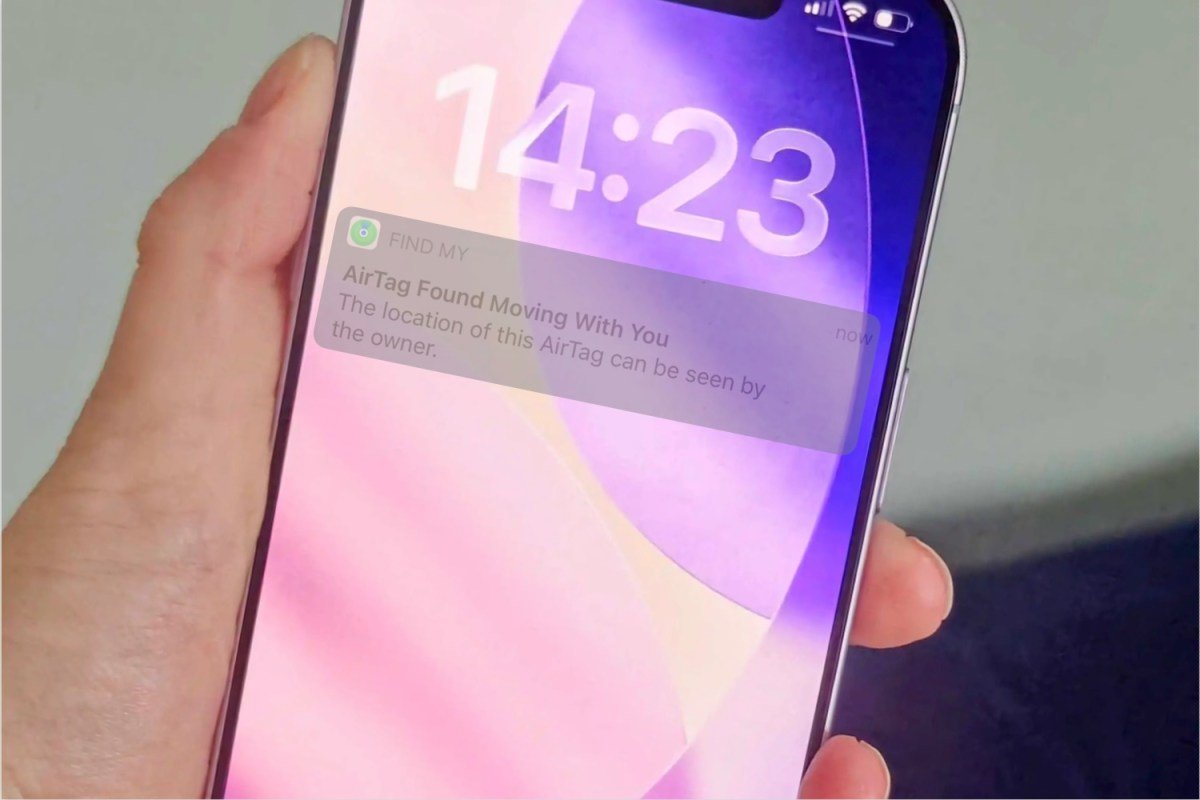
The arc of the volume is deliberate. NFC and Lost Mode (§2–§3) are the benign, owner-facing story: a good Samaritan finds your lost keys, taps the AirTag with any phone, and gets a way to contact you. Then §4 onward flips the same machinery around to the adversarial case: the separated advertising state — the tag away from its owner — is simultaneously what lets the Find My network relocate a genuinely lost tag and what a hidden, unwanted tag spends its life in. The anti-stalking system (§5–§7) is Apple’s, and later Apple-plus-Google’s, attempt to let the second case be detected without breaking the first. Understanding exactly where that line is drawn — and why it is drawn with a deliberate delay — is the single most important idea to carry into the counter-surveillance volumes.
What this volume covers, and what it defers. Here: the NFC/NDEF interface and what a tap exposes (§2), Lost Mode end to end (§3), the paired/nearby/separated state distinction and the status byte that encodes it (§4), the anti-stalking state machine and the audible chirp (§5), the OS-level unwanted-tracking alerts on iOS and Android and the detection-delay rationale (§6), and the Apple+Google DULT standardization effort (§7). Deferred by design: the cryptographic derivation of the advertised key is Vol 2 and is referenced, not re-derived; the detector devices and apps — AirGuard, Tracker Detect as products, commercial BLE sweepers, the can/cannot matrix — are Vol 11, and this volume only introduces them by name so the design framework is in place first; the DIY BLE-scan / RSSI-walk / NFC-read workflows that exploit all of this are Vol 12; the per-tool gear (Flipper, Marauder, Nyan Box, sniffer) is Vol 13; the physical NFC coil and the speaker/magnet assembly inside the tag are the teardown in Vol 5; the operational “how to enable Lost Mode” UX walk-through is Vol 6. This is the behavioral specification; the volumes after it are the exploitation of that specification.
Spec-sourced, and the sources here are softer than Vol 2’s. As of 2026-06-25 no AirTags or detectors are on the bench, so nothing here is a live capture, and — unlike the BLE crypto of Vol 2, which OpenHaystack pins to the byte — the anti-stalking timing is the least-stable, most-firmware-dependent material in the series. The authoritative public sources are the PETS 2021 reverse-engineering paper^[Alexander Heinrich, Milan Stute, Tim Kornhuber, Matthias Hollick, “Who Can Find My Devices? Security and Privacy of Apple’s Crowd-Sourced Bluetooth Location Tracking System”, Proceedings on Privacy Enhancing Technologies (PoPETs) 2021(3), pp. 227–245, DOI: 10.2478/popets-2021-0045. The baseline measurement of the separated-state key behavior cited in §4.4 is from this paper, which predates most of Apple’s anti-stalking firmware changes.] (the baseline for the separated-state key behavior, §4.4), Apple’s own AirTag / Find My support documentation and “unwanted tracking” notices^[Apple Support, “What to do if you get an alert that an AirTag, Find My network accessory, or set of AirPods is with you” and “If you find an AirTag or get a message that an AirTag is found moving with you” — https://support.apple.com/. Apple’s user-facing description of the alert and audible-sound behavior; Apple states the behaviors are subject to change and does not publish exact timing constants, which is why §5.3 and §6 hedge the windows.] (the alert and sound behavior of §5–§6), and the Apple+Google DULT IETF draft^[“Detecting Unwanted Location Trackers,” IETF draft (DULT working group), announced jointly by Apple and Google May 2023 and progressing through the IETF — https://datatracker.ietf.org/wg/dult/about/. The cross-platform separated-advertising signal and non-owner alert behavior of §7 are framed by this draft; as a draft it is itself a moving target.]. Where an exact period or constant matters, this volume states the PETS-2021 / Apple-documented baseline, flags that current firmware may differ, and never invents a precise current number. Apple has repeatedly tuned these windows in response to safety advocates and is explicit that the behaviors can change; treat every duration below as “of this writing, and subject to silent revision.” A live
btmon/sniffer pass plus a real tag-in-a-bag walk-test is the bench-verification trajectory when hardware lands (spec §3).
4.2 The third interface: NFC
The AirTag has three radios, and Vols 2–3 covered two of them. BLE (2.4 GHz) is the always-on beacon that the global network hears; UWB (6–8 GHz) is the owner’s terminal-homing luxury. The third is the shortest-range of all and the only one a stranger is meant to use deliberately: a passive NFC tag at 13.56 MHz, read by touching a phone to the AirTag. It carries no battery cost (it is passively powered by the reader’s field), it is always available regardless of the tag’s BLE state, and it is the one interface that works identically on an iPhone and an Android phone.
4.2.1 A passive NDEF tag any phone can read
The NFC side of an AirTag is an ordinary NFC Forum Type-2 / ISO 14443-A tag exposing an NDEF (NFC Data Exchange Format) message^[NFC Forum, NDEF (NFC Data Exchange Format) Technical Specification and the Type 2 Tag Operation specification. NDEF is the standard record container every NFC-capable phone parses; the URI record type and identifier-code prefixes cited in §2.3 are from the NFC Forum RTD URI (Record Type Definition — URI) specification. The exact NFC tag platform Apple uses in the AirTag is pinned at the silicon level in the Vol 5 teardown — an NXP NT3H2111 (NTAG I²C plus), which is an NFC Forum Type-2 / ISO 14443-A device (there is no Type-5 layer); here the relevant fact is only that it presents a standards-compliant NDEF message.]. There is nothing Apple-proprietary about the transport: the same NDEF a transit poster or a Bluetooth-speaker pairing tag uses. Because it is standards-compliant, any NFC-capable phone — iPhone or Android — reads it with the OS’s built-in NFC handler, no app required. That universality is the entire point: a found-item contact path is useless if only the owner’s ecosystem can use it.
Mechanically:
- The AirTag’s NFC tag is passive — it has no power of its own for NFC. The reader phone’s 13.56 MHz field energizes the coil (inductive coupling), the tag’s NFC front-end wakes, and it returns its stored NDEF message. This works even if the CR2032 is dead, because the reader supplies the energy.
- The stored NDEF message is a single URI record pointing at Apple’s found-item web endpoint, with the tag’s identity encoded in the URL (§2.3).
- The interaction is read-mostly from the finder’s side: the finder reads a URL and a browser opens. The finder is not “connecting” to the tag in any BLE/GATT sense — this is the only active, deliberate read of a found tag, and it is over NFC, not BLE (recall Vol 2 §2.2: the separated BLE advert is non-connectable, so NFC is the only interrogation surface).
The NFC tap is the one place a found tag actively hands you information. Everything in Vol 2 was passive listening on a non-connectable BLE advert — you can recover the rotating key, but the tag tells you nothing on purpose. The NFC tap is the opposite: a deliberate, standards-based read that returns a stable URL and (in Lost Mode) owner-chosen contact text. For the detection half this matters twice — it is how a finder does the right thing with a lost tag (§3.2), and it is how a victim who has found a tag hidden on them reads its serial number to hand to police (Vol 12). The serial is the one durable identifier on the whole device; the BLE side has none (Vol 2 §8.2).
4.2.2 What a tap reveals
Tapping an AirTag opens, on the finder’s phone, Apple’s found-item page at found.apple.com (or, on iOS, a system sheet that renders the same content). What it shows depends entirely on whether the owner has put the tag into Lost Mode:
Table 1 — Tapping an AirTag opens, on the finder's phone, Apple's found-item page at found.apple.com (or, on iOS, a system sheet that renders the same content). What it shows depends entirely on whether the owner has put the tag into Lost Mode
| Tag state | What the tap shows the finder | Owner contact? |
|---|---|---|
| Normal (not lost) | The AirTag’s serial number; a note that it is linked to someone’s Apple Account; instructions to disable it (which requires the owner’s credentials) | No |
| Lost Mode ON | The serial number plus the owner’s chosen contact message and contact info — typically a phone number or email, often partially masked (e.g. last digits shown) | Yes (owner-chosen) |
| Dead battery | Same NFC behavior — the tag is passively powered by the reader, so the serial/URL still resolve | depends on mode |
The serial number is always present because it is baked into the NFC payload and the tag’s identity; the owner contact appears only because the owner deliberately enabled Lost Mode and authored a message (§3.1). This is the privacy hinge: a found tag in normal state leaks only an opaque serial that means nothing without Apple’s account database; a found tag in Lost Mode leaks exactly the contact path the owner chose to expose, and no more.
4.2.3 The NDEF record, field by field
The stored payload is a standard NDEF message containing one URI record (NFC Forum RTD-URI). The structure below is the standards-defined container; the exact URL and any Apple-specific framing are spec-sourced and would be confirmed by a bench read (an nfcpy or phone NFC-tools dump) when a tag is in hand. This is the required NFC NDEF record table:
Table 2 — The stored payload is a standard NDEF message containing one URI record (NFC Forum RTD-URI). The structure below is the standards-defined container; the exact URL and any Apple-specific framing are spec-sourced and would be confirmed by a bench read (an nfcpy or phone NFC-tools dump) when a tag is in hand. This is the required NFC NDEF record table
| Layer / field | Value (typical) | Notes |
|---|---|---|
| NDEF message | one record | single-record message, MB=ME=1 |
| Record header — TNF | 0x01 (Well-Known Type) | NFC Forum well-known type namespace |
| Record type | 'U' (0x55) | RTD-URI: the record is a URI |
| URI identifier code | 0x04 → https:// | one-byte prefix code; 0x04 expands to https:// |
| URI field (abbreviated) | found.apple.com/airtag?... | the found-item endpoint |
| Embedded identity | tag serial carried in the URL query | the durable per-tag identifier |
| Payload length | (length of the URI bytes) | standard NDEF length framing |
A conceptual hexdump of the NDEF message, annotated — filler used for the URL bytes since the exact query string is per-tag and spec-sourced:
# ── NDEF message: a single URI record ──
D1                      # NDEF record header
                        #   MB=1 ME=1 (only record)  SR=1 (short record)
                        #   TNF=001 = NFC Forum Well-Known Type
01                      # Type length = 1 byte
NN                      # Payload length (URI identifier byte + URI bytes)
55                      # Type = 'U'  (RTD-URI : this record is a URI)
04                      # URI identifier code 0x04  ->  prefix "https://"
66 6F 75 6E 64 2E 61 …  # "found.apple.com/airtag?..."  (ASCII URI body)
…                       #   carries the tag's serial in the query string
                        #
# Reader (iPhone or Android) expands 0x04 + body ->
#   https://found.apple.com/airtag?<serial-and-context>
# and opens it: serial always; owner contact iff Lost Mode (§2.2, §3).
The decisive design choices in that tiny record: it is a https:// URI (identifier code 0x04), so any phone’s NFC handler treats it as “open this web page” with no app; the host is Apple’s found-item service, so the page content (serial only vs serial + contact) is decided server-side by the tag’s current Lost-Mode status, not baked into the tag; and the only tag-specific datum the NFC side commits to is the serial. The owner’s phone number is never stored in the tag — it lives in Apple’s account record and is surfaced by found.apple.com only when Lost Mode is on. A finder who clones the NDEF gets the serial and the URL, nothing about the owner.
4.2.4 iPhone and Android: the same tap path
Because the tag is a standards-compliant NDEF URI tag, the finder experience is functionally identical across ecosystems — this is the first real cross-platform symmetry in the series, and it is worth stating plainly because so much else (registration, Precision Finding, the find network) is ecosystem-locked (Vol 9):
Table 3 — Because the tag is a standards-compliant NDEF URI tag, the finder experience is functionally identical across ecosystems — this is the first real cross-platform symmetry in the series, and it is worth stating plainly because so much else (registration, Precision Finding, the find network) is ecosystem-locked (Vol 9)
| Finder phone | NFC read | Result | App needed? |
|---|---|---|---|
| iPhone (iOS) | Background NFC / tap top of phone | System sheet → found.apple.com content | No |
| Android (NFC on) | Tag-dispatch opens the https:// URI | Browser → found.apple.com content | No |
| Any NFC phone, dead-battery tag | Passive read still works | Serial/URL resolve | No |
| Non-NFC phone | (no read) | Cannot read the tag this way | n/a |
The asymmetry that does survive: an Android user can read a found AirTag over NFC (and thereby identify it and reach the owner) without any Apple software, but an Android user cannot register or own an AirTag (Vol 9). NFC is the great equalizer for the found-item use case specifically — it is also, not coincidentally, the path a person who suspects they are being tracked uses to read the serial of a tag they have located (Vol 12), and the DULT effort (§7) leans on exactly this “any phone can read the identifier over NFC” property as part of the cross-platform anti-stalking design.
4.3 Lost Mode mechanics
Lost Mode is the owner-facing feature that the NFC interface exists to serve. It is the deliberate counterpart to the passive find network: where Vol 2’s mechanism locates a tag silently and automatically, Lost Mode is the owner explicitly saying “this is lost — help me get it back,” which changes what a finder sees on tap and what the owner is told when the network sees the tag.
4.3.1 Enabling Lost Mode in Find My
The owner marks an item lost from the Find My app (Items tab → the tag → “Enable” under Lost Mode; the full UX is Vol 6). Enabling it does three things:
- Authors a contact path. The owner enters a phone number or email and an optional message (“Please call me, reward offered”). This is the text a finder sees on NFC tap (§2.2). The owner controls exactly what is exposed and can mask the number.
- Arms found-item notifications. The owner asks to be notified when the tag is next located by the Find My network or read via NFC (§3.3).
- Locks the tag to the account. A Lost-Mode (or simply still-paired) tag cannot be cleanly re-paired to a new Apple Account without the original owner releasing it — the anti-theft counterpart of the anti-stalking story. (This Activation-Lock-style binding is the lock-in Vol 6 is honest about.)
Crucially, enabling Lost Mode does not change the BLE offline-finding mechanism — the tag still advertises its rotating key exactly as Vol 2 describes. Lost Mode is a server-side and NFC-side state, layered on top of the unchanged BLE beacon. The tag does not “advertise that it is lost” in a way that changes the P-224 chain; it changes what Apple’s servers do with reports and what found.apple.com shows.
4.3.2 The finder-to-owner contact path
The benign end-to-end flow — the good-Samaritan path the whole NFC interface is built for:
   Lost Mode: the finder-to-owner contact path
   ════════════════════════════════════════════

   OWNER                         APPLE / found.apple.com           FINDER
   ─────                         ───────────────────────           ──────
   loses tagged item
   opens Find My ► Lost Mode
   sets contact + message ─────► server marks tag "lost",
                                 stores owner's chosen contact
                                          │
                                          │            stranger finds the item
                                          │            taps it with ANY phone (§2.4)
                                          │                     │  NFC read (§2.3)
                                          │ ◄───────────────────┘  GET found.apple.com
                                          │
                                 page renders: serial +
                                 owner's contact + message ─────► finder sees how to
                                                                  reach the owner
                                                                  (calls / emails)
   owner reunited ◄──────────────────────────────────────────────┘  (direct contact)
Two properties make this safe-by-default. First, the owner chose what the finder sees — a masked number, an email alias, a message — so a found tag does not dump the owner’s full identity to a stranger. Second, the contact path is one-directional and owner-initiated as a state: the finder gets a way to reach the owner, not the owner’s location or account. The finder helps; the owner stays in control of their exposure.
4.3.3 Owner notification when the tag is located
The second half of Lost Mode is the owner-side notification. With Lost Mode armed, the owner is alerted when:
- the tag is next located by the Find My network (a finder’s device reports it — Vol 2 §5), surfacing a fresh location on the map; and/or
- the tag’s NFC is read by a finder (opening the found.apple.com page reportedly signals the owner that someone has the item in hand — this is observed behavior, not a documented/guaranteed Apple alert).
Table 4 — 3.3 Owner notification when the tag is located
| Trigger | Owner sees | Mechanism |
|---|---|---|
| Network relocate | New map fix + “Found” notification | BLE finder report → Apple → owner query (Vol 2 §6) |
| NFC tap by finder | ”Your item was found” style alert | found.apple.com server-side event |
| (Both) | Breadcrumb history continues to fill | finder density (Vol 2 §8.1) |
This is the owner-recovery payoff of the entire offline-finding apparatus, now made active: the silent network of Vol 2 keeps logging encrypted fixes, and Lost Mode turns “I happened to check the map” into “Apple pings me the moment a finder or a Good Samaritan surfaces it.”
4.3.4 What is masked, and what is not
A precise accounting of the exposure surface, because it is exactly the surface a misuse case abuses too:
- Serial number: exposed on every NFC tap, Lost Mode or not. Opaque to a finder (it indexes Apple’s account DB, which a finder can’t query), but meaningful to law enforcement with a warrant — Apple can map a serial to the purchasing Apple Account. This is the single most useful datum a stalking victim can extract from a found tag (Vol 12,
_shared/legal_ethics.md). - Owner contact: exposed only in Lost Mode, only the owner-chosen (often masked) value.
- Owner location / account: never exposed to a finder. The finder learns how to contact the owner, never where they are or who they are at the account level.
- The tag’s own location: the tag never knew it (Vol 2 §7.1); NFC exposes none.
The same serial-on-tap property that lets a victim identify and report a planted tag is why the anti-stalking design (§5–§7) treats “the victim can read the serial over NFC” as a first-class part of the countermeasure set — it is the bridge from “my phone alerted me” to “here is the device ID for a police report.”
4.4 Paired versus separated advertising
Now the pivot. Everything to this point — NFC, Lost Mode — is owner-and-finder-friendly. From here the same hardware is examined as a potential weapon, because the property that makes a lost tag findable is the property that makes a planted tag effective. The hinge is a single distinction the BLE advertisement encodes: is the tag currently with its owner, or separated from them?
4.4.1 The three states the tag lives in
It is cleanest to think in three states, though the firmware’s internal accounting is finer:
- Paired / connected (owner present, very close): the owner’s device is in BLE range and actively interacting. The tag can present a connectable interface for configuration, ringing, and Precision-Finding wake (Vol 3 §7.1). The anti-stalking clock is not running — the tag knows its owner is here.
- Nearby (owner recently present): the owner’s device is within range or was within a short, recent window. The tag advertises the offline-finding beacon, but its self-reported status says “I am maintained / my owner is near.” No unwanted-tracking behavior yet.
- Separated (owner absent): the owner’s device has been out of range past a threshold. The tag advertises the offline-finding
ADV_NONCONN_INDbeacon of Vol 2 §2–§3, its status flips to “separated,” and — after a delay (§5) — the anti-stalking countermeasures arm: the audible chirp when moved, and the signal that lets a victim’s phone raise an alert.
The separated state is the one that matters for everything downstream. A genuinely lost tag is separated (its owner isn’t near it) — and so is a tag a stalker has slipped into a target’s bag. The system cannot tell those two apart from the radio alone; that ambiguity is the whole reason the countermeasures (§5–§7) are subtle and delayed rather than instantaneous.
4.4.2 The status byte, decoded
Recall the byte layout from Vol 2 §3.2: the Find My advertisement carries a status byte at payload offset 6. Vol 2 noted it encodes battery plus state flags and deferred the detail here. The status byte is where the paired/separated distinction is exposed on the air — and therefore where a detector reads it. The bit assignment below is spec-sourced (OpenHaystack / PETS 2021-class reverse engineering), partly inferred, and firmware-tweaked across iOS releases — treat the structure as solid and individual bits as advisory until a bench capture confirms:
Table 5 — Recall the byte layout from Vol 2 §3.2: the Find My advertisement carries a status byte at payload offset 6. Vol 2 noted it encodes battery plus state flags and deferred the detail here. The status byte is where the paired/separated distinction is exposed on the air — and therefore where a detector reads it. The bit assignment below is spec-sourced (OpenHaystack / PETS 2021-class reverse engineering), partly inferred, and firmware-tweaked across iOS releases — treat the structure as solid and individual bits as advisory until a bench capture confirms
| Bits (of the status byte) | Field | Meaning |
|---|---|---|
| 7–6 (high 2 bits) | Battery level | coarse battery state (full / medium / low / critically low) |
| ~5 | Maintained / owner-connected hint | set when the tag has recently been with its owner (“nearby”) |
| ~2 | Separated / unwanted-tracking-relevant flag | reflects the separated condition the detectors key on |
| others | reserved / mode bits | not required to recover the key or a location |
The detector-relevant fact: the separated state is observable in the advertisement. A scanner does not have to infer “this tag is away from its owner” purely from motion correlation — the tag says so in its status byte. That is what lets a detector distinguish “an AirTag traveling with its owner” (which it should ignore) from “an AirTag separated from its owner that is now traveling with me” (which it should flag). Decoding it, conceptually:
# Decode the Find My status byte (advert payload offset 6).
# Authority: OpenHaystack / PETS-2021-class RE. Bit positions inferred,
# firmware-dependent — confirm on the bench. Battery in high bits is the
# most-agreed field; the separated/maintained flags are advisory.

def decode_status(status_byte):
    battery   = (status_byte >> 6) & 0b11      # 0..3 : coarse battery level
    maintained = bool(status_byte & 0b0010_0000)  # owner recently near?
    separated  = not maintained                   # ~ away-from-owner condition
    return {
        "battery_level": ["critical","low","medium","full"][battery],
        "maintained":    maintained,    # with/near owner -> do NOT alert
        "separated":     separated,     # away from owner -> alert candidate
    }
This is the byte a detector reads to decide whether a Find My advert is even an alert candidate. A maintained/nearby tag is somebody’s keys in their own pocket and must be ignored; a separated tag that persists in your vicinity over time and motion is the thing the whole detection half is built to catch (Vol 2 §8.2 set up the “correlate the signature against your own motion” problem; this byte is the qualifier on top of it).
4.4.3 Paired versus separated — the comparison
The required paired-vs-separated advertising comparison — the behavioral table to internalize:
Table 6 — The required paired-vs-separated advertising comparison — the behavioral table to internalize
| Dimension | Paired / nearby (owner present) | Separated (owner absent) |
|---|---|---|
| Owner’s device in range? | Yes (or very recently) | No, past the threshold |
| BLE PDU | may present a connectable face for config/ring | ADV_NONCONN_IND, non-connectable (Vol 2 §2.2) |
| Status-byte state | ”maintained / nearby” set | ”separated” condition |
| Advertised key | rotates on the paired cadence (~15 min, Vol 2 §4.3) | held far longer per PETS 2021 (§4.4) |
| Find My network reporting | minimal — owner is right there | active — finders relay encrypted fixes (Vol 2 §5) |
| Anti-stalking clock | not running | running — chirp + alert arm after a delay (§5) |
| Audible chirp on movement | no | yes, after the time-away window (§5.3) |
| Raises an unwanted-tracking alert? | no (it’s with its owner) | candidate — if it travels with a non-owner (§6) |
| Detector should… | ignore it | evaluate it against your motion |
The right-hand column is the entire substrate of the detection half. A separated tag is reporting to the network (so a genuinely lost one gets found), is non-connectable (so you can only listen, per Vol 2 §2.2, or tap NFC, per §2), has a long-lived key (so it is actually correlatable over time, §4.4), and arms the chirp and alert (so a victim has a fighting chance). Each of those is a deliberate consequence of “owner is absent.”
4.4.4 The separated-state key-rotation period
This is the carry-forward dependency from Vol 2, and it deserves to be stated carefully because it reconciles an apparent contradiction in the earlier volume and because it is the linchpin of why detection is possible at all.
The reconciliation. Vol 2 §4.3 quantified the key/address rotation as ~15 minutes, and explicitly scoped that to the paired / in-range state. Vol 2 §8.2’s “tag in a bag for an hour” illustration also drew the address changing every 15 minutes — but that diagram was making the general point “a rotating address defeats a naive MAC-tracking scan,” and it used the 15-minute paired-state cadence as a convenient stand-in. The 15-minute figure is properly the paired-state cadence; the separated state — the state a hidden, unwanted tag actually lives in — behaves differently, and that difference is what a detector keys on.
The PETS-2021 baseline. Heinrich et al. (PETS 2021), reverse-engineering the system before most of Apple’s anti-stalking changes, found that a separated AirTag did not churn its public key every 15 minutes. Instead it held the same public key for a much longer period — on the order of ~24 hours — so that the Find My network could consistently relocate it: a finder passing the bag at 09:00 and another at 17:00 both encrypt to the same key, and the owner queries one hash to get the whole day’s breadcrumb. A 15-minute churn in separated mode would have fragmented the reports across ~96 different keys per day and made a far-away lost tag much harder to pin down. So the long-lived separated key is, first, a findability optimization.
Why that long-lived key is the detector’s handle. The same property is precisely what makes unwanted-tracking detection feasible. If a separated tag rotated its key every 15 minutes, a victim’s phone would see the parade-of-strangers churn of Vol 2 §8.2 and could only correlate the constant 0x004C/0x12 Find My signature against its own motion — workable, but weak. Because the separated key is instead stable for hours, a detector (or the OS, §6) can correlate the actual advertised key/address over a long window: “the same separated AirTag key has been within range of me across three different locations over the last several hours” is a far stronger, lower-false-positive signal than signature-correlation alone. The long-lived separated key is the thing that turns “some Find My tag is near me sometimes” into “this specific tag has followed me.”
Table 7 — 4.4 The separated-state key-rotation period
| Period | Paired / in-range | Separated (PETS-2021 baseline) | Current firmware |
|---|---|---|---|
| Key/address held for | ~15 min (Vol 2 §4.3) | ~24 h (much longer; consistent relocate) | may differ — see note |
| Why this period | privacy vs owner tracking | findability + correlatable handle for detection | tuned for anti-stalking balance |
| Detector leverage | weak (signature + motion only) | strong (correlate the real key over hours) | per current behavior |
Treat the exact current separated-state period as firmware-dependent and hedge it. The ~24-hour separated-state key lifetime is the PETS-2021 baseline, measured before Apple’s anti-stalking firmware campaign. Apple has since iterated the separated-state and key behaviors as part of tightening unwanted-tracking detection, and does not publish the current constants; the DULT effort (§7) further shapes what the separated signal must look like across vendors. So: the direction is solid and durable — a separated tag holds its key materially longer than the paired 15-minute cadence, and that long-lived key is what detection exploits — but the exact current duration is spec-sourced, possibly changed, and would be confirmed only by a bench walk-test with a real tag (Vol 12). Do not quote a precise current number as fact; quote the PETS-2021 ~24 h baseline and flag it.
4.5 The anti-stalking state machine
With the states (§4.1), the status byte (§4.2), and the key timing (§4.4) established, the behavior assembles into a state machine: how a tag moves between with-owner and separated, and what countermeasures arm at each transition. This is the required anti-stalking state-machine diagram and its explanation.
4.5.1 The end-to-end state machine
   AirTag anti-stalking state machine (owner-presence + unwanted-tracking)
   ═══════════════════════════════════════════════════════════════════════

                     owner device in BLE range
        ┌──────────────────────────────────────────────┐
        │                                               ▼
   ┌──────────┐  owner leaves    ┌──────────┐  owner away  ┌─────────────────┐
   │  PAIRED  │ ───────────────► │  NEARBY  │ ───────────► │   SEPARATED     │
   │ /CONNECT │  (range lost)    │ (recently│  past the    │ (owner absent;  │
   │  owner   │ ◄─────────────── │  with    │  threshold   │  offline-finding│
   │  here    │   owner returns  │  owner)  │ ◄─────────── │  beacon active) │
   └──────────┘                  └──────────┘ owner returns └────────┬────────┘
     clock OFF                    clock OFF                          │
     connectable                  status=maintained                 │ time-away
     ring/Precision-Find          no alert yet                       │ window
     wake (Vol 3 §7.1)                                               ▼  elapses
                                                          ┌────────────────────────┐
                                                          │ SEPARATED + ARMED       │
                                                          │  • plays a SOUND when   │
                                                          │    moved (§5.3)         │
                                                          │  • emits the signal a   │
                                                          │    non-owner phone can  │
                                                          │    alert on (§6, §7)    │
                                                          └───────────┬────────────┘
                                                                      │ reunited with owner
                                                                      ▼  (any time)
                                                          ┌────────────────────────┐
                                                          │  back to PAIRED/NEARBY  │
                                                          │  clock resets, sound +  │
                                                          │  alert disarm           │
                                                          └────────────────────────┘

   Key idea: the chirp and the alert arm ONLY after a time-away DELAY in the
   SEPARATED state — never while the tag is with/near its owner. Reuniting with
   the owner at any point resets the clock and disarms everything (§6.3).
The machine has one absorbing-ish hazard state — SEPARATED + ARMED — and every path into it runs through “owner has been absent past a threshold, and a further time-away/movement delay has elapsed.” Every path out of it is “owner returns,” which resets the clock. The design intent is that a tag with its owner is silent and invisible to others, and only a tag that has been away from its owner and is in motion (i.e. being carried — by its rightful owner who happens to be a passenger, or by a victim, the system can’t tell which) becomes noisy and detectable.
4.5.2 Transitions and their triggers
Table 8 — 5.2 Transitions and their triggers
| From → To | Trigger | Effect |
|---|---|---|
| Paired → Nearby | Owner device leaves immediate range | Tag begins/continues offline-finding advert; status “maintained” |
| Nearby → Separated | Owner device absent past threshold | Status flips “separated”; time-away clock starts; key settled to the long-lived separated key (§4.4) |
| Separated → Separated+Armed | Time-away window elapses (§5.3) and movement detected | Audible chirp on movement arms; the alertable signal is in force |
| Any → Paired/Nearby | Owner device returns to range | Clock resets; sound + alert disarm |
| Separated+Armed → (alert) | The tag has traveled with a non-owner over time/distance | Non-owner’s phone may raise an unwanted-tracking alert (§6) |
The movement gate matters: a separated tag sitting still (a genuinely lost tag dropped in a field, or one left in a stationary location) is far less likely to chirp than one being carried, because the chirp is tied to the tag being moved after the time-away window. This is sensible — a tag moving with a person is the stalking-relevant case; a tag lying motionless is more likely just lost. The tag’s accelerometer (Vol 5 teardown) is what supplies the “is it moving” input.
4.5.3 The audible chirp and its evolving window
The most-visible countermeasure is the audible chirp: a separated AirTag plays a sound through its piezo speaker (Vol 5) when it is moved after having been away from its owner for some time. The intent is to make a hidden tag announce itself to the person it is hidden on. The trigger window has been the single most-revised constant in the whole system, and it is the canonical example of the spec-sourced-and-firmware-dependent caveat:
Table 9 — The most-visible countermeasure is the audible chirp: a separated AirTag plays a sound through its piezo speaker (Vol 5) when it is moved after having been away from its owner for some time. The intent is to make a hidden tag announce itself to the person it is hidden on. The trigger window has been the single most-revised constant in the whole system, and it is the canonical example of the spec-sourced-and-firmware-dependent caveat
| Era | Time-away window before the tag chirps on movement | Source basis |
|---|---|---|
| AirTag launch (2021) | ~3 days of separation before the sound triggered | Apple launch behavior / press |
| After safety criticism (2021+) | Reduced and randomized to roughly an 8–24 hour window | Apple “unwanted tracking” updates |
| Current | Firmware-dependent; Apple does not publish the exact value and can change it | Apple support docs (subject to change) |
The trajectory is the story: at launch the 3-day window was widely criticized — a stalker could track a victim for up to three days before the tag made any noise — and Apple shortened and randomized the window to roughly 8–24 hours in response to safety advocates. The randomization matters: a fixed window is one a sophisticated abuser can schedule around (swap the tag before it chirps); a randomized 8–24 hour window is harder to defeat. Quote this as an evolving range, not a fixed number — the value at any given moment is whatever the current firmware ships, Apple reserves the right to change it, and it is exactly the kind of thing a bench walk-test would measure empirically.
Stalking with a tracker is a crime — this is a defensive volume. Everything in §5–§7 exists to let a person detect a tag used against them; none of it is a how-to for using one against someone else. Planting a tracker to monitor a person without consent is criminal stalking/harassment in most jurisdictions, and intimate-partner abuse is the dominant real-world misuse. This series is authored to that posture: theory, your-own-gear, and detection — never covert tracking of a person. The audible chirp, the OS alerts, and DULT are countermeasures for the tracked, and the make-vs-find line is drawn explicitly in Vol 14 and
_shared/legal_ethics.md. If you have found a tag you believe was planted on you, the right path is to read its serial over NFC (§2.2), document it, and contact law enforcement — not to discard it silently.
4.6 Unwanted-tracking countermeasures
The audible chirp (§5.3) is the in-band, no-phone-needed countermeasure. The richer countermeasures live on the phone: the OS detecting that an unknown separated tag is traveling with you and telling you so. This is the layer Vol 11 covers as products; here it is the behavior those products implement.
4.6.1 iOS: Found Moving With You
iOS has built-in unwanted-tracking detection — no app to install — since iOS 14.5 (2021), surfaced through Find My / the Tracking Notifications system. Its alerts read as “[Item] Found Moving With You” or, more generally, “Unknown Accessory Detected,” and they fire when an AirTag (or other Find My-network accessory) that is not yours is detected moving with you over time while separated from its owner. Tapping the alert offers to play the tag’s sound (to locate it), show NFC-read instructions (to read its serial, §2.2), and — Apple added — guidance on disabling it.
The conditions that gate the iOS alert, all of which must hold, are the behavioral encoding of “this looks like tracking, not coincidence”:
- the accessory is separated from its owner (status byte, §4.2), and
- it is not associated with your own Apple Account (it is not your tag, or one shared with you), and
- it has been with you across time and location changes (not a one-off proximity), and
- you have arrived somewhere / it has persisted — the system waits to avoid flagging the airport stranger you stood next to for five minutes.
4.6.2 Android: native alerts and Tracker Detect
Android’s coverage came in two waves, and the distinction matters for the cross-platform gap (§7.3):
- Apple Tracker Detect (Android app, December 2021): Apple’s stopgap for Android users. It is a manual-scan app — you open it and tell it to look for nearby separated Find My trackers; it does not scan in the background. Better than nothing, but it requires the victim to already suspect and act. Vol 11 covers it as a product; mentioned here only as the first cross-platform countermeasure.
- Android native “unknown tracker alerts” (2023): Google built unwanted-tracker detection into Android itself (broadly Android 6.0+), with automatic background scanning for separated trackers traveling with the user — the structural parity with iOS’s built-in alerts. This, plus DULT (§7), is what finally gave Android users automatic (not manual) protection against AirTags.
The cross-platform coverage gap — real, narrowing, not closed. For the first stretch of the AirTag’s life the protection was asymmetric: an iPhone had automatic, background, no-app unwanted-tracking alerts from iOS 14.5 (2021), while an Android user had only the manual-scan Tracker Detect app (Dec 2021) — useless unless they already suspected a tag and remembered to scan. A stalker targeting an Android user faced a much weaker defense than one targeting an iPhone user. Android’s native background alerts (2023) and the DULT standard (§7) close most of that gap, but residual gaps remain: non-AirTag trackers, phones too old for the feature, users who dismiss or disable alerts, and the detect-but-don’t-register asymmetry (Vol 9). Detection coverage is now roughly cross-platform — but “roughly,” and only for DULT-compliant trackers. Vol 11 maps the detector landscape that fills the remaining holes; the
Nyan Box/deep dive is the sibling for the other hidden-emitter class (cameras), where the coverage story is even patchier.
4.6.3 The detection-delay-by-design rationale
The most counter-intuitive property of the whole system — and the one an EE should internalize — is that the alerts and the chirp are deliberately delayed. A naive design would alert the instant any unknown separated tag is seen. That design is unusable, and understanding why is understanding the central engineering tension:
Detection delay is a feature, not a bug — it is the cost of avoiding a flood of false positives. Find My tags are everywhere: every coffee shop, train carriage, and office has several within BLE range at any moment, most of them separated from owners who are simply in the next room or who left them in a coat. If your phone alerted on every separated AirTag it ever heard, it would cry wolf dozens of times a day and you would disable the feature within an hour — at which point it protects no one. So the system waits and correlates over time and motion: it only flags a tag that has stayed with you across location changes for a sustained period, because that pattern — not mere momentary proximity — is what distinguishes “a stranger’s tag I walked past” from “a tag that is following me.” The same logic delays the audible chirp (§5.3): it must not chirp for the owner riding the train with their own keys, so it waits for a time-away window first. The unavoidable consequence is a window of undetected tracking — hours, by design — that no amount of tuning removes, only trades off against the false-positive rate. This is the rationale Vol 11’s detectors all inherit, and the honest limit a victim must understand: an alert is not instantaneous, and its absence is not proof of safety.
The tradeoff is a classic detector ROC curve: push the sensitivity up (alert sooner, on weaker correlation) and false positives explode until users opt out; push it down (alert only on strong, sustained correlation) and you accept a longer undetected window. Apple and Google sit deliberately toward the low-false-positive end because a detector users have turned off is worthless. The randomized chirp window (§5.3) and the “with you across locations over time” gate (§6.1) are both expressions of this same choice.
4.6.4 The alert-timing picture
The required alert-timing table, iOS versus Android — every cell hedged as evolving/firmware-dependent per §1’s caveat:
Table 10 — The required alert-timing table, iOS versus Android — every cell hedged as evolving/firmware-dependent per §1's caveat
| Aspect | iOS (built-in) | Android (native, 2023+) | Android (Tracker Detect app) |
|---|---|---|---|
| Since | iOS 14.5 (2021) | 2023 (Android 6.0+)^[The “Android 6.0+” floor is the Google-Play-services-delivered unwanted-tracker-alert feature (the 2023 rollout rides on Play services, not a platform OS update), so the floor reflects Play-services reach rather than a stock-AOSP capability; verify against the current Play services version, as Google has continued to revise the supported floor.] | Dec 2021 |
| Scan mode | Automatic, background | Automatic, background | Manual only |
| App required? | No (OS-native) | No (OS-native) | Yes (must open + scan) |
| Trigger | unknown separated tag moving with you over time | same (DULT-aligned) | nearby separated tag, on demand |
| Typical delay before alert | not instant — sustained co-travel (minutes-to-hours class) | similar, DULT-aligned | only when you actively scan |
| Audible-chirp window (tag-side) | ~8–24 h (randomized; evolved from ~3 days) — §5.3 | same tag, same window | same tag, same window |
| Offers play-sound / NFC-read | Yes | Yes | Yes |
| Covers non-Apple trackers? | partial (DULT-dependent) | broader (DULT-dependent) | Apple Find My tags |
The audible-chirp row is the same across all three columns because it is a property of the tag, not the detecting phone — the tag chirps on its own schedule regardless of who (if anyone) is detecting it. The scan-mode row is the one that historically separated iOS from Android (§7.3). All timing values are the evolving/spec-sourced kind: state the shape, not a stopwatch reading.
4.6.5 What triggers an alert — a decision tree
The required “what triggers an alert” decision tree — the logic a victim’s phone (or a DIY detector, Vol 12) walks to decide whether a heard Find My advert is worth flagging:
   Does THIS Find My advert warrant an unwanted-tracking alert?
   ════════════════════════════════════════════════════════════

   heard a BLE advert
        │
        ▼
   Is it the Find My signature?  ── no ──► ignore (not a Find My tag)
   (FF 4C 00 12 …, Vol 2 §2.4)
        │ yes
        ▼
   Status byte = SEPARATED?      ── no ──► ignore (tag is with its owner;
   (§4.2)                                   not a tracking candidate)
        │ yes
        ▼
   Is it MY tag / shared with    ── yes ─► ignore (your own / family tag;
   me? (my Apple/Google acct)               do not alert on yourself)
        │ no
        ▼
   Has it stayed with me ACROSS  ── no ──► hold / keep correlating
   time + location changes?                (one-off proximity ≠ tracking;
   (the delay-by-design gate, §6.3)         the detection-delay window)
        │ yes
        ▼
   ┌─────────────────────────────────────────────────┐
   │  RAISE ALERT: "Unknown accessory found moving    │
   │  with you." Offer: play sound · NFC-read serial  │
   │  (§2.2) · disable instructions.                  │
   └─────────────────────────────────────────────────┘

   Note: the long-lived SEPARATED key (§4.4) is what makes the
   "stayed with me across locations" correlation reliable — a 15-min
   churn would make this branch far weaker (Vol 2 §8.2).
Every gate in that tree is a false-positive filter (§6.3): the signature gate drops non-Find-My BLE; the separated gate drops tags with their owners; the own-account gate drops your own gear; and the co-travel gate — the expensive one — drops momentary proximity, at the cost of the by-design delay. A DIY detector (Vol 12) reimplements exactly this tree on a Flipper, a Marauder module, or an nRF52840 sniffer (Vol 13), and the long-lived separated key of §4.4 is what makes its co-travel branch tractable. The co-travel gate, in skeleton — the part the long-lived separated key (§4.4) makes possible:
# Detector co-travel accumulator (the §6.5 expensive gate).
# Keys on the LONG-LIVED separated key (§4.4): a 15-min churn would
# make this unusable; an hours-stable key makes it a clean correlation.
# Authority: behavioral (DULT/§6.3 logic), spec-sourced — confirm on bench.

def evaluate(advert, my_location, now, seen):       # seen: key -> sightings[]
    if not is_findmy_signature(advert):    return None   # FF 4C 00 12 … gate
    st = decode_status(advert.payload[6])               # §4.2
    if not st["separated"]:                return None   # with-owner gate
    key = recover_public_key(advert)                    # Vol 2 §3.3 — stable
    if key in my_owned_keys:               return None   # own/shared gate

    s = seen.setdefault(key, [])
    s.append((now, my_location))                        # accumulate sightings
    span    = s[-1][0] - s[0][0]                         # how long it's followed
    places  = {round_to_area(loc) for _, loc in s}      # distinct locations
    if span >= CO_TRAVEL_MIN_TIME and len(places) >= 2: # the by-design delay
        return ALERT(key, reason="moving with you across locations")
    return None                                         # hold / keep watching
The single line that makes this tractable is key = recover_public_key(advert) being stable across the sightings list — which is true only because the separated key is long-lived (§4.4). If it churned every 15 minutes like the paired cadence, every sighting would land under a different key and the accumulator would never build evidence; detection would collapse back to the weaker signature-only correlation of Vol 2 §8.2. The separated-state design that makes a lost tag findable is, line for line, the design that makes a planted tag catchable.
4.7 DULT — the cross-platform framework
The countermeasures of §5–§6 began as Apple’s unilateral design. The problem is that an unwanted-tracker is a cross-vendor, cross-platform threat — an AirTag can be used against an Android user, a Tile against an iPhone user — and a per-vendor patchwork leaves exactly the gaps §6.2 described. DULT is the response: a joint standard so that every compliant tracker advertises a recognizable separated-state signal and every compliant phone knows how to alert on it.
4.7.1 What DULT standardizes
DULT — “Detecting Unwanted Location Trackers” — is an Apple+Google specification, announced jointly in May 2023 and progressing through the IETF as a draft. It is introduced here as the design framework the whole detection half assumes; Vol 11 covers the detector products that implement it. What it standardizes:
Table 11 — DULT — "Detecting Unwanted Location Trackers" — is an Apple+Google specification, announced jointly in May 2023 and progressing through the IETF as a draft. It is introduced here as the design framework the whole detection half assumes; Vol 11 covers the detector products that implement it. What it standardizes
| DULT standardizes… | So that… |
|---|---|
| A common separated-state BLE advertising signal for trackers | any compliant phone can recognize “this is a tracker, away from its owner,” regardless of brand |
| The non-owner detection / alert behavior | iOS and Android raise equivalent “found moving with you” alerts on each other’s trackers |
| A way to read the tracker’s identifier (incl. the NFC-tap path, §2) | a victim on any platform can identify a found tag and report it |
| Sound / locate obligations for a separated tracker | the audible-chirp countermeasure (§5.3) becomes a cross-vendor requirement, not an Apple courtesy |
| Privacy constraints on the alerting itself | detection does not become its own surveillance vector |
The strategic point: DULT turns Apple’s anti-stalking behaviors from a competitive feature into an interoperable floor. A Tile, a Chipolo, a Pebblebee, a SmartTag — to be a good citizen — advertises the DULT separated signal, and an iPhone or Android raises the same alert for all of them. Vol 8’s “which network does this SKU join” trap and Vol 9’s cross-platform map both sit downstream of whether a given tracker is DULT-compliant.
4.7.2 The accessory-not-with-owner signal
DULT’s core is the same idea this whole volume has circled: the separated / not-with-owner condition must be legible on the air to a non-owner. A compliant tracker, when away from its owner, advertises a signal a stranger’s phone can parse as “separated tracker” — the cross-vendor generalization of the Apple status byte (§4.2). The data flow DULT defines:
   DULT cross-platform unwanted-tracking detection (conceptual)
   ════════════════════════════════════════════════════════════

   ANY compliant tracker            ANY compliant phone (iOS or Android)
   (AirTag, Tile, SmartTag…)        ────────────────────────────────────
   ──────────────────────────
   separated from its owner
   advertises DULT "not with    ───►  hears the DULT separated signal
   owner" BLE signal                       │
        │                                  ▼
        │                          is it MINE? ── yes ─► ignore (§6.5)
        │                                  │ no
        │                                  ▼
        │                          co-travels with me over time? (§6.3)
        │                                  │ yes
        │                                  ▼
        │                          ALERT: "unknown tracker moving with you"
        │ NFC tap (§2) ◄──────────────────┤ offer: play sound · read ID/serial
        ▼                                  ▼
   plays sound on demand;          victim identifies + reports (Vol 12,
   exposes identifier              `_shared/legal_ethics.md`)
This is the picture every detector in Vols 11–13 is trying to approximate — the OS-native ones implement it directly; a DIY detector (Vol 12) reimplements the “hear the separated signal, correlate against my motion, let me read the ID” pipeline on owned gear. DULT is the spec; the rest of the detection half is its implementation and its gaps.
4.7.3 The cross-platform coverage gap
DULT narrows the gap of §6.2; it does not erase it. The honest residual coverage gaps, which Vol 11 enumerates as a can/cannot matrix and which a careful reader must hold:
- Compliance is not universal or instant. A tracker only advertises the DULT signal if its firmware implements it; older or non-compliant trackers (and any deliberately non-compliant “stalkerware” beacon) are invisible to the standardized path. Tile, historically, sat awkwardly relative to cross-network detection — Vol 8 and Vol 11 detail who opted in when.
- Draft, not ratified. DULT is an IETF draft and a moving target; behaviors and required fields are still settling, and what ships in firmware lags the spec.
- Old phones, disabled features, dismissed alerts. The protection requires a recent-enough OS, the feature enabled, and the user not having muted it — and it inherits the by-design delay (§6.3), so even perfect compliance leaves an undetected window.
- DIY / non-standard beacons. An OpenHaystack-style DIY beacon (Vol 10) that does not emit the separated/DULT signal correctly may be less detectable, not more — a real consideration for the make-vs-find ethics of Vol 14. The standard protects against compliant trackers; it cannot compel a homemade one.
DULT is the best cross-platform answer the industry has, and it is genuinely closing the gap — but “compliant trackers, recent phones, after a deliberate delay” is the fine print. The detection volumes (Vol 11 products, Vol 12 DIY, Vol 13 owned gear) exist precisely to cover what the OS-native, DULT-compliant happy path leaves uncovered.
4.8 Cheatsheet updates
This volume’s contributions to the Vol 15 laminate-ready cheatsheet — the bridge facts to carry without re-reading:
- Three interfaces, third is NFC. BLE = the find network (Vol 2); UWB = terminal homing (Vol 3); NFC = the tap. A passive NDEF URI tag, readable by any NFC phone (iPhone or Android), no app. Tap → found.apple.com → the tag’s serial always; the owner’s chosen (often masked) contact if Lost Mode is on.
- NFC is the only active read of a found tag. The separated BLE advert is non-connectable (Vol 2 §2.2); NFC is how you read the serial — the one durable identifier, and the datum a victim hands to police (Vol 12).
- Lost Mode = owner marks the item lost, sets a contact message (finder sees it on NFC tap), and is notified when the network or an NFC tap locates it. It does not change the BLE crypto — it is a server/NFC-side state.
- Paired vs separated = the status byte. The advert’s status byte (Vol 2 offset 6) encodes coarse battery (high bits) + a maintained/separated flag. Separated = owner absent = the state a hidden tag lives in = the only state a detector should evaluate. Paired/nearby = with its owner = ignore.
- Separated key is LONG-LIVED — the carry-forward. Paired cadence = ~15 min (Vol 2 §4.3). Separated, per PETS 2021, the key is held far longer (~24 h order) so the network can consistently relocate it — and that long-lived key is exactly what makes detection feasible (correlate the real key over hours, not just the signature). Current firmware may differ — Apple doesn’t publish it; hedge the number.
- Anti-stalking state machine: PAIRED ↔ NEARBY ↔ SEPARATED; only SEPARATED + (time-away delay elapsed) + moving arms the chirp and the alertable signal. Owner returns → clock resets, everything disarms.
- The audible chirp window evolved: launch ~3 days → criticized → reduced + randomized to ~8–24 h. Firmware-dependent; quote as a range, not a fixed value.
- OS alerts: iOS “[Item] Found Moving With You” / “Unknown Accessory Detected” — built-in since iOS 14.5 (2021), automatic/background. Android: Tracker Detect app (Dec 2021, manual scan) → then native unknown-tracker alerts (2023, automatic/background). (Detector products = Vol 11.)
- Detection delay is by design. Find My tags are everywhere; alerting on every separated tag = false-positive flood = users disable it. So the system correlates over time + motion and only flags sustained co-travel — leaving an unavoidable undetected window. An alert isn’t instant; its absence isn’t proof of safety.
- Cross-platform gap: iPhones had auto alerts first (2021); Android had only manual Tracker Detect until native alerts (2023). Gap narrowed, not closed (old phones, non-compliant trackers, dismissed alerts).
- DULT = Apple+Google “Detecting Unwanted Location Trackers,” joint May 2023, IETF draft — standardizes the separated-advertising signal + cross-platform alert so any compliant phone alerts on any compliant tracker. The design framework for the whole detection half; the detectors that implement it are Vol 11.
- Posture: planting a tracker on a person is a crime; this is a detection/defense volume. Found a tag on you? NFC-read the serial (§2.2), document, report — see
_shared/legal_ethics.md, Vol 14.
This is Volume 4 of a fifteen-volume series, and the end of the theory half. With BLE (Vol 2), UWB (Vol 3), and now NFC + the separated-state anti-stalking behavior understood, the series crosses into the second half. The hardware that runs all three radios is the teardown in Vol 5; the operational use is Vol 6; the varieties and phone-compatibility map are Vols 7–9; the DIY beacon is Vol 10. Then the detection half — Vol 11 (the detector devices and apps that implement the §5–§7 behavior, and the DULT landscape), Vol 12 (DIY BLE-scan + RSSI-walk + NFC-read detection that reimplements the §6.5 decision tree on owned gear), and Vol 13 (Flipper, Marauder, Nyan Box, sniffers) — all hang off the separated-state signal and the long-lived separated key established here. This volume is the bridge; everything that catches a hidden tag keys on what it specified. Sibling reading: the Nyan Box/ deep dive for the other hidden-emitter class, and _shared/legal_ethics.md for the line this whole half is drawn against.
Comments (0)