Bus Pirate 6 · Volume 3
Bus Pirate 6 Volume 3 — Firmware Architecture: PIO State Machines, Mode Vtables, and the Build Tree
How the source maps to silicon — pirate/ HAL, mode/ vtables, commands/, binmode/, the four CMake targets, the .pio programs
3.1 About this volume
The subject is the Bus Pirate firmware source tree — what’s in it, how the pieces fit together, and what changes when you swap board variants. Read this if you’re going to build the firmware from source, write a custom mode, port to a new board, or just want to know what the firmware is actually doing when you type a command at the BP6 CLI.
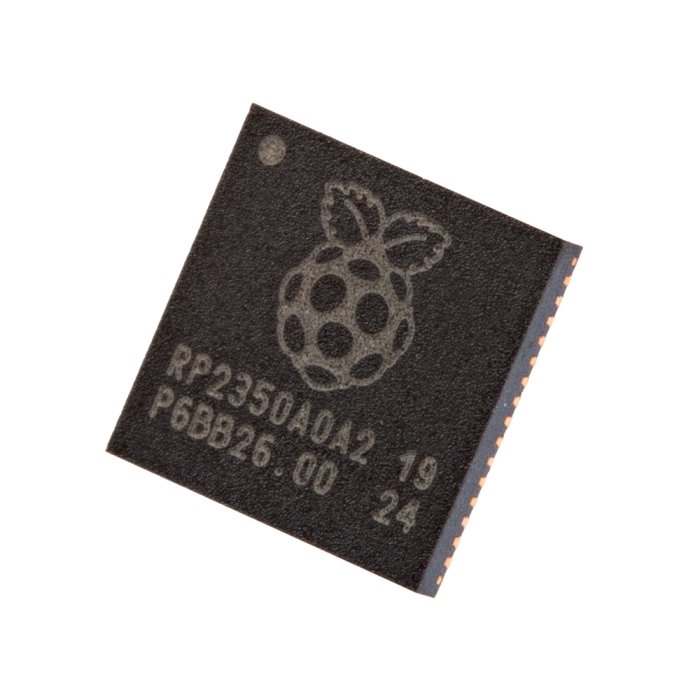
The repo is github.com/DangerousPrototypes/BusPirate5-firmware — note the name retained “5” but the tagline reads “Bus Pirate Firmware for v5 and above”. The same source tree builds the BP5 REV8, BP5 REV10, BP5XL, and BP6 REV2. License: MIT, with optional LGPL3 components (legacy ANSI color codes) disable-able at build time with -DUSE_LGPL3=NO.
Maintainers: Ian Lesnet ([email protected]) as primary, with active community contributors via pull requests. Issues + PRs go through GitHub; design discussion happens at forum.buspirate.com. There is no separate firmware repo for the BP6 — one tree, one main branch, all boards.
3.2 The repo at a glance
Top-level structure of the repo as of commit 93aefde (Apr 2026):
BusPirate5-firmware/
├── src/                      ← all C source
├── boards/                   ← per-board pin maps and config
├── platform/                 ← per-MCU platform code (rp2040 vs rp2350)
├── cmake/                    ← CMake helper modules
├── attic/                    ← retired / engineering-sample stuff
├── docker-compose.yml        ← hermetic-build container
├── CMakeLists.txt            ← root build script
├── README.md
└── LICENSE
The build invokes CMakeLists.txt in the root, which fans out into the four board-specific build trees (bus_pirate5_rev8, bus_pirate5_rev10, bus_pirate5_xl, bus_pirate6 / bus_pirate6_rev2). The output is one .uf2 per board — you flash the one that matches your hardware (see Vol 1 § 6.1 for the bootloader entry procedure).
Build artifacts go in a sibling build_rp2040/ or build_rp2350/ directory, picked by which MCU family the target board uses. RP2040-targets and RP2350-targets cannot share a build directory because the Pico SDK is configured differently per family.
3.3 Top-level source-tree layout
The src/ directory is the meat of the firmware. Here’s the directory-level map.
3.3.1 src/pirate/ — the hardware abstraction
The Hardware Abstraction Layer (HAL). Every silicon-specific piece of code lives here:
bio.c/bio.h— buffered I/O pin control. Wraps the per-pin 1T45 chain (Vol 2 § 4): direction, drive level, pull-up enable, voltage read.pullup.c— pull-up state machine. Translates “enable pull-up on IO3” into “drive the PFET gate GPIO low” plus state-tracking so the firmware knows which pins have pull-ups active.psu.c— PSU control. Sets the buck-regulator’s feedback divider via I²C/SPI, reads back current draw, manages enable/disable.amux.c— the CD4067 analog mux (Vol 2 § 7). Walks the 4 address-select GPIOs, waits for settling, reads the analog output via ADC.button.c— the single SPST button. Press / hold / release event generation.rgb.c— the SK6812 chain. Wraps the WS2812-PIO state machine; exposes per-LED color set.lcd.c— the ST7789V display driver. SPI command sequencing, frame-buffer management, the status-bar rendering loop.storage.c— file ops on the on-board NAND. Calls down into FatFS (§ 3.6).amux.c,bio.c,pullup.c,psu.ctogether form the probe-pin abstraction: every protocol mode talks to the pins through this layer rather than touching RP2350B GPIOs directly. This is what makes the same mode code work across BP5 / BP5XL / BP6 — the per-board pin map (inboards/) tells the HAL which GPIOs are which, and the mode code stays the same.- All
.piosource files also live here (hwuart.pio,hwi2c.pio, etc.). The PIO programs are silicon-specific but they’re conceptually HAL-level — protocols are implemented “in” the PIO; the C code orchestrates the state machines.
3.3.2 src/mode/ — protocol-mode vtables
One pair of hw<proto>.{c,h} files per protocol mode:
src/mode/
├── hwuart.c     hwuart.h
├── hwhduart.c   hwhduart.h
├── hwi2c.c      hwi2c.h
├── hwspi.c      hwspi.h
├── hw1wire.c    hw1wire.h
├── hw2wire.c    hw2wire.h     ← used for SLE4442 smart-card timing
├── hw3wire.c    hw3wire.h     ← Microwire 93-series EEPROM
├── jtag.c       jtag.h        ← also serves SWD via subcommand
├── hwled.c      hwled.h
├── infrared.c   infrared.h
├── hwi2s.c      hwi2s.h
├── dio.c        dio.h         ← generic GPIO mode
├── hiz.c        hiz.h         ← all outputs disabled — the safe boot mode
└── binloopback.c              ← internal test mode
Each mode file implements the mode vtable (§ 5) — a set of standardized callbacks the syntax runner calls. The mode is free to implement those callbacks however it wants (PIO state machine, hardware peripheral, bit-banged GPIO).
3.3.3 src/commands/ — global and per-mode commands
Top-level commands (the things you type at the prompt). Layout:
src/commands/
├── global/      ← commands valid in any mode (W, V, P, $, #, ?, scan, etc.)
└── <mode>/      ← per-mode commands (flash for SPI, sle4442 for 2-wire, etc.)
Examples:
commands/global/hash.c— implements the#line-comment behavior (commit93aefde, Apr 2026)commands/global/scan.c— the I²Cscancommand (works in I²C mode; lives in global because it’s a discovery command)commands/spi/flash.c— theflash dump|verify|writeworkflow for 25-series NORcommands/i2c/eeprom.c— the I²Ceepromworkflow for 24-series EEPROMscommands/jtag/bluetag.c— the JTAG/SWD pin-findercommands/jtag/openocd.c— the OpenOCD bridge protocolcommands/i2c/ddr5.c/commands/i2c/ddr4.c— DDR SPD readoutcommands/2wire/sle4442.c— SLE4442 smart-card auth + read/write
This separation is the reason flash dump and eeprom read are commands rather than modes: they’re workflows that orchestrate the underlying mode (SPI or I²C). The mode does the bus-level work; the command does the chip-level work.
3.3.4 src/binmode/ — BBIO legacy and BPIO2 modern
The binary protocols for host-side automation (full Vol 10 walk; this is the architecture-level summary).
src/binmode/
├── bbio.c          ← legacy 0x01-SPI / 0x02-I²C / etc. single-byte commands
├── bpio2.c         ← modern FlatBuffers-over-COBS
├── sump.c          ← Sigrok SUMP protocol (logic-analyzer compat)
├── fala.c          ← FALA logic-analyzer protocol
└── irtoy.c         ← IR Toy compat layer
The binmode command at the CLI offers a menu — pick BBIO (option 1), BPIO2 (option 2), SUMP (option 3), FALA (option 4), IR Toy (option 5). The selected handler takes over the USB-CDC serial channel and the CLI hands off to it.
3.3.5 src/display/, toolbars/, ui/, font/, translation/
display/— the ST7789V drawing primitives (lines, rects, text rendering).toolbars/— the VT100 status-bar logic (and the LCD mirror).ui/— the menu-bar with F-key support (added Mar 2026), the toolbar focus system.font/— bitmap fonts for the LCD.translation/— i18n strings. The firmware supports English plus a community-contributed set of other languages.
This is the second largest source area after pirate/. UI work has dominated the Feb-Apr 2026 commit history (see § 10).
3.3.6 src/dhara/, src/fatfs/, src/nand/ — on-board filesystem
The three-layer filesystem stack (Vol 2 § 8):
nand/— raw NAND I/O (page read, page write, block erase, bad-block detection).dhara/— the Dhara FTL (vendored fromdharaopen-source). Maps logical block addresses to physical NAND blocks with bad-block management and wear leveling.fatfs/— FatFS (the canonical embedded FAT16/32 implementation, vendored). Sits on top of Dhara and presents the FAT filesystem the host’s USB MSC stack consumes.
This layering means corrupted media is recoverable (format re-initializes Dhara + FatFS), bad blocks are transparent to the user, and the host sees a normal USB drive without knowing NAND is underneath.
3.3.7 src/boards/, src/platform/, src/cmake/
The board-portability glue:
boards/<board_name>.h— pin map and config for each board.bus_pirate5_rev10.h,bus_pirate5_xl.h,bus_pirate6_rev2.h. The HAL (src/pirate/) reads these to know which GPIO is connected to what.platform/<mcu_family>/— per-MCU-family code. Differs between RP2040 (BP5 REV8/REV10) and RP2350 (BP5XL/BP6).cmake/— CMake helper modules. Mostly Pico SDK glue.
To port the BP firmware to a custom board, you write a new boards/your_board.h with your pin map, possibly add board-specific quirks in platform/, register the board in the root CMakeLists.txt, and run the build with -DBUILD_TARGET=your_board. The vast majority of the firmware doesn’t change.
3.4 The syntax compiler / runner
When you type [0x90 r:4 0x91 r:4] at the prompt, three files do the work. They live at src/ root, not in a subdirectory — they’re foundational enough to be top-level.
3.4.1 syntax_compile.c — text to bytecode
This is the parser. It takes the input string and produces a bytecode array. Tokens:
[/]— START / STOP transaction (compile toBC_START/BC_STOP)>— execute without START (BC_EXEC)0x550b1010123"abc"— numeric / string literals (BC_WRITE_BYTEwith the value)r/r:N— read (BC_READwith repeat count):N— repeat the previous token N times (BC_REPEATmodifier on the previous opcode)d/d:N— 1 µs / N µs delay (BC_DELAY_US)D/D:N— 1 ms / N ms delay (BC_DELAY_MS)0x5a.4/r.4— partial-byte (4-bit) write / read (BC_WRITE_BITS/BC_READ_BITS)#— line comment (added 2026-04-07 in commit93aefde; everything after is discarded)- whitespace — numeric separator (no opcode)
The compiler is single-pass and small (~250 lines). It bails on the first parse error with a line-and-column-pointing message rendered to the terminal.
255-character line limit, defined in BC_MAX_LINE.
3.4.2 syntax_run.c — bytecode to vtable calls
The bytecode array is then walked by syntax_run.c, which calls the appropriate mode-vtable function for each opcode:
BC_START→mode->start()BC_WRITE_BYTE→mode->write(byte)BC_READ→mode->read()(loop count times if repeated)BC_DELAY_US→ busy-wait microsecondsBC_STOP→mode->stop()- etc.
The runner doesn’t know which protocol mode is active. It calls the vtable; the mode does what makes sense for itself. This is the abstraction that lets one syntax language span all 12 protocol modes.
3.4.3 syntax_post.c — formatting output for the terminal
The runner returns a tagged stream of results: bytes read, bytes written, timings, errors. syntax_post.c formats that stream into a human-readable VT100-color-coded output. Output format obeys the o command (binary / decimal / hex / ASCII).
Example: a syntax line [0x90 r:4] against an I²C target produces output like:
I2C START
WRITE: 0x90 ACK
READ: 0x12 ACK
READ: 0x34 ACK
READ: 0x56 ACK
READ: 0x78 NACK
I2C STOP
The colors and word formatting are all syntax_post’s work.
3.4.4 Why this separation matters
The parser doesn’t know about protocols. The runner doesn’t know about syntax. The mode doesn’t know about formatting.
Changing the syntax language (adding the # line comment, for example) touches syntax_compile.c and nothing else. Adding a new protocol mode — say, CAN bus — touches src/mode/can.c and boards/<board>.h for pin assignments; doesn’t change syntax or output formatting. Adding a new output format — say, JSON-streaming for automated tests — touches syntax_post.c and nothing else.
This separation is the single most important architectural fact about the Bus Pirate firmware. It’s also why syntax_compile, syntax_run, syntax_post live at the src/ root: they’re the load-bearing pillars; everything else specializes from them.
3.5 The mode vtable
Every mode in src/mode/ exposes the same set of callbacks. The vtable type is defined in src/mode/modes.h (approximately — exact name varies); semantically:
struct mode_t {
    const char *name;          // "I2C", "SPI", "JTAG", etc.
    void (*setup)(void);       // called when entering the mode
    void (*cleanup)(void);     // called when leaving the mode
    void (*start)(void);       // syntax-runner: BC_START
    void (*stop)(void);        // syntax-runner: BC_STOP
    uint32_t (*write)(uint32_t data, uint8_t bits);  // BC_WRITE_BYTE / BC_WRITE_BITS
    uint32_t (*read)(uint8_t bits);                  // BC_READ / BC_READ_BITS
    void (*clkh)(void);        // explicit clock-high (some modes)
    void (*clkl)(void);        // explicit clock-low
    void (*dath)(void);        // explicit data-high
    void (*datl)(void);        // explicit data-low
    int  (*period)(void);      // measure or set period
    const command_t *commands; // per-mode commands array
};
3.5.1 Callbacks: start/stop/write/read/clkh/clkl/dath/datl/period
Not every mode implements every callback. The runner only calls a callback if the bytecode contains a corresponding opcode AND the mode has registered an implementation. Calling an unimplemented callback returns a “not supported in this mode” error.
For example:
- I²C mode implements:
setup,cleanup,start,stop,write,read. Doesn’t implementclkh/clkl/dath/datldirectly (those are byte-level; I²C is byte-streaming). - JTAG mode implements:
setup,cleanup,clkh,clkl,dath,datl. Doesn’t implementstart/stop(JTAG has no START/STOP analog). Doesn’t implementwrite/readdirectly — JTAG operates on TDI/TDO bit streams viaclkh+dath/clkh+datlsequences. - UART mode implements:
setup,cleanup,write,read. Doesn’t implementstart/stop(UART is asynchronous — each byte stands alone). - DIO mode implements: just
setup,cleanupandclkh/clkl/dath/datlfor raw bit-bang.
The bytecode opcodes are designed to span the union of all protocols. Each mode subsets what’s meaningful.
3.5.2 Implementation choice: PIO vs hardware peripheral vs bit-banged GPIO
A mode’s callback can be implemented three ways:
- PIO state machine (the preferred path for protocols with strict timing requirements): the mode loads a
.pioprogram atsetup()time, claims a state machine, and pushes/pulls data via the FIFOs. UART, I²C, SPI, 1-Wire, 2-Wire, 3-Wire, I²S, IR, LED all use this path. - Hardware peripheral (when the RP2350 has a dedicated block that does the job): the mode configures the RP2350’s hardware UART, SPI, or I²C peripheral and uses it directly. This is mostly not used in the Bus Pirate firmware — the PIO path is more flexible (custom baud, custom protocols, custom error injection). The one exception is the ST7789V LCD driver, which uses the hardware SPI peripheral because the display’s protocol is generic and the hardware peripheral is fastest.
- Bit-banged GPIO in C (when neither PIO nor a hardware peripheral fits): the mode does direct
gpio_put()/gpio_get()calls in a C loop. JTAG and SWD are the canonical examples — see § 5.3.
The choice is per-callback, not per-mode. A mode can have its start() and stop() in C (just toggling a couple of GPIOs) and its write() in PIO (where the timing matters).
3.5.3 Why JTAG/SWD is bit-banged in C, not PIO
JTAG and SWD are conspicuously absent from src/pirate/*.pio. They’re implemented in src/mode/jtag.c as bit-banged C loops.
Reasons:
- JTAG state machines are complex. TDI/TDO/TCK/TMS together encode a state machine with 16 states; the firmware needs to track state and adapt clocking. PIO state machines have ~32 instructions and a small handful of conditional ops — not enough for a real JTAG state-machine implementation.
- SWD’s two-line protocol (SWDIO + SWCLK) needs bidirectional SWDIO management — drive on the host’s turn, sample on the target’s turn, with explicit turnaround cycles. PIO can do this but it’s awkward; C loops with the look-behind buffer’s parallel sample (Vol 2 § 5) work cleanly.
- The blueTag pin-finder (Vol 7 § 2.3) needs to do speculative scans on unknown pin assignments — it tries every pin pair until it finds the JTAG combo. That’s inherently sequential C-loop logic, not a single PIO program.
- Speed isn’t critical. Bit-banged JTAG at the BP6’s clock rate manages roughly 100 kHz-class throughput. That’s slow for flash programming (which is why a dedicated CMSIS-DAP-class debugger wins for that workflow — Vol 11 § 6) but plenty for pin-finding, IDCODE readout, and basic recon.
The decision is documented in design discussion on the forum: PIO is for protocols where the bit-level timing matters and the per-byte behavior is deterministic. JTAG and SWD are state-machine protocols where per-byte decisions matter; that’s better expressed in C.
3.6 PIO programs
3.6.1 The .pio file catalog
The PIO source files in src/pirate/:
hwuart.pio       UART TX/RX (any baud)
hwi2c.pio        I²C START/STOP/byte cycles
hw1wire.pio      1-Wire reset + bit timing
hw2wire.pio      2-wire smart-card timing (SLE4442-specific, not I²C)
hw3wire.pio      Microwire (93-series EEPROM)
pwm.pio          PWM generation
rc5.pio          IR RC5 protocol (Philips)
rc5_2.pio        IR RC5 extended
irio.pio         Generic IR carrier modulation
apa102.pio       APA102 / DotStar addressable LED
ws2812.pio       WS2812 / SK6812 addressable LED
spisnif.pio      SPI bus sniffer (for the look-behind sampler — Vol 2 § 5)
onewire_library.pio  shared 1-Wire library routines
i2s_in.pio       I²S audio input
i2s_out.pio      I²S audio output
wavegen.pio      Arbitrary-waveform generator
Each is a small program — typically 5-30 instructions of PIO assembly. The PIO assembler (part of Pico SDK) converts these to a C array of opcodes that gets loaded onto a state machine at runtime.
3.6.2 How a .pio program becomes a state machine
The flow:
- Build time: the Pico SDK’s
pioasmtool readshwspi.pioand emitshwspi.pio.h— a C header with the program opcodes as a constant array, plus helper functions for loading and configuring it. - Run time: the mode’s
setup()callback callspio_add_program()to load the opcodes onto an unused PIO block, claims a state machine withpio_claim_unused_sm(), configures its clock divider withpio_sm_set_clkdiv(), sets its IN/OUT/SIDESET pins via the per-board config, and enables it withpio_sm_set_enabled(). - The state machine then runs autonomously — pushing/pulling data to/from its 8-deep RX/TX FIFOs. The C code accesses those FIFOs via
pio_sm_put()/pio_sm_get(). - DMA can drain a FIFO directly to/from RAM without CPU involvement — used for the look-behind sampler (Vol 2 § 5.3) and the LED chain.
- When the mode exits (
cleanup()), it tears down the state machine and frees its slot.
The PIO architecture is the single most important hardware feature of the RP2040/RP2350 for a Bus Pirate. Without it, every bit-banged protocol would consume CPU cycles in a tight loop; with it, the CPU is free to handle USB, UI, and orchestration while the protocol runs autonomously.
3.6.3 State-machine budget on RP2350 — 12 SMs across 3 PIO blocks
The RP2350 has 3 PIO blocks, each with 4 state machines, for 12 total. Each block has its own 32-instruction program memory and 4 FIFO pairs (one per SM).
At a steady-state operating point:
- 1-2 SMs for the active mode’s protocol (SPI, I²C, etc.)
- 1 SM for the LED chain (SK6812)
- 1 SM for the look-behind sampler (PIO 2, dedicated)
- 0-2 SMs for active commands (PWM gen, freq counter, IR receive)
That’s 5-6 SMs in active use during a typical session, leaving 6-7 free for parallel work. Plenty of headroom for, say, running a SPI dump while a frequency counter watches a target clock pin while the LCD updates in the background.
3.6.4 The look-behind sampler — a dedicated PIO SM on PIO 2
The BP6’s look-behind sampler (Vol 2 § 5.3) is its own short PIO program loaded onto PIO block 2’s state machine 0:
.program look_behind_sample
.wrap_target
    in pins, 8        ; read 8 sample-GPIO bits in parallel
    push noblock      ; push to RX FIFO; drop if full
.wrap
That’s two instructions wrapped in an infinite loop. The state machine free-runs at the PIO clock divider’s chosen rate (typically 1-100 MHz depending on the workflow). DMA drains the FIFO to a circular SRAM buffer.
PIO 2 is reserved for this on the BP6 — no other firmware feature uses it. That’s part of why the BP6 needs 3 PIO blocks; the BP5 with 2 PIO blocks doesn’t have a spare to dedicate to this.
3.7 The four CMake build targets
The root CMakeLists.txt defines four board targets. Build is invoked with -DBUILD_TARGET=<target> — the rest of CMake fans out from there.
3.7.1 bus_pirate5_rev8 — engineering sample
The first BP5 silicon spin. Builds for RP2040. Limited production run; most users won’t have one. Source is in attic/boards/ (retired); included in the active build matrix for the rare REV8 unit still in the field.
3.7.2 bus_pirate5_rev10 — production BP5
The volume-shipping BP5. RP2040, 30 GPIO + 2× 74HC595 shift registers (for indicator LEDs), 2 PIO blocks / 8 SMs. The most widely-distributed Bus Pirate today.
3.7.3 bus_pirate5_xl — BP5XL with RP2350A
Same form factor as BP5; same PCB pinout; just the MCU swapped to RP2350A. Gets the RP2350’s improvements: 520 KB SRAM, 3 PIO blocks, hardware FPU, ARM-M33 + Hazard3 RISC-V option. But: same 30 GPIO pin count as BP5, so still uses the 74HC595 shift registers for indicators. No look-behind buffer (no spare GPIOs for it).
3.7.4 bus_pirate6 / bus_pirate6_rev2 — BP6 REV2 with RP2350B
The current BP6. RP2350B (the 80-pin QFN variant with 48 GPIO), no shift registers, full 74LVC1T45 per-pin + 74LVC8T245 look-behind, the works. The build alias bus_pirate6 resolves to bus_pirate6_rev2 — the only BP6 hardware spin to date.
Future BP6 REV3 (hypothetical) would get a new build target, but the same source tree.
3.8 Building from source
3.8.1 Pico SDK + ARM GCC versions
The repo pins a specific Pico SDK version via a git submodule. Check the submodule status after cloning:
git clone --recurse-submodules https://github.com/DangerousPrototypes/BusPirate5-firmware
cd BusPirate5-firmware
git submodule status   # confirm pico-sdk is checked out at the expected commit
If --recurse-submodules was missed: git submodule update --init --recursive.
ARM GCC: any recent arm-none-eabi-gcc works. Pico SDK has been tested against GCC 10/11/12/13 — pick what your distro ships. macOS: brew install --cask gcc-arm-embedded. Linux: apt install gcc-arm-none-eabi. The CMake build picks it up automatically as long as arm-none-eabi-gcc is on PATH.
CMake: 3.13+ (any modern Linux/Mac install satisfies; Windows users often need to install separately).
3.8.2 The hermetic Docker compose build
The repo ships docker-compose.yml with a containerized build environment — everything pinned and reproducible:
docker-compose run --rm buildThis is the easiest path on Linux and macOS where Docker is installed. The container has a known-good Pico SDK + ARM GCC and produces the four .uf2 artifacts in build/. Build time is ~3-5 minutes on a modern laptop.
Use this if you don’t want to wrestle with local toolchain installation.
3.8.3 Windows: the pico-sdk submodule gotcha
The pico-sdk has historically had submodule resolution issues on Windows — CMake’s submodule auto-fetch fails because of Windows path conventions and Git LFS edge cases. The README documents the workaround:
# In a Git Bash or WSL shell:
git clone --recurse-submodules https://github.com/DangerousPrototypes/BusPirate5-firmware
cd BusPirate5-firmware/pico-sdk
git submodule update --init --recursive   # ← this is the line that fails on Windows
If the inner submodule init fails, the Pico SDK’s own dependencies (tinyusb, mbedtls, etc.) won’t fetch and the build won’t link. Workaround: use Docker (§ 8.2) on Windows; the Linux container avoids the problem entirely. Alternative: clone the submodules manually with explicit URLs.
3.8.4 Reading the build log
A successful build of bus_pirate6_rev2 ends with output like:
[100%] Linking C executable bus_pirate6_rev2.elf
[100%] Built target bus_pirate6_rev2
$ ls build/bus_pirate6_rev2.uf2
build/bus_pirate6_rev2.uf2
If the build fails, the first error is the one that matters — subsequent errors are usually cascade fallout. Common failure modes:
- “arm-none-eabi-gcc: command not found” — ARM toolchain missing or not on PATH.
- “pico-sdk submodule not initialized” — § 8.3.
- “file not found: pico/stdlib.h” — Pico SDK path misconfigured.
- “undefined reference to …” — usually a missing source file in
add_executable(); check recent commits to see if a file was added that you haven’t pulled.
CMake’s output is verbose; grep for ^\(\[.*\] \)\?Error or use cmake --build . 2>&1 | grep -E 'error|Error' to find the real fail point.
3.9 Release cadence and the auto-build forum thread
There is no tagged-release cadence. Tagged releases on GitHub are rare and historical (the most recent are custom from Oct 2024 and the Pulseview-patch tag from Jun 2024).
The actual release channel is the main branch, with auto-built UF2s posted to a single living forum thread:
forum.buspirate.com/t/bus-pirate-5-auto-build-main-branch/20
GitHub Actions builds every push to main, packages the four UF2s into a zip, and a Pirate-Bot account posts the artifact to the forum thread with the commit SHA in the message. The last page of the thread is the latest build.
This is the canonical update path for users: open the thread, scroll to the bottom, download the zip, drop the UF2 onto the BP6 BOOTSEL mount.
If you want to track changes between your installed firmware and the latest: each post mentions the commit SHA, so you can git log <your_sha>..<latest_sha> --oneline to see what’s new.
3.10 Recent main-branch activity around commit 93aefde
The unit is running commit 93aefde. The 3-month window from Feb 2026 through Apr 2026 was dominated by UI / refactor work, not protocol additions:
Table 1 — The unit is running commit 93aefde. The 3-month window from Feb 2026 through Apr 2026 was dominated by UI / refactor work, not protocol additions
| Date | Commit (approx) | Topic |
|---|---|---|
| Feb 28 | a5d589a | ”VT100 updates to linenoise. Full VT100 now centralized” — major refactor consolidating terminal escape-code handling. |
| Mar 2 | (PR) | Toolbar focus refactor |
| Mar 3 | (PR) | Tab-to-focus added |
| Mar 4 | (PR) | Menu bar with F-key support |
| Mar 4 | (PR) | Reusable GUI element framework |
| Mar 5 | (PR #289) | Static-variable RAM-usage analyzer (Copilot-assisted) |
| Mar 6-9 | (PRs) | I²C EEPROM GUI prototype with paging for large EEPROMs |
| Mar 9 | (PR) | Menu-bar color themes |
| Mar 13-16 | (PR #295) | HDUART listen mode (passive bus monitoring) |
| Mar 16 | (PR) | HDUART 8N1 RX fix |
| Mar 20 | (PR) | README refresh |
| Apr 7 | 93aefde | # line-comment support in the syntax parser |
No smart-card / DDR5 / JTAG / SWD protocol changes in this window — those are stable mature features. The motion is UI polish + groundwork for a future “every command behind a screen widget” UI. The HDUART listen-mode and 8N1 RX fix are the only protocol-level additions worth tracking — the listen mode wasn’t available pre-Mar 2026, so HDUART workflows on older firmware can’t passively monitor a half-duplex UART without driving it.
If you’re tracking commits past 93aefde, the pattern continues — most April-onward commits are UI-side, not protocol-side. The deep-dive’s protocol-mode chapters (Vols 6-7) should remain accurate against future commits unless a major protocol-architecture change lands.
3.11 Cheatsheet updates for Vol 12
Items from this volume that belong on the laminate cheatsheet:
- The repo URL:
github.com/DangerousPrototypes/BusPirate5-firmware - Build command (Docker):
docker-compose run --rm build - Build command (native, Linux/Mac):
cd build && cmake .. && make - The four CMake targets:
bus_pirate5_rev8/bus_pirate5_rev10/bus_pirate5_xl/bus_pirate6_rev2 - UF2 update path: type
$at CLI OR hold BOOTSEL button while plugging in USB-C - Auto-build thread:
forum.buspirate.com/t/bus-pirate-5-auto-build-main-branch/20(last page = latest UF2) - The “wrong UF2 = red blink, not bricked” reassurance (the BOOTSEL is mask-ROM)
- Source-tree quick navigation:
src/pirate/(HAL),src/mode/(protocols),src/commands/(workflows),src/binmode/(host automation)
End of Volume 3. Volume 4 picks up with the syntax language and the VT100 / on-screen UI — how the syntax we sketched in § 4 actually parses, what every operator means, and how the on-screen display mirrors what the terminal sees.
Comments (0)