HaleHound · Volume 9
HaleHound Volume 9 — Use Cases and Field Practice
Authorized scenarios across red-team, RF survey, wardriving, NFC audit and drone awareness; when HaleHound is the right tool versus a Flipper, HackRF, Marauder or Proxmark; and field workflow and OPSEC
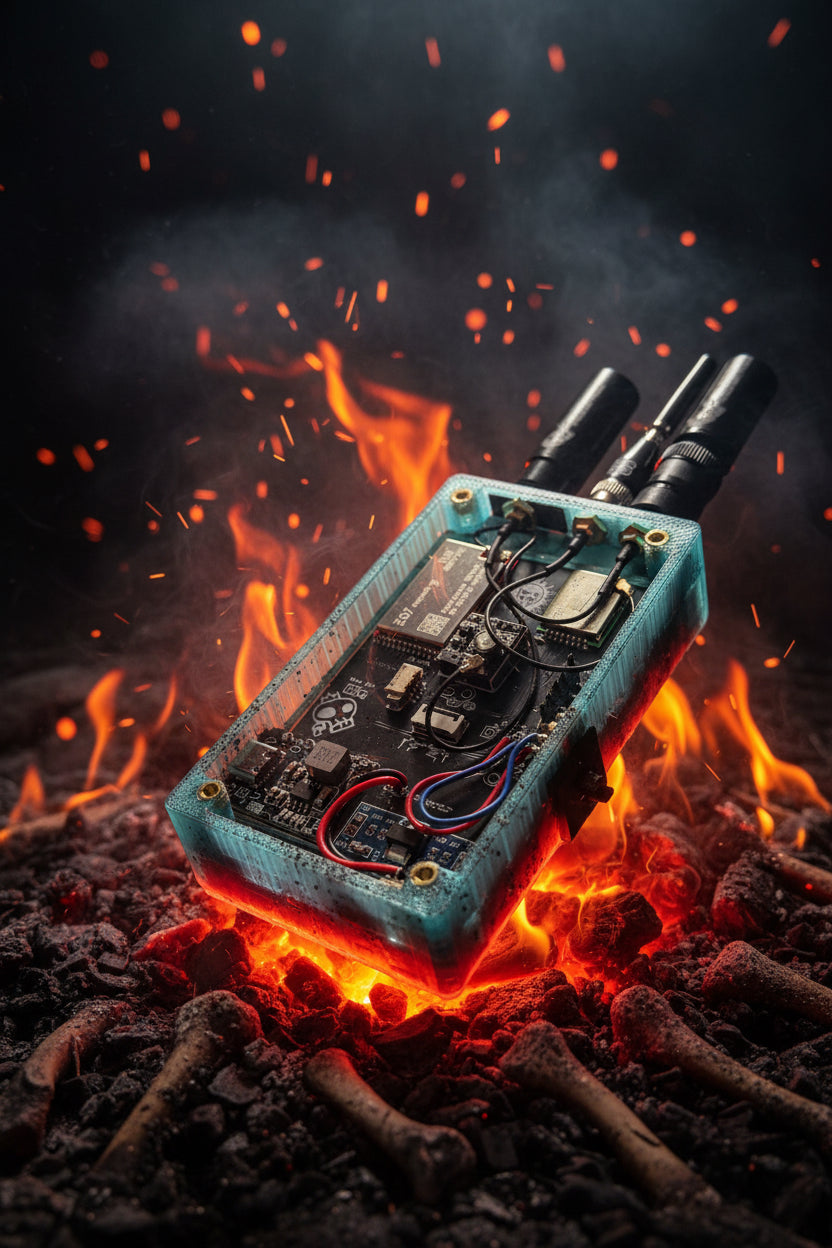
9.1 About this Volume
Vol 8 described what HaleHound can do, at category level. This volume describes when each capability is the right instrument, how a session is structured in the field, and the operational-security discipline that keeps an authorized engagement authorized. It stays at scenario and workflow level — the authorization frame, the setup, the tool-selection logic, the data handling — and does not drop into step-by-step offensive procedure, which remains out of scope for the same reasons given in Vol 8 and matched across the WiFi Pineapple, ESP32 Marauder and Ducky Script dives.
Every scenario below is written for one of two lawful contexts: testing hardware you own, or testing under written authorization (a penetration-test statement of work, an employer’s security assessment, a device you were explicitly asked to evaluate). There is no third context in which most of these capabilities are lawful, and the volume is structured so the authorization basis is stated before the technique in every case.
9.2 The authorization boundary, first
The boundary is not a disclaimer tacked on the end — it is the thing that decides whether a given use is a legitimate security practice or a crime, and it varies by capability class, not by device. HaleHound’s breadth means a single afternoon could touch Wi-Fi, BLE, sub-GHz, NFC and drone RF, each with its own legal weight.
   THE DECISION THAT PRECEDES EVERY SCENARIO
   ═══════════════════════════════════════════════════════════
     Do I OWN the target hardware?
        │ yes ──────────────────────────────▶ proceed (own-RF still
        │                                       regulated: see power/band)
        │ no
        ▼
     Do I hold WRITTEN authorization naming
     this target / scope / window?
        │ yes ──▶ proceed WITHIN that scope only
        │ no  ──▶ STOP. Passive detection only (Blue Team), if at all.
Table 1 — 2. The authorization boundary, first
| Capability class | Lawful when… | Never, even then |
|---|---|---|
| Wi-Fi deauth / rogue-AP / harvest | own network, or in-scope SoW | networks/clients outside scope |
| BLE spam / CVE probe / spoof | own devices, or in-scope | third parties’ earbuds/phones/trackers |
| 2.4 GHz carrier / HID injection | own gear, shielded if possible | any shared-spectrum denial in the open |
| sub-GHz replay / brute | own remotes/gates/vehicles | anyone else’s access control; public safety bands |
| NFC clone / emulate | own cards / in-scope badges | cards you were not asked to test |
| drone RID spoof / carrier / deauth | licensed, authorized test range | any operational aircraft, any open airspace |
| detection / survey / jam-detect | broadly — passive RX | (still: handle captured data lawfully) |
Warning — Transmitting is regulated even against your own hardware. Max-power carrier and jamming classes (Vol 8 §9) are illegal to emit in nearly every jurisdiction irrespective of ownership, because the harm is to shared spectrum, not to a device. The safe default for anything that transmits broadly is a lab, a shield, or a licensed range. The passive detection and survey classes are the ones that travel.
The clean operating rule that follows: if a scenario cannot be tied to owned hardware or a written scope, it is either a Blue Team (passive) scenario or it does not happen. That rule is applied explicitly in every section below.
9.3 The scenario catalogue
Six scenario families cover essentially all legitimate HaleHound use. Three are fundamentally offensive (and demand an authorization basis); three are passive/defensive (and are the ones suited to carry-anywhere use in Blue Team mode).
Table 2 — 3. The scenario catalogue
| # | Scenario | Posture | Authorization basis | Radios used |
|---|---|---|---|---|
| §4 | Wi-Fi / BLE red-team | Offensive | Own net or written SoW | ESP32 Wi-Fi/BLE |
| §5 | RF survey / spectrum health | Passive | None needed (RX) | NRF24, CC1101, ESP32 |
| §6 | Wardriving / site survey | Passive | None (logging public beacons); data-handling duty | ESP32 Wi-Fi + GPS |
| §7 | NFC / access-control audit | Offensive | Own cards or in-scope badges | PN532 / Chameleon |
| §8 | Drone / Remote ID awareness | Mostly passive | Detect: none. Spoof/jam: licensed range only | NRF24 + ESP32 |
| §9 | Defensive Blue Team deploy | Defensive | None needed | All, RX only |
9.4 Authorized Wi-Fi / BLE red-team work
Authorization basis: a network you own, or a penetration-test scope that names the SSIDs/clients and the test window. Without one of those, this section does not apply.
HaleHound’s Wi-Fi and BLE categories (Vol 8 §6.1–6.2) make it a capable field red-team front-end for the kinds of findings a wireless assessment produces: whether a corporate SSID can be disassociated, whether clients will roam onto a look-alike AP, whether WPA key material can be captured for offline strength testing, and whether nearby BLE devices expose unauthenticated services. The value proposition over a laptop is that it is a standalone, pocket, touch-driven unit — no laptop, no antenna farm, nothing that reads as “attack rig” on a walk-through.
   ENGAGEMENT LOOP (authorized Wi-Fi/BLE)
   ──────────────────────────────────────────────────────
   scope in hand ─▶ passive recon (scan, monitor) ─▶ note
        ▲                                             │
        │                                             ▼
   write-up  ◀── loot to card ◀── targeted test ◀── pick in-scope target
   (stay inside the named scope at every step)
What stays out of this document: which screens to tap, which frame to flood, which portal template to serve, which CVE to fire. Those are operating details an authorized tester gets from the device and the engagement, not from a reference dive. The reference points worth stating are posture ones: capture is far less legally fraught than injection, so a defensible assessment front-loads passive recon; and the loot (handshakes, credentials) is high-sensitivity and lives on the SD card (§11).
Tip — For a pure capture-only WPA assessment, Blue Team mode plus the SIGINT handshake/PMKID capture is often enough to deliver the finding (“WPA2-PSK in use, handshake captured, test the passphrase offline”) without ever transmitting an attack frame. Reach for the transmit classes only when the scope specifically calls for demonstrating disassociation or rogue-AP susceptibility.
9.4.1 Passive-first, by legal weight
The categories differ sharply in legal and operational risk even inside an authorized scope, and a defensible assessment orders them from least to most intrusive. The point of front-loading passive work is twofold: it gathers the context a targeted test needs, and it keeps the loudest, most-regulated actions for last — or out of the engagement entirely if the earlier stages already produced the finding.
Table 3 — 4.1 Passive-first, by legal weight
| Stage | Class | Transmits? | Legal weight | Produces |
|---|---|---|---|---|
| 1 | Scan / monitor | No | Low | AP/client inventory, channel map |
| 2 | Handshake / PMKID capture | Deauth to force reauth (brief) | Medium | Offline-testable key material |
| 3 | Targeted disassociation | Yes | Medium–high | Denial-of-service demonstration |
| 4 | Rogue-AP / credential harvest | Yes | High | Client-trust / credential finding |
A scope that only asks “is the Wi-Fi assessable” is satisfied at stage 1–2. Stages 3–4 exist to demonstrate a susceptibility the client asked to see demonstrated, and each is a transmit action whose collateral (which clients get knocked off, whose credentials land on the card) has to be inside the named scope. When in doubt, the written scope decides; the device’s willingness is not the authorization.
9.4.2 The BLE half
The BLE categories (spam, GATT recon/honeypot, CVE probes, tracker spoof) carry the same ordering: enumeration before interaction, interaction only against in-scope devices. The common legitimate finding is an IoT or building-automation device exposing unauthenticated writable GATT characteristics — something an assessment establishes by recon, not by firing commands at it. The CVE-probe class is only meaningful against the specific vulnerable chipsets it targets and only lawful against devices in scope; it is not a general “scan the room’s earbuds” tool, and using it that way against third parties’ hardware is exactly the line §2 draws.
9.5 RF survey and spectrum-health checks
Authorization basis: none required — these are passive receive-only operations. This is the most freely usable scenario family.
HaleHound carries three spectrum views — the NRF24 2.4 GHz scanner/analyser, the CC1101 sub-GHz analyser (peak-hold, noise-floor calibration), and Wi-Fi monitoring — plus the full jam-detect suite. Together they make a credible portable RF survey and spectrum-health instrument: what is transmitting in 2.4 GHz at this site, is the sub-GHz band clean or is something sitting on 433, is there a deauth flood or a broadband jammer present right now.
Table 4 — 5. RF survey and spectrum-health checks
| Check | Subsystem | Answers |
|---|---|---|
| 2.4 GHz occupancy | NRF24 scan / spectrum | Which channels are busy; interferer hunting |
| Sub-GHz activity | CC1101 analyser | Carrier/noise on 300–439 MHz; is a remote jammed |
| Wi-Fi landscape | ESP32 monitor | AP/channel density, rogue-AP spotting |
| Jamming present? | Jam Detect (all bands) | Deauth flood / CW / broadband disruption, live |
This is not a calibrated spectrum analyser and should not be presented as one — it is a go/no-go, something-is-here field view (a HackRF or a real analyser is the instrument when amplitude accuracy or wide bandwidth matters, §10). But for “is this room’s RF healthy” and “is an attack in progress,” a Blue Team HaleHound answers in seconds and fits a pocket.
9.6 Wardriving and site survey
Authorization basis: logging publicly broadcast beacons (SSIDs, BSSIDs, locations) is broadly lawful; the duty attaches to how the resulting dataset is handled and used, not to the act of receiving beacons.
With a GPS module (GT-U7/NEO-6M, Vol 3) HaleHound logs GPS-tagged AP data to the SD card in CSV — a wardriving / site-survey capability equivalent to a phone running a wardriving app, but standalone and with the sub-GHz and 2.4 GHz survey views alongside. Legitimate uses: mapping an organization’s own AP coverage and rogue-AP exposure, pre-engagement site survey, RF coverage planning.
   WARDRIVE / SURVEY SESSION
   ─────────────────────────────────────────────
   insert SD + GPS ─▶ GPS lock (live sat view, Tools)
        │
        ▼
   walk/drive route ─▶ GPS-tagged AP log → /wardriving/*.csv
        │
        ▼
   off-device: import CSV, map, review in loot browser
   (dataset is location + network inventory — treat as sensitive)
Note — A wardriving dataset is a map of who has what network where. Even though collecting beacons is lawful, the combined location+inventory file is sensitive — do not publish it, and scope its retention to the survey’s purpose. This is the same data-handling discipline the SquachWatch wardriving dive applies.
9.7 NFC / access-control auditing
Authorization basis: cards and badges you own, or in-scope credentials a physical-security assessment explicitly authorizes you to test. Someone else’s access card is never in scope by default.
HaleHound’s NFC backends (PN532 default; Chameleon Ultra over BLE; ST25R3916 stub — Vol 8 §6.5) cover the MIFARE-class scan/read/clone/brute/emulate workflow and an NTAG read/write/lock suite. In an authorized physical-security assessment this answers the questions that matter: are the site’s access badges using crackable legacy MIFARE Classic, can a credential be cloned, does the reader accept an emulated UID. The Chameleon Ultra integration matters here — HaleHound can drive one over BLE as the NFC backend, pairing a touchscreen controller with the Chameleon’s stronger emulation (see the Chameleon Ultra deep dive).
The step-by-step is, again, out of scope. The reference-level points: this is physical-access security, so the authorization must come from whoever controls the facility, not just IT; legacy MIFARE Classic being clonable is the common finding and the reason the category exists; and a cloned or emulated credential is itself a sensitive artefact that lives on the SD card and must be destroyed when the engagement ends (§11).
9.7.1 What the finding usually is
Access-control audits converge on a small set of outcomes, and knowing them shapes the scope conversation before the first card is touched:
Table 5 — Access-control audits converge on a small set of outcomes, and knowing them shapes the scope conversation before the first card is touched
| Observed | Severity | Typical remediation |
|---|---|---|
| Legacy MIFARE Classic (Crypto1) badges | High — clonable | Migrate to DESFire EV2/EV3 or SEOS |
| UID-only readers (no sector auth) | High — UID is trivially copied | Enable sector/crypto auth or migrate |
| NTAG without lock/password | Medium | Lock pages, set password/auth-on-write |
| DESFire / SEOS with proper keys | Low | Confirm key management hygiene |
The audit delivers a severity statement, not a pile of cloned cards. A single demonstrated clone of one in-scope badge, documented and then destroyed, is the deliverable; cloning every badge in the building is neither necessary nor authorized. The Chameleon Ultra backend is worth reaching for specifically when the finding needs a convincing emulation against a live reader rather than a static UID copy — HaleHound drives it over BLE while the Chameleon does the emulation (Vol 11 and the Chameleon Ultra dive).
9.8 Drone and Remote ID awareness
Authorization basis: detection is passive and broadly lawful (it is airspace situational awareness). The spoof, carrier and control-link-disassociation classes are lawful only on a licensed, authorized test range and never against an operational aircraft or in open airspace.
The defensive half — dual-radio passive Remote ID detection and fingerprinting (Vol 8 §6.6) — is a genuinely useful carry capability: flagging nearby drones by their ASTM F3411 RID broadcast plus Wi-Fi/BLE signatures, for event security, privacy awareness, or just knowing what is overhead. It transmits nothing and runs in Blue Team mode.
   DRONE SCENARIO SPLIT
   ──────────────────────────────────────────────────────
   DETECT (passive)            │ SPOOF / CARRIER / DEAUTH
   ───────────────────────────┼──────────────────────────
   RID + Wi-Fi/BLE fingerprint │ forged RID beacon, carrier,
   dual-radio, RX only         │ control-link disassociation
   Blue Team OK, carry anywhere │ licensed test range ONLY —
                               │ interfering with an aircraft
                               │ is categorically out of bounds
Warning — There is no “quick demo” exception for the transmit-side drone capabilities. Spoofing Remote ID or disrupting a control link touches aviation-safety law; the only defensible use is a controlled range with explicit authorization. Treat the detect suite as the field capability and the rest as lab-only.
9.9 Defensive Blue Team deployment
Authorization basis: none required — defensive and passive throughout. This is the configuration this hub treats as the default for carry-everywhere use.
Declining the VALHALLA gate leaves a persistent, reboot-surviving Blue Team device (Vol 8 §4). In that state HaleHound is a pocket defensive sensor: jam-detect across all bands (deauth-flood, sub-GHz carrier, broadband 2.4 GHz, full-spectrum), surveillance-infrastructure and item-tracker detection, RF survey, and wardriving-style logging — with every transmit-capable offensive category locked out and the banner reading BLUE TEAM so the posture is auditable.
Table 6 — 9. Defensive Blue Team deployment
| Deployment | What it watches | Mode |
|---|---|---|
| Event / venue RF watch | Deauth floods, jamming, rogue APs, drones overhead | Blue Team |
| Counter-surveillance sweep | Trackers, ALPR/sensor infrastructure (BLE fingerprint) | Blue Team |
| Travel carry | ”Is the RF around me healthy / is something attacking” | Blue Team |
| Home/lab baseline | Known-good RF baseline, then anomaly spotting | Blue Team |
This wing overlaps directly with the SquachWatch and AirTags deep dives — same CYD platform, aimed at detection. The distinction is that HaleHound can be armed (VALHALLA), where SquachWatch is detection-only by design; running HaleHound in Blue Team mode makes it, in effect, a more capable SquachWatch sibling while the attack surface stays locked.
9.9.1 Baseline, then anomaly
The defensive suites are most useful when they are run as a two-phase practice rather than a one-shot scan. The first phase establishes what normal looks like for a location — which APs, which 2.4 GHz occupancy, which sub-GHz background, which trackers and drones are routinely present. The second phase watches for departures from that baseline, which is what an attack or a surveillance deployment actually is.
   BLUE-TEAM MONITORING LOOP
   ─────────────────────────────────────────────────────────
   BASELINE (quiet period)         ANOMALY WATCH (ongoing)
   ──────────────────────────      ──────────────────────────
   log normal APs / channels   ─▶  new rogue AP? deauth flood?
   note sub-GHz background      ─▶  carrier / jammer on a band?
   catalogue habitual trackers  ─▶  a NEW tracker following you?
   note routine drone presence  ─▶  an unexpected RID overhead?
   (screen timeout → Never for a stationary watch post)
Without a baseline, the jam-detect and tracker-detect readouts are hard to act on — a dense venue is supposed to be noisy, and a spurious “tracker present” against your own paired devices is not a finding. With one, the same screens become a credible early-warning instrument: the deauth flood that was not there an hour ago, the sub-GHz carrier that appears right as an alarm stops responding, the tracker that keeps reappearing along a route. This is the discipline the SquachWatch dive develops at length for the same platform; HaleHound’s Blue Team mode inherits it directly.
9.10 When HaleHound is the right tool
HaleHound’s strength is breadth on one cheap standalone touchscreen; its weaknesses are the ESP32’s radio limits and the proprietary-firmware ceiling. The decision matrix below is the practical “reach for which tool” guide against the rest of this hub’s bench.
Table 7 — 10. When HaleHound is the right tool
| Need | Reach for | Why not HaleHound |
|---|---|---|
| Broad multi-protocol field recon, one pocket unit, cheap | HaleHound | — (this is its lane) |
| Deepest Wi-Fi/BLE attack firmware, biggest fork ecosystem | ESP32 Marauder | HaleHound is Wi-Fi/BLE-capable but Marauder is the specialist (and open source) |
| True wideband SDR: TX/RX 1 MHz–6 GHz, arbitrary modulation, >1 GHz | HackRF One | CC1101 is a narrow 300–439 MHz OOK radio, not an SDR |
| Serious sub-GHz / NFC with a polished UI and huge community | Flipper Zero | HaleHound’s sub-GHz is CC1101-class and proprietary; Flipper has the ecosystem |
| Lab-grade RFID/NFC research, every card type, best attacks | Proxmark3 | PN532 covers common MIFARE/NTAG; Proxmark goes deeper |
| Strongest NFC emulation / Crypto1 key recovery | Chameleon Ultra | HaleHound can drive one over BLE — use them together |
| Counter-surveillance detection, detection-only by design | SquachWatch | HaleHound Blue Team overlaps, but SquachWatch is the dedicated detector |
| High-end multi-modal ESP32 handheld, dual-MCU, 5 GHz | Wired Hatters Banshee | HaleHound is single-ESP32, no 5 GHz (Vol 10) |
   QUICK TOOL-SELECTION TREE
   ─────────────────────────────────────────────────────────
   Wideband / arbitrary RF, TX+RX?            → HackRF
   Polished sub-GHz/NFC + big community?       → Flipper
   Deepest Wi-Fi/BLE attacks, open source?     → Marauder
   Lab RFID depth / all card types?            → Proxmark3
   Best NFC emulation?                         → Chameleon (HaleHound can drive it)
   One cheap pocket unit doing a bit of all,
     standalone + touch + drone + jam-detect?  → HaleHound
   Pure detection, carry-anywhere, no attack?  → HaleHound (Blue Team) / SquachWatch
The honest positioning: HaleHound is the generalist — highest capability-per-dollar of the CYD handhelds, unbeatable as a single pocket unit that touches every band, and a capable defensive sensor in Blue Team mode. It is not the deepest at any single discipline, and the proprietary firmware means no auditing the source and no community fork tree the way Marauder or SquachWatch allow. The fuller head-to-head is Vol 11.
9.10.1 Where the breadth actually pays off
The generalist case is strongest in three situations. First, reconnaissance and triage — walking a site to find which protocols are worth a specialist’s attention, where carrying one pocket unit that scans Wi-Fi, BLE, 2.4 GHz, sub-GHz and NFC beats hauling five tools. Second, constrained-kit engagements — a social-engineering or physical walk-through where a laptop and antenna farm are conspicuous but a touchscreen “gadget” is not. Third, defensive carry — a Blue Team unit riding along for spectrum-health and attack-detection where no single specialist tool covers all the bands at once.
Where the breadth stops paying off is depth and trust. The CC1101 is a narrow fixed-function OOK radio, so anything needing arbitrary modulation, wide bandwidth, or frequencies above 1 GHz is a HackRF job, not a HaleHound one. The PN532 handles common cards but a hard MIFARE/iCLASS target wants a Proxmark. And because the firmware is closed, an engagement that must attest to exactly what the tool transmitted (some regulated environments do) is better served by an open-source Marauder whose behaviour can be read in source. Match the tool to whether the engagement values breadth, stealth and cost (HaleHound) or depth, bandwidth and auditability (the specialists).
9.11 Field workflow and OPSEC
A disciplined session looks the same regardless of scenario, and the discipline is what keeps an authorized test clean.
   FIELD SESSION TIMELINE
   ══════════════════════════════════════════════════════════
   BEFORE   confirm authorization/scope · set correct board target
            · fresh/wiped SD · battery charged · correct mode
   ARRIVE   Radio Test (confirm radios up) · GPS lock if needed
            · passive recon first (scan/monitor/detect)
   WORK     stay in scope · prefer RX/capture over TX · log as you go
   LEAVE    stop radios · note loot inventory
   AFTER    offload SD · encrypt host copy · WIPE the card
            · write up · destroy out-of-scope artefacts
   ══════════════════════════════════════════════════════════
Mode discipline. Default to Blue Team unless the scope requires offensive classes; the banner is the auditable proof of posture. Accept VALHALLA only for the specific window that needs it.
Power / band discipline. The radios run at max (Vol 8 §9). Against owned hardware, shield or attenuate where possible; do not emit carrier/jamming classes in shared spectrum; keep sub-GHz and 2.4 GHz transmit inside the legal and scoped envelope.
Loot-card OPSEC. The SD card — not the firmware — holds the sensitive capture (handshakes, credentials, cloned cards, location logs). It is removable and the PIN resets on a flash erase (Vol 7 §9), so the card is the real exposure surface.
Table 8 — 11. Field workflow and OPSEC
| OPSEC item | Practice |
|---|---|
| Authorization | Written, scoped, in hand before any transmit class |
| Mode | Blue Team by default; VALHALLA only for the scoped window |
| SD card | Fresh/wiped in; encrypted off; wiped again after; nothing out-of-scope retained |
| Captured credentials / cloned cards | Treat as the client’s sensitive data; destroy on engagement close |
| Wardrive datasets | Not published; retention scoped to purpose |
| Transmit | RX/capture preferred; TX only in scope, in-band, in-power |
| Device loss | Assume the SD is compromised; PIN is a deterrent, not protection |
Tip — Carry two SD cards: a working card that is wiped between engagements, and never a card that has lived in another job. The cheapest way to leak one client’s data into another engagement is a reused loot card. The legal and ethical envelope that governs all of this is in Vol 12 and
../_shared/legal_ethics.md.
9.11.1 Pre-engagement checklist
The ten-minute check that prevents most on-site failures and most authorization slips. Run it before leaving, not in the car park.
   PRE-ENGAGEMENT CHECK
   ════════════════════════════════════════════════════════════
   [ ] Written authorization in hand, scope + window confirmed
   [ ] Correct board target flashed (matches the physical board)
   [ ] Firmware current (OTA/web-flash done ahead of time, Vol 7)
   [ ] Fresh / wiped SD card inserted (no prior-job data)
   [ ] Battery charged; spare power if long session
   [ ] Correct MODE set (Blue Team unless scope needs VALHALLA)
   [ ] Radios verified at the bench (Tools → Radio Test)
   [ ] GPS lock confirmed if wardriving/survey (Tools → GPS)
   [ ] Antennas fitted / attenuation ready for owned-RF transmit
   [ ] A known-good firmware .bin archived off-device (recovery)
   ════════════════════════════════════════════════════════════
9.11.2 Evidence and reporting discipline
The deliverable of every scenario is a finding, not the raw loot. Good practice treats the SD captures as evidence to be summarised and then controlled:
Table 9 — The deliverable of every scenario is a finding, not the raw loot. Good practice treats the SD captures as evidence to be summarised and then controlled
| Practice | Why |
|---|---|
| Timestamp + geotag captures | Chain of custody; ties evidence to the authorized window |
| Summarise findings; do not ship raw credentials | The client needs the severity, not a credential dump |
| Minimum demonstration | One cloned badge / one captured handshake proves the point |
| Destroy out-of-scope artefacts immediately | Anything the authorization did not cover should never have persisted |
| Reconcile the loot card against the scope | Nothing on the card at close-out that the scope did not permit |
This discipline is also what separates a HaleHound in an authorized engagement from the same device used unlawfully: the authorization, the scope-bounded action, and the controlled handling of what was captured. The capability is identical; the frame is everything.
9.12 Cross-references
- Vol 8 (capabilities & UI) — the category-level capability surface each scenario here draws on, the VALHALLA/Blue-Team model, TX power, and the SD loot layout.
- Vol 3 (radios) — what each scenario’s radio can and cannot do electrically; GPS for §6.
- Vol 7 (flashing) — board target selection and the OTA path; a flash erase resets the PIN referenced in §11.
- Vol 11 (comparison) — the fuller head-to-head behind §10’s decision matrix.
- Vol 12 (cheatsheet/legal) — the authorization envelope and
../_shared/legal_ethics.md, the canonical statement of the boundary §2 applies throughout. - Sibling dives — SquachWatch and AirTags (the detection mission that overlaps Blue Team deployment); Chameleon Ultra (the NFC backend §7 can drive); HackRF One, Flipper Zero, ESP32 Marauder, Proxmark3 and Wired Hatters Banshee (the alternatives in §10).
Comments (0)