M5Stack Cardputer ADV · Volume 6
M5Stack Cardputer ADV Volume 6 — Firmware Ecosystem
M5Launcher + Bruce + NEMO + Marauder + Evil-M5 + MicroHydra + Meshtastic + ESPHome + retro emulators + niche apps
Contents
1. About this volume
Vol 6 is the firmware ecosystem volume — the longest single volume in the series because the Cardputer ADV’s value proposition is largely which firmware you flash on it. M5Launcher is the base layer; 8+ major firmwares with substantial user bases run as guests of M5Launcher (or directly via web flasher); dozens of niche / community firmwares fill specialized roles.
For the platform-neutral ESP32 Marauder firmware coverage (architecture, fork landscape, attack mechanics across all ESP32 platforms), the canonical reference is ../../../ESP32 Marauder Firmware/03-outputs/ESP32_Marauder_Firmware_Complete.html. This volume covers Marauder as it specifically runs on Cardputer ADV — the platform-specific deltas, build env, integration with M5Launcher.
2. Decision tree — which firmware first?
                What's the primary use case?
                          │
        ┌─────────────────┼─────────────────┐
        │                 │                 │
   Pentest /          Off-grid          Embedded dev /
   red-team           mesh comms        prototyping
        │                 │                 │
        ↓                 ↓                 ↓
   M5Launcher         Meshtastic        MicroHydra /
   in app0 +          (with Cap         Arduino /
   Bruce in OTA slot  LoRa-1262)        PlatformIO
        │                 │                 │
   ┌────┴────┐                              │
   │         │                              │
   Most      Defensive /                    │
   features  educational            Home automation?
       │     │                              │
       │     ↓                              ↓
       │     NEMO                       ESPHome
       │
       ↓
   Bruce (the
   superset)

   OR if Bruce's overhead is too much for a single specific need:
   - BadUSB only           → BadCard
   - Evil Portal only      → Evil-Portal standalone
   - PCAP capture only     → Marauder
   - Fleet ops             → Evil-M5
   - Retro gaming          → cardputer-nofrendo / Walnut-CGB / m5cardputer_doom
   - Internet radio        → RHesus-RAdio
   - Audio FFT             → m5Cardputer_audiospectrum
The lazy correct first install is M5Launcher in app0 + Bruce in the OTA slot, with a “switcher” mindset: there’s one OTA slot, so you OTA-flash a different firmware into it whenever a use case demands one — M5Launcher (held safe in app0) is always one Esc-on-boot away (§ 3.2, § 3.6).
3. M5Launcher — the base layer
3.1 What it is + why it matters
M5Launcher (github.com/bmorcelli/Launcher) — half-bootloader, half-app-store, half-pocket-OS for Cardputer-class ESP32 hardware. M5Launcher itself runs from the app0 partition (subtype test); it is not a partition literally named factory — that distinction is the subject of § 3.2.
What it does:
- Boots into a menu showing every installed firmware + every app on SD. User picks one; M5Launcher chain-loads it.
- OTA-flashes any other firmware to the
app1/ota_0slot in ~30 seconds — from the M5Burner online repo, from a Web-UI, or from the SD card. There is one OTA app slot, not two (§ 3.2). - Recovery lifeline: hold Esc at power-on to force-boot M5Launcher (the
app0partition) even if the firmware in the OTA slot is broken / crash-looping. - Built-in tools: BadUSB DuckyScript runner, Wi-Fi scan, BLE tools, RF/IR tools (with Grove modules), themes, small
.binapps — plus a full filesystem/partition manager (§ 3.2.2).
Why it matters: M5Launcher makes firmware experimentation safe. M5Launcher’s home (app0) is a test-subtype slot that the OTA mechanism never touches, so no OTA flash can overwrite it. Flash anything to the OTA slot without risk; Esc-on-boot always recovers. This is the recommended first install for any new Cardputer ADV.
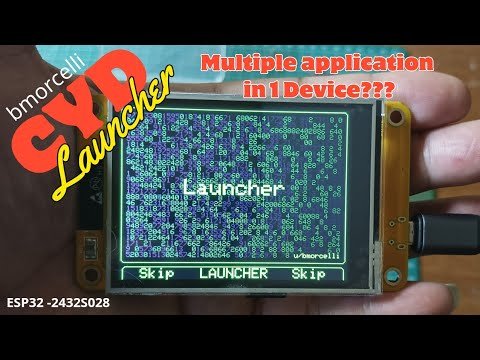
app0, manages the OTA slot, and exposes the partition/filesystem tools covered in § 3.2.Figure 6.1 — M5Launcher (bmorcelli/Launcher). Photo via web image search; bmorcelli/Launcher is MIT-licensed.
Install paths:
| Path | Time | Effort |
|---|---|---|
Web flasher at bmorcelli.github.io/Launcher | ~2 min | Plug USB-C in Chrome, click. |
| M5Burner desktop | ~5 min | Download M5Burner, search “Launcher”, click Burn. |
| esptool.py CLI | ~5 min | For scripted / CI / recovery use. |
The web flasher is the canonical entry point.
3.2 Partition layout — what’s really on the device
This is the authoritative partition table for an 8 MB Cardputer ADV running M5Launcher’s default scheme — taken from bmorcelli’s support_files/custom_8Mb.csv and the embedded def_part table in src/partitioner.cpp (verified against the repo, 2026-05). It matches what the device’s own CFG → List of Partitions tool reports:
| # | Name | Type / SubType | Offset | Size | What it is |
|---|---|---|---|---|---|
| 1 | nvs | data / nvs | 0x9000 | 0x6000 — 24 KB | Non-volatile key-value store (Wi-Fi creds, M5Launcher settings, GitHub PAT) |
| 2 | app0 | app / test | 0x10000 | 0x160000 — 1.375 MB | M5Launcher itself runs here. Subtype test, not factory — see § 3.2.1 |
| 3 | app1 | app / ota_0 | 0x170000 | 0x4F0000 — 4.9375 MB | The single OTA slot. Every firmware you load (Bruce, Marauder, Meshtastic, your own builds) lands here. The device shows this as OTA |
| 4 | vfs | data / fat | 0x670000 | 0x80000 — 512 KB | A FAT filesystem partition. The device shows this as FAT — see § 3.2.4 |
| 5 | spiffs | data / spiffs | 0x6F0000 | 0x100000 — 1 MB | A SPIFFS filesystem partition. The device shows this as SPIFFS — see § 3.2.3 |
| 6 | coredump | data / coredump | 0x7F0000 | 0x10000 — 64 KB | Crash-dump capture region — the bootloader writes a panic dump here on a hard fault |
This is why your device reports
OTA,FAT,SPIFFS. M5Launcher’s List of Partitions tool shows the three partitions you can actually do something with — the OTA app slot (app1/ota_0), the FAT data partition (vfs), and the SPIFFS data partition. It does not listnvs,app0(the launcher’s own home), orcoredump, because those are infrastructure you never flash to or manage by hand. Three user-facing partitions out of six total — exactly theOTA / FAT / SPIFFStriplet you see.
Flash discipline: custom firmware always goes to the OTA slot (app1 / ota_0) — via M5Launcher’s OTA menu, the Web-UI, or SD-card install. You never flash to app0; that’s M5Launcher’s home and the recovery lifeline. The only time app0 gets written is when you deliberately re-install or update M5Launcher itself (web flasher / M5Burner / esptool.py).
Backup first — before touching anything on a fresh device, esptool.py read_flash 0 0x800000 stock_backup.bin captures the whole 8 MB and stashes it on a NAS. That’s the insurance against M5Launcher itself misbehaving or a partition-scheme change (§ 3.2.2) going sideways.
3.2.1 Why this differs from what earlier drafts said
Earlier drafts of this volume described the partition table as factory + ota_0 + ota_1 — a 1.5 MB factory slot plus two 3 MB OTA slots. That was wrong, and it’s worth being explicit about why, because the error is instructive:
- It was a textbook assumption, not the real table. The original deep dive was written as a research baseline with no hardware in hand. The
factory + ota_0 + ota_1layout is the generic ESP32-Arduino dual-OTA scheme — the one Arduino’s “OTA / RainMaker” partition CSVs ship — so it was plausibly extrapolated from “ESP32 device with a bootloader-style launcher.” It was never checked against bmorcelli’s actualcustom_8Mb.csv. Your device — which reportsOTA, FAT, SPIFFS— is the ground truth that surfaced the error. - It’s a two-app-partition design, not three. Reality is
app0(the launcher) +app1/ota_0(the loaded firmware). There is no second OTA slot and no partition literally namedfactory. - The launcher’s home is
app0with subtypetest, not afactory-subtype partition. This matters: thetestsubtype is an app slot the bootloader will run but that the OTA update mechanism deliberately ignores. That’s precisely what makes it a safe recovery home — an OTA flash physically cannot overwrite it — but the correct name isapp0/test, notfactory. - The earlier table omitted the FAT (
vfs) partition entirely — and the FAT partition is one of the three things your device actually shows you. - Every size was off: the OTA slot is one 4.94 MB partition, not two 3 MB ones; SPIFFS is 1 MB, not 448 KB;
app0is 1.375 MB, not “1.5 MB.”
Why bmorcelli designed it this way — and why it’s better than the textbook dual-OTA layout for this device:
The standard factory + ota_0 + ota_1 pattern exists for A/B firmware updates with rollback — flash to the inactive slot, boot it, and if it fails, the bootloader rolls back to the slot that worked. M5Launcher isn’t doing A/B updates. Its model is “load an app, run it, come back to the launcher.” A second OTA slot would just sit there wasting ~3 MB of flash. So bmorcelli spent that flash budget where it’s actually useful: one big 4.94 MB OTA slot (big enough for any community firmware, including bloated ones), and the freed space went to two user-facing filesystem partitions — FAT (512 KB) and SPIFFS (1 MB) — that the launcher and apps use for real storage. The launcher’s own home (app0/test) sits outside the OTA mechanism entirely, so it’s structurally un-overwritable by any OTA operation. The design trades the rollback feature M5Launcher doesn’t need for storage and a bigger app slot that it does.
3.2.2 The dynamic partitioner + alternate schemes
The single most important thing the earlier drafts missed: the partition table is not fixed. M5Launcher ships a built-in partitioner (src/partitioner.cpp) — reachable from CFG → Change Partition Scheme — that rewrites the partition table in place to one of several preset layouts, depending on what you’re about to run. The 8 MB Cardputer ADV ships with these schemes baked in:
| Scheme | app0 (launcher) | app1 / OTA slot | Filesystem partitions | Use it for |
|---|---|---|---|---|
| Default (what you have) | 1.375 MB | 4.9375 MB | vfs FAT 512 KB + spiffs 1 MB | General use — fits any normal firmware + leaves room for both filesystems |
| Doom | 1.375 MB | 6.5 MB | none | A single very large app (the namesake is the Doom port) — sacrifices both filesystems for max app size |
| UiFlow | 1.375 MB | 5.125 MB | sys FAT 1 MB + vfs FAT 448 KB | Running M5Stack’s UiFlow 2 (it expects two FAT partitions) |
| Game Station | 1.375 MB | 2.5 MB | spiffs 4 MB | A retro-emulator firmware with a large on-flash ROM library in SPIFFS |
The launcher’s home (app0) is constant across all schemes — that’s deliberate; the partitioner can’t saw off the branch it’s sitting on. What changes is how the rest of the 8 MB is carved between the OTA app slot and the filesystem partitions.
Practical consequences:
- The
OTA / FAT / SPIFFSyou see is the Default scheme. If you ever ran CFG → Change Partition Scheme → Doom, List of Partitions would then show justOTA(and no FAT/SPIFFS). - Changing schemes erases the partitions it resizes — switching schemes is destructive to whatever was in FAT/SPIFFS. M5Launcher’s CFG menu has Save SPIFFS, Save FAT vfs, Restore SPIFFS, and Restore FAT vfs specifically so you can snapshot a filesystem partition to the SD card before a scheme change and put it back after.
- The partitioner module also exposes, under the hood,
dumpPartition()/restorePartition()/attachPartition()/partitionCrawler()— it can dump any partition to the SD card, restore one, and walk the table. The CFG-menu entries above are the user-facing surface of those functions. - The 2.7.x changelog line “Custom partition builder (no more hardcoded partition lists)” means future M5Launcher versions will let you define arbitrary schemes rather than picking from these four presets.
Discipline: before any Change Partition Scheme operation, use CFG → Save SPIFFS and CFG → Save FAT vfs to snapshot both filesystem partitions to the SD card. The scheme change will wipe them; the saved copies are how you get your data back.
3.2.3 SPIFFS — the 1 MB filesystem partition
SPIFFS (SPI Flash File System) is the spiffs partition — 1 MB at offset 0x6F0000 in the Default scheme. It’s a flash-resident filesystem the running firmware (and M5Launcher itself) can read and write, separate from the SD card. It’s one of the three partitions your device surfaces, so it’s worth understanding properly.
What SPIFFS is, at the filesystem level:
- A flat-namespace filesystem designed for small embedded NOR flash. There are no real directories — a path like
/cfg/wifi.jsonis just a filename containing slashes; SPIFFS doesn’t have directory objects, it pattern-matches on the prefix. - Wear-levelled — it spreads writes across the partition’s flash blocks so no single block burns out early. NOR flash is good for ~100 k erase cycles per block; wear-levelling is what makes a writable flash filesystem viable at all.
- Power-loss tolerant for the filesystem structure (a half-finished write can still lose that file’s data, but the filesystem itself won’t be corrupted by a brownout mid-write).
- Slow as the partition fills and as file count grows — SPIFFS has no directory index, so operations like “list files” or “open by name” get linearly slower with more files. It’s fine for tens of files; it degrades badly at hundreds.
- Being phased out upstream. Espressif has deprecated SPIFFS in favour of LittleFS (faster, real directories, better wear-levelling, more robust). New firmware increasingly uses LittleFS — but the partition is still typically labelled
spiffs(the subtype0x82), and M5Launcher’s tooling still calls it SPIFFS, so the name persists even where the on-flash format has moved on.
How the Cardputer ADV / M5Launcher ecosystem uses SPIFFS:
- Firmware-bundled asset images. Many community firmwares ship a SPIFFS image alongside the app
.bin— fonts, web-UI HTML/CSS/JS, captive-portal pages, icon sets, default config. When you OTA-install such a firmware, M5Launcher asks whether to also write the SPIFFS image. The README’s CFG option “Avoid/Ask Spiffs” controls this prompt: by default M5Launcher asks; you can set it to avoid (never prompt). The README notes that, of the cataloged firmwares, “only Orca One uses this feature” — i.e. most firmwares either bundle their assets into the app.binor read them off the SD card, and the separate-SPIFFS-image pattern is uncommon in this catalog. - App persistent storage. A firmware that wants to keep state across reboots without an SD card present can use the SPIFFS partition — settings, saved sessions, small logs. It’s the “there’s no SD card in the slot” fallback for persistence (NVS § 1 is the other, for tiny key-value data).
- M5Launcher’s own use. M5Launcher treats SPIFFS as a managed partition: CFG → Save SPIFFS dumps the whole 1 MB partition to a file on the SD card; CFG → Restore SPIFFS writes it back. This is the snapshot/restore path around partition-scheme changes (§ 3.2.2) and around flashing a firmware that would overwrite SPIFFS with its own image.
Working with SPIFFS off-device:
esptool.pycan read or write the raw partition by offset:esptool.py read_flash 0x6F0000 0x100000 spiffs_backup.bindumps it;esptool.py write_flash 0x6F0000 spiffs_image.binwrites a prepared image.mkspiffsbuilds a SPIFFS image from a directory of files (mkspiffs -c ./data -b 4096 -p 256 -s 0x100000 spiffs.bin), andspiffsgen.py(bundled with ESP-IDF) does the same. Block/page sizes must match what the firmware was built with or the image won’t mount.- The pragmatic path for most users: don’t hand-build SPIFFS images. Let M5Launcher’s Ask Spiffs prompt handle the firmwares that need it, and use Save/Restore SPIFFS for snapshots.
SPIFFS vs SD card — they’re different things and the device has both: SPIFFS is ~1 MB of internal flash, always present, survives a missing SD card, but small and slow at scale. The microSD slot is gigabytes of removable storage, fast, FAT32 — that’s where firmware .bin files, BadUSB scripts, captures, and themes live (§ 3.3). Rule of thumb: SD card for bulk and for anything you move between devices; SPIFFS for the small internal stuff a firmware needs even when no card is inserted.
3.2.4 FAT / vfs — the other filesystem partition
The vfs partition (subtype fat, 512 KB at 0x670000 in the Default scheme) is the device’s internal FAT filesystem — the partition your device reports as FAT. It’s the same FAT/exFAT family as the SD card, just a small slice of internal flash instead of removable media.
- Why a FAT partition and not just more SPIFFS: FAT has real directories and is the format the ESP-IDF VFS layer + most host tools speak natively, so it’s the natural home for firmware (and UiFlow, see § 3.2.2) that expects a small writable FAT volume on-device. M5Launcher uses it as internal scratch/working storage.
- CFG-menu management: Clear FAT partition wipes it; Save FAT vfs / Restore FAT vfs snapshot it to / from the SD card — same snapshot discipline as SPIFFS, and for the same reason (partition-scheme changes are destructive).
- Default vs other schemes: Default gives one 512 KB
vfs. The UiFlow scheme replaces it with a 1 MBsysFAT + a 448 KBvfsFAT (UiFlow 2 expects both). The Doom and Game Station schemes drop the FAT partition entirely.
The practical summary of the device’s storage tiers: NVS (24 KB, tiny key-value, § 1) → FAT vfs (512 KB, internal working FAT) → SPIFFS (1 MB, internal flat-fs for firmware assets) → microSD (GB-scale removable FAT32, § 3.3). M5Launcher’s CFG menu can snapshot the two middle tiers to the bottom tier before any destructive operation.
3.3 SD card layout
M5Launcher uses the SD card for chain-loadable firmware, apps, BadUSB scripts, themes, and saved presets:
/                            ← microSD root
├── apps/                    ← Small .bin apps M5Launcher can run
│   ├── apps.json            ← Metadata: name, file, icon, ver
│   ├── HelloWorld.bin
│   └── ScreenCap.bin
├── BadUSB/                  ← DuckyScript .txt files
│   ├── recon.txt
│   └── osx_unlock_attempt.txt
├── firmware/                ← Chain-loadable .bin (M5Launcher swaps in)
│   ├── bruce_v1.18.bin
│   └── nemo_v0.7.bin
├── presets/                 ← RF/IR captures from Bruce / NEMO
│   ├── subghz/
│   │   └── raw_01.sub
│   └── ir/
│       └── tv_off.ir
├── imgs/                    ← Boot splash images 240×135 .jpg/.bmp
│   └── boot.jpg
├── themes/                  ← Theme JSON
│   ├── default.json
│   └── matrix.json
├── update/                  ← Self-update path
│   └── Launcher.bin
└── nvs_backup.bin           ← Settings restore file
File case-sensitivity matters: BadUSB/ capital B-U-S-B; not badusb/. M5Launcher is strict about this on FAT32.
3.4 Catalog system + GitHub Releases
M5Launcher’s OTA catalog is a static JSON hosted at bmorcelli.github.io/Launcher/cardputer_adv.json. Schema:
{
    "version": 4,
    "categories": [...],
    "firmwares": [
        {
            "name": "Bruce",
            "author": "BruceDevices",
            "description": "Multi-tool offensive firmware",
            "icon": "https://...icon.bmp",
            "versions": [
                {
                    "tag": "v1.18.0",
                    "url": "https://github.com/BruceDevices/firmware/releases/download/v1.18.0/cardputer-adv.bin",
                    "sha256": "...",
                    "size_bytes": 2147483
                }
            ]
        },
        ...
    ]
}
Each firmware entry pins one or more versions to specific GitHub Releases URLs with sha256 + size verification.
Rate limit caveat: anonymous GitHub API access is limited to 60 requests/hour per IP. M5Launcher’s catalog fetch counts against this. Configuration → “GitHub Token (PAT)” allows you to paste a Personal Access Token, bumping the limit to 5000/hour. PAT is read-only and stored in NVS.
Self-hosting the catalog: copy the schema, modify entries, host on your own GitHub Pages or HTTPS server. Point M5Launcher Config → Catalog URL to your URL. Useful for fleet distribution or controlled-update environments (Vol 10 § 8).
3.5 The four top-level menus
From the M5Launcher start screen, press Enter to open the launcher. Its top-level menu has four entries — OTA, SD, WUI, CFG — plus whatever firmware is already installed in the OTA slot (which auto-boots on power-on if you don’t press anything):
| Menu | Full name | What it does |
|---|---|---|
| OTA | OTA Update | Install a firmware into the OTA slot (app1/ota_0) three ways: (a) from the M5Burner online repo — wirelessly, no USB cable; (b) from a Web-UI you open via CFG, pushing a .bin from your computer or phone; (c) from a .bin file on the SD card. |
| SD | SD-Card Management | A full file manager for the microSD: create folders, delete files and folders, rename, copy/paste, and install .bin files directly. |
| WUI | Web User Interface | Brings up a browser-based interface (device hosts it over Wi-Fi): manage SD-card files, install binaries wirelessly via OTA, and deploy an install straight from the file list. |
| CFG | Configuration | Customization + the storage/partition manager — see the table below. |
The CFG menu is where the partition and filesystem management lives (§ 3.2.2–3.2.4):
| CFG entry | Function |
|---|---|
| Charge Mode | Toggle charge behavior |
| Change brightness / Change Dim Time | Display brightness + auto-dim timeout |
| Change UI Color | Accent color of the launcher UI |
| Avoid/Ask Spiffs | Whether M5Launcher prompts to install a firmware’s SPIFFS image (§ 3.2.3) — default ask; only some firmwares (e.g. Orca One) ship a separate SPIFFS image |
| Change rotation | Screen rotation |
| All files / Only Bins | Show every file in the file lists, or only .bin (default) |
| Change Partition Scheme | Switch between Default / Doom / UiFlow / Game Station layouts — installs big apps or UiFlow 2 (§ 3.2.2) |
| List of Partitions | Reports the current partition table — this is the tool that shows you OTA, FAT, SPIFFS |
| Clear FAT partition | Wipe the vfs FAT partition |
| Save SPIFFS / Save FAT vfs | Snapshot a filesystem partition to the SD card (do this before a scheme change) |
| Restore SPIFFS / Restore FAT vfs | Write a saved snapshot back to the partition |
The earlier draft of this section listed a different top-level menu (
WiFi / BLE / Files / Apps / Catalog / Update / Tools / Config). That was an approximation written without hardware; the four-entryOTA / SD / WUI / CFGstructure above is from bmorcelli’s current README and is what the device actually shows. Wi-Fi/BLE/RF tools are functions of the firmwares you load into the OTA slot (Bruce, Marauder, etc. — § 4), not menus of M5Launcher itself.
SD card requirements (from bmorcelli’s README — these trip people up): the card must be SDHC, not SDXC; ≤ 32 GB (8–16 GB recommended); formatted FAT32; and the partition scheme must be MBR, not GPT. Use a tool like Rufus to get all four right.
3.6 Recovery — Esc-on-boot lifeline
The recovery story for a Cardputer ADV that’s stuck in a crash-loop or running a broken firmware:
- Power off the device (toggle side switch).
- Hold the Esc key (top-left corner of keyboard) while sliding the side switch ON.
- M5Launcher’s early-boot code detects the Esc-held state, ignores the auto-boot pointer, and boots
app0(M5Launcher itself) directly instead of the firmware in the OTA slot. - From M5Launcher you can then re-flash a working firmware to the OTA slot, or use CFG to repartition / restore filesystems.
- From there, re-install a known-good firmware via the OTA menu.
This works because app0 (subtype test) is outside the OTA mechanism — no OTA flash can reach it, so the launcher is structurally safe from anything you do to the OTA slot. If app0 itself is somehow corrupted (rare — essentially only if someone deliberately erased it, or a partition-scheme operation went wrong), the only path is:
- Hold G0 (BOOT button) during USB plug-in → forces ESP32-S3 mask-ROM download mode.
- Use the web flasher, M5Burner, or esptool.py to re-flash M5Launcher to
app0. - Recovery via mask-ROM bootloader always works — the ESP32-S3 cannot be bricked by firmware alone.
This recovery story is why M5Launcher in app0 is non-negotiable for a device with ongoing firmware experimentation — and why you take the esptool.py read_flash whole-flash backup (§ 3.2) before you start.
4. Pentest / red-team firmwares
4.1 Bruce (BruceDevices)
Repo: github.com/BruceDevices/firmware. License: AGPLv3.
Position: the most actively-developed offensive firmware for ESP32-S3 handhelds. Cardputer ADV is a first-class target — Bruce ships pre-built binaries for Cardputer ADV in every release. Bruce is the answer to “I want one firmware that does everything pentest-related.”
Module categories (each is a top-level menu in the Bruce UI):
| Module | Features | Required hardware |
|---|---|---|
| WiFi | Scan, deauth, beacon flood, Evil Portal, EAPOL capture, wardriving (with GPS), WiFi spammer, WPS attacks | Built-in Wi-Fi |
| BLE | AirDrop spam, Sour Apple, Smart-Tag spoof, BLE jammer, BLE keyboard host, BLE mouse host | Built-in BLE |
| Sub-GHz | Replay, brute force, jam, spectrum capture — 300-928 MHz | CC1101 Grove Unit OR CC1101-on-EXT (Vol 4 § 6.2) |
| RFID | Read, write, Mifare Classic brute, Mifare nonces capture | Unit RFID2 (WS1850S) OR PN532 Grove |
| IR | TV-B-Gone, AC-B-Gone, custom replay, IR code learning | Built-in IR LED |
| BadUSB | DuckyScript over USB-C HID, multiple keyboard layouts | Built-in USB-C |
| Mesh | LoRa chat with Cap LoRa-1262 | Cap LoRa-1262 |
| Misc | NTP server, Telegram bot, file manager, RTC, GPS wardriving with WiGLE export | Built-in + Cap GNSS |
Stability posture: actively maintained — major release every 2-3 months, patches frequent. New features land before edge-case stability work. Some features are platform-specific (e.g., Sour Apple works well on Cardputer ADV but has different behavior on T-Embed CC1101).
For tjscientist’s Cardputer ADV: Bruce is the obvious choice for the pentest-focused use case. Default Bruce install + Cap LoRa-1262 + RFID2 Grove = full Flipper-class capability surface.
4.2 NEMO (n0xa)
Repo: github.com/n0xa/m5stick-nemo. License: MIT.
Position: “High-tech pranks and digital self-defense.” Smaller / simpler than Bruce. Originally built for StickC-class hardware; Cardputer ADV support exists but is less polished than Bruce’s.
Notable features:
- Wi-Fi scan / deauth / beacon spam (subset of Bruce’s catalog)
- BLE spam
- IR TV-B-Gone
- Wardriving (with GPS)
- BadUSB Hunter — defensive feature. USB-OTG inspects any plugged-in HID device, reports descriptors, warns if it’s a surreptitious USB Rubber Ducky-class device. The most-distinctive NEMO feature.
Why pick NEMO over Bruce: smaller binary footprint, simpler UI, more accessible for users who don’t need Bruce’s full feature set. Also: MIT license is more permissive than Bruce’s AGPLv3 — relevant for commercial use of derivative work.
Cardputer ADV compatibility: works via the m5stick-nemo-cardputer build target. Some features are StickC-specific and disabled on Cardputer ADV.
4.3 ESP32 Marauder (Cardputer port)
Repo: github.com/justcallmekoko/ESP32Marauder. PlatformIO env: cardputer_marauder. License: GPLv3.
Position: pure-Marauder for Cardputer ADV. The original ESP32 Wi-Fi/BLE pentest firmware ported to Cardputer.
Strongest features (vs Bruce):
- SD-card PCAP export — raw 802.11 frames in Wireshark-compatible pcap format. Bruce can capture but Marauder’s PCAP path is more polished — better file rotation, cleaner format, fewer dropped frames at high traffic.
- Better signal-strength analysis sniffer — Marauder’s RSSI tracking is more granular.
Weaknesses (vs Bruce):
- Fewer overall features — no sub-GHz, no IR, no RFID, no LoRa, no BadUSB on Cardputer (BadUSB exists on Marauder mainline for some targets but the Cardputer port doesn’t include it).
- Less Cardputer-ADV-specific polish — the port is community-maintained, not first-class from Koko.
For platform-neutral Marauder coverage (architecture, fork landscape, attack mechanics): see ../../../ESP32 Marauder Firmware/03-outputs/ESP32_Marauder_Firmware_Complete.html. That deep dive is the canonical Marauder reference; this volume notes only the Cardputer-ADV-specific aspects.
4.4 Evil-M5 / Evil Cardputer
Repo: github.com/7h30th3r0n3/Evil-M5. License: GPLv3.
Position: “Predatory” firmware for fleet operations. Designed for red-team engagements where multiple Cardputer ADV devices are deployed and managed centrally.
Notable features:
- Remote-control via web dashboard
- Mass deauth across multiple deployed devices
- Mass Evil Portal coordination
- Automation + persistence (device auto-re-deploys on reboot)
- Custom UI + remote management
Use case: when you’re running a paid red-team engagement with multiple Cardputer ADV devices physically deployed across a target site. Not for casual single-device use — the overhead of fleet management outweighs the value for a single user.
4.5 BadCard (dedicated BadUSB)
Repo: github.com/VoidNoi/BadCard. License: MIT.
Position: dedicated BadUSB firmware. No Wi-Fi, no BLE, no sub-GHz — just BadUSB.
Features:
- DuckyScript runner with full DuckyScript 1.0 syntax + most of DuckyScript 3.0
- Multiple keyboard layouts: en_US, en_GB, es_ES, de_DE, fr_FR, pt_PT, pt_BR, it_IT, sv_SE, da_DK, nb_NO, hu_HU, ja_JP
- Payload SD selection with on-screen preview before execution
- DuckyScript LAYOUT directive for per-script keyboard override
Why pick BadCard over Bruce: when BadUSB is the primary use case and the Bruce overhead is unnecessary (smaller binary, simpler UI, faster boot to BadUSB-ready state). Also: MIT license.
4.6 Evil-Portal standalone
Repo: github.com/marivaaldo/evil-portal-m5stack. License: GPLv3.
Position: stand-alone captive-portal firmware. No Wi-Fi scan, no other attacks — just Evil Portal.
Features:
- Open Wi-Fi AP with configurable SSID
- DNS spoofing + DHCP + HTTP server (the canonical Evil Portal stack)
- Fake login templates ship for Google, Facebook, Apple, Microsoft, Twitter, Instagram, generic corporate
- Custom HTML upload to SD (
/portals/<name>/index.html) - Credential logging to
/portals/<name>/captures.csv
Why pick Evil-Portal over Bruce: same logic as BadCard — when Evil Portal is the only attack needed and you don’t want Bruce’s broader feature set.
5. Mesh / off-grid firmwares
5.1 Meshtastic
Repo: github.com/meshtastic/firmware. License: GPLv3.
Position: official Cardputer ADV support. The Cardputer ADV + Cap LoRa-1262 combo is one of Meshtastic’s first-class hardware targets, with a dedicated build (cardputer-adv).
Full feature set:
- LoRa mesh routing (DSR-like with hop-count limit, configurable)
- Encrypted channels (AES-256 default, multiple parallel channels)
- GPS position broadcast (from the Cap’s AT6668)
- BLE app pairing — pair with Meshtastic mobile app for richer typing + map view
- MQTT bridging — bridge mesh traffic to MQTT broker (and from there to APRS-IS, Discord, etc.)
- On-device chat with the 56-key keyboard
- Channel switcher
- Node list (last-seen + signal strength)
- GPS sharing
Recommended preset: LongFast (SF11/BW250 kHz/CR4/5) — general-purpose mesh chat. ~510 ms ToA, ~5-10 km range. Region presets required (US 915 MHz, EU868 869 MHz, EU433 not supported by stock Cap antenna).
Mobile app pairing: a phone running the Meshtastic app pairs with the Cardputer ADV over BLE. The phone gets a richer UI (map, channel management, message threading); the Cardputer ADV becomes the radio that the phone drives. The killer pairing for usability.
For range optimization, see Vol 9 § 3.1.
5.2 LoRa-APRS
Position: licensed amateurs only (US Technician+, equivalent worldwide).
Broadcasts position + comments on the LoRa-APRS frequency plan (433 MHz EU / 915 MHz US). iGates around the world receive these and repeat them onto the APRS-IS network; the operator’s position appears on aprs.fi within minutes.
Cardputer ADV caveat: Cap LoRa-1262 antenna is tuned 868-923 MHz. For EU LoRa-APRS at 433 MHz, re-antenna the Cap (Vol 5 § 8) or use a separate SX1262 module wired to EXT (Vol 4 § 6.5).
Why use it: licensed amateurs get the global ham network for free. The Cardputer ADV’s keyboard makes APRS comments practical (impossible on a Flipper with two buttons).
5.3 CardputerLoRaChat (simple P2P)
Repo: github.com/nonik0/CardputerLoRaChat. License: MIT.
Position: simplest possible peer-to-peer LoRa chat. No Meshtastic overhead, no routing, no encryption, no protocols.
How it works: two devices + this firmware + same frequency / SF / BW / sync word → type message + Enter → other side receives it. Like a CB radio but for text. ~150 ms turnaround at SF9.
Why use it: when you want minimal-overhead chat between 2-3 people without the full Meshtastic feature set. Or for learning LoRa from a less-abstracted starting point.
Encryption: not built in. Pair with a software pre-shared XOR if plaintext is a concern. Otherwise, broadcast text is sent in cleartext over the air.
6. Programming / general-purpose firmwares
6.1 MicroHydra (MicroPython app switcher)
Repo: github.com/echo-lalia/MicroHydra. License: GPLv3.
Position: MicroPython-based “OS-like” app switcher. Apps are .py files on SD at /apps/<appname>/__init__.py.
Minimum viable app:
from lib.hydra.app import App
from lib.display import Display

class HelloApp(App):
    name = "HelloWorld"
    icon = "rocket"
    def main(self):
        d = Display()
        d.text("Hello from MicroHydra", 10, 10)
        while not self.exit_pressed():
            self.tick()
Drop on SD, restart MicroHydra, app appears on home screen. Edit live via mpremote cp main.py :/apps/HelloWorld/__init__.py — iterate in seconds.
Built-in apps that ship with MicroHydra:
- Text editor
- MicroPython REPL
- Music player
- File manager
- Screen capture
Use case: MicroPython development on-device, learning, simple scripting where C-compile-times are friction.
6.2 UiFlow 2 (block coding)
Repo: M5Stack’s own. Browser-based at https://flow.m5stack.com.
Position: block-coding IDE (Scratch-like) + Python sub-language. Cloud or local.
Workflow:
- Flash UiFlow firmware to Cardputer ADV (via M5Burner — UiFlow is in M5Burner’s firmware catalog).
- Open
flow.m5stack.comin browser. Pair Cardputer over USB-CDC. - Drag-and-drop blocks. Behind the scenes, compiles to MicroPython.
- Run on device, watch results immediately.
Built-in driver blocks for all M5 Units / HATs / Caps. Excellent for prototyping or for teaching programming.
Why use it: lowest barrier of entry. Power users typically graduate to MicroPython (via mpremote) or Arduino (via PlatformIO) once they hit UiFlow’s expressiveness ceiling.
6.3 ESPHome (Home Assistant satellite)
Repo: github.com/esphome/esphome. License: GPLv3.
Position: YAML config → Home Assistant device. Wall-mounted thermostat-display, alarm clock, doorbell readout, BLE proxy, kitchen-counter status terminal.
Sample esphome.yaml for Cardputer ADV with ENV IV Grove sensor:
esphome:
  name: cardputer_kitchen
esp32:
  board: m5stack-cardputer-adv
  framework:
    type: arduino
wifi:
  ssid: "HomeNetwork"
  password: !secret wifi_password
api:
  encryption:
    key: !secret api_key
i2c:
  sda: 1
  scl: 2     # Re-mapped to Grove (Wire1)
  scan: true
sensor:
  - platform: sht4x
    temperature:
      name: "Kitchen Temperature"
    humidity:
      name: "Kitchen Humidity"
display:
  - platform: st7789v
    model: TTGO_TDISPLAY_135X240
    cs_pin: GPIO10
    dc_pin: GPIO9
    reset_pin: GPIO8
    backlight_pin: GPIO13
Compile + flash with esphome run cardputer_kitchen.yaml. Pops up in Home Assistant once connected.
Why use it: when the Cardputer ADV is a permanent Home Assistant device, not a portable tool. Wall-mount it, plug it in, and forget — it becomes a touchpoint for HA control with the keyboard + display.
7. Retro emulation firmwares
| Firmware | Emulates | Performance | Notes |
|---|---|---|---|
| cardputer-nofrendo (lxyMiao) | NES | Near-full speed, OK sound | Stretches NES 256×240 to 240×135 with light letterboxing |
| m5cardputer_doom (romalik) | Doom (Chocolate-Doom port) | ~25-30 fps | 16-color downsampled VGA palette. Requires shareware WAD on SD. Keyboard maps WASD/arrows + Ctrl/Space. Vol 9 § 6 has the tuning tips. |
| Walnut-CGB / Gameboy Enhanced (Mr-PauI) | Game Boy + Game Boy Color | Full speed with sound | 160×144 fits Cardputer’s 240×135 with light cropping. Nearly entire library playable. |
| raising-hell-cardputer (acpayers-alt) | Tamagotchi-style virtual pet | Native | Raise a tiny demon. BMI270 shake-to-snooze (Vol 9 § 6). Keyboard interaction. Bjorn-spirit (pet, not pentesting). |
| ZX Spectrum / C64 (community ports) | ZX Spectrum / C64 / Atari 2600 etc | Varies | Search palmopensource.com and GitHub for ports. Cardputer ADV ports exist for several. |
| Custom 2D engines | n/a | n/a | M5GFX pixel-blitting at ~30 fps. Tetris, Snake, 2048 open-source examples. |
For a single device that runs Doom, plays Game Boy classics, and runs a Tamagotchi clone, the Cardputer ADV is the modern Game Boy Macro. Battery life on retro emulation: ~6-8 hours on stock 1750 mAh.
8. Audio / signal niche firmwares
| Firmware | What it does |
|---|---|
| RHesus-RAdio (DrRhesus) | Internet radio receiver. Shoutcast / Icecast / direct MP3+AAC URLs. Audio out via 3.5 mm jack or on-board speaker. |
| m5Cardputer_audiospectrum (cyberwisk) | Real-time FFT of MEMS mic. 16-band bar graph on screen. Educational + party trick. |
| PyDOS (RetiredWizard) | DOS-like shell on MicroPython/CircuitPython. DIR/CD/COPY/EDIT/RUN familiar commands. Functioning text editor included. |
| PicoChat-Server / CardPuter-PicoChat (PixelDud) | Chat server + client over MicroHydra. Wi-Fi-only chatroom — Cardputer hosts AP, joins clients use any browser. |
| M5CardRemote (VolosR) | Universal IR remote. Hundreds of IR codes in categorized database. Pair with TV-B-Gone in Bruce/NEMO for different use cases. |
| RFID-PN532-i2c-CARDPUTER (Jojorel) | PN532 NFC reader over Grove I²C. Read/write Mifare Classic, NTAG, FeliCa. Less full-featured than Bruce RFID but simpler. |
| esp-now-talkie (community) | ESP-NOW walkie-talkie — push-to-talk audio over Wi-Fi raw frames between two Cardputers. Vol 9 § 5. |
| cardputer-sdr (alpha) | RTL-SDR receive via USB-OTG. Renders waterfall but can’t decode FM voice on-device. Capture-to-SD for post-process. |
| cardputer-thermal (community) | MLX90640 32×24 IR thermal camera display via Grove I²C. Vol 9 § 4.3. |
9. Fork landscape — when to use which
For pentest work:
| Need | Firmware | Why |
|---|---|---|
| Maximum features | Bruce | Most active, largest feature set, first-class Cardputer ADV support |
| Defensive use | NEMO | BadUSB Hunter — unique inspection capability |
| PCAP capture | Marauder (Cardputer port) | Better PCAP export than Bruce |
| Fleet ops | Evil-M5 | Centralized remote management |
| BadUSB only | BadCard | No bloat, MIT license |
| Evil Portal only | Evil-Portal standalone | Smaller, simpler |
For off-grid mesh:
| Need | Firmware | Why |
|---|---|---|
| Full Meshtastic features | Meshtastic | Official Cardputer ADV target. The right answer 90%+ of the time. |
| APRS network | LoRa-APRS | Licensed amateurs. Hits aprs.fi. |
| Minimal P2P chat | CardputerLoRaChat | Simplest learning path; smallest dependency. |
For programming:
| Need | Firmware / Environment | Why |
|---|---|---|
| Lowest barrier | UiFlow 2 | Block-coding |
| Rapid scripting | MicroHydra (MicroPython) | REPL iteration; .py on SD |
| Serious development | Arduino + M5Cardputer / PlatformIO | Compiled binary, deployable |
| Low-level | ESP-IDF | Custom partitions, secure boot, monitor mode |
For home automation:
| Need | Firmware | Why |
|---|---|---|
| Home Assistant | ESPHome | YAML config, official integration |
Most Cardputer ADV users converge on: M5Launcher in app0 as the permanent base, and Bruce as the firmware that lives in the OTA slot most of the time — swapping in Meshtastic (when the LoRa Cap is mated) or another firmware via OTA as the need arises. There’s one OTA slot, so it’s a swap, not a co-residence; M5Launcher in app0 is what makes the swapping safe.
10. Resources
- M5Launcher: https://github.com/bmorcelli/Launcher · https://bmorcelli.github.io/Launcher/
- Bruce: https://github.com/BruceDevices/firmware · https://bruce.computer/
- NEMO: https://github.com/n0xa/m5stick-nemo
- ESP32 Marauder: https://github.com/justcallmekoko/ESP32Marauder
- Evil-M5: https://github.com/7h30th3r0n3/Evil-M5
- BadCard: https://github.com/VoidNoi/BadCard
- Evil-Portal: https://github.com/marivaaldo/evil-portal-m5stack
- Meshtastic: https://meshtastic.org/ · firmware: https://github.com/meshtastic/firmware
- MicroHydra: https://github.com/echo-lalia/MicroHydra
- ESPHome: https://esphome.io/
- CardputerLoRaChat: https://github.com/nonik0/CardputerLoRaChat
- ru84r8 firmware list: https://github.com/ru84r8
- Awesome M5Stack Cardputer (terremoth): https://github.com/terremoth/awesome-m5stack-cardputer
- Cardputer Wiki: https://cardputer.wiki
Cross-reference
- Platform-neutral ESP32 Marauder deep dive:
This is Volume 6 of a twelve-volume series. Next: Vol 7 covers the programming environments — Arduino, PlatformIO, MicroPython, UiFlow 2, ESP-IDF.