AirTags · Volume 13
AirTags Volume 13 — Add-ons to Your Existing Hack Tools Gear
Turning the bench you already own into a tracker-sweep kit: the Flipper Zero BLE stack and its community scanner FAPs, ESP32 Marauder on the AWOK Dual Touch V3 (and why AirTag Detect lives in Ghost ESP / Bruce, not mainline), the Ruckus Game Over multitool, the Nyan Box as the counter-surveillance sibling, the nRF52840 dongle as the clean sniffer path, and the HackRF One UWB-band question answered correctly — a 6 GHz ceiling means it cannot receive UWB at all
13.1 About this Volume
Vol 12 taught the do-it-yourself detection toolkit in the abstract — nRF Connect, bluetoothctl, btmon, an nRF52840 sniffer feeding Wireshark, the FF 4C 00 12 separated-state signature, the single-session persistence-plus-RSSI correlation that beats key rotation, the RSSI-walk, and the NFC serial read — but it taught them on generic Linux-and-a-dongle hardware. This volume is the same job, mapped onto the specific gear already on the Hack Tools bench. The question Vol 13 answers is the one a reader of this hub actually has: I own a Flipper Zero, an AWOK Dual Touch V3 running Marauder, a Ruckus Game Over, a Nyan Box, and a HackRF One — which of these can sweep my car for a hidden AirTag, exactly how, and where does each one quit?
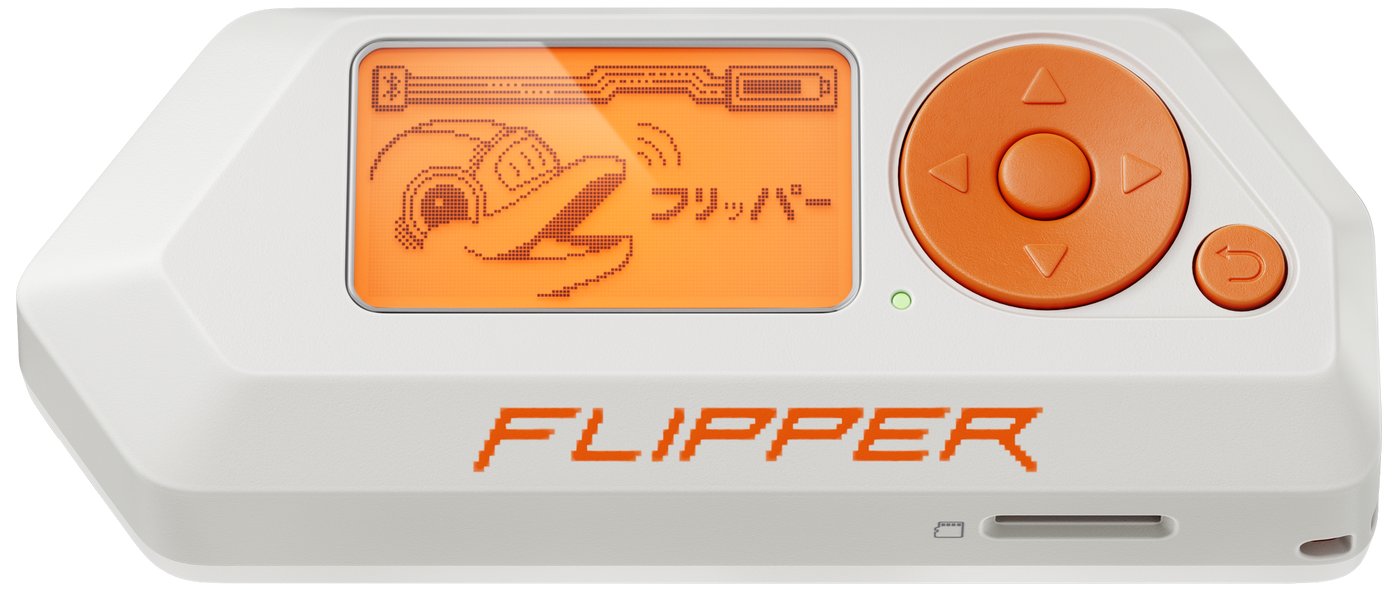
The short version, stated up front so the rest of the volume is read in the right frame: the detection surface is BLE at 2.4 GHz, full stop, and the tools sort themselves by how cleanly they see BLE advertising data and live RSSI. The owned gear divides into three honest tiers. The ESP32 BLE tier — Marauder on the AWOK Dual Touch V3, the Ruckus Game Over, the Nyan Box — actually scans BLE and, with the right firmware fork, flags Apple Find My beacons; this is the practical sweep gear you already have. The sniffer tier — an nRF52840 dongle running Nordic’s nRF Sniffer for Bluetooth LE — is the aspirational best DIY rung (Vol 12 §2.5), every-PDU fidelity with per-advertisement RSSI into Wireshark. And the wrong-tool tier has exactly one member, the HackRF One, whose only AirTag relevance is mediocre BLE at 2.4 GHz and whose much-asked-about UWB capability is settled flatly in §8: it cannot receive UWB at all, because consumer UWB lives above its 6 GHz hard ceiling (Vol 3 §9.2). The Flipper Zero sits across two tiers at once — a capable host and a poor BLE radio — which is why it gets its own chapter (§3) rather than a row in the ESP32 tier.
Posture — this is a sweep of YOUR own space, on YOUR own gear. Every workflow below is framed exactly as Vol 12 framed its generic versions: you are checking your car, your bag, your room, your person for a tracker someone else may have planted on you. Turning a Flipper or a Marauder module into a BLE scanner to find a tag on you is counter-surveillance; pointing the same scanner at strangers to log their devices is not what this teaches and not what the law allows. The rotating Find My key is anonymous by construction (Vol 2 §7) and useless for tracking a person; the only identity any of this extracts is the serial of a tag you have physically found on your own property and read over NFC (Vol 12 §6). The bright line is _shared/legal_ethics.md and Vol 14.
What this volume covers, and what it defers. Here: the shared owned-gear detection model and the centerpiece capability matrix (§2), then a chapter per tool — the Flipper Zero (§3), ESP32 Marauder on owned hardware (§4), the AWOK Dual Touch V3 and Ruckus Game Over multitools (§5), the Nyan Box (§6), the nRF52840 sniffer (§7), and the HackRF One UWB question handled correctly (§8). Not re-derived here: the underlying techniques — the BLE scanning toolchain, the three-gate 0x004C/0x12/separated signature, the key-rotation problem and single-session correlation, the RSSI-walk, and the nRF52840+Wireshark flow — are all Vol 12, and the UWB physics and the HackRF 6 GHz ceiling are Vol 3. Vol 12 gave the tool-agnostic technique; this volume applies it to your owned gear. For accurate per-tool capabilities this volume leans on the sibling deep dives and does not invent features: the Flipper Zero/, ESP32 Marauder Firmware/, Nyan Box/, AWOK Dual Touch V3/, Ruckus Game Over/, and HackRF One/ deep dives are each cited where their hardware facts are load-bearing. The off-the-shelf detector products are Vol 11; the make-vs-find legal envelope is Vol 14 and _shared/legal_ethics.md; the cross-tool decision matrix for the whole hub is _shared/comparison.md.
Spec-sourced, against real firmware on real (mostly owned) hardware. As of 2026-06-26 no AirTags are on this bench, so the screen captures and scan outputs below are illustrative and reuse Vol 2’s byte layout and Vol 12’s tool behavior; the firmware, app names, and menu paths, however, are real and current — Momentum firmware’s
ble_spamandfindmy_flipper, ESP32 Marauder mainline versus the Ghost ESP and Bruce forks, the Ruckus Game Over OLED-and-joystick UI, the Nyan Box menu, the nRF Sniffer extcap. Where a capability is fork-specific or version-sensitive (the Marauder “AirTag Detect” feature is the clearest case — it is a fork feature, not a mainline one) the volume flags it inline. When tags reach the bench the captures get replaced with live scans committed under the AirTagsprojects/tree, per the spec’s bench trajectory; the pending figures in §3 and §4 are added at that time.
13.2 The owned-gear detection model
Before the per-tool chapters, the model they all share. The reason a single capability matrix can rank six very different devices is that they are all attempting the same four-stage job from Vol 12 — and they differ only in how far up that pipeline each one reaches.
13.2.1 What every tool is actually doing
Detection is passive listening followed by a decision (Vol 12 §2). A separated Find My tag transmits a non-connectable advertisement (ADV_NONCONN_IND, Vol 2 §2.2) — there is nothing to connect to — so every tool here does the same fundamental thing: receive BLE advertising PDUs, surface their Apple manufacturer-specific data and their RSSI, and let you filter and localize. The owned gear differs only in which stages of the pipeline it can perform, and that is exactly what the matrix scores.
   The owned-gear detection pipeline — and where each tool stops
   ════════════════════════════════════════════════════════════

   AIR  (2.4 GHz BLE adv channels 37/38/39)
        │  ADV_NONCONN_IND · FF 4C 00 12 … · separated · rotating key
        ▼
   ┌──────────────────────────────────────────────────────────────┐
   │ STAGE 1  BLE SCAN — see the advert + its RSSI at all          │
   │   Flipper (scanner FAP) · Marauder Sniff BLE · Game Over ·    │
   │   Nyan Box · nRF52840 sniffer    [HackRF: poor, 2.4 GHz only] │
   └───────────────────────────┬──────────────────────────────────┘
                               ▼
   ┌──────────────────────────────────────────────────────────────┐
   │ STAGE 2  FIND-MY FILTER — gate to 0x004C AND 0x12 AND         │
   │   separated (§3 Vol 12).  Ghost ESP / Bruce "AirTag Detect"   │
   │   does a PARTIAL version (cadence, not the 3 gates, §4.3)     │
   └───────────────────────────┬──────────────────────────────────┘
                               ▼
   ┌──────────────────────────────────────────────────────────────┐
   │ STAGE 3  RSSI-WALK — turn signal strength into warmer/colder  │
   │   any tool that shows live per-advert RSSI (Vol 12 §5)        │
   └───────────────────────────┬──────────────────────────────────┘
                               ▼
   ┌──────────────────────────────────────────────────────────────┐
   │ STAGE 4  SNIFFER-GRADE DISSECTION — every PDU + Wireshark     │
   │   nRF52840 + nRF Sniffer ONLY (Vol 12 §2.5)                   │
   └───────────────────────────┬──────────────────────────────────┘
                               ▼
        NFC-read the found tag's serial (any phone, Vol 12 §6) → report
Three things follow from the picture. First, Stage 1 (just seeing the advert) is where the HackRF already loses — it is a wideband SDR, not a BLE-protocol radio, so even at 2.4 GHz it does not parse advertising PDUs without a heavy GNU Radio decode chain that none of the dedicated tools need (§8.3). Second, Stage 2 is the one most owned tools do badly or partially: a raw BLE scanner shows you the 0x004C Apple bytes but does not apply the three-gate filter for you (you do it by eye), and the one tool that does claim a Find My filter — Marauder’s “AirTag Detect,” a Ghost ESP / Bruce fork feature — keys on advertising cadence rather than the separated status byte (§4.3). Third, Stage 4 is the nRF52840’s alone — only the sniffer sees every PDU on every advertising channel with per-PDU RSSI, which is why Vol 12 called it the clean path and why it is the aspirational best here too (§7).
13.2.2 The gear capability matrix
This is the centerpiece deliverable of the volume: every owned (and the one aspirational) tool, scored across the stages of §2.1 plus cost/ownership. Read it as “how far up the pipeline does this tool reach, and do I already own it.” The columns are deliberately the Vol 12 pipeline stages — BLE scan, Find-My service-data filter, RSSI walk, UWB receive, sniffer-grade dissection — plus cost / owned.
Table 1 — 2.2 The gear capability matrix
| Tool | BLE scan | Find-My service-data filter | RSSI walk | UWB receive | Sniffer-grade dissection | Cost / owned |
|---|---|---|---|---|---|---|
| Flipper Zero | Partial — community scanner FAP, weak BLE stack | Manual — read 0x004C/0x12 by eye | Yes — per-device RSSI in scanner FAP | No | No | Owned |
| ESP32 Marauder (on AWOK) | Yes — Sniff BLE | Partial — AirTag Detect (Ghost ESP / Bruce), cadence-based (§4.3) | Yes — RSSI per device / visualizer | No | No | Owned (firmware) |
| AWOK Dual Touch V3 | Yes (via Marauder/Ghost ESP/Bruce) | Partial (as above, fork) | Yes | No | No | Owned |
| Ruckus Game Over | Yes (ESP32-S3 BLE, Marauder fork) | Partial (as above, fork) | Yes | No | No | Owned |
| Nyan Box | Yes — BLE scan/spoof in menu | Manual — BLE scan, no tag-specific gate | Yes | No | No | Aspirational |
| nRF52840 dongle | Yes — every PDU | Yes — Wireshark display filter (§7.1) | Yes — per-PDU Nordic-metadata RSSI | No | Yes — the only one | ~$10, aspirational |
| HackRF One | Poor — SDR, no BLE stack; 2.4 GHz only | No | No (no protocol decode) | No (6 GHz ceiling) | No | Owned |
Two cells carry the whole argument. The nRF52840 row is the only “Yes” across the detection columns — it scans, filters in Wireshark, RSSI-walks, and is sniffer-grade — which is why it is the clean DIY path despite being the cheapest item in the table. And the HackRF “UWB receive” cell is a flat No (6 GHz ceiling) — not “partial,” not “research-only,” but a hard physical no, for the reasons §8 lays out and Vol 3 §9.2 proved. Note also that every single tool’s UWB-receive cell is No: there is no consumer UWB receiver anywhere in this hub or this price class (Vol 3 §9.1), so UWB is not a column anyone wins — it is a column nobody can enter.
13.2.3 Picking the right tool
Given the matrix, the decision is short. The honest ranking for a real sweep of your own space is: nRF52840 sniffer if you want the best capture and don’t mind the setup; Marauder on the AWOK Dual Touch V3 (or the Game Over) if you want a standalone, pocketable BLE scanner you already own; a phone with nRF Connect (Vol 12 §2.1) if you just want a fast check; the Flipper Zero if it’s what’s in your hand, accepting its weak BLE radio; the Nyan Box if you’re already running a 2.4 GHz survey for cameras and want to fold a BLE pass into it; and the HackRF for nothing in this job — it is the wrong instrument for both BLE (no protocol stack) and UWB (can’t tune there).
   PICK THE RIGHT OWNED TOOL FOR A TRACKER SWEEP
   ═════════════════════════════════════════════

   Do you want the cleanest, most complete capture?
        │ yes
        ▼
   nRF52840 dongle + nRF Sniffer + Wireshark  (§7 — aspirational best)
        │ no / don't have one
        ▼
   Want a standalone device you already own, no laptop?
        │ yes
        ▼
   AWOK Dual Touch V3 (Marauder) or Ruckus Game Over  (§5)
        │  · use a Ghost ESP / Bruce build for "AirTag Detect" (§4.1)
        │  · else Sniff BLE + read 0x004C/0x12 yourself (§4.2)
        │ no
        ▼
   Just want a quick check with what's in your hand?
        │
        ├─ phone   → nRF Connect (Vol 12 §2.1)  ← fastest
        ├─ Flipper → BLE scanner FAP (§3) — works, weak radio
        └─ already sweeping for cameras? → fold a BLE pass into the Nyan Box (§6)

   ─────────────────────────────────────────────────────────────────
   HackRF One?  → NOT for this job.  Poor BLE (no protocol stack),
   and it CANNOT receive UWB (6 GHz ceiling, §8 / Vol 3 §9.2).
   ─────────────────────────────────────────────────────────────────
BLE at 2.4 GHz is the only practical detection surface — so rank your gear by how well it sees BLE, nothing else. A hidden, unwanted tag is separated from its planter, and a separated tag emits no UWB at all (UWB fires only during an owner-initiated Precision Finding session, Vol 3 §7.1, §9.4). Its only findable, persistent signal is the BLE advertisement (Vol 2). That single fact collapses the whole “which of my radios should I use” question: the answer is whichever one sees BLE advertising data and live RSSI best — the nRF52840 sniffer, then the ESP32 BLE tools, then a phone, then the Flipper. The HackRF’s wide tuning range is irrelevant here because the target never transmits anywhere the dedicated BLE gear can’t already hear, and the one band where the HackRF would be unique (UWB) is both above its ceiling and never emitted by a separated tag. Do not reach for the exotic radio; reach for the one that parses an advertising PDU.
13.3 Flipper Zero
The Flipper Zero is the most-owned device in this hub and the one most readers will reach for first, so it earns the first chapter — and an honest accounting. The Flipper can do BLE detection, through community apps, but its BLE subsystem is a genuine weak point, and the most prominent Flipper “Find My / AirTag” apps are not detectors at all — they make the Flipper broadcast as a tag. Getting that distinction right is most of this chapter.
13.3.1 The BLE stack and its limits
The Flipper is built on an STM32WB55 dual-core SoC: a Cortex-M4F application core that runs the firmware and UI, and a Cortex-M0+ radio coprocessor that runs a sealed, ST-provided BLE stack (Vol 5 of the Flipper Zero/ deep dive covers the silicon). For detection this architecture is a constraint, not a feature. The Flipper’s BLE is engineered for the device’s own connectivity — the mobile-app link, BLE HID/remote, the BadUSB-over-BLE paths — not for promiscuous advertising capture. Compared to a bare ESP32 running Marauder, or an nRF52840 in sniffer mode, the Flipper exposes far less of the raw advertising air to an app: scanning is mediated through the coprocessor’s stack, the channel/PDU fidelity is limited, and there is no first-party “show me every advertising PDU with its manufacturer data and RSSI” surface the way a real scanner has. The community has built BLE-scanner FAPs on top of what the stack does expose, and they work for a coarse “is there a separated Find My advert near me” check — but the radio underneath is the bottleneck, and it is the reason the Flipper’s BLE-scan cell in the §2.2 matrix reads Partial / weak stack rather than a clean Yes.
13.3.2 Firmware and where the apps live
None of the BLE detection apps are in stock Official firmware’s default set; they come from the custom-firmware ecosystem and the Flipper app catalog. The relevant firmware targets and where the apps come from:
Table 2 — None of the BLE detection apps are in stock Official firmware's default set; they come from the custom-firmware ecosystem and the Flipper app catalog. The relevant firmware targets and where the apps come from
| Firmware | BLE app surface relevant to tag detection | Notes |
|---|---|---|
| Official | Minimal — no bundled BLE scanner; install FAPs from the catalog | Conservative; the floor for compatibility |
| Momentum (this hub’s default) | ble_spam, findmy_flipper bundled; BLE-scanner FAPs installable | Largest JS/app surface; the hub’s default dev target (Flipper Zero/ deep dive) |
| Xtreme / RogueMaster / Unleashed | Similar app availability via the catalog | Pick per preference; same STM32WB55 BLE limits apply to all |
The key fact is that the firmware does not change the radio — every Flipper firmware drives the same STM32WB55 BLE stack, so a scanner FAP on Momentum sees the air no more clearly than the same FAP on Unleashed. Firmware choice here is about which apps are one tap away, not about BLE capability. Momentum is the hub’s default (per the Flipper Zero/ deep dive) and the assumed target for the rest of this chapter.
13.3.3 Scanner FAPs versus the make-a-tag apps
This is the trap to avoid, and it is worth being blunt about. The two most visible Flipper apps with “Find My” / “AirTag” in their name are not detectors:
Table 3 — This is the trap to avoid, and it is worth being blunt about. The two most visible Flipper apps with "Find My" / "AirTag" in their name are not detectors
| App | What it actually does | Detection use? |
|---|---|---|
findmy_flipper | Makes the Flipper broadcast as a Find My / AirTag beacon — turns it into a trackable tag, or impersonates one (per the Momentum README) | No — this is the DIY-beacon side (Vol 10), make-not-find |
ble_spam | Broadcasts spam BLE advertisements — Apple “Action” prompts, AirTag-setup, SwiftPair, Sour Apple, Android pairing | No — an offensive nuisance tool, not a scanner |
| BLE scanner FAP (community, from the catalog) | Passively lists nearby BLE advertisers with address + RSSI + (some) manufacturer data | Yes — this is the detection app |
So the detection workflow uses a community BLE-scanner FAP, not findmy_flipper and not ble_spam. findmy_flipper is genuinely interesting — it is the Flipper expression of the OpenHaystack / Macless-Haystack DIY beacon of Vol 10, broadcasting a registered public key so you can track the Flipper through Apple’s network — but it is the opposite of what this volume is about, and pointing it at the question “is there a hidden tag near me” answers nothing. Likewise ble_spam is the kind of tool the off-the-shelf detectors of Vol 11 are partly designed to weather; running it has nothing to do with finding a planted tag. Reach past both for a passive scanner.
The Flipper’s headline “Find My” app makes a tag; it does not find one.
findmy_flipperbroadcasts the Flipper as a Find My beacon (the Vol 10 DIY-beacon technique on Flipper hardware), andble_spamfloods pairing prompts — neither is a detector, and confusing them for one is the single most common Flipper-side mistake in this topic. Detection on the Flipper means a passive BLE-scanner FAP that lists nearby advertisers with their manufacturer data and RSSI, where you apply the three-gate0x004C/0x12/ separated filter (Vol 12 §3) by eye. If the goal is to sweep your own space for a planted tag, install the scanner, not the broadcaster.
13.3.4 The scan and RSSI-walk workflow
With a community BLE-scanner FAP installed (from the Flipper app catalog / qFlipper or the mobile app), the on-device workflow mirrors the Vol 12 §5 RSSI-walk on a phone, just with a worse radio:
   Flipper Zero BLE-scanner sweep — on-device button path
   ══════════════════════════════════════════════════════

   1. Apps  →  Bluetooth  →  [BLE Scanner FAP]        (install from catalog first)
   2. Scan / Start
        → device list populates: ADDR  ·  RSSI(dBm)  ·  (mfr data if shown)
   3. Read the manufacturer data on each candidate (Vol 12 §3.1):
        Apple company id  4C 00   ← GATE 1 (is it Apple?)
        Apple type        12      ← GATE 2 (is it Find My, not AirPods/Nearby?)
        status byte               ← GATE 3 (separated? — §3.2 Vol 12)
   4. Lock onto ONE separated Find My candidate; watch its RSSI.
   5. RSSI-WALK (Vol 12 §5.2): move; keep the heading whenever RSSI trends UP;
        sample many readings per step (multipath needs averaging);
        body-shield for bearing (torso blocks 2.4 GHz ~10-20 dB).
   6. Close to "within ~a metre, search by hand" — NO arrow, BLE RSSI only.
   7. Found it → NFC-read the serial with a phone (Vol 12 §6) → document → report.
The discriminator and the limits are exactly Vol 12’s. You cannot track by address across rotations (the address is the rotating key, Vol 2 §3.3); within one sweep the separated key is long-lived (~24 h PETS-2021 baseline, Vol 4 §4.4), so the tag that persists and climbs in RSSI as you move is the suspect (Vol 12 §4). And the RSSI is ordinal, not metric (Vol 12 §5.1) — warmer/colder only, never metres, and there is no Ultra-Wideband (UWB) Precision Finding here (that is Apple’s owner-only U1/U2 homing, Vol 3). The Flipper gets you to “within a metre, now search,” same as the phone — just with a radio that sees fewer adverts and updates RSSI more coarsely.
13.3.5 Where the Flipper falls short
The honest limits, so the Flipper is reached for with the right expectations:
- The BLE radio is the weak link. The STM32WB55 stack exposes less of the advertising air than a bare ESP32 or an nRF52840 sniffer; expect fewer adverts seen, coarser RSSI cadence, and no every-PDU fidelity. For a serious recorded sweep, the nRF52840 (§7) or Marauder on the AWOK (§4) is the better owned tool.
- No built-in Find-My filter. Stock scanner FAPs show you raw BLE; the three-gate classification is on you (unlike the Marauder forks’ “AirTag Detect,” §4.3). That is fine for a careful operator but means the Flipper does not flag a tag, it just lists the air.
- The famous apps are the wrong ones. As §3.3 stresses,
findmy_flipperandble_spamare make/offense, not detection. - Small screen, manual reading. Reading hex manufacturer data on a 128×64 monochrome display, by hand, is slow triage compared to a phone’s nRF Connect or a Wireshark filter.
The Flipper’s real strength in this topic is that it is always in your pocket and can also drive an nRF52840 or host accessory (§7.3) — but as a standalone BLE detector it is the convenient option, not the capable one.
13.4 ESP32 Marauder firmware
ESP32 Marauder — Justin “JustCallMeKoko” Cohen’s open-source Wi-Fi/BLE pentest firmware — is the firmware tjscientist already runs on the AWOK Dual Touch V3 and (on the Wi-Fi side) the Flipper WiFi Devboard. On a real ESP32 with a BLE radio, Marauder is a genuinely capable BLE scanner, and one of its fork ecosystems ships an explicit AirTag Detect feature. This chapter pins down exactly which firmware has it, what it keys on, and where it stops short of the Vol 12 three-gate ideal.
13.4.1 Mainline versus the forks
The single most important Marauder fact for this topic is that AirTag detection is a fork feature, not a mainline one. Per the ESP32 Marauder Firmware/ deep dive (Vol 7 §3.2), JustCallMeKoko deliberately keeps both BLE-spam and AirTag detection out of mainline Marauder — the added value was judged lower than the BLE-spam controversy, and it is not on the mainline roadmap. The feature lives in the Ghost ESP and Bruce forks, which add it alongside the BLE-spam variants (Sour Apple, Swiftpair, Easysetup, Google Fast Pair).
Table 4 — 4.1 Mainline versus the forks
| Capability | Marauder mainline | Ghost ESP | Bruce |
|---|---|---|---|
BLE advertising scan (Sniff BLE) | Yes | Yes | Yes |
| AirTag Detect (Find My beacon flag) | No (deliberate omission) | Yes | Yes |
| BLE-spam (Sour Apple etc.) | No (deliberate) | Yes | Yes |
| Wi-Fi scan/attack | Yes | Yes | Yes |
The practical consequence: to get a Find My filter out of an owned Marauder module rather than reading raw scan output by eye, flash a Ghost ESP or Bruce build, not mainline. The AWOK Dual Touch V3 explicitly supports all three firmwares (the AWOK Dual Touch V3/ deep dive covers the Marauder-vs-Ghost-ESP-vs-Bruce choice and the FZEE/esptool flash procedure), so this is a firmware decision on hardware already owned. On mainline you still get Sniff BLE and do the classification yourself, the same way the Flipper scanner FAP works (§3.4).
13.4.2 The Bluetooth menu path
On a Marauder build the Bluetooth tools live under the device’s Bluetooth menu. The relevant entries and the fork that adds the tag-specific one:
   ESP32 Marauder — Bluetooth menu (owned-gear detection paths)
   ════════════════════════════════════════════════════════════

   Marauder (mainline)                 Ghost ESP / Bruce (forks)
   ───────────────────                 ─────────────────────────
   Main Menu                           Main Menu
    └─ Bluetooth                        └─ Bluetooth
        ├─ Sniff BLE      ← scan         ├─ Sniff BLE          ← scan
        ├─ Sniff Beacon                  ├─ Attacks
        └─ (no AirTag tool)              │   ├─ Sour Apple      ← BLE-spam (offense)
                                         │   ├─ Swiftpair
                                         │   ├─ Easysetup
                                         │   ├─ Fast Pair
                                         │   └─ AirTag Detect   ← THE detector
                                         └─ ...

   Detection path:  Bluetooth → Sniff BLE   (any build; manual 3-gate read)
   Filtered path:   Bluetooth → Attacks → AirTag Detect   (Ghost ESP / Bruce)
Sniff BLE is the scan engine — it surfaces advertising devices and their manufacturer data and RSSI, on any build, on hardware that has a BLE radio. AirTag Detect is the Ghost ESP / Bruce convenience layer on top: it watches for Apple Find My beacons specifically and surfaces them as flagged hits, writing logs (Ghost ESP keeps /marauder/airtags/ on the SD card for AirTag-detection logs). Note the critical hardware caveat from the ESP32 Marauder Firmware/ deep dive (Vol 2): the Flipper WiFi Devboard is an ESP32-S2 with no Bluetooth radio at all — every Marauder Bluetooth menu is a no-op there, so BLE detection must run on the AWOK Dual Touch V3 (dual ESP32-WROOM) or the Game Over (ESP32-S3), not on the Flipper’s Wi-Fi devboard.
13.4.3 What AirTag Detect keys on
Here is the honest “what works and what doesn’t” that the brief demands, and it matters for consistency with Vol 12. The Ghost ESP / Bruce AirTag Detect keys primarily on the Apple Find My advertising signature plus the ~2-second advertising-interval consistency — an AirTag in offline-finding mode beacons on a distinctive ~2 s cadence (the ESP32 Marauder Firmware/ deep dive notes this 2-second interval as the detector’s discriminator). That is a real and useful signal, but it is not the full three-gate filter of Vol 12 §3:
Table 5 — Here is the honest "what works and what doesn't" that the brief demands, and it matters for consistency with Vol 12. The Ghost ESP / Bruce AirTag Detect keys primarily on the Apple Find My advertising signature plus the ~2-second advertising-interval consistency — an AirTag in offline-finding mode beacons on a distinctive ~2 s cadence (the ESP32 Marauder Firmware/ deep dive notes this 2-second interval as the detector's discriminator). That is a real and useful signal, but it is not the full three-gate filter of Vol 12 §3
| Gate (Vol 12 §3) | AirTag Detect (Ghost ESP / Bruce) | Vol 12 ideal |
|---|---|---|
Gate 1 — company 0x004C (Apple) | Yes — matches Apple Find My adverts | Yes |
Gate 2 — Apple type 0x12 (Find My) | Yes — that is the beacon class it flags | Yes |
| Gate 3 — separated status byte | Not explicitly — keys on adv cadence/signature, not the separated bit | Yes — this is the false-positive killer |
| Plus: ~2 s cadence consistency | Yes — its main discriminator | (an extra signal, complementary) |
So the gap is Gate 3: AirTag Detect tends to flag Find My beacons by signature and cadence without isolating the separated status the way Vol 12’s filter does, which means it can surface tags that are simply with their owners nearby (someone’s keys in their pocket) as well as genuinely separated ones. The cadence check partly compensates — a tag actively beaconing at the separated cadence is more likely the thing you care about — but the rigorous discriminator is still the Vol 12 single-session persistence-plus-RSSI correlation (§4), which AirTag Detect does not do for you. Treat AirTag Detect as a fast first-pass flag, then confirm with the Vol 12 logic: does this flagged tag persist as you move and climb in RSSI? That is the test that separates a planted tag from the room’s churn, and no fork does it automatically.
13.4.4 The Marauder sweep workflow
The end-to-end on the AWOK Dual Touch V3 (or any BLE-capable Marauder host), Ghost ESP / Bruce build assumed for the flagged path:
   ESP32 Marauder (Ghost ESP / Bruce on AWOK) — tracker sweep
   ══════════════════════════════════════════════════════════

   1. Boot the module standalone (own USB-C power) or Flipper-bridged.
   2. Bluetooth → Attacks → AirTag Detect          (flagged Find My hits)
        ─ or ─  Bluetooth → Sniff BLE              (raw; you read 0x004C/12)
   3. Watch flagged hits / advertisers + RSSI on the touchscreen.
        SD log (Ghost ESP): /marauder/airtags/
   4. For each flagged tag, apply the Vol 12 §4 test BY HAND:
        does ONE flagged tag PERSIST as you move + climb in RSSI?
        (the separated key is stable for the session → it stays with you)
   5. RSSI-WALK to the persistent suspect (Vol 12 §5):
        move on purpose (drive your route / carry the bag through rooms)
        so the tag that follows you separates from passing strangers' tags.
   6. Close to hand-search range → NFC-read serial with a phone (Vol 12 §6).
   7. Document → preserve → report  (Vol 12 §7.3, Vol 14).
The AWOK Dual Touch V3’s on-board GPS is a quiet bonus for the car sweep specifically: a Marauder build that logs GPS alongside BLE lets you confirm that a flagged tag’s strong RSSI tracks with your vehicle across changing locations — exactly the “persistence under motion” discriminator of Vol 12 §4.3, now with a location stamp on every sighting. That is more than the Flipper or a phone gives you for the drive-the-route test.
13.4.5 Where Marauder falls short
- AirTag Detect is fork-only and cadence-based. Mainline does not have it (§4.1); the fork version skips the explicit separated-status gate (§4.3), so it flags more than just genuinely separated tags.
- Single-radio channel hopping. A classic/S3 ESP32 has one radio, so scanning is time-sliced across advertising channels, never simultaneous (the
ESP32 Marauder Firmware/deep dive notes this) — a tag advertising on a channel the radio isn’t currently listening to is briefly missed, so dwell and repeat. - No BT radio on the S2 Devboard. The Flipper WiFi Devboard (ESP32-S2) cannot do any of this; use the AWOK (WROOM) or Game Over (S3).
- Not sniffer-grade. Like the Flipper, Marauder shows what its single radio caught, not every PDU; for a recorded, filterable, every-PDU capture the nRF52840 sniffer (§7) still wins.
Net: Marauder on the AWOK Dual Touch V3 is the best standalone owned BLE detector in the kit — pocketable, touchscreen, GPS, and (on a fork) a one-tap Find My flag — provided you back its flag with the Vol 12 confirmation logic.
13.5 The ESP32 multitools AWOK and Game Over
The AWOK Dual Touch V3 and the Ruckus Game Over are the two ESP32-based Flipper-companion multitools tjscientist owns, and both do BLE through the ESP32’s own radio (typically running a Marauder-family firmware). They share §4’s Marauder story; this chapter is about their hardware differences for a sweep and the standalone capability that makes them more useful than the Flipper for this job.
13.5.1 AWOK Dual Touch V3
The AWOK Dual Touch V3 (AWOK Dynamics) is a third-party Flipper-compatible module: dual ESP32-WROOM, an on-board resistive touchscreen (ILI9341 + XPT2046), internal GPS, and dual USB-C ports for independent programming/power per ESP (per the AWOK Dual Touch V3/ deep dive). It runs ESP32 Marauder, Ghost ESP, or Bruce, mounts on the Flipper GPIO header, and — the key property — operates fully standalone on its own USB-C power. For tracker detection its standout hardware features are the two WROOM radios (classic ESP32-WROOM has a real BLE radio, so Sniff BLE and AirTag Detect work, unlike the S2 Devboard) and the on-board GPS (the location stamp for the drive-the-route persistence test, §4.4). This is the module the §4 workflow is written against and the best standalone BLE detector tjscientist owns.
13.5.2 Ruckus Game Over
The Ruckus // section80 Game Over is the other multitool: an on-board ESP32-S3, a 0.96″ OLED, a 3-way joystick, microSD, dual SMA antenna mounts, and an 8-pin daughter slot that accepts either a CC1101 (sub-GHz) or an NRF24 (2.4 GHz) daughter card — mutually exclusive (per the Ruckus Game Over/ deep dive). It runs standalone via its OLED-and-joystick UI or Flipper-bridged through the Marauder companion FAP, and ships with a vendor Ruckus Marauder fork. Two hardware notes matter for BLE detection:
- The ESP32-S3 is BLE-only (no BT classic), which is fine — Find My detection is entirely a BLE-advertising job, so the S3’s BLE 5.0 radio does everything needed via
Sniff BLE/ a fork’s AirTag Detect. The lack of BT classic is irrelevant to this topic. - The NRF24 daughter card is not a BLE radio. The NRF24L01+ is a Nordic 2.4 GHz proprietary (ShockBurst GFSK) transceiver; it does not parse BLE advertising PDUs and is not a Find My receiver. The Game Over’s BLE detection comes from its ESP32-S3, not its daughter card. The NRF24 (and CC1101) are for the module’s other radios — mousejack, sub-GHz — not for tag-finding.
So the Game Over detects tags the same way the AWOK does (ESP32 BLE + Marauder fork), with a smaller monochrome OLED instead of a touchscreen and no on-board GPS, but with the joystick UI and daughter-card flexibility for everything else it does.
Table 6 — 5.2 Ruckus Game Over
| Feature (for a tracker sweep) | AWOK Dual Touch V3 | Ruckus Game Over |
|---|---|---|
| BLE radio | Dual ESP32-WROOM (BLE) | ESP32-S3 (BLE 5.0, no BT classic — fine) |
| Firmware for BLE detect | Marauder / Ghost ESP / Bruce | Vendor Ruckus Marauder fork (+ alternatives) |
| AirTag Detect (fork feature) | Yes (Ghost ESP / Bruce) | Yes (fork-dependent) |
| Display | Resistive touchscreen (ILI9341) | 0.96″ OLED |
| Input | Touch | 3-way joystick |
| On-board GPS (drive-route stamp) | Yes | No |
| Extra radios (not for BLE) | — | CC1101 or NRF24 daughter (mutually exclusive) |
| Standalone (no Flipper / laptop) | Yes (own USB-C) | Yes (own OLED+joystick UI) |
13.5.3 Standalone is the point
The reason these two beat the Flipper for an actual sweep is not a better Find-My filter — they run the same Marauder-family forks with the same §4.3 cadence-based AirTag Detect — it is that they have a real ESP32 BLE radio and they run standalone. The Flipper’s STM32WB55 stack is the bottleneck of §3.1; an ESP32-WROOM or -S3 sees more of the advertising air and runs Marauder’s scan engine natively. And because both operate on their own power with their own screen and input, you can walk a car, a room, or a route holding just the module — no laptop, no Flipper attached — watching RSSI on the touchscreen or OLED. That is the practical owned-gear answer to “what do I sweep with”: the AWOK Dual Touch V3 running a Ghost ESP / Bruce build, with the Game Over as the joystick-UI alternative, both confirmed against the Vol 12 §4 persistence test.
A daughter card or a second radio does not add a Find My surface — only the ESP32’s BLE radio sees the tag. The Game Over’s NRF24 and CC1101, the Nyan Box’s three NRF24s (§6), the Flipper’s CC1101/NRF24 modules — none of these are BLE-advertising receivers, and a hidden tag’s only signal is a BLE advertisement. It is tempting to assume “more radios = more detection,” but for AirTags the only radio that counts is the host ESP32’s (or the Flipper’s, or the nRF52840’s) BLE. The extra transceivers earn their keep on sub-GHz, mousejack, and 2.4 GHz survey work — not on tag-finding.
13.6 Nyan Box, the counter-surveillance sibling
The Nyan Box is the natural sibling to this whole topic: it is the hub’s existing hidden-camera and RF-emitter detector, the counter-surveillance handheld whose methodology Vol 12 repeatedly cross-referenced. It is not the strongest BLE tag-finder in the kit, but it folds tracker-finding into a broader counter-surveillance sweep better than anything else here, which is its real role.
13.6.1 What the Nyan Box is for
The nyanBOX (Nyan Devices) is a compact, education-first multi-radio toolkit: an ESP32-WROOM-32U, three NRF24L01+ modules, a 0.96″ OLED, and a 2500 mAh battery in a printed enclosure with four 2.4 GHz antennas (per the Nyan Box/ deep dive). Its menu-driven firmware spans 40+ tools — Wi-Fi analysis, BLE scan/spoof, 2.4 GHz spectrum work, drone RemoteID detection, and hidden-camera detection (vendor fingerprints for 20+ camera brands). The two features nothing else in tjscientist’s lineup covers natively are RemoteID and hidden-camera detection; that is why the Nyan Box exists in the hub and why it is the counter-surveillance sibling to the AirTags topic. For tracker-finding specifically, the relevant capability is its BLE scan running on the ESP32-WROOM-32U’s BLE radio.
13.6.2 The BLE survey and how it complements tag-finding
The Nyan Box’s BLE scan does the same Stage 1 job (§2.1) as the other ESP32 tools: it surfaces nearby BLE advertisers and their data, on the WROOM’s BLE radio, and you apply the Vol 12 three-gate filter to pick out a separated Find My candidate (the Nyan Box’s BLE menu is a general scanner/spoofer, not a tag-specific AirTag-Detect like the Ghost ESP / Bruce forks, so the classification is manual — §2.2 scores it Manual). Where the Nyan Box shines is integration with a full counter-surveillance sweep: if you are already walking a room or a vehicle with it to find a hidden camera (its native job, the Nyan Box/ deep dive’s subject), folding in a BLE pass to also flag a separated Find My tag is a natural second pass on the same walk. The two threats — a hidden camera and a hidden tracker — are the same “find the hidden emitter on my own property” problem (the framing Vol 12 §7 shares), and the Nyan Box is the one owned tool built to sweep for both in one session.
   Nyan Box — one counter-surveillance walk, two emitter classes
   ═════════════════════════════════════════════════════════════

         your room / car / bag
                │
    ┌───────────┴────────────┐
    ▼                        ▼
  HIDDEN CAMERA            HIDDEN TRACKER
  (native: Wi-Fi OUI       (BLE scan: ESP32 BLE radio;
   fingerprints, 2.4 GHz    read 0x004C/12/separated
   survey, RemoteID)        by eye, Vol 12 §3)
    │                        │
    └──────────┬─────────────┘
               ▼
    same RSSI-walk methodology to localize either
    (Vol 12 §5;  the Nyan Box deep dive's camera RSSI-walk
     is the same ordinal warmer/colder technique)
13.6.3 The triple-NRF24 caveat
The Nyan Box’s headline hardware is its three NRF24L01+ radios — unusual, and excellent for parallel-channel 2.4 GHz work (simultaneous sniffing across channels, fast-hopping scenarios). For tracker detection, the caveat from §5.3 applies in full: the three NRF24s are not BLE receivers and contribute nothing to finding a Find My tag. The NRF24L01+ is a proprietary 2.4 GHz GFSK transceiver, not a BLE-spec radio; it cannot parse a BLE advertising PDU and is blind to the 0x004C/0x12 Find My signature. All of the Nyan Box’s tag-detection capability comes from its single ESP32-WROOM-32U BLE radio. The triple NRF24 earns its place on drone/RemoteID and 2.4 GHz survey work — the camera-and-emitter side — which is precisely why the Nyan Box’s value here is complementary breadth (one device, two emitter classes), not BLE depth. For BLE depth, the nRF52840 sniffer is still the answer.
13.7 The nRF52840 dongle, the clean sniffer path
The nRF52840 dongle is the aspirational best DIY option in this whole volume, and it is the same hardware Vol 12 §2.5 built its sniffer rung on. It is the only owned-class tool that reaches Stage 4 of the §2.1 pipeline — every PDU on every advertising channel, with per-PDU RSSI, dissected in Wireshark — and it is the cheapest item in the §2.2 matrix. This chapter is a focused recap of why, and how it slots onto the owned bench.
13.7.1 Nordic nRF Sniffer and Wireshark, recapped
The setup is exactly Vol 12 §2.5: a Nordic nRF52840 dongle (about $10, e.g. the PCA10059) flashed with Nordic’s nRF Sniffer for Bluetooth LE firmware over USB DFU (nrfutil), with the bundled extcap plugin dropped into Wireshark’s extcap directory. The dongle then appears in Wireshark’s interface list as “nRF Sniffer for Bluetooth LE,” and every BLE advertisement in range arrives as a dissected packet wrapped in a Nordic metadata header that carries per-PDU RSSI and the channel. The Find My filter is the Vol 12 §3.3 display filter — verify the field names against your Wireshark version, the single most version-sensitive part:
# Wireshark / tshark display filter — separated-state Find My adverts.
# (Recap of Vol 12 §3.3 — the field names drift across Wireshark releases.)
DISPLAY_FILTER='btcommon.eir_ad.entry.company_id == 0x004c && btcommon.eir_ad.entry.data[0:1] == 12'

# Live off the nRF Sniffer extcap interface — time, RSSI, rotating addr, Apple bytes:
tshark -i "nRF Sniffer for Bluetooth LE" \
       -Y "$DISPLAY_FILTER" \
       -T fields \
       -e frame.time_relative \
       -e nordic_ble.rssi \
       -e btle.advertising_address \
       -e btcommon.eir_ad.entry.data
That time, rssi, address, apple-bytes stream is the input to the Vol 12 §4 single-session correlation and the §5 RSSI-walk — you watch the RSSI column climb as you move and watch whether one separated advert persists across the capture.
13.7.2 Why it is the aspirational best
Stacked against the other owned tools, the nRF52840 wins on every detection axis at once:
Table 7 — Stacked against the other owned tools, the nRF52840 wins on every detection axis at once
| Property | nRF52840 sniffer | Flipper / Marauder / Game Over / Nyan Box |
|---|---|---|
| PDUs seen | Every PDU, all 3 adv channels | Host-stack / single-radio filtered, time-sliced |
| De-duplication | None — raw air | Aggressive (Flipper) / single-radio gaps (ESP32) |
| RSSI source | Per-PDU Nordic metadata header | Per-device, coarser cadence |
| Filter | Full Wireshark display-filter machinery | Manual read (or fork cadence flag) |
| Record / replay | pcapng capture, filterable + re-playable | Live glance, limited logging |
| Cost | ~$10 | Already owned (Flipper/AWOK/Game Over) |
The trade is setup effort: flashing the dongle and wiring up the Wireshark extcap is more work than tapping “Scan” on a Flipper or AWOK. But for a recorded, every-PDU, RSSI-stamped, filterable sweep — the kind you want if you are documenting a genuine stalking concern for police (Vol 12 §7.3) — the nRF52840 is the right tool, and it is the one Vol 12 already named the clean path.
13.7.3 As a Flipper and host accessory
The nRF52840 is not a competitor to the Flipper so much as the Flipper’s upgrade path for BLE. The same dongle class plugs into a host laptop (the §7.1 Wireshark flow) and is the accessory tier Vol 12 §2.5 already flagged — and it pairs naturally with the rest of the bench: the host laptop that runs Wireshark is the same one that runs btmon (Vol 12 §2.3), and the dongle’s skills transfer directly from the generic Vol 12 workflow with zero change. In practice the owned-gear recommendation is layered: carry the AWOK or Flipper for a quick standalone field check, and reach for the nRF52840 + laptop for the serious recorded sweep. The dongle is the one owned-class purchase (it is currently aspirational, ~$10) that materially upgrades this whole topic’s capability, precisely because it is the only thing in reach that reaches Stage 4.
13.8 HackRF One and the UWB band
This is the chapter the title promises and the one that must be exactly right, because Vol 3 already settled it and explicitly required Vol 13 to reiterate it. The HackRF One is the most capable radio on the bench by tuning range and the least useful tool for AirTag detection — and the reason is a clean, verifiable RF-spec argument. The reader question this chapter exists to kill is “can my HackRF receive UWB?” The answer is no, and not in a hedged way.
13.8.1 The 6 GHz ceiling versus the UWB channel plan
The facts, taken directly from Vol 3 §9.2 and agreeing with its numbers. The HackRF One’s RF front end tops out at 6 GHz. Its tuner chain — the MAX2837 / RFFC5072 mixer — covers roughly 1 MHz to 6 GHz (the HackRF One/ deep dive and the HackRF One spec: 1 MHz – 6 GHz, half-duplex, 20 MS/s, 20 MHz bandwidth, 8-bit ADC). Now place that ceiling against the consumer-UWB channel plan from Vol 3 §3.3:
- Consumer UWB (Apple U1/U2, Samsung SmartTag) uses IEEE 802.15.4z HRP on channel 5, centred at 6489.6 MHz, and channel 9, centred at 7987.2 MHz, each 499.2 MHz wide.
- The usable consumer-UWB span is therefore roughly 6.24–8.24 GHz (the union of the two 499.2 MHz windows).
- Channel 5’s centre (6489.6 MHz) sits about 490 MHz above the HackRF’s 6 GHz ceiling, and even channel 5’s lower band edge (~6240 MHz) is already above 6 GHz. Channel 9 (7987.2 MHz) is wildly out of reach.
   HackRF tuning ceiling vs the UWB channel plan  (agrees with Vol 3 §9.2)
   ══════════════════════════════════════════════════════════════════════

   freq →   6.0 GHz        6.49 GHz                 7.99 GHz
            │               │                        │
   HackRF   ├───────────────┤
   coverage │  ...up to 6.0 │ ✗ cannot tune here ✗   ✗
            ┤   GHz ceiling  │                        │
                            ▼                        ▼
   UWB                  ┌────────┐              ┌────────┐
   channels             │  ch 5  │              │  ch 9  │
                     6240│ 6489.6 │6739      7738│ 7987.2 │8237  MHz
                        └────────┘              └────────┘
                         ▲ centre ~490 MHz ABOVE the 6 GHz ceiling
                         ▲ even ch.5's LOWER edge (6240 MHz) is > 6 GHz

   Result: a HackRF cannot tune to EITHER UWB channel. The entire
   6.24–8.24 GHz consumer-UWB span lies above its 6 GHz hard ceiling.
13.8.2 HackRF cannot receive UWB at all
The conclusion, stated as flatly as Vol 3 stated it and in full agreement with it: the HackRF One cannot receive UWB at all. Its front end stops at 6 GHz, below channel 5’s 6489.6 MHz centre and below channel 5’s ~6240 MHz lower band edge, so it physically cannot tune to either consumer-UWB channel — UWB receive is off the table, full stop. This is a hard physical ceiling, not a software limitation, a sensitivity problem, or a “research-only with effort” caveat. Do not say the HackRF can “receive in-band,” can “receive UWB research-only,” or can see the channels “marginally” in any useful way — at best it might catch the extreme lowest sliver of the UWB emission mask far below the channel centres, which is useless for capturing a ranging packet. The correct framing is the one Vol 3 §9.2 and the HackRF One/ deep dive both carry: 6 GHz hard ceiling ⇒ no UWB.
The HackRF’s 6 GHz ceiling rules out UWB receive entirely — this is the one number to carry. Consumer UWB lives at 6.24–8.24 GHz (802.15.4z channels 5 @ 6489.6 MHz and 9 @ 7987.2 MHz, 499.2 MHz each). A HackRF One’s front end (MAX2837/RFFC5072) stops at 6 GHz, below channel 5’s centre and even below its ~6240 MHz lower edge, so it cannot receive either UWB channel — not in-band, not research-only, not at all. This volume and the
HackRF One/deep dive reiterate the same conclusion Vol 3 §9.2 established: UWB receive is off the table for owned gear, and BLE at 2.4 GHz is the only practical detection surface. And it would not matter even if the hardware could tune there — a separated (hidden) tag emits no UWB at all (UWB fires only in an owner-initiated session, Vol 3 §9.4), there is no consumer UWB sniffer or open ranging decoder, and the session is proprietary and secured (Vol 3 §9.1). Three walls, any one of which is fatal; the 6 GHz ceiling is just the first and cleanest.
13.8.3 The only AirTag relevance is BLE
So what, if anything, is the HackRF good for in this topic? Only one thing, and it does it badly: BLE at 2.4 GHz, which is within the HackRF’s 1 MHz – 6 GHz range. But being able to tune to 2.4 GHz is not the same as being a BLE tool. The HackRF is a wideband SDR with an 8-bit ADC and no BLE protocol stack; to “see” a Find My advertisement you would have to build a GNU Radio / gr-bluetooth-class flowgraph that captures the 2.4 GHz advertising channels, demodulates GFSK, recovers the BLE link layer, de-whitens, and parses advertising PDUs — an entire decode chain that the Flipper, the Marauder modules, and the nRF52840 give you for free, in firmware, with live RSSI. The comparison is lopsided:
Table 8 — So what, if anything, is the HackRF good for in this topic? Only one thing, and it does it badly: BLE at 2.4 GHz, which is within the HackRF's 1 MHz – 6 GHz range. But being able to tune to 2.4 GHz is not the same as being a BLE tool. The HackRF is a wideband SDR with an 8-bit ADC and no BLE protocol stack; to "see" a Find My advertisement you would have to build a GNU Radio / gr-bluetooth-class flowgraph that captures the 2.4 GHz advertising channels, demodulates GFSK, recovers the BLE link layer, de-whitens, and parses advertising PDUs — an entire decode chain that the Flipper, the Marauder modules, and the nRF52840 give you for free, in firmware, with live RSSI. The comparison is lopsided
| For finding a Find My tag | HackRF One | Any dedicated BLE tool (§3–§7) |
|---|---|---|
| Tune to 2.4 GHz | Yes | Yes |
| Parse a BLE advertising PDU | No — needs a full GNU Radio decode chain | Yes — in firmware |
| Live per-advert RSSI for the walk | No (not without DSP work) | Yes |
Apply the 0x004C/0x12/separated filter | No (you’d build it from raw IQ) | Yes (manual) / fork-flagged (Marauder) |
| Receive UWB | No (6 GHz ceiling) | No (no consumer UWB receiver exists) |
| Right tool for this job? | No | Yes |
The HackRF is a superb instrument for understanding a signal’s structure — capturing an unknown waveform and reverse-engineering it in GNU Radio / Universal Radio Hacker — which is exactly why it lives in this hub. But AirTag detection is not a signal-structure problem; the BLE protocol is fully known and every cheap dedicated radio already speaks it. Using a HackRF to find a Find My tag is bringing a vector signal analyzer to read a clock that every $10 dongle already displays. For this job the HackRF is the wrong tool twice over — mediocre at the one band it can reach (BLE, no protocol stack) and physically barred from the one band where it would have been unique (UWB, 6 GHz ceiling). Reach for the AWOK, the Flipper, or the nRF52840; leave the HackRF for the signals that actually need an SDR.
13.9 Cheatsheet updates
This volume’s contributions to the Vol 15 laminate-ready cheatsheet — the owned-gear facts to carry without re-reading:
- BLE at 2.4 GHz is the only detection surface — rank gear by how well it sees BLE. A separated (hidden) tag emits no UWB (Vol 3 §9.4); its only findable signal is the BLE advertisement (Vol 2). UWB receive is impossible for all owned gear (no consumer UWB receiver exists, Vol 3 §9.1).
- The owned-gear ranking for a real sweep: nRF52840 sniffer (best, ~$10, aspirational) > AWOK Dual Touch V3 / Game Over with Marauder (best standalone owned) > phone + nRF Connect (fastest, Vol 12 §2.1) > Flipper Zero (convenient, weak BLE radio) > Nyan Box (fold into a camera sweep) > HackRF (not for this job).
- Flipper Zero: STM32WB55 BLE stack is the weak link; use a community BLE-scanner FAP (Momentum or any CFW — firmware doesn’t change the radio).
findmy_flipperandble_spamare make/offense, NOT detection —findmy_flipperbroadcasts the Flipper as a tag (the Vol 10 DIY-beacon side). No built-in Find-My filter; read0x004C/0x12by eye; RSSI-walk per Vol 12 §5. - ESP32 Marauder: AirTag Detect is a fork feature (Ghost ESP / Bruce), NOT mainline (mainline omits it deliberately, Vol 7 §3.2). Path:
Bluetooth → Sniff BLE(any build, manual) orBluetooth → Attacks → AirTag Detect(forks, flagged). AirTag Detect keys on the Apple Find My signature + ~2 s advertising cadence — it does not explicitly gate on the separated status byte, so confirm flags with the Vol 12 §4 persistence-plus-RSSI test. The ESP32-S2 Flipper WiFi Devboard has NO BT radio — use the AWOK (WROOM) or Game Over (S3). - AWOK Dual Touch V3: dual ESP32-WROOM (real BLE) + touchscreen + on-board GPS (location-stamps the drive-the-route persistence test) — the best standalone owned BLE detector. Runs Marauder / Ghost ESP / Bruce, standalone on own USB-C.
- Ruckus Game Over: ESP32-S3 (BLE 5.0, no BT classic — fine), OLED + joystick, standalone. Detects via the ESP32 BLE radio; the NRF24/CC1101 daughter card is NOT a BLE radio and adds nothing to tag-finding.
- Nyan Box: the counter-surveillance sibling (hidden-camera + RemoteID native). BLE scan on its single ESP32-WROOM-32U radio (manual classification, no AirTag-specific gate). Its three NRF24s are NOT BLE radios — they serve the camera/2.4 GHz survey, not tag-finding. Value = one device, two emitter classes in one walk.
- A second radio / daughter card never adds a Find My surface — only the host ESP32’s (or Flipper’s, or nRF52840’s) BLE radio sees the tag. NRF24L01+ is proprietary 2.4 GHz GFSK, blind to BLE advertising.
- nRF52840 dongle (aspirational best): ~$10, Nordic nRF Sniffer for Bluetooth LE firmware → Wireshark extcap; the only owned-class sniffer-grade tool — every PDU, all 3 adv channels, per-PDU RSSI, full Wireshark display filter (Vol 12 §2.5, §3.3). The one purchase that materially upgrades this topic.
- HackRF One — the one to get right: its front end (MAX2837/RFFC5072) stops at 6 GHz, below UWB channel 5’s 6489.6 MHz centre and even below its ~6240 MHz lower edge, so it cannot receive either UWB channel — UWB receive is off the table, full stop (agrees with Vol 3 §9.2). Its only AirTag relevance is BLE at 2.4 GHz, where it is also mediocre — an SDR with no BLE protocol stack, needing a full GNU Radio decode chain that every dedicated tool gives for free. Wrong tool twice over.
- Posture: sweep your own car/bag/room/person with owned gear; the rotating key is anonymous (Vol 2 §7); the only identity you extract is a found tag’s serial over NFC (Vol 12 §6) for police. Stalking with a tracker is a crime — this is the defensive half. See
_shared/legal_ethics.md, Vol 14, and the siblingNyan Box/(hidden cameras). - The technique is Vol 12; this is its owned-gear application. The BLE toolchain, the
FF 4C 00 12three-gate signature, the key-rotation single-session correlation, the RSSI-walk, and the NFC serial read are all Vol 12; the UWB physics and the HackRF 6 GHz ceiling are Vol 3.
This is Volume 13 of a fifteen-volume series. Where Vol 12 taught the DIY detection toolkit on generic hardware, this volume mapped it onto the gear already on the Hack Tools bench — the Flipper Zero (a convenient host with a weak BLE radio, whose famous findmy_flipper/ble_spam apps make and attack rather than detect), ESP32 Marauder on the AWOK Dual Touch V3 (the best standalone owned BLE detector, with the fork-only cadence-based AirTag Detect to confirm against the Vol 12 persistence test), the Ruckus Game Over, the Nyan Box (one walk, two emitter classes), the nRF52840 dongle (the aspirational sniffer-grade best), and the HackRF One — whose 6 GHz ceiling rules out UWB receive entirely, agreeing with Vol 3 §9.2, and whose only AirTag relevance is a band it handles poorly. Next, Vol 14 draws the make-versus-find legal and ethical line across the whole series, and Vol 15 compresses every volume’s cheatsheet into the laminate-ready field card. The posture and evidence handling for all owned-gear sweeps is Vol 14 and _shared/legal_ethics.md; the sibling counter-surveillance topic is the Nyan Box/ hidden-camera deep dive.
Comments (0)