Chameleon Ultra · Volume 8
Chameleon Ultra — Working with Other Tools
How the Chameleon Ultra integrates into the wider Hack Tools lineup: Proxmark3 RDV4, iCopy-X, Flipper Zero, Cardputer ADV, Cardputer Zero, and ChameleonUltraGUI
8.1 Where this volume sits
The Chameleon Ultra is not a standalone instrument; it is one node in a wider toolkit, and its value proposition becomes fully visible only when it is understood in relation to the tools that surround it. The device’s native strengths — sixteen independent card slots, an on-device Crypto1 attack suite, a credit-card form factor, and a BLE interface — are not universally applicable. There are tasks the Chameleon Ultra handles better than any other device in this lineup, and there are tasks that belong to a different tool entirely. This volume is the integration reference: where each partner tool’s strengths meet the Chameleon Ultra’s architecture, what data passes between them, and what the combined capability enables that neither tool achieves in isolation.
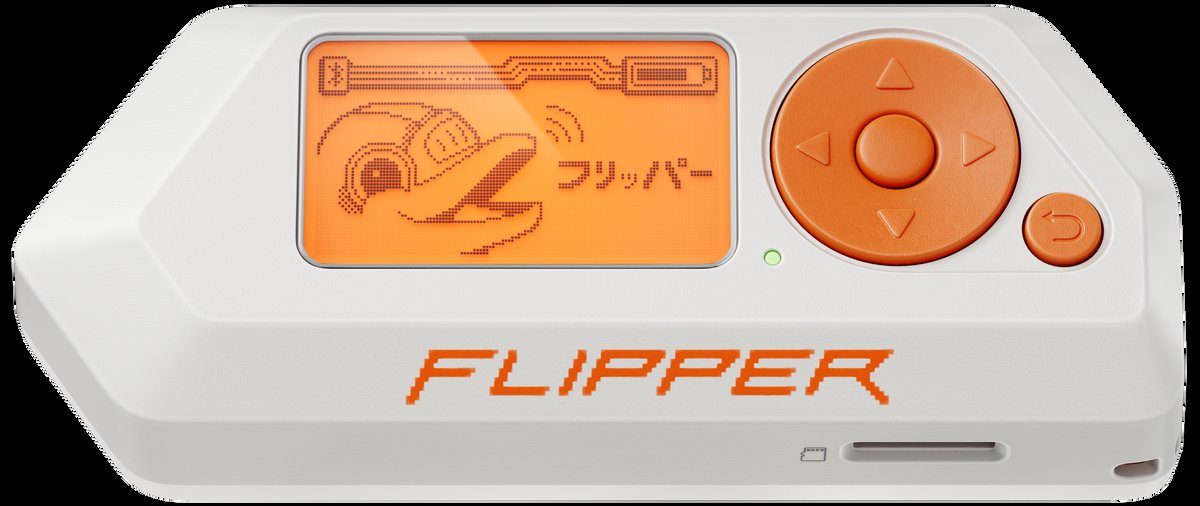
The partner tools covered here are five in total, plus the primary software control surface. The Proxmark3 RDV4 is the lab-grade key-recovery and protocol-analysis instrument — the heavy bench tool that hands off to the Chameleon Ultra for field deployment. The iCopy-X is the push-button clone-to-physical-blank counterpart, producing the physical card artifacts the Chameleon Ultra’s emulation model deliberately avoids. The Flipper Zero overlaps the Chameleon Ultra on RFID capability but extends in five other radio and hardware directions the Chameleon Ultra does not address at all. The M5Stack Cardputer ADV is an ESP32-S3 handheld that can serve as a BLE control surface in environments where a phone is not permitted. The M5Stack Cardputer Zero is a pocket Linux computer — Raspberry Pi Compute Module 0 — that can host the full ChameleonUltraGUI desktop client over USB or BLE, replacing the phone entirely with a purpose-built Linux environment. ChameleonUltraGUI is the primary BLE control and slot-management application, the integration hub through which all imported card data flows. Each tool gets its own subsection with a concrete workflow; the section closes with a compact works-with matrix.
8.2 Proxmark3 RDV4 — crack in the lab, emulate in the field
The Proxmark3 RDV4 and the Chameleon Ultra represent two complementary halves of the advanced RFID operator’s workflow. The Proxmark3 RDV4 is the heavy key-recovery and protocol-analysis platform: a tethered instrument driven by the Iceman-fork open-source client on a laptop, with large socketed antennas that maximize coupling distance, a fast x86 compute environment for running attack algorithms, and a software stack that covers every RFID protocol family in current research scope. The Chameleon Ultra is the field emulator: a sub-credit-card device that carries the results of that lab work — captured card dumps, recovered sector keys, fully characterized MIFARE Classic sector maps — and presents them to any reader the operator encounters in the field. The two devices are not alternatives to each other; they are designed to operate in sequence.
The canonical handoff workflow begins at the Proxmark3 RDV4 bench. The operator positions the target card over the PM3’s HF Hilo antenna and runs hf mf autopwn from the Iceman client. This command orchestrates the full Crypto1 attack cascade — factory-key sweep, DarkSide if the card is vulnerable, Nested across the remaining sectors, StaticNested or HardNested for hardened sectors — and when successful produces a complete .mfd binary dump of the MIFARE Classic 1K (or 2K or 4K) target, including all sector data and the recovered key table. On a modern x86 laptop the HardNested phase for a typical sixteen-sector 1K card completes in one to three minutes, which is substantially faster than the Chameleon Ultra’s nRF52840 Cortex-M4, where the same attack against a hardened card may run ten to thirty minutes or more under field conditions. The PM3 wins on raw compute time, and for cards with unknown or non-default keys the PM3 is the correct tool for the key-recovery phase.
Once the .mfd dump file is on disk, the operator loads it into ChameleonUltraGUI. The GUI’s import function accepts standard MFC dump files — the same binary format the Iceman client writes — associates the imported data with a chosen HF slot, and configures the emulation profile including UID, ATQA, SAK, sector data, and key table in a single operation. From that point forward the Chameleon Ultra emulates the captured card in that slot without the original card or the laptop present. The operator walks into the target facility with the Chameleon Ultra in a jacket pocket and a phone running ChameleonUltraGUI; when the moment arrives, the phone selects the relevant slot over BLE and the operator presents the device to the reader as if presenting the original credential. The entire value chain — bench attack, dump export, slot load, field emulation — relies on the same binary dump standard that has been the Proxmark3 ecosystem’s interchange currency for over a decade, and the hand-off is seamless.
The corollary guidance is equally important: when the Chameleon Ultra’s on-device Crypto1 suite is sufficient, there is no need to involve the PM3. If the target card uses factory-default sector keys (all six bytes 0xFF, which remains common in commodity deployments), or if the first authenticated sector yields enough information for a successful Nested attack within the Ultra’s on-device time budget, the operator can read, attack, and emulate in a single field session without returning to the bench. The PM3 enters the workflow when the on-device attack runs too slowly for the engagement timeline, when the card technology falls outside the ISO 14443A scope the Chameleon Ultra covers (iCLASS SE/SEOS, FeliCa, ISO 15693 research, DESFire EV3 with AES-128), or when the operator needs the PM3’s raw-capture and protocol-analysis capabilities for investigative work beyond simple key recovery. The division of labour is therefore: bring the PM3 to the bench session that prepares the credential inventory; bring the Chameleon Ultra to the field engagement that consumes it.
8.3 iCopy-X — push-button capture meets multi-slot emulation
The iCopy-X and the Chameleon Ultra solve adjacent problems in different ways, and understanding the boundary between their respective strengths is prerequisite to choosing which device to reach for at each stage of an access-control engagement. The iCopy-X is a push-button clone-to-physical-blank appliance: it reads a card in Auto Clone mode, processes the credential, and writes the result to a compatible physical blank — T5577 for LF protocols, MIFARE Magic Gen1a or Gen2 for HF protocols — in a single continuous operation. The Chameleon Ultra does not write to physical blanks at all. It reads a card into a slot and presents that slot’s contents as a live emulation to any reader that interrogates it, without ever committing the clone to physical media. The two devices are therefore complementary at the operational level: the iCopy-X produces durable physical artifacts; the Chameleon Ultra carries digital credential inventories across multiple simultaneous slots.
The iCopy-X’s export capability creates a direct data pipeline to the Chameleon Ultra. The iCopy-X stores card dumps on its internal microSD, accessible via USB when the device is connected to a host. Dumps written by the iCopy-X follow standard MIFARE-compatible binary formats that ChameleonUltraGUI can import directly. An operator who begins an engagement with an iCopy-X clone session — capturing the primary access card in Auto Clone mode and writing it to a blank for immediate physical use — can also pull the dump from the iCopy-X’s microSD, import it into ChameleonUltraGUI, and load the same credential into a Chameleon Ultra HF slot. From that point forward the Chameleon Ultra carries the credential alongside seven others in its HF slot inventory, without consuming a second physical blank and without requiring another read of the original card. The iCopy-X supplies the initial capture; the Chameleon Ultra receives and extends it into a multi-slot digital inventory.
The combined scenario that most clearly illustrates the complementary posture: an engagement that requires both a durable physical clone (for a colleague who needs to use the credential independently, at a different time, at a different door) and a full digital credential inventory (for the primary operator who needs to cycle through eight captured cards across multiple access-point tests). The iCopy-X handles the first requirement in its native push-button mode; the Chameleon Ultra handles the second without consuming additional blank-card stock and without producing physical artifacts that persist after the engagement closes. Carrying both devices costs less than carrying sixteen physical blanks, produces no per-clone inventory management burden at the Chameleon Ultra end, and makes the slot-switching workflow available at BLE speed across all sixteen loaded credentials. For extended multi-site test campaigns — where the operator is validating credential behaviour across a dozen different readers over the course of a day — the iCopy-X does the fast initial capture work in the morning and the Chameleon Ultra does the iterative emulation testing throughout the day.
It is worth noting the silicon heritage of the iCopy-X in this context, because it explains why the two devices speak the same data language without any conversion layer. Beneath the iCopy-X’s closed application layer sits an AT91SAM7S512 ARM7TDMI microcontroller plus a Xilinx Spartan-3 XC3S100E FPGA — canonical Proxmark3 protocol silicon, with hardware schematics and FPGA Verilog published open-source since August 2021. The iCopy-X is, architecturally, a Proxmark3 in a portable appliance enclosure. The dump files the iCopy-X produces are in the same format the PM3 produces, which in turn is the same format the ChameleonUltraGUI import function expects. The three tools — PM3 RDV4, iCopy-X, Chameleon Ultra — speak the same binary dump language, and transitioning a credential from any one of them to any other requires no format conversion and no intermediate processing step.
8.4 Flipper Zero — where they overlap and where each wins
The Flipper Zero and the Chameleon Ultra occupy the largest overlap zone of any two tools in this lineup. Both devices read and emulate HF cards at 13.56 MHz (ISO 14443A) and LF credentials at 125 kHz. Both run on integrated batteries without a tethered laptop. Both fit in a jacket pocket. Both support MIFARE Classic read and emulation. In a narrow reading of the specification sheets they appear to compete. In operational practice they serve different primary purposes, and the question of which to carry is answered by the primary requirement of the engagement rather than by the capability lists.
The Chameleon Ultra’s advantages over the Flipper Zero within the RFID domain are structural rather than incidental. The 8+8 slot architecture — eight HF slots and eight LF slots, each independently configured and BLE-selectable — has no equivalent in the Flipper’s design. The Flipper maintains one active card identity at a time; switching between captured credentials requires navigating the on-device menu. For an engagement where the operator needs to test eight different MIFARE Classic credentials against a single reader in rapid succession, the Chameleon Ultra’s slot-switch model — a BLE command from the phone or a single button press on the device — is faster and operationally cleaner than the Flipper’s per-credential menu navigation. The Crypto1 attack depth is a further meaningful distinction: the Chameleon Ultra’s firmware includes DarkSide, Nested, StaticNested, and HardNested as on-device attack routines accessible from ChameleonUltraGUI, in addition to MFKEY32 v2 for sniff-based key recovery. Flipper Zero mainline firmware ships with a more limited MIFARE attack suite — basic nested attacks are partially supported, but the full HardNested implementation that recovers keys from hardened cards with no known-key sector is not present in mainline firmware as of mid-2026. Community firmware variants (Momentum, Xtreme) add further Crypto1 attack capability, but neither matches the Chameleon Ultra’s complete HardNested suite in practice.
The hardware architecture reinforces the distinction. The Chameleon Ultra’s MFRC522 is a dedicated ISO 14443A reader frontend, optimized specifically for the HF emulation and read workflow at 13.56 MHz. The Flipper Zero’s ST25R3916 is a multi-purpose NFC frontend that handles ISO 14443A/B, ISO 15693, FeliCa, and NFC-Forum tag types — a broader scope that comes with the tradeoffs of a general-purpose design rather than a single-protocol-optimized one. For the specific task of accurate ISO 14443A emulation including precise timing of the anti-collision sequence and the SAK/ATQA response frames, the dedicated MFRC522 path in the Chameleon Ultra is a more tightly controlled implementation. Whether this produces measurable practical differences against a given reader depends on that reader’s tolerance for emulation timing variation, but the architectural distinction is real and is the reason the Chameleon family has historically been the preferred emulation platform for access-control research where reader-side strictness is a variable.
Where the Flipper Zero clearly wins is breadth. The CC1101 sub-GHz transceiver (approximately 300–928 MHz) covers car remotes, garage doors, legacy door-entry systems, weather sensors, and a substantial share of the low-power IoT RF landscape — domains the Chameleon Ultra does not address at all. The infrared transmit and receive subsystem makes the Flipper a universal remote and IR signal logger. The BadUSB mode over USB HID injection, the iButton/1-Wire reader, and the GPIO header for embedded experimentation are all absent from the Chameleon Ultra’s feature set. The Flipper’s plugin ecosystem — the FAP application packages, the Momentum and Xtreme alternative firmware projects — extends these capabilities substantially and continues to grow at a pace that no single-purpose emulator can match. For an engagement that has both an RFID component and any of these other attack vectors present at the same site, the Flipper Zero is the right device to add to the bag alongside the Chameleon Ultra, with each device handling the domain it was designed for.
The hand-off pattern that works well in practice allocates the initial card-identification step to whichever device is already in hand. If the operator has the Flipper handy, its card-type fingerprinting produces a readable summary on its own screen in a few seconds. That dump can be exported from the Flipper’s SD card and imported into ChameleonUltraGUI for the extended emulation campaign on the Chameleon Ultra. The reverse hand-off — Chameleon Ultra reads a card for later Flipper analysis — is equally valid. In practice, many operators run the two devices simultaneously on the same engagement, with the Chameleon Ultra assigned to the RFID/NFC side and the Flipper assigned to any sub-GHz door-entry transmitters or IR-controlled devices encountered at the same site. The two devices are not alternatives to each other; they are the RFID emulation depth tool and the multi-modal breadth tool filling adjacent roles on the same engagement.
8.5 M5Stack Cardputer ADV — BLE controller for phone-free field sessions
The M5Stack Cardputer ADV is an ESP32-S3 handheld computer in a QWERTY-keyboard-and-screen form factor, with a 1.14-inch IPS display and a full complement of Grove and EXT-bus expansion pins, running Arduino-compatible sketches built against the M5Unified framework. The device’s ESP32-S3 SoC integrates Wi-Fi and Bluetooth Low Energy, which provides the radio path to the Chameleon Ultra’s BLE GATT service. A Cardputer ADV sketch implementing the ChameleonUltra GATT client protocol can issue slot-switch commands, initiate or stop card emulation, query the current slot configuration, request card reads, and retrieve dump data from the Chameleon Ultra over BLE — all from a device that fits in a shirt pocket and presents, to a casual observer, as a miniature keyboard computer or specialized organizer rather than a consumer smartphone.
The specific operational context that makes the Cardputer ADV a worthwhile integration target is the environment that prohibits personal mobile phones. Government facilities operating under device-control policies, security-sensitive clean rooms, court facilities, SCIF-adjacent spaces, and certain corporate campuses all restrict or prohibit the use of smartphones. The ChameleonUltraGUI Android or iOS application cannot be run in these environments without violating the policy. A purpose-built BLE control surface that does not present as a consumer smartphone — that instead presents as a small computer with a physical keyboard — satisfies the policy constraint without sacrificing the ability to switch slots and monitor Chameleon Ultra state mid-engagement. The Cardputer ADV is not the only solution to this problem, but it is the lightest and least conspicuous one available in this lineup for the BLE-control-surface role.
What a BLE GATT client sketch on the Cardputer ADV can drive is defined by the Chameleon Ultra firmware’s published GATT service. The service covers slot selection, emulation start and stop, slot naming, card dump upload and download, and device status reporting [VERIFY current GATT service spec against firmware docs in RfidResearchGroup/ChameleonUltra at time of device acquisition]. A well-implemented Cardputer sketch exposes a minimal but operationally sufficient interface on its 1.14-inch display: a slot picker listing eight HF and eight LF entries with their configured names and card types, an emulate/stop toggle, and a status line showing the current slot’s card type and UID. That is the complete operational surface an operator needs for a field emulation session in which the slot inventory was pre-loaded before entering the target environment — which is the correct staging discipline regardless of which BLE controller is in use.
The Cardputer ADV has no built-in NFC or RFID hardware. The ESP32-S3 SoC does not integrate an NFC or LF reader; its radio capability is Wi-Fi and BLE only. The Cardputer ADV cannot read a card directly, cannot capture a raw dump, and cannot run a Crypto1 attack. It is a control surface, not a read/attack instrument. The correct operational model is to pre-load all required slots into the Chameleon Ultra before entering the target environment — using ChameleonUltraGUI on a phone or laptop in a staging location outside the facility — and then use the Cardputer ADV exclusively for slot-switching and status monitoring during the engagement itself. The BLE link between the Cardputer ADV and the Chameleon Ultra is a narrow, purpose-built channel, and its value scales with how frequently the engagement environment specifically prohibits phones. For operators who regularly work in those environments, the Cardputer ADV is a meaningful addition to the toolkit; for operators who do not, the phone running ChameleonUltraGUI covers the same ground without an additional device.
8.6 M5Stack Cardputer Zero — Linux host for the CLI and desktop GUI
The M5Stack Cardputer Zero is a fundamentally different kind of partner tool from the Cardputer ADV. Where the ADV is an ESP32-S3 microcontroller running a constrained single-purpose BLE sketch, the Zero is a pocket-sized Linux computer: Raspberry Pi Compute Module 0 (BCM2837, quad-core ARM Cortex-A53, 512 MB RAM) in the same QWERTY-keyboard-and-screen form factor. The BCM2837 runs a standard Linux distribution — Raspberry Pi OS and compatible Debian-based images boot in their full form on the CM0, with no meaningful constraints on userspace software beyond what the hardware’s memory and storage can accommodate. That distinction changes the integration story in every dimension: instead of a BLE sketch with a fixed function set, the Cardputer Zero can run the ChameleonUltraGUI desktop application in its Flutter Linux build, a full Python environment for dump analysis and processing scripts, proxmark3 client tools where relevant, and any other utility in the Linux ecosystem that the operator’s workflow requires.
As a USB host, the Cardputer Zero connects to the Chameleon Ultra via USB-C and presents the full ChameleonUltraGUI desktop interface over that wired link. The USB-C CLI on the Chameleon Ultra exposes a serial command interface that covers every capability the BLE GATT service exposes, plus a number of configuration and diagnostic operations suited to desktop-GUI workflows. Running the full GUI on the CM0 rather than on a laptop or phone means the entire control surface fits in a second jacket pocket alongside the Chameleon Ultra in the first. The operator’s left hand holds the Cardputer Zero; the right hand presents the Chameleon Ultra to a reader. No laptop, no phone, no consumer device visible to bystanders beyond what is accurately described as a compact Linux pocket computer.
The CM0’s integrated Bluetooth stack also supports the BLE path to the Chameleon Ultra. The standard Linux BlueZ stack is available on Raspberry Pi OS, and the ChameleonUltraGUI desktop build connects over BLE using the same GATT service the mobile application uses. This gives the Cardputer Zero both connection paths — USB for wired reliability during staging and bulk slot management, BLE for wireless operation during field emulation when a USB cable would be impractical. In practice the USB path is preferable for bulk slot loading, firmware OTA updates, and high-bandwidth dump transfers, where reliability matters over convenience; the BLE path is preferable during active field emulation sessions, where the operator needs both hands free and the Chameleon Ultra is moving between the operator’s pocket and a reader antenna.
The combined pocket station — Cardputer Zero in the left pocket, Chameleon Ultra in the right — is a fully self-contained RFID emulation platform with no Android or iOS dependency whatsoever. The CM0 Linux environment can run Python analysis scripts against captured dumps, maintain a local file archive of card credentials across multiple engagements, execute the full ChameleonUltraGUI desktop feature set including bulk slot configuration and firmware OTA updates, and serve as a general-purpose computing environment for anything else the operator needs in the field. This capability set is qualitatively different from the Cardputer ADV’s BLE-only sketch: the ADV is a control surface; the Zero is a full Linux host that happens to fit in a pocket. For operators who work regularly in environments where phones are restricted and who need to manage a large, evolving credential inventory across extended engagements, the Cardputer Zero represents the most capable phone-replacement option in this lineup — one that gives the Chameleon Ultra a real Linux host without requiring a laptop.
8.7 ChameleonUltraGUI — the primary control surface
ChameleonUltraGUI is the official control application for the Chameleon Ultra, developed and maintained by GameTec-live and distributed as a Flutter cross-platform application available on Android, iOS, Windows, macOS, and Linux. The source repository is at https://github.com/GameTec-live/ChameleonUltraGUI. Flutter’s cross-platform architecture means the application presents the same feature set and substantially the same UI across all five platforms, which in practice means the same operation an operator performs on an Android phone in the field can be replicated identically on the Linux desktop of a Cardputer Zero or on a Windows workstation at the lab bench — without learning a different tool for each platform. That consistency matters operationally: the operator’s mental model of the slot management workflow, the key recovery progress display, and the dump import dialog transfers directly from mobile to desktop and back.
The application’s primary functions are slot management, card read and dump, Crypto1 key recovery via MFKEY32 v2, DarkSide, Nested, StaticNested, and HardNested, firmware OTA update, and full device configuration. Slot management covers loading a dump into a named slot, configuring the emulation profile (UID, ATQA, SAK, sector data, key table), and switching the active slot both manually and as part of a scripted test sequence. The Crypto1 key recovery routines execute on the nRF52840 (the attack runs on-device) with the GUI providing progress reporting, recovered-key visualization, and sector-map status in real time as the attack proceeds. Firmware OTA updates are fetched from the RfidResearchGroup release feed and transferred to the device over BLE from within the same application the operator uses for daily field work; there is no separate flashing tool or driver requirement.
In the context of this chapter’s cross-tool workflows, ChameleonUltraGUI is the integration hub through which all external credential data flows into the Chameleon Ultra. PM3 .mfd dump files arriving from a Proxmark3 RDV4 bench session are imported via the slot-import dialog. iCopy-X dump files exported from that device’s microSD enter through the same import path. Card data captured by the Flipper Zero and exported to its SD card is loaded the same way. Cardputer ADV BLE commands ultimately manipulate the same slot state the GUI manages; Cardputer Zero Linux sessions run the desktop build of this same application over USB or BLE. ChameleonUltraGUI is not a peripheral convenience feature — it is the operational layer that makes the Chameleon Ultra a usable field instrument and the data-exchange point that makes every integration workflow in this chapter possible. Understanding the GUI is prerequisite to understanding any of the cross-tool workflows described here, because the GUI is where all of the workflows terminate.
8.8 Works-with matrix
The table below consolidates the six partner tool relationships into a single decision surface. Read each row as an answer to the question of what that tool brings to a Chameleon Ultra engagement and how the two together exceed what either achieves alone.
Table 1 — 8. Works-with matrix
| Tool | Reads a card | Emulates a card | Crypto1 attacks | Controls the Chameleon | Complements it |
|---|---|---|---|---|---|
| Proxmark3 RDV4 | ✓ (superior) | ✓ (limited vs Ultra) | ✓ (superior, tethered) | — | Lab crack → field emulate |
| iCopy-X | ✓ (push-button) | ✓ (via emulate mode) | ✓ (on-device) | — | Produces physical clone; dump feeds Ultra slots |
| Flipper Zero | ✓ (HF + LF) | ✓ (single slot) | limited | — | Multi-modal companion; RFID hand-off patterns |
| Cardputer ADV | — (no RFID HW) | — | — | ✓ (BLE GATT) | Phone-free BLE control surface |
| Cardputer Zero | — (no RFID HW) | — | — | ✓ (USB + BLE, full Linux) | Pocket Linux host for CLI + desktop GUI |
| ChameleonUltraGUI | via Ultra | via Ultra | via Ultra | ✓ (primary UI) | Official BLE control + slot management app |
Comments (0)