HaleHound · Volume 2
HaleHound Volume 2 — The CYD Platform & Hardware
The Cheap Yellow Display family, four supported boards, two display controllers, and the breakout pins HaleHound steals for radios
2.1 About this Volume
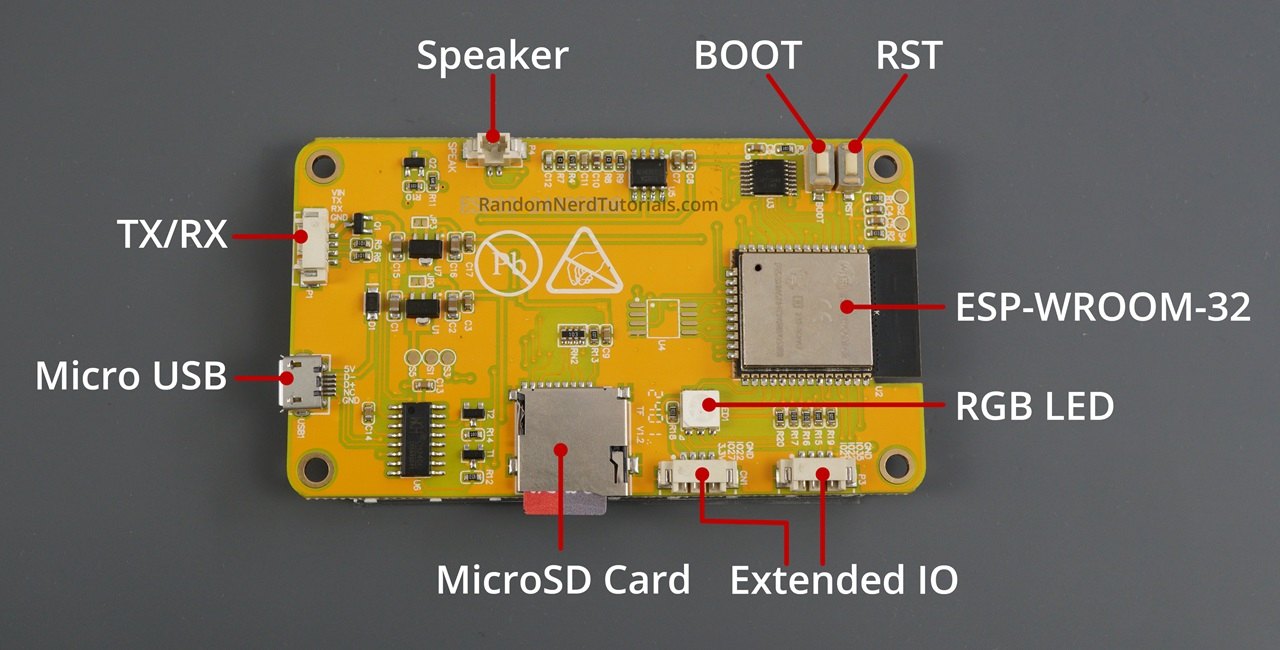
HaleHound is firmware; the hardware it runs on is a commodity ESP32 touchscreen board. This volume takes that board apart on paper — the microcontroller, its memory constraint, the two display controllers it ships with, the resistive touch panel, the SD card, the SPI buses, and the power rails — and then compares the four board variants the v4.0 firmware builds for. The point is not to reproduce a generic CYD datasheet; it is to isolate the handful of platform facts that decide whether a HaleHound build works: which build target to flash, which pins are free for radios, why the on-board regulator cannot feed a power amplifier, and which USB connector affects how the board is powered and flashed.
Every pin and part figure here traces to the HaleHound v4.0 README, its LICENSE’s hardware notes, and the cross-referenced facts in the SquachWatch deep dive (the same ESP32-2432S028R platform). Where a platform fact is firmware-dependent, it is noted as such. Nothing is written from a built unit.
2.2 The Cheap Yellow Display in context
The base board is the ESP32-2432S028R, one of a family of inexpensive ESP32 display boards from Shenzhen Sunton and its clones. The part number is descriptive: 2432 is the 240×320 panel resolution, S028 the 2.8-inch glass, and the trailing letter the touch type — R for resistive (XPT2046), C for capacitive, N for none. The maker community named the board the Cheap Yellow Display (CYD) after its yellow solder mask; the name is generally credited to Brian Lough (witnessmenow), whose GitHub repository is the de-facto reference pinout for the board.
What makes it the ideal substrate for a tool like HaleHound is the combination of price and I/O: for roughly $7–18 the board bundles an ESP32-WROOM-32, a 2.8-inch TFT with resistive touch, a microSD slot, an RGB LED, a USB-serial bridge, and — critically — several breakout headers that expose spare GPIO and the VSPI bus. HaleHound plugs its four external radios into those headers. The board was designed to be a cheap touchscreen for home-automation hobbyists; HaleHound treats it as a radio motherboard that happens to have a screen.
2.3 The ESP32-WROOM-32 and its memory
2.3.1 The silicon
Table 1 — 3.1 The silicon
| Parameter | Value | Relevance to HaleHound |
|---|---|---|
| Module | ESP32-WROOM-32 (ESP32-D0WD family) | PCB trace antenna; no U.FL on the standard board |
| CPU | 2 × Xtensa LX6, up to 240 MHz | Dual-core is load-bearing: radios on one core, UI on the other |
| SRAM | 520 KB on-chip, no PSRAM | The constraint behind most engineering choices |
| Flash | 4 MB SPI | Two OTA app slots (Volume 7) |
| Wi-Fi | 802.11 b/g/n, 2.4 GHz only | No 5 GHz path on this silicon |
| Bluetooth | BT 4.2: BR/EDR + BLE | HaleHound’s BLE modules; +9 dBm |
| RF path | One shared 2.4 GHz front end for Wi-Fi + BT | Wi-Fi and BLE time-share; teardown handled in firmware |
The vendor’s store copy makes a point of the dual-core architecture: “all radio operations on Core 0, all UI rendering on Core 1.” That is what lets a full-power carrier run while the touchscreen scrolls without stutter, and it is why several modules (the dual-radio drone detector, IoT Recon) are described as running networking on one core and UI on the other. The ESP32-D0WD die is genuinely dual-core; any single-core description inherited from the ESP32-DIV lineage is historical.
2.3.2 Why memory dominates
With no PSRAM, every byte of heap is contested by the Wi-Fi driver, the Bluetooth host, the display frame buffer, and the UI. This is the hidden ceiling on an ESP32 handheld: the 520 KB total SRAM leaves roughly 300-odd KB of usable application DRAM after the radio stacks claim their share, and heap fragmentation from Wi-Fi/BLE churn is a real failure mode on CYD-class boards. HaleHound’s firmware carries this constraint — the proper Wi-Fi↔BLE radio teardown the README advertises exists precisely because the two stacks cannot both be fully resident while a large frame buffer is live. A buyer does not tune any of this, but it explains why the device is 2.4 GHz-centric and why the firmware, not the hardware, is where the cleverness lives.
  ESP32-2432S028R — block diagram as HaleHound uses it
  ════════════════════════════════════════════════════════════════════
   USB ──► CH340 ──UART0 (GPIO1/3)──┐            ┌── own SPI ─► 2.8" TFT
   5 V ──► LDO ─► 3.3 V             │            │   (ILI9341/ST7789)
                                    ▼            │
                       ┌───────────────────────┐│
   BOOT (GPIO0) ──────►│   ESP32-WROOM-32      ││── own SPI ─► XPT2046 touch
   RST (EN) ──────────►│   2 × LX6 @ 240 MHz   ││
                       │   520 KB SRAM         ││
                       │   4 MB flash          │└── VSPI (18/19/23) ─┬─► microSD
   RGB LED ◄─ 4/16/17 ─│   Wi-Fi/BT 2.4 GHz    │                     ├─► CC1101
   (repurposed by HH)  │   PCB antenna         │                     ├─► NRF24
                       └───────────────────────┘                     └─► PN532
   Free on connectors: GPIO22, GPIO27 (CN1), GPIO35 input-only (P3), GPIO 1 (P1/GPS)
  ════════════════════════════════════════════════════════════════════
   HaleHound repurposes the RGB-LED pins (4/16/17) as NRF24/PN532 control lines.
Note — HaleHound takes over the three RGB-LED GPIOs — 4, 16, 17 — as radio control lines (NRF24 CSN/CE/IRQ and PN532 SS in the stock pin map; see Volume 3). On a built unit the back-panel status LED is therefore no longer a status LED. This is normal and is one of the clearest tells that these boards have spare I/O only because something else has to give it up.
2.3.3 GPIO budget — the whole reason this fits
The CYD is attractive for a multi-radio build precisely because the ESP32 has just enough free I/O once the display, touch, and SD are accounted for. The firmware spends that budget deliberately. The table below is the bird’s-eye view; the exact per-board assignments are Volume 3’s job.
Table 2 — 3.3 GPIO budget — the whole reason this fits
| GPIO | Native CYD use | HaleHound use |
|---|---|---|
| 18 / 19 / 23 | VSPI (SD card) | Shared VSPI for SD + CC1101 + NRF24 + PN532 |
| 5 | microSD CS | microSD CS (unchanged) |
| 2 / 15 / (12/13/14) | Display bus | Display (unchanged) |
| 25 / 32 / 33 / 36 / 39 | XPT2046 touch | Touch (unchanged) |
| 4 | RGB-LED red | NRF24 CSN (or CC1101 PA TX_EN on E32R28T/R35T) |
| 16 | RGB-LED green | NRF24 CE |
| 17 | RGB-LED blue | NRF24 IRQ / PN532 SS |
| 22 | Free (CN1/P3) | CC1101 GDO0 (TX) |
| 27 | Free (CN1) | CC1101 CS (2.8”); backlight on 3.5” |
| 35 | Free, input-only (P3) | CC1101 GDO2 (RX) |
| 21 | Free / backlight (varies) | CC1101 CS on 3.5”; backlight on 2.8” |
| 0 | BOOT | E07 PA RX_EN (when a PA module is fitted) |
| 1 / 3 | UART0 (USB serial) | GPS TX in on GPIO 1; firmware detaches UART0 while GPS runs |
The input-only pins (34–39) can only be read, which is why GPIO 35 is used for a receive line (CC1101 GDO2) and never a chip-select. The crowding on GPIO 4/17/21/27 — pins that mean different things on different boards — is the root cause of the per-board wiring differences Volume 3 has to tabulate. There is no spare I/O left over; a fifth SPI peripheral would need a GPIO expander.
2.3.4 Flash and OTA headroom
The WROOM-32’s 4 MB SPI flash is partitioned into two application slots so the firmware can update itself: a new image is written to the inactive slot and the board switches to it on reboot. HaleHound exposes this as OTA update from SD (Tools → Update Firmware) — a .bin dropped in /firmware/ on the card is flashed without a host computer (Volume 7). The two-slot scheme is why a failed OTA does not brick the board: the previous image remains in the other slot. The 4 MB ceiling is also why the firmware is frugal — there is no room for a second large payload store, and loot goes to the SD card, not internal flash.
2.4 The display and the touch panel
2.4.1 Two controllers across the family
Across the four supported boards HaleHound drives two different display controllers: the Ilitek ILI9341 on the 2.8-inch boards (240×320) and the Sitronix ST7796 on the 3.5-inch board (320×480). The UI scales automatically between the two resolutions — the README states “All UI scales automatically between 240×320 and 320×480. Pick your board, flash, done.” This is why there is no separate 2.8” vs 3.5” UI; the layout engine reflows.
Table 3 — 4.1 Two controllers across the family
| Board size | Controller | Resolution | Touch |
|---|---|---|---|
| 2.8” (2432S028, E32R28T, NM-RF-Hat) | ILI9341 | 240×320 | XPT2046 resistive |
| 3.5” (E32R35T) | ST7796 | 320×480 | XPT2046 resistive |
Note — On the base 2.8” CYD, the display controller may be an ILI9341 or an ST7789 depending on manufacturing batch, with no external way to tell. The HaleHound build targets name ILI9341 for the 2.8” boards. If a freshly flashed board shows a solid white screen, the wrong controller variant was selected — on CYD-class boards that is a driver mismatch, not a dead board. Rotation and colour-order issues are fixed at runtime (Settings → Rotation / Swap Colors / Invert), covered in Volume 7.
2.4.2 Resistive touch (XPT2046)
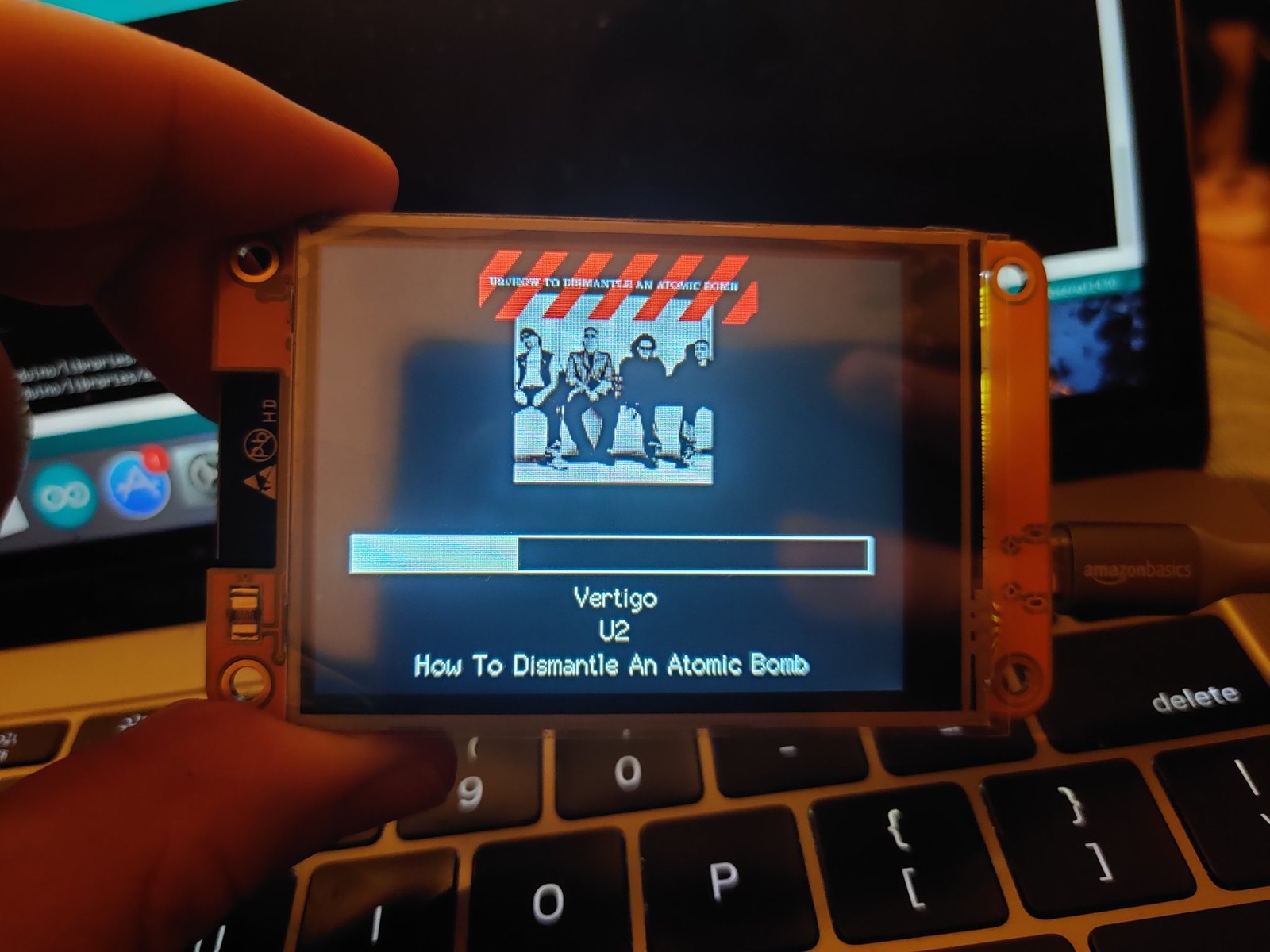
All four boards use the XPT2046 resistive touch controller on its own SPI path. Resistive touch is pressure-based — it works through gloves and with a stylus but needs calibration, which HaleHound runs automatically as a four-corner crosshair routine on first boot (Settings → Touch Calibrate re-runs it). Resistive panels do not support multi-touch gestures; the HaleHound UI is built around single taps and on-screen keyboards for text entry (URLs, passwords, custom strings).
2.4.3 Display SPI clock and frame rate
On CYD-class boards the display bus runs at a 40 MHz or 80 MHz SPI clock — the ESP32’s divider snaps to those values, with no intermediate step. The 80 MHz option is a deliberate overclock of the panel controller’s rated write cycle; it roughly 1.7× the frame rate at the cost of occasional instability on marginal panels. HaleHound scales its UI across the two resolutions and does not expose a user clock control, but the behaviour matters for one diagnostic: an overclock failure looks identical to a wrong-driver failure — white screen, torn lines, or colour corruption. If a flashed board renders badly, the fix path is the same as §4.1 (correct build target, then runtime colour/rotation controls), not a hardware return.
Table 4 — 4.3 Display SPI clock and frame rate
| Panel clock | Relative frame rate | Risk |
|---|---|---|
| 40 MHz | ~22 fps (baseline) | Safe on all panels |
| 80 MHz | ~34 fps (~1.7×) | Marginal panels may corrupt |
2.4.4 Settings that touch the display
The firmware exposes display controls that matter when a freshly flashed or re-cased board looks wrong: Brightness (backlight PWM 10–255), Screen Timeout (30 s to Never), Swap Colors (BGR↔RGB panel toggle), Invert Display, Color Mode (Default / Colorblind / High Contrast), and Rotation (0°/180°/90° CW/90° CCW). None require a reflash. The Color Mode options are a usability feature worth noting: the high-contrast and colorblind palettes exist because the UI uses colour-coded state banners heavily.
2.5 The four supported boards and build targets
2.5.1 Where this firmware runs — supported hardware
Where this firmware runs — the supported-hardware table. HaleHound v4.0 builds for four exposed-SPI CYD boards, assembled by one of two sanctioned build paths. The matrix below is the authoritative at-a-glance view — every board, every build target, and both build paths in one place; the prose and subsections beneath it explain the choices. Capabilities are stated at category level only: whichever board and path a builder picks, the firmware is identical — all 40+ modules sit behind the VALHALLA disclaimer, and declining it drops the device into a persistent Blue Team passive mode.
Table 5 — 5.0 Where this firmware runs — supported hardware
| Board / device | SoC | Build target or variant | Feature level / notes | Where to get it |
|---|---|---|---|---|
| ESP32-2432S028 CYD (2.8”) | ESP32-WROOM-32, 2.4 GHz only | esp32-cyd · ILI9341 240×320 | The reference CYD; Fully tested. Widest third-party documentation. SquachWatch runs on this same board. | halehound.com (any exposed-SPI CYD) · flasher flash.halehound.com (browser; ships without firmware) |
| QDtech E32R28T CYD (2.8”) | ESP32-WROOM-32, 2.4 GHz only | esp32-e32r28t · ILI9341 240×320 | Cheapest exposed-SPI board; the one the DIY kits ship. Fully tested. Shares its platform with SquachWatch. | halehound.com ($15.85 bare) · flash.halehound.com |
| QDtech E32R35T CYD (3.5”) | ESP32-WROOM-32, 2.4 GHz only | esp32-e32r35t · ST7796 320×480 | Larger 320×480 panel; complete units and PRO kits use it. Fully tested. CC1101 CS moves to a different pin. | halehound.com ($18 bare) · flash.halehound.com |
| NM-RF-Hat CYD (2.8”) | ESP32-WROOM-32, 2.4 GHz only | esp32-cyd-hat · ILI9341 240×320 | 2.8” board with an integrated RF hat. Marked Supported, not Fully tested — the least-proven of the four. | halehound.com · flash.halehound.com |
| Classic build path | ESP32-WROOM-32, 2.4 GHz only | Classic · exposed-SPI CYD + Cinder Ferret carrier + harness | Any of the four boards above + a Cinder Ferret carrier holding CC1101/NRF24/GPS. Lowest cost, most flexibility; all modules VALHALLA-gated (decline → Blue Team passive mode). | halehound.com (DIY kits / Cinder Ferret carriers) · flash.halehound.com |
| Fire Weasel build path | ESP32-WROOM-32, 2.4 GHz only | Fire Weasel · exposed-SPI CYD + integrated board + “leash” | Exposed-SPI CYD + integrated radio board, ~45-min build. Identical firmware and capability to Classic; all modules VALHALLA-gated (decline → Blue Team passive mode). | halehound.com (Fire Weasel kit / board + leash) · flash.halehound.com |
The v4.0 README names four boards, each with its own PlatformIO build target. Flashing the wrong target for a board is the most common cause of a non-working display. The web flasher (Volume 7) hides this behind a board picker, but builders compiling from source select the target explicitly.
Table 6 — 5.0 Where this firmware runs — supported hardware
| Board | Build target | Display | Touch | Status |
|---|---|---|---|---|
| ESP32-2432S028 (2.8”) | esp32-cyd | ILI9341 240×320 | XPT2046 | Fully tested |
| QDtech E32R35T (3.5”) | esp32-e32r35t | ST7796 320×480 | XPT2046 | Fully tested |
| QDtech E32R28T (2.8”) | esp32-e32r28t | ILI9341 240×320 | XPT2046 | Fully tested |
| NM-RF-Hat (2.8”) | esp32-cyd-hat | ILI9341 240×320 | XPT2046 | Supported |
# Building from source (PlatformIO). The web flasher does this for you.
pio run -e esp32-cyd      --target upload   # 2.8" ESP32-2432S028
pio run -e esp32-e32r35t  --target upload   # 3.5" QDtech E32R35T
pio run -e esp32-e32r28t  --target upload   # 2.8" QDtech E32R28T
pio run -e esp32-cyd-hat  --target upload   # NM-RF-Hat
pio device monitor -b 115200                # serial console
The practical differences between the three “fully tested” boards are size and a few chip-select pins, not capability. The E32R28T is the board the DIY kits ship — the cheapest exposed-SPI 2.8” variant. The E32R35T is the 3.5” board the 3.5” complete units and 3.5” DIY kits use; its larger 320×480 panel is the main reason to pay more. The NM-RF-Hat is a 2.8” board that integrates an RF hat; it is marked “Supported” rather than “Fully tested,” so treat it as the least-proven of the four. The per-board pin differences — CC1101 CS and NRF24 CSN move between boards — are a Volume 3 topic because they are wiring facts, not platform facts.
Tip — Source compilation needs Python 3.10–3.13; Python 3.14 breaks PlatformIO unless
platform.pyis patched. Most users never compile — the web flasher serves the latest binary — but this is the one toolchain gotcha the README flags for anyone building from source.
2.5.2 Choosing between the four boards
For a buyer the choice collapses to screen size and how proven the board is:
Table 7 — For a buyer the choice collapses to screen size and how proven the board is
| Want… | Pick | Why |
|---|---|---|
| Cheapest working unit | E32R28T 2.8” (esp32-e32r28t) | $15.85 bare; the board the DIY kits ship |
| More screen real estate | E32R35T 3.5” (esp32-e32r35t) | 320×480 ST7796; complete units and PRO kits use it |
| Original/reference board | ESP32-2432S028 (esp32-cyd) | The canonical CYD; widest third-party documentation |
| Integrated RF hat | NM-RF-Hat (esp32-cyd-hat) | Only “Supported,” not “Fully tested” — least proven |
The 3.5” ST7796 trade-off is worth stating: the larger 320×480 panel costs more board, more enclosure, and a slightly higher current draw, and it moves the CC1101 chip-select pin (GPIO 27 is the backlight on the 3.5”). None of that changes capability — the firmware reflows the same UI — so the 3.5” is purely an ergonomics-and-cost choice. The NM-RF-Hat is the wildcard: it folds an RF hat onto a 2.8” board, but its “Supported” status means it has not had the same test coverage as the other three. A first build should use one of the three fully-tested boards.
Note — The LICENSE’s hardware-disclaimer section lists the 3.5” variant it historically shipped as
ESP32-3248S035with “pin defines ready, untested” — older wording from the ESP32-DIV lineage. The v4.0 README supersedes it: the 3.5” target isesp32-e32r35t(QDtech E32R35T, ST7796), marked Fully Tested. Where the README and the older LICENSE text disagree on hardware status, the README is current.
2.6 Exposed-SPI variants and why they matter
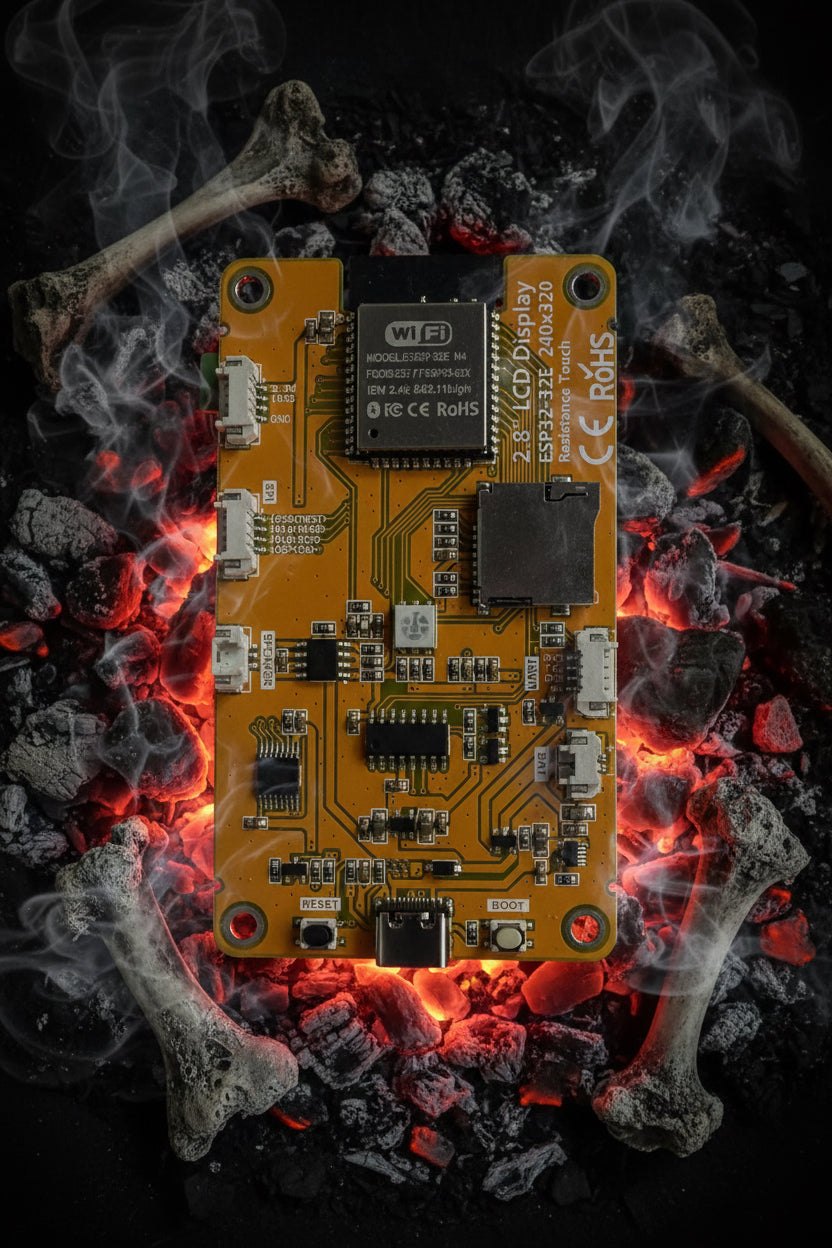
HaleHound’s store sells boards described as “exposed-SPI” CYD — the 2.8” E32R28T at $15.85 and the 3.5” at $18. The phrase is the whole reason these specific boards are chosen. A stock CYD brings its VSPI bus and spare GPIO out to headers, but not every clone populates or breaks out the same pins. An “exposed-SPI” board guarantees that the VSPI lines (GPIO 18/19/23) and the control pins HaleHound needs are accessible on headers, so the external radios can be wired without scraping traces or soldering to fine-pitch module pads.
  Why "exposed-SPI" matters
  ─────────────────────────────────────────────────────────
   Stock hobbyist CYD:   VSPI feeds the on-board SD only;
                         spare GPIO may be unbroken-out.
   Exposed-SPI CYD:      VSPI (18/19/23) + CS/control pins
                         brought to accessible headers.
                              │
                              ▼
   HaleHound hangs CC1101 + NRF24 + PN532 off that shared
   bus, SD card included — the SPI manager arbitrates (§8).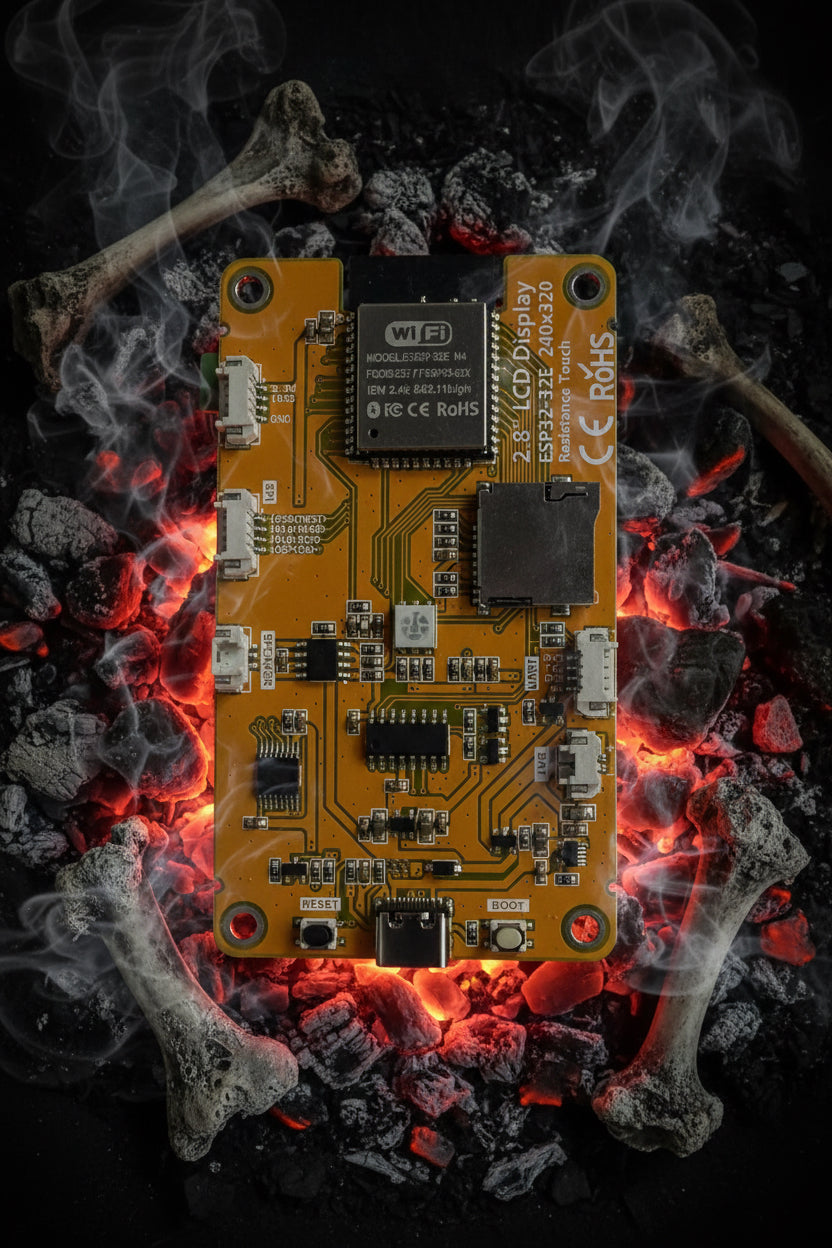
Buying a random “CYD” off a marketplace and expecting a HaleHound build to go smoothly is a mistake — the exposed-SPI board is the one with the pins where HaleHound expects them. Volume 4 lists the specific SKUs and their prices; the takeaway here is that the board variant is a build dependency, not a cosmetic choice.
2.7 USB connectors, the CH340, and flashing implications
CYD boards appear with either a micro-USB connector (the original single-port revision) or USB-C (the later “CYD2USB” two-port revision). The connector type does not change the firmware but it changes two practical things: how the board is powered and how reliably it flashes.
Table 8 — 7. USB connectors, the CH340, and flashing implications
| Connector | Revision | Power note | Flashing note |
|---|---|---|---|
| micro-USB | Original CYD | A-to-micro cable, always works | CH340 auto-reset normal |
| USB-C | CYD2USB (two-port) | Lacks CC pull-downs — C-to-C cables may not power it | Use A-to-C; otherwise identical |
Warning — The two-port USB-C CYD revision omits the CC resistor pull-downs a compliant USB-C sink needs, so a C-to-C cable may deliver no power. Use an A-to-C cable. This bites people whose laptops only have C ports — the board appears dead when it is simply not being powered. It is a board-design quirk, not a HaleHound bug.
The USB-serial bridge is a CH340-family chip. Windows and older macOS usually need the WCH driver before the board enumerates; Linux has the driver built into kernel 5.x and later. The flasher needs a genuine data USB cable (charge-only cables silently fail). The CH340’s DTR/RTS lines normally drive the ESP32 into download mode automatically; when they do not, holding BOOT (GPIO 0) while connecting forces it. Volume 7 covers the per-OS driver install and the full flash procedure.
2.8 The SD card and the shared VSPI bus
The board’s microSD slot sits on the ESP32’s VSPI bus — GPIO 18 (SCK), 19 (MISO), 23 (MOSI) — with the card’s CS on GPIO 5. HaleHound’s defining hardware move is to hang all four external radios on that same VSPI bus, each with its own chip-select, and let a firmware SPI manager arbitrate so only one device is addressed at a time.
  VSPI bus sharing (GPIO 18/19/23) — one bus, many chip-selects
  ════════════════════════════════════════════════════════════════
   SCK  (18) ─┬────────┬────────┬────────┬────────┐
   MISO (19) ─┤        │        │        │        │
   MOSI (23) ─┤        │        │        │        │
              ▼        ▼        ▼        ▼        ▼
            microSD  CC1101   NRF24    PN532   (future)
            CS 5     CS 27/21 CSN 4/26 SS 17
              └────────┴────────┴────────┴──── SPI manager picks one
  ════════════════════════════════════════════════════════════════
This is why the card is optional but useful: every module handles a missing card gracefully, but the SD card is where loot, .sub files, wardriving logs, and OTA firmware live. The card must be FAT32. The firmware expects a specific folder layout (Volume 8 covers the full tree); it creates folders as needed and shows empty states when they are missing. The bus-sharing also sets an inherent constraint: radios cannot transmit and the card cannot be written in the exact same instant, so throughput-sensitive capture-to-SD is bounded by arbitration — a firmware concern the user does not tune.
Note — Because the radios share the SD card’s bus, a flaky or non-FAT32 card can manifest as radio init problems, not just storage errors. When a built unit shows intermittent radio faults, re-seating and re-formatting the card to FAT32 is a cheap first diagnostic before chasing wiring.
2.8.1 The breakout headers
The exposed-SPI CYD brings its spare I/O out on a handful of named headers. Knowing which header carries which signal is what makes the Volume 3 wiring legible — the firmware’s own Radio Test module even draws these connections on-screen. The README maps the radios to three headers plus the GPS JST:
Table 9 — The exposed-SPI CYD brings its spare I/O out on a handful of named headers. Knowing which header carries which signal is what makes the Volume 3 wiring legible — the firmware's own Radio Test module even draws these connections on-screen. The README maps the radios to three headers plus the GPS JST
| Header | Carries | Used by |
|---|---|---|
| CN1 | 3.3 V, GND, GPIO 27 | CC1101 CS (2.8”); PN532 VCC/GND |
| P3 | GPIO 22, GPIO 35 (input-only) | CC1101 GDO0 (TX) and GDO2 (RX) |
| P1 | VIN, GND, GPIO 1 (TX), GPIO 3 (RX) | GPS module (JST), and VIN for battery input |
| VSPI pins | GPIO 18/19/23 | Shared SCK/MISO/MOSI for all SPI radios + SD |
The GPS is the one radio not on the SPI bus: it is a serial device on UART0 (GPIO 1/3), which is also the USB-serial console. The firmware detaches UART0 (Serial.end()) while the GPS runs so the GPS owns the line, then restores it on exit — Volume 3 covers this conflict and its handling. The practical point for the platform: the GPS plugs into the P1 JST, not a breadboard jumper, which is why the Cinder Ferret V2 integrates an ATGM336H with a 1.25 mm JST directly on the carrier.
2.9 Power rails and the regulator ceiling
The CYD is a 5 V device: it takes 5 V over USB (or on the VIN pin of its serial header) and steps it down with an on-board linear regulator (LDO) to the 3.3 V rail that feeds the ESP32 and the display. The classic board has no battery and no charger — portable operation is an add-on (Volume 6’s power section), typically a 1S LiPo soldered to BAT+ / BAT− pads with a boost/charger module.
The single most important power fact for a HaleHound build is the current ceiling of that on-board LDO. It comfortably runs the ESP32, display, and the stock passive radios (bare CC1101 HW-863, PN532, GPS). It cannot run the amplified Ebyte modules:
Table 10 — The single most important power fact for a HaleHound build is the current ceiling of that on-board LDO. It comfortably runs the ESP32, display, and the stock passive radios (bare CC1101 HW-863, PN532, GPS). It cannot run the amplified Ebyte modules
| Rail / supply | Feeds | Ceiling |
|---|---|---|
| CYD on-board 3.3 V LDO | ESP32, display, stock radios | Adequate for stock CC1101/PN532/GPS |
| Independent 5 V→3.3 V buck | E07-433M20S PA, E01-2G4M27SX PA | Required — do not share CYD rail |
| 5 V USB VBUS | Source for the buck’s input | Tapped before the CYD regulator |
| Common ground | All modules + CYD | Every GND ties together |
  Power topology with a PA module
  ───────────────────────────────────────────────────
   USB 5 V ──┬──► CYD LDO ──► 3.3 V ──► ESP32 + display + stock radios
             │
             └──► SEPARATE buck ──► 3.3 V ──► E07/E01 PA VCC only
                                               (signal wires still → ESP32 GPIO)
   All grounds common.
Warning — This is the independent-3.3 V-buck requirement from Volume 1, stated as a platform fact: the E07-433M20S sub-GHz PA and the E01-2G4M27SX NRF24 PA draw more than the CYD’s LDO can supply. Powering them from the CYD 3.3 V rail causes brownouts, random resets, and failed radio init. They get a separate 5 V→3.3 V buck (an AMS1117-3.3 module, an MP2307, or any 3.3 V regulator rated 500 mA+), fed from USB VBUS before the CYD regulator. Only VCC moves to the separate supply; all signal lines and grounds stay as wired. A 10 µF capacitor across the NRF24 VCC/GND additionally suppresses reset-inducing current spikes.
2.10 Enclosures and cases
The firmware does not care about the case, but a HaleHound build is a loose stack of a board, a carrier or integrated radio board, external antennas, and (usually) a battery, so a case is effectively part of the build. The store sells 3D-printed enclosures matched to specific board sizes and build paths — mixing them up is a common ordering error because a 2.8” case does not fit a 3.5” board, and a Fire Weasel case does not fit a Classic Cinder Ferret stack.
Table 11 — 10. Enclosures and cases
| Case | Fits | Price (2026-10-16) | Note |
|---|---|---|---|
| 2.8” case (ESP32-E32R28T / 2432S028R options) | 2.8” Classic builds | $30 | Select the variant matching the exact CYD |
| 4” HaleHound case | 4”/3.5”-class complete build | $30 | For the 5K-style complete unit |
| 3.5” case (DIY, not Fire Weasel) | 3.5” E32R35T Classic DIY | $30 | Explicitly not for the Fire Weasel board |
| Fire Weasel “bone pile” case | Fire Weasel board build | $45 | Reworked bone-pile for the integrated board |
| Talking Sasquatch 3.5” case | 3.5” CYD | $45 | Limited run; some cut for an SS12F16-G3 switch |
2.10.1 Portable power as part of the enclosure
Because the classic CYD has no battery or charger, a cased HaleHound carries its power train inside the shell: a 1S LiPo soldered to the BAT+ / BAT− pads, a boost converter to lift the cell’s 3.7 V to the 5 V the CYD expects, and — when an amplified radio is fitted — the independent 3.3 V buck of §9. The case must therefore have room for the board, the carrier or integrated radio board, the cell, two or three small converter modules, and the antenna leads. This is why the vendor’s cases are build-path-specific: a Fire Weasel’s integrated board packs differently from a Classic Cinder Ferret stack, and the 4”/3.5”/2.8” shells differ in both board cutout and internal volume.
Table 12 — 10.1 Portable power as part of the enclosure
| Case class | Internal volume for… | Hardware |
|---|---|---|
| 2.8” Classic | CYD + Cinder Ferret + cell + converters | M3 × 10 or M3 × 16 |
| 3.5” Classic (DIY) | Larger CYD + stack | M3 × 16 |
| Fire Weasel | Integrated board + leash + cell | M3 × 10 |
| 4” complete | Factory stack | per build |
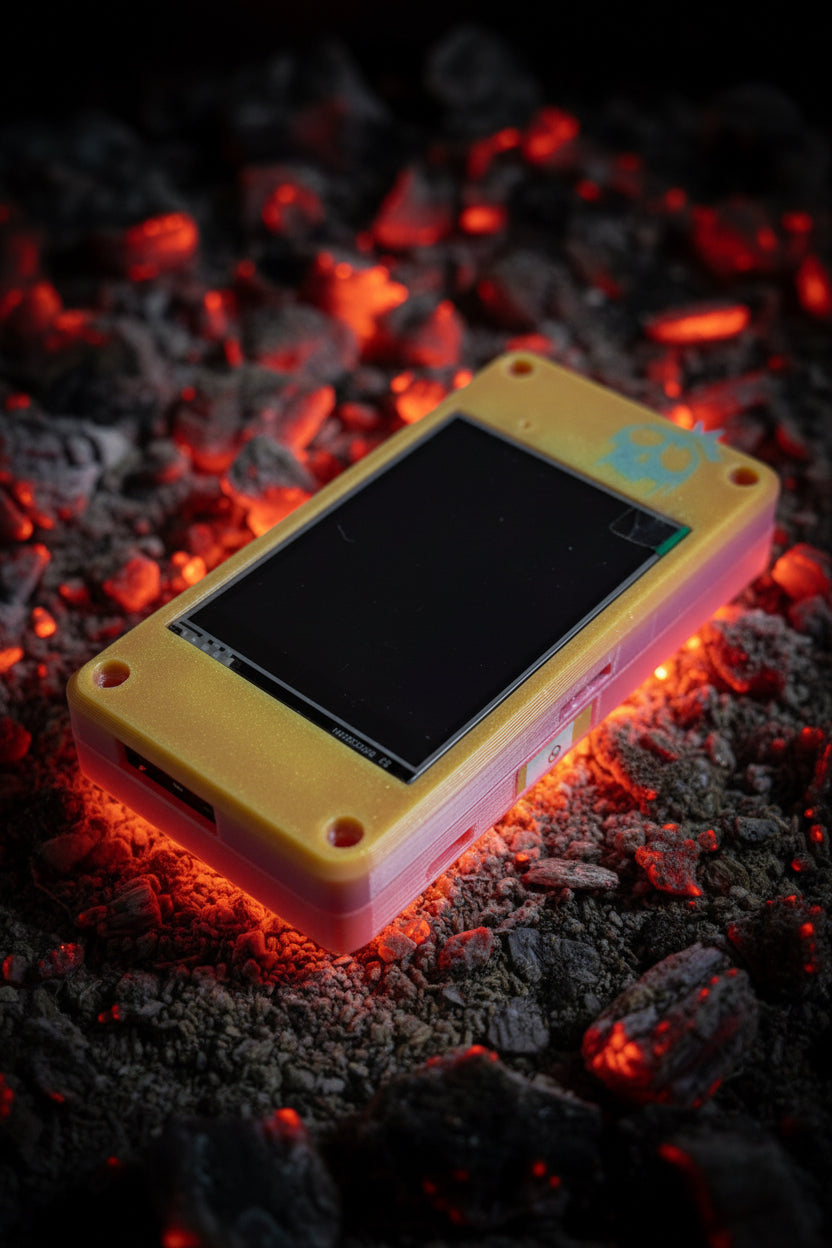
Note — Two useful case details from the store copy: the DIY-kit 3D-printed case has a slot that holds a readable/writeable NTAG216 tag, and the Talking Sasquatch “Bone Pile” variants are cut for a physical SS12F16-G3 slide switch. These are the kind of small integration choices that distinguish a finished HaleHound from a board on a desk.
2.10.2 What the platform hands to Volume 3
Everything in this volume is the stage the radios mount onto. The handful of facts that Volume 3 depends on, gathered in one place:
Table 13 — Everything in this volume is the stage the radios mount onto. The handful of facts that Volume 3 depends on, gathered in one place
| Platform fact | Consequence for wiring (Vol 3) |
|---|---|
| VSPI on GPIO 18/19/23, shared with SD | All SPI radios share these three lines; CS pins differentiate |
| RGB-LED pins 4/16/17 repurposed | NRF24 CSN/CE/IRQ and PN532 SS live here |
| GPIO 27 vs 21 swap (backlight) | CC1101 CS is 27 on 2.8”, 21 on 3.5” |
| GPIO 4 reused for PA TX_EN on E32R28T/R35T | NRF24 CSN moves to 26 on those boards |
| Input-only 34–39 | GPIO 35 only ever a receive line (CC1101 GDO2) |
| UART0 on GPIO 1/3 | GPS shares the USB-serial line; firmware detaches it |
| On-board LDO current ceiling | Amplified Ebyte modules need the independent buck |
With the platform understood — the silicon, the memory limit, the two display controllers, the shared bus, the repurposed pins, and the regulator ceiling — Volume 3 wires the CC1101, NRF24, PN532, and GPS onto it, pin by pin and board by board.
Comments (0)