LakeShark · Volume 2
LakeShark Volume 2 — The ESP32-P4 & the T-Display P4 Board
The RISC-V dual-core SoC, the High-Speed USB host, the C6 Wi-Fi/BT offload, the LilyGO T-Display P4, the MIX-RF keyboard, and the full 'where this firmware runs' hardware table
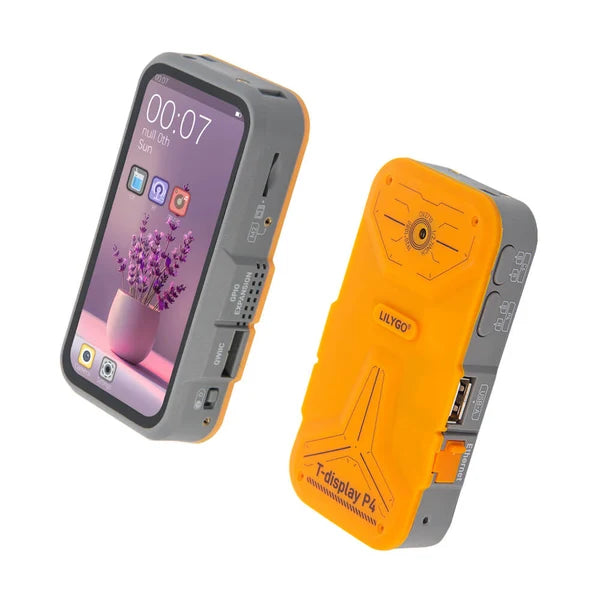
2.1 About this Volume
This volume opens the hood on the hardware. It covers the ESP32-P4 system-on-chip in the depth an engineer needs to understand why LakeShark can exist on it, the LilyGO T-Display P4 board that is the firmware’s default target, the ESP32-C6 that supplies the wireless the P4 lacks, the MIX-RF keyboard accessory, and — the mandatory centrepiece — the complete “Where this firmware runs” supported-hardware table in §9. Volume 1 pointed down to that table from its decision graph; this is where the full, row-per-board, row-per-build-variant answer lives.
The through-line of the whole volume is one architectural fact: the ESP32-P4 is the first mainstream Espressif part with a USB host fast enough to drive an RTL-SDR at full rate, and everything in LakeShark’s scanner identity follows from that. Section 3 treats it specifically; Volume 3 then devotes itself to the signal-path consequences.
2.2 The ESP32-P4 SoC
The ESP32-P4 is a departure from the ESP32 line that preceded it. Where the ESP32, ESP32-S2/S3, and ESP32-C-series are Xtensa or single-ISA RISC-V parts aimed at connected sensors and small displays, the P4 is a higher-performance RISC-V application processor aimed at HMI and edge-media workloads — and, crucially for LakeShark, it has the I/O bandwidth to move SDR sample streams.
Table 1 — 2. The ESP32-P4 SoC
| Parameter | ESP32-P4 | Notes |
|---|---|---|
| CPU — HP core | Dual-core 32-bit RISC-V, with FPU + AI (SIMD-ish) instruction extensions | Runs the DSP and the decode framer, split across the two cores |
| CPU — LP core | Single low-power RISC-V core | Housekeeping / low-power tasks |
| Max clock | ”Up to 400 MHz” (Espressif) | On this board clocked ~360 MHz — state both; the headline 400 MHz is the part’s ceiling, not the board’s operating point |
| On-chip SRAM | 768 KB (+ 8 KB TCM) | Tight; the audio ring and sample buffers lean on external PSRAM |
| External PSRAM | Supported; on this board 32 MB | Used as working memory and effectively as cache for buffers |
| USB | USB OTG 2.0 High-Speed (480 Mbps) + a Full-Speed controller | The High-Speed host PHY is the whole reason LakeShark is possible — see §3 |
| Wireless | None on-die | No Wi-Fi, no Bluetooth — needs a companion radio MCU (§4) |
| Other I/O | MIPI-DSI/CSI, SDIO, SPI, I2C, I2S, UART, GPIO | Drives the AMOLED, the camera, the SD card, the codec, the LoRa SPI |
Two practical observations for a builder. First, the FPU matters: the C4FM/FM DSP chain does real floating-point filtering per sample, and an FPU-less MCU would force fixed-point everywhere; the P4’s hardware FPU is why the DSP stage is written in float and the IMBE vocoder falls back to fixed-point only where OP25’s math demands it. Second, the 768 KB of on-chip SRAM is not large for a device buffering 2 MSPS of IQ; the design survives by keeping the hot ring buffers small and parking the 1000 ms audio ring and other large buffers in the 32 MB of PSRAM. Volume 4 traces exactly which buffer lives where.
Note. Quote both clock figures when it matters. Espressif rates the P4’s HP cores at “up to 400 MHz”; the T-Display P4 as LakeShark drives it runs at approximately 360 MHz. The gap is normal — the headline number is the silicon ceiling under ideal power/thermal conditions, not the board’s steady operating frequency.
2.2.1 How the P4 compares to the ESP32-S3 and the CYD generation
Most of the small Wi-Fi pentest handhelds elsewhere in this hub — the Cardputer ADV, the M5Stick S3, the “Cheap Yellow Display” boards the SquachWatch and HaleHound firmwares target — are built on the ESP32-S3. Placing the P4 against that part explains why LakeShark could not have been an S3 project.
Table 2 — How the P4 compares to the ESP32-S3 and the CYD generation
| ESP32-S3 (CYD-class) | ESP32-P4 (LakeShark) | |
|---|---|---|
| ISA | Dual-core Xtensa LX7 | Dual-core RISC-V (HP) + LP core |
| Clock | 240 MHz | ~360 MHz (up to 400) |
| FPU | Single-precision | Single-precision + AI/DSP extensions |
| USB | OTG Full-Speed (12 Mbps) | OTG High-Speed (480 Mbps) |
| On-chip RAM | 512 KB | 768 KB (+ 8 KB TCM) |
| Wireless | Wi-Fi 4 + BLE on-die | None — needs the C6 |
| SDR host at 2 MSPS | No (bus too slow) | Yes |
The decisive row is USB: the S3’s Full-Speed OTG tops out where the RTL-SDR’s wide path begins (Volume 3 §4), so an S3 can host an RTL-SDR only at a crippled rate. The P4’s High-Speed OTG is the one capability that promotes “ESP32 with an SDR attached” from a demo to a scanner. The cost of that promotion is the P4’s missing on-die radio, which is why the board carries a second chip (§4); the S3 had Wi-Fi/BLE built in and needed no co-processor. LakeShark is, in a sentence, the firmware that traded the S3’s integrated radio for the P4’s fast USB host — and that trade is the whole architecture.
2.3 The load-bearing feature: USB OTG 2.0 High-Speed
Earlier ESP32 parts could host a USB device, but at Full-Speed (12 Mbps) or by tunnelling USB over a network link. An RTL-SDR streaming 8-bit IQ at 2 MSPS produces 4 MB/s of bulk-transfer traffic (two bytes — I and Q — per complex sample). Full-Speed USB tops out around 1.2 MB/s of usable throughput; a Wi-Fi/Ethernet tunnel on an ESP32-S2 managed only ~240–300 kSPS in practice. Neither is enough for P25 trunk-following or a smooth waterfall.
The P4’s High-Speed (480 Mbps) USB PHY changes the arithmetic. 4 MB/s is a rounding error against a 480 Mbps bus, so the P4 can pull the RTL-SDR’s full 2,000,000 SPS with headroom to spare, directly, with no host computer anywhere in the chain.
 Full-Speed USB host (older ESP32-S2):
 RTL-SDR ──USB-FS 12 Mbps──▶ [ ~240–300 kSPS ceiling ] ✗ too slow for P25/waterfall

 High-Speed USB host (ESP32-P4):
 RTL-SDR ──USB-HS 480 Mbps──▶ [ full 2,000,000 SPS ] ✓ P25 trunk-follow + waterfall
 4 MB/s ≪ 480 Mbps bus
This is the single fact to carry out of the whole hardware discussion: LakeShark is not a clever way to slow down SDR decode to fit an MCU; it is an application that became buildable the moment an MCU’s USB host got fast enough to feed the decode chain at the rate the chain already wanted. Volume 3 covers the software side — how XTR1984/xtrsdr adapts the Osmocom librtlsdr driver onto the ESP-IDF USB host stack to realize this.
2.4 No radio on the P4: the ESP32-C6 offload
The P4 has no Wi-Fi and no Bluetooth on-die. LakeShark needs both — for WiGLE Wi-Fi/BT scanning, for the two-slot OTA update mechanism, and for the Flipper-Zero-over-BLE control-head mode. The board solves this with a second MCU: an ESP32-C6 (Wi-Fi 6 + Bluetooth LE 5) acting as a co-processor.
The two chips talk over ESP-Hosted firmware — specifically network_adapter at version 2.12.9 as of this writing. The P4 runs the ESP-Hosted host driver; the C6 runs the ESP-Hosted slave firmware and presents its Wi-Fi/BT radios to the P4 as if they were local. This has one consequence every builder meets: the factory ESP-AT firmware on the C6 is not compatible — a stock board must have its C6 reflashed with ESP-Hosted before the wireless features work. That reflash is fiddly (the C6 is not on any USB port and needs a 3.3 V USB-UART adapter on its own header), and Volume 9 walks it step by step. For now the point is architectural: “LakeShark’s Wi-Fi/BT” is really “the C6’s radios, tunnelled to the P4.”
 ┌──────────────┐ ESP-Hosted v2.12.9 ┌──────────────┐
 │ ESP32-P4 │◀──── (network_adapter) ──▶│ ESP32-C6 │
 │ (no radio) │ SDIO / UART transport │ Wi-Fi 6+BLE │
 └──────┬───────┘ └──────┬───────┘
 │ runs LakeShark + DSP + UI │ scans / OTA / BLE control-head
 ▼ ▼
 AMOLED, SDR host, LoRa, GPS, codec 2.4 GHz Wi-Fi + Bluetooth LE
Note. The C6 brings BLE up from boot (the co-processor is ready roughly 3.6 s after power-on). If Bluetooth is not wanted — to save power or reduce RF footprint —
radios ble offin the terminal persists the choice in NVS so it stays off across reboots.
The boot handshake is worth picturing, because it explains the ~3.6 s wireless-ready delay and why the C6 firmware version is a hard dependency. On power-up the P4 initializes its own peripherals immediately, but the Wi-Fi/BT radios are not local — they come up only once the C6 has booted its ESP-Hosted slave firmware and the two chips have established the transport link.
 t=0 P4 powers on, inits display/SDR/LoRa/GPS (local peripherals)
 t≈0 C6 powers on, boots ESP-Hosted 2.12.9 slave firmware
 t≈3.6s P4 ↔ C6 transport link up; BLE + Wi-Fi now available to the P4
 (BLE scanning starts here unless `radios ble off` is set in NVS)
If the C6 is still running factory ESP-AT (an un-reflashed board), this handshake never completes and every Wi-Fi/BT feature is simply absent — not broken, absent, because the radios the P4 is asking for are not being offered. That failure mode is why Volume 9 treats the one-time C6 reflash as a gating step, not an optional extra.
2.5 The LilyGO T-Display P4 board
The default LakeShark target is the LilyGO T-Display P4, a compact handheld-format development board that packages the P4, the C6, a large AMOLED, and a full sensor suite. It is, in effect, a complete scanner chassis waiting for firmware.
Table 3 — 5. The LilyGO T-Display P4 board
| Subsystem | Part / spec | Notes |
|---|---|---|
| SoC | ESP32-P4 (dual RISC-V HP + LP) | ~360 MHz as driven |
| Wireless co-processor | ESP32-C6 (Wi-Fi 6 + BLE 5) | ESP-Hosted 2.12.9 |
| Display (default) | 4.1” AMOLED 568×1232, RM69A10, capacitive touch | TFT variant is a separate build — see §6 |
| Flash / PSRAM | 16 MB flash, 32 MB PSRAM | Flash holds the two OTA app slots + storage |
| GPS | L76K over UART | Feeds MAP / GPS / GPX / spoken ADS-B callouts |
| IMU | ICM-20948, 9-axis | Tilt-compensation for the compass/DF view |
| Camera | OV2710, 2 MP | |
| Audio | Speaker + microphone, ES8311 codec over I2S | The P25/FM voice output path |
| Haptics / time | Vibration motor, RTC | |
| Battery | Li-ion + BQ27220 fuel gauge | Accurate state-of-charge, not just a voltage guess |
| LoRa radio | SX1262 or LR2021 (mutually exclusive) | Auto-detected at boot — see §6 |
| Bands | 868 / 915 MHz | H753 = 915 MHz (US) |
| Dimensions | ~63 × 109 × 22 mm | Pocketable handheld |
The BQ27220 fuel gauge is a small detail with outsized field value: a scanner that is honest about remaining battery (coulomb-counted, not inferred from terminal voltage) is far more trustworthy on a long monitoring session than one that collapses from “40%” to dead in minutes. The 9-axis ICM-20948 earns its place by making the compass tilt-compensated, which is what lets the DF view hold a believable heading when the handheld is not perfectly level (with the caveats of Volume 7 firmly in mind — it is still not a validated DF system).
2.5.1 What each sensor is actually used for
The board’s sensor suite is not decoration; each feeds a specific LakeShark feature. Mapping the part to the feature makes the board’s design intent legible.
Table 4 — What each sensor is actually used for
| Part | Feature it serves | Covered in |
|---|---|---|
| L76K GPS (UART) | MAP position, GPX logging, range rings, spoken ADS-B callouts (“traffic, 2 miles, 11 o’clock”) | Volume 6 |
| ICM-20948 9-axis IMU | Tilt-compensated compass + the RSSI-by-heading DF aid | Volume 7 |
| ES8311 codec + speaker/mic | P25/FM voice output; the end of the decode chain | Volume 4 |
| BQ27220 fuel gauge | Honest battery state on long sessions | — |
| OV2710 2 MP camera | On-board capture (notes/markers context) | Volume 6 |
| RTC | Timestamps on the call/recording archive | Volume 5 |
| Vibration motor | Silent alerts (DETECTOR, mesh notices) | Volume 8 |
2.5.2 The audio path: ES8311 and the voice end of the chain
The ES8311 is the part that makes LakeShark a scanner you can listen to rather than a spectrum display. It is an I2S audio codec: the P4’s decode chain resamples P25 voice from 8 kHz to 16 kHz, writes it into a 1000 ms audio ring in PSRAM, and an audio task streams that ring over I2S to the ES8311, which drives the speaker. The same codec handles the microphone for voice notes and the FM/AM audio path. The significance for a hardware reader is that the codec is a genuine I2S part with its own clocking, not a crude PWM-to-piezo hack — the voice quality ceiling is set by the IMBE vocoder and the RF, not by a tinny output stage. Volume 4 traces the full chain from IQ to this codec; here it is enough to note that the board was specified with real audio hardware because listening is the point.
2.5.3 The memory map at a glance
The 16 MB flash and 32 MB PSRAM are divided with a purpose, and the division explains both the OTA mechanism (Volume 9) and where the decode buffers live (Volume 4).
 16 MB flash: 32 MB PSRAM:
 ┌──────────────────────────┐ ┌──────────────────────────┐
 │ bootloader @ 0x2000 │ │ working memory │
 │ partition tbl @ 0x8000 │ │ 1000 ms audio ring │
 │ lakeshark app @ 0x10000 │ │ large decode buffers │
 │ (OTA slot A / slot B) │ │ map tiles / UI assets │
 │ storage.bin @ 0x910000 │ │ │
 └──────────────────────────┘ └──────────────────────────┘
 two-slot signed OTA since v2.9.0 hot IQ buffers stay in the
 (fails safe / reverts) P4's 768 KB on-chip SRAM
The flash holds two copies of the application (the A/B OTA slots) plus a storage partition; the PSRAM holds the large, latency-tolerant buffers, while the small, latency-critical IQ buffers stay in the P4’s fast on-chip SRAM. This on-chip-vs-PSRAM split is the recurring memory discipline of the whole design.
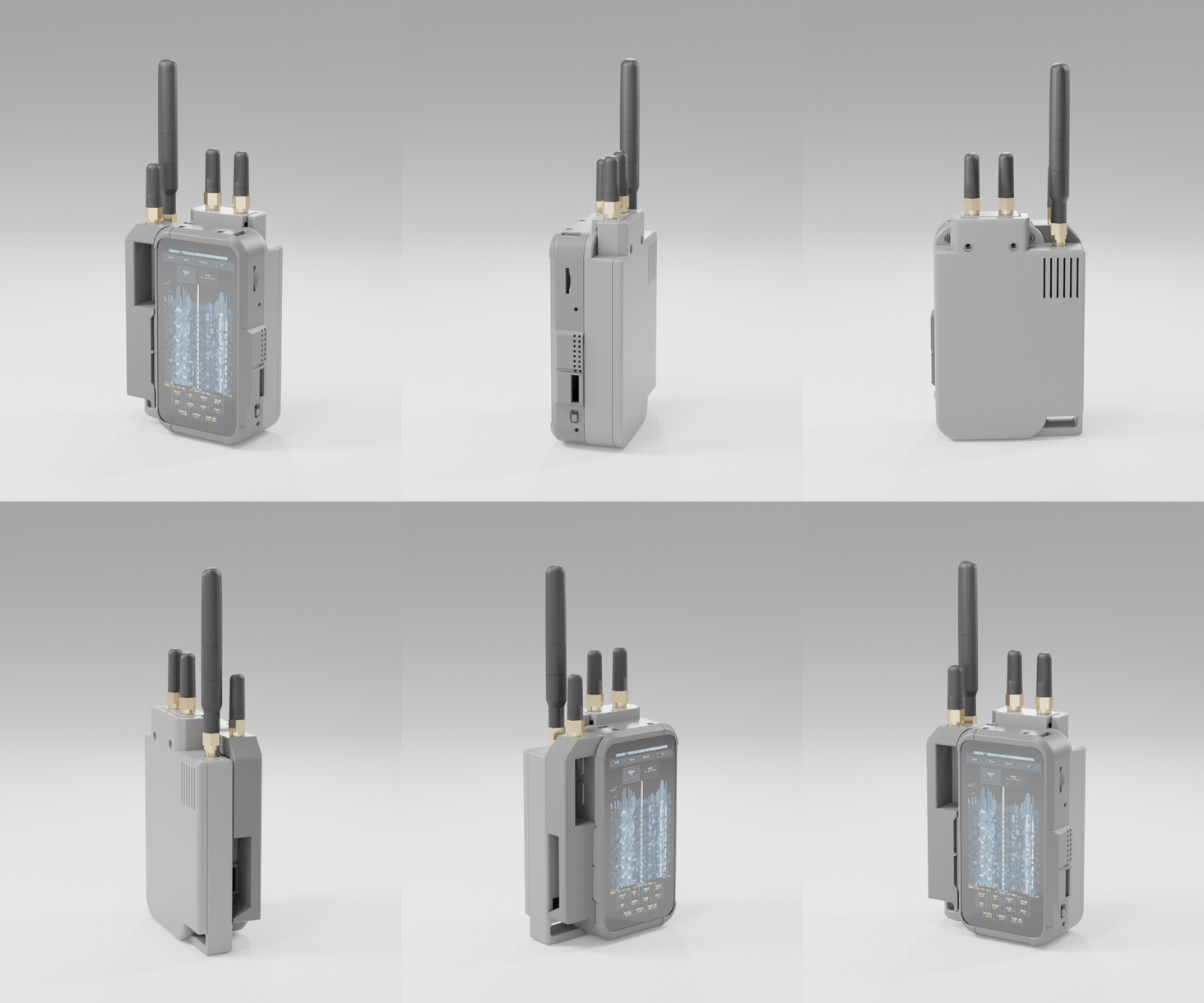
2.6 The two LoRa variants and the display variants
Two independent hardware axes produce the matrix of LakeShark builds: which LoRa transceiver the board carries, and which display it uses. The firmware auto-detects the LoRa transceiver at boot; the display difference is a separate build target chosen at flash time.
LoRa axis (recap from Volume 1 §4, with the hardware detail):
- SX1262 — the HPD16A LoRa module. Provides LoRa, MeshCore, and POCSAG directly. For FM, P25, and ADS-B it depends on an external RTL-SDR on the USB-A host port. This is the flexible, wideband-capable configuration when an RTL-SDR is attached.
- LR2021 — a newer transceiver that exposes raw-IQ reception over SPI at 125 kcomplex/s into an 8-block FIFO. On this board P25 Phase I C4FM, FM, ADS-B, pagers, and MeshCore/LoRa all run with no RTL-SDR. The cost: a narrow SPI-IQ path with no wideband band-scan and no P25 Phase II. The companion
lr2021-sdrrepo documents the raw signal path.
Display axis:
- AMOLED (default) — 4.1” 568×1232, RM69A10 driver, capacitive touch. The
build_tdp4target. - TFT — HI8561, 540×1168. A separate build (
build_tdp4_tft, layered on the AMOLED defaults). Same board family, different panel.
Tip. The LoRa choice is made at purchase (it is a physical module on the board); the display choice is made at flash (it is a build target). Confirm which LoRa module a listing actually ships before buying — “T-Display P4” alone does not tell you SX1262 vs LR2021, and that is the decision that determines whether you also need an RTL-SDR.
AMOLED versus TFT is a smaller decision than SX1262-versus-LR2021, but worth understanding. The RM69A10 AMOLED (568×1232) gives true blacks and per-pixel emission, which suits a waterfall and a dark-themed scanner UI — black pixels draw no power, so a mostly-dark scanner screen is genuinely lighter on the battery than it would be on a backlit panel. The HI8561 TFT (540×1168) is a conventional backlit LCD: a touch larger-pixel, always-backlit, and a separate build target because the panel driver and the pixel geometry differ. For the firmware the two are interchangeable at the feature level — every LakeShark app runs on both — so the choice is about panel preference and whatever a given board ships with, not about capability.
2.7 Ports, power and the one wiring rule
The T-Display P4 carries two USB-C ports and one USB-A host port, and getting their roles right is the difference between a board that flashes cleanly and powers reliably and one that reboot-loops.
Table 5 — 7. Ports, power and the one wiring rule
| Port | Role | Detail |
|---|---|---|
| USB-A host | RTL-SDR input | The SDR dongle plugs in here; the P4’s High-Speed host PHY drives it |
| Right USB-C (“P4U”) | P4 flash + serial | CH343 USB-UART bridge; this is the port the web installer connects to |
| Left USB-C | Charge only | Power in; not the flashing port |
| C6 UART header | C6 reflash only | No USB on the C6 — a 3.3 V USB-UART adapter lands here for the one-time ESP-Hosted flash (Volume 9) |
 ┌───────────────── T-Display P4 ─────────────────┐
 │ [USB-A host] ── RTL-SDR dongle │
 │ [USB-C right "P4U"] ── flash/serial (CH343) │
 │ [USB-C left] ── charge only │
 │ (C6 UART header) ── 3.3 V adapter, C6 flash │
 └─────────────────────────────────────────────────┘
Warning. The one wiring rule that breaks new builds: power the P4 only through its own USB-C. The MIX-RF keyboard add-on (§8) has a 5 V USB output; feeding that back into the P4 produces reboot loops. A shared battery pack that powers the P4 and the RTL-SDR from one source is noted as still in development — until it ships, treat the P4’s own USB-C as the single power authority. This is the same warning flagged in Volume 1 §8 and detailed in Volume 9; it is repeated because it is the most common self-inflicted failure.
2.8 The MIX-RF keyboard add-on
The MIX-RF keyboard is an optional accessory (~$74) that turns the touch-driven handheld into something closer to a Flipper-style multitool with a physical keyboard. It adds three radios the base board does not have:
Table 6 — The MIX-RF keyboard is an optional accessory (~$74) that turns the touch-driven handheld into something closer to a Flipper-style multitool with a physical keyboard. It adds three radios the base board does not have
| Radio | Chip | Domain |
|---|---|---|
| Sub-GHz | CC1101 | 300–928 MHz OOK/FSK — the Flipper’s radio, familiar to the hub |
| 2.4 GHz | nRF24 | 2.4 GHz proprietary — nRF24-based toys, some drone links |
| NFC / HF | ST25R3916 | 13.56 MHz — MIFARE Classic read |
The CC1101 is the same sub-GHz transceiver the Flipper Zero uses, which makes the MIX-RF path conceptually familiar to anyone who has worked that device in this hub. The nRF24 adds 2.4 GHz coverage, and the ST25R3916 brings HF NFC (MIFARE Classic read) that the base board cannot do at all. Volume 8 covers the sub-GHz, nRF24, and NFC workflows and the legal framing that comes with the sub-GHz replay features.
The keyboard half of the accessory is as consequential as the radios for some builders. The base T-Display P4 is touch-driven on its AMOLED, which is fine for menu navigation and tap-to-tune but awkward for typing a frequency, a note, or a mesh message with gloves on or in the cold. The MIX-RF’s physical keys turn the handheld into something that can be driven eyes-down and one-handed, closer in feel to a Flipper or a dedicated scanner than to a touchscreen. Whether that is worth ~$74 and the extra bulk depends entirely on use: a bench or go-bag scanner that mostly listens does not need it; an operator who types talkgroup IDs, mesh messages, or field notes will miss it quickly without one. The CC1101/nRF24/NFC radios then come along as a bonus rather than the primary reason to buy the add-on.
Warning. The MIX-RF’s 5 V USB-out must not feed the P4 (§7) — this bears repeating because the keyboard is the part most likely to tempt a builder into a single-cable power scheme. Keep the P4 on its own USB-C.
2.9 Where this firmware runs — supported hardware
This is the canonical answer to “what can I flash LakeShark on.” Every supported board is one row; every distinct build target or hardware variant is its own row, because a different build is a different answer. Feature level reflects the live repository as of v2.15.0 (2026-10-15).
Table 7 — 9. Where this firmware runs — supported hardware
| Board / device | SoC | Build target or variant | Feature level / notes | Where to get it |
|---|---|---|---|---|
| LilyGO T-Display P4 (AMOLED) + LR2021 | ESP32-P4 + C6 | build_tdp4 (AMOLED), LR2021 auto-detected | Full self-contained scanner — onboard P25 Phase I voice, FM, ADS-B, pagers, MeshCore/LoRa with no RTL-SDR; no band-scan, no Phase II on the SPI-IQ path | LilyGO store / ameriDroid |
| LilyGO T-Display P4 (AMOLED) + SX1262 | ESP32-P4 + C6 | build_tdp4 (AMOLED), SX1262 auto-detected | MeshCore, LoRa, POCSAG onboard; add an RTL-SDR for FM/P25/ADS-B; widest capability of all variants when the dongle is attached | LilyGO store / ameriDroid |
| LilyGO T-Display P4 (TFT) | ESP32-P4 + C6 | build_tdp4_tft (HI8561 540×1168) | Same features as the AMOLED build on the TFT panel; separate build | LilyGO store / ameriDroid |
| Waveshare ESP32-P4-NANO | ESP32-P4 | build_nano (headless) | Headless operation via serial console or a Flipper Zero control head; no onboard display | Waveshare |
| Waveshare ESP32-P4-WIFI6 | ESP32-P4 | build_nano (headless) | Headless; same serial / Flipper-control-head mode as the NANO | Waveshare |
| Waveshare Touch-LCD-4.3 | ESP32-P4 | build_lcd43 (480×800) | Supported but no longer the development focus; different board + 32 MB partition layout | Waveshare |
| Waveshare Touch-LCD-4B | ESP32-P4 | source build, 720×720 | Community/source target; build it yourself | Waveshare |
| Smart 86 Box | ESP32-P4 | source build, 720×720 | Community/source target; build it yourself | (vendor varies) |
| RTL-SDR Blog V3 / V4 | RTL2832U + R820T2 | External SDR (USB-A host) | Fully supported external receiver — FM/P25/ADS-B/sub-GHz capture; the reference dongle | RTL-SDR Blog |
| HackRF One | — | External SDR (USB-A host), experimental | USB-IQ transport proven @ 2 MSPS; pagers verified, live P25 decode unconfirmed. Covered as a hub tool — see the HackRF One deep dive | hub tool |
| MIX-RF keyboard | CC1101 + nRF24 + ST25R3916 | Accessory | Physical keyboard + sub-GHz + 2.4 GHz + NFC; ⚠ do not power the P4 from its 5 V out | LilyGO / vendor |
| Flipper Zero (control head) | — | LakeShark-Flipper app (BLE or GPIO) | Drives a headless P4 as its keyboard + screen; the Flipper is itself a hub tool — see the Flipper Zero deep dive | hub tool |
The three boards named in prose that are also hub tools — the RTL-SDR, the HackRF One, and the Flipper Zero — are written by their exact hub names so the cross-reference linker resolves them to their own deep dives. The two Waveshare P4 boards are the headless route: no screen, controlled over a serial console or a Flipper, suited to a go-bag logger or a fixed remote receiver.
Two things keep this table honest. First, a build target and a supported board are not the same axis: the AMOLED and TFT T-Display P4 share one board family but are two build targets, while the two Waveshare headless boards share one build target (build_nano) across two different boards. The table gives each its own row because the practical question — “what do I flash, and what will it do” — is answered per combination, not per board. Second, the feature-level column is version-dated; the Touch-LCD-4.3 is “supported but no longer the development focus,” and the 720×720 boards (Touch-LCD-4B, Smart 86 Box) are source-build targets rather than web-flashable ones, which is a real difference in effort covered in Volume 9. Treat this table as the canonical “what can I flash it on” answer and re-check it against the repo before a build, because the fast release cadence occasionally adds or reclassifies a target.
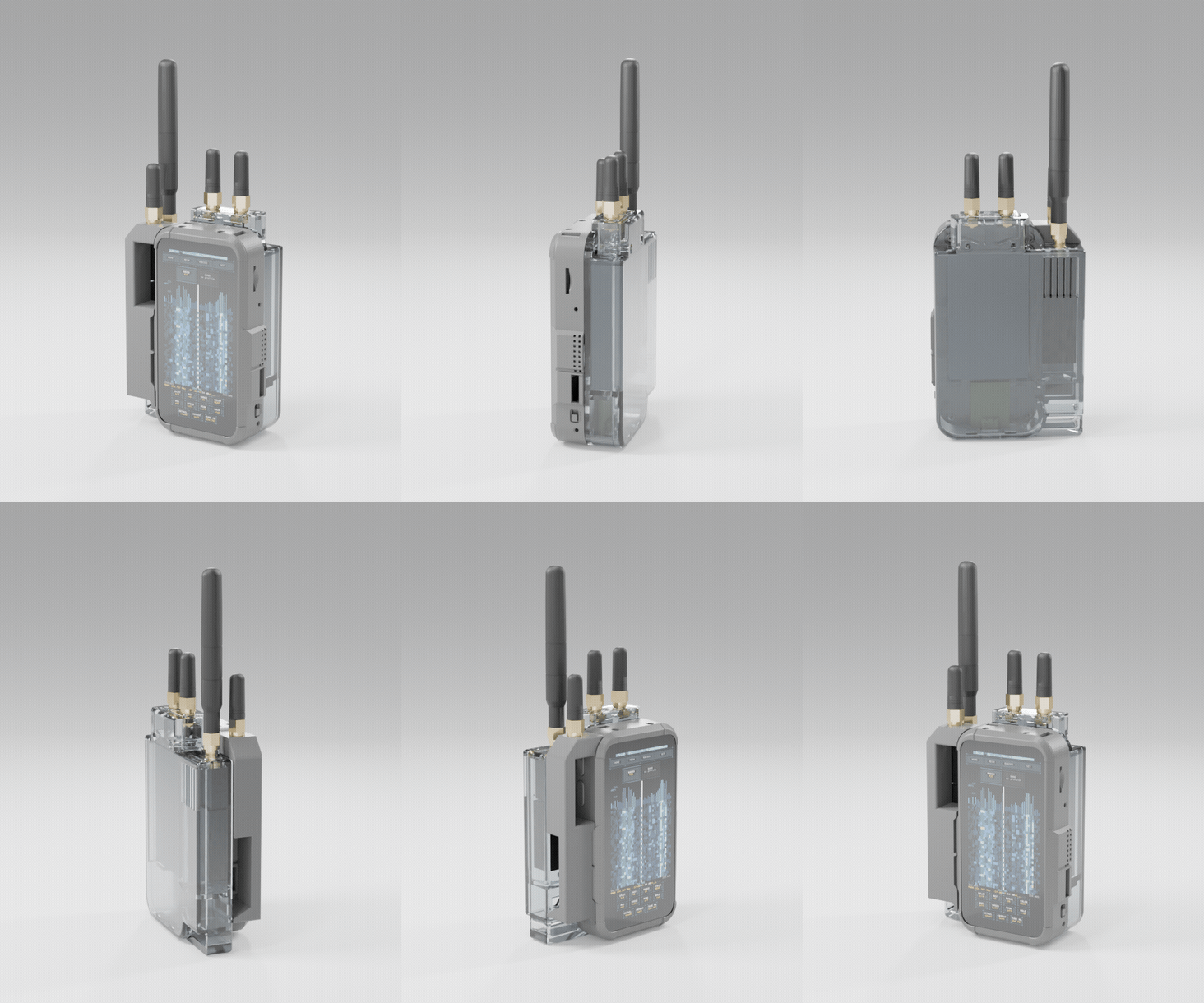
2.10 Prices and the bring-your-own-antenna reality
The board itself is $145–160 depending on variant and seller; H753 (915 MHz) is the US band version. The reference scanner build adds an RTL-SDR Blog V3/V4 at $30–40, and the MIX-RF keyboard is about $74 on top for the physical-keyboard-plus-triple-radio accessory. A full kit lands around $245–255; a bare LR2021 self-contained build is just the board.
What the price does not include is the antenna, and that is the part a results-oriented builder should think hardest about. The stock telescopic whip that ships with most RTL-SDR kits is adequate for strong local signals and casual FM, but 1090 MHz ADS-B and public-safety VHF/UHF each reward a purpose-cut antenna, and the handheld’s small ground plane is itself a limiting factor. This is where the hub’s Antennas project is the right reference — a scanner is only as good as what is connected to its input, and the gap between the stock whip and a properly matched antenna is often larger than the gap between any two of the decode features in this series.
A second cost the table understates is time rather than money: the C6 reflash. A bare board ships with factory ESP-AT on the co-processor, and bringing it to ESP-Hosted 2.12.9 is a one-time, fiddly, USB-UART-adapter procedure (Volume 9). It costs nothing in parts beyond a $3 USB-UART adapter, but it is the step most likely to make a first-time builder think the board is defective when the wireless features simply are not there yet. Budget an hour of patience for it, and read Volume 9 before starting rather than during.
Note. For a go-bag or fixed-remote role, the Waveshare P4 boards (§9) plus a Flipper Zero control head remove the display cost entirely and shrink the package — a headless P4 logging to SD and controlled over BLE is a legitimate build, not a compromise. The trade is that the rich touch UI (waterfall, map, compass) lives on the Flipper’s smaller screen or in a serial console instead of the AMOLED.
The next volume explains the software half of §3 — how xtrsdr and librtlsdr run on the ESP-IDF USB host stack, exactly why the High-Speed PHY unlocks 2 MSPS, and what the RTL2832U + R820T2 front end is doing upstream of the first line of DSP.
Hardware facts in this volume are drawn from the live LakeShark repository (github.com/SAMS0N1TE/LakeShark) and LilyGO/Waveshare product documentation as of v2.15.0 (2026-10-15). Version-specific claims — ESP-IDF 5.5.4, ESP-Hosted 2.12.9 — are dated and worth re-checking against the repo before a build.
Comments (0)