OUI-SPY · Volume 7
OUI-SPY Volume 7 — The OUI-SPY Module Family
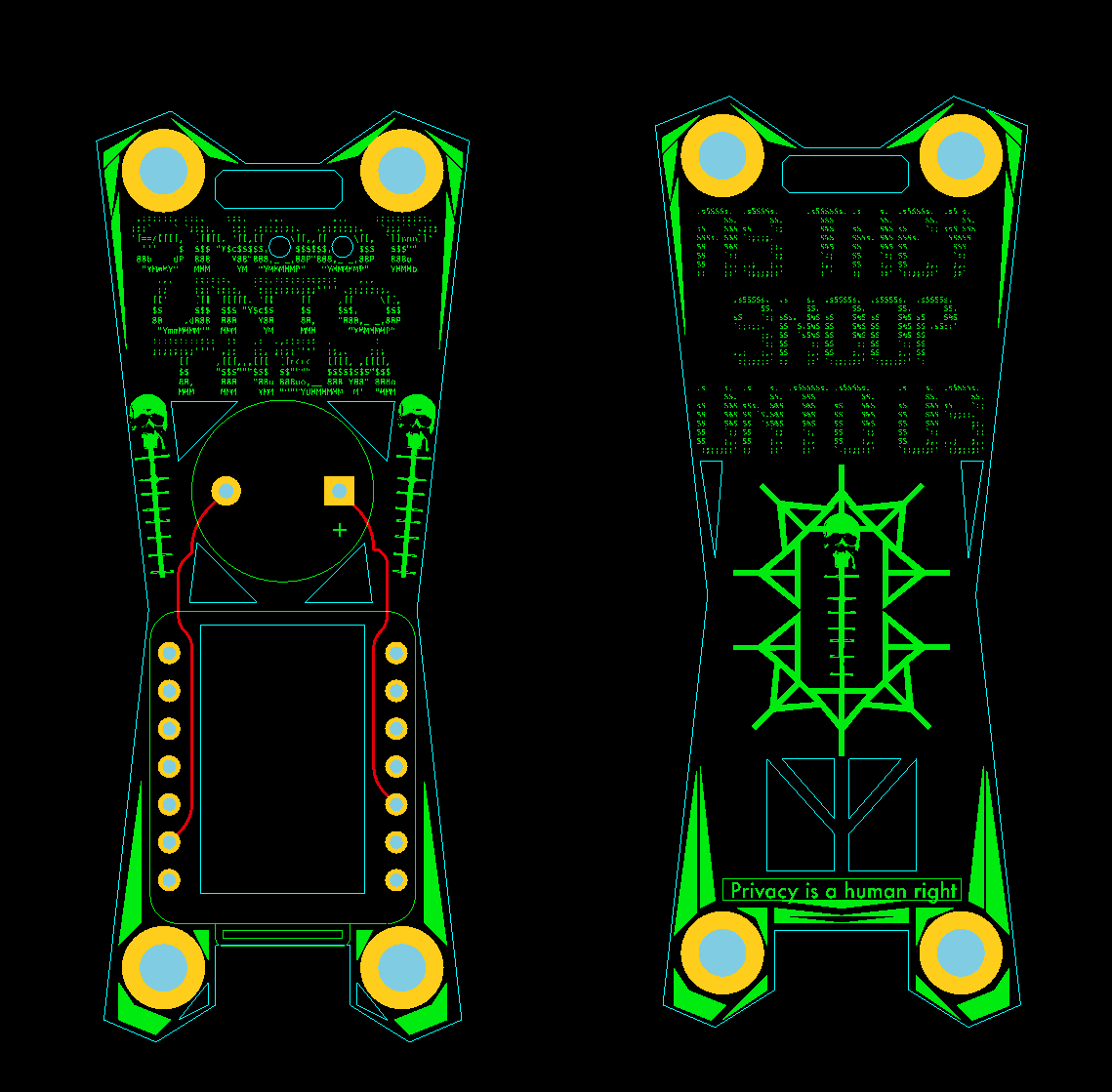
Image: colonelpanichacks (GitHub).
7.1 About this Volume
Volumes 4 through 6 took apart the flagship — flock-you, the single-purpose
Flock Safety ALPR detector — down to its tier model, its firmware-dump-extracted
OUIs, and its Flask companion. That flagship is one firmware image among roughly
a dozen in the OUI-SPY ecosystem, and most of the rest are not Flock-specific.
They reuse the same radio-scheduling core, the same XIAO ESP32-S3 target, and the
same “buzzer first, screen optional” design language, but each one points that
machinery at a different problem.
This volume is the field guide to that module family — the Blue Edition
(all-passive) firmware that is shipping today, excluding flock-you (Vol 6),
ouispy-foxhunter (Vol 8, direction finding) and Sky-Spy (Vol 9, drone Remote
ID). What remains, and what this volume covers in depth:
- Unified Blue — not a detector at all, but a boot selector that packs seven of the Blue modes into one flashable image and lets the user pick which one to run at the access-point config page. This is the architecture that ties the family together, so it is treated first.
- Detector (the “Dual-Domain Edition”) — the general-purpose surveillance detector: eight configurable filter classes across BLE and Wi-Fi, a browsable OUI database with one-click vendor presets, and MQTT / Home-Assistant integration. The broadest of the detectors.
- axeoff — a deliberately minimal, headless, buzzer-only detector aimed at a single vendor: Axon (body cameras, Taser, “Signal”).
- PCAP and BLE-Sniff — the two passive capture tools. These are not signature detectors; they are field instruments that hand raw 802.11 and BLE advertising traffic to Wireshark.
Everything here is passive in the sense that matters legally and operationally: these firmwares listen. (The one asterisk — the Detector’s BLE phase uses an active scan — is spelled out in §4.) The offensive Red Edition is category -level only and lives in Vol 9.
Voice note: this is a reference teardown of published firmware, built from the
author’s GitHub READMEs (colonelpanichacks, fetched 2026-10-16) and the Vol 6
flagship analysis. Nothing here is a record of bench work.
7.2 The family at a glance
The eleven public repos split cleanly into flagship, Blue modules, direction finding, drones, and the offensive Red pair. This volume owns the shaded middle. The table below is the whole ecosystem so the modules have context; the licence column is deliberately per-repo, because the ecosystem licence is not uniform (see the callout).
Table 1 — 2 The family at a glance
| Repo | Role | Domain(s) | Licence (as stated) | Covered in |
|---|---|---|---|---|
flock-you | Flagship Flock ALPR detector | Wi-Fi + BLE | MIT | Vol 6 |
oui-spy | Original single-target detector | Wi-Fi + BLE | ”open source, mods welcome” | Vol 1 |
oui-spy-unified-blue | Boot selector (7 modes) | all Blue | not stated | §3 |
ouispy-detector | Dual-domain general detector | Wi-Fi + BLE | ”open source, mods welcome” | §4 |
axeoff | Axon-only headless detector | Wi-Fi + BLE | MIT | §5 |
ouispy-pcap | Passive Wi-Fi capture | Wi-Fi | MIT | §6 |
ouispy-blesniff | Passive BLE-adv capture | BLE | MIT | §7 |
ouispy-foxhunter | RSSI direction finding | BLE | ”open source, mods welcome” | Vol 8 |
Sky-Spy | Drone Remote ID detector | Wi-Fi + BLE | ”as-is”; Apache-2.0 (ODID) | Vol 9 |
Remote-ID-Spoofer | Offensive (Red) | Wi-Fi TX | MIT | Vol 9 (category only) |
Oui-Spy-UniPwn | Offensive (Red) | — | not stated | Vol 9 (category only) |
Callout — the licence is not uniform. State it per repo. Four of the Blue repos carry an explicit MIT licence in-README (
flock-you,axeoff,ouispy-pcap,ouispy-blesniff). Four say only “open source, modifications welcome” with no SPDX identifier (oui-spy,ouispy-detector,ouispy-foxhunter,oui-spy-unified-blue).Sky-Spyis “as-is, educational” and inherits Apache-2.0 from the OpenDroneID libraries it links. Do not describe “the ecosystem” as MIT — it is a mix, and a re-user has to check each repo individually.
What every module in this volume shares, inherited from the common core:
- Default target is the Seeed Studio XIAO ESP32-S3 (ESP32-S3R8, 8 MB flash / 8 MB PSRAM, native USB-C, U.FL antenna). The full supported-hardware table is in Vol 3.
- GPIO3 drives a passive piezo buzzer (LEDC PWM, with a bit-banged fallback); GPIO21 is the onboard LED (inverted logic, LOW = on) or a NeoPixel on GPIO4; GPIO0 is the BOOT button.
- MAC randomisation on boot for both radios, so the detector is not itself a stable track for someone else’s detector.
- Time-sliced single radio: the ESP32-S3 has one 2.4 GHz front end shared between Wi-Fi and BLE, so every dual-domain module alternates phases rather than running both at once.
7.3 Unified Blue — the boot-selector architecture
oui-spy-unified-blue is the most important repo for understanding the family,
because it is how a single $7.50 board becomes seven instruments. Rather than ask
a user to re-flash to change jobs, Unified Blue ships all seven Blue firmwares in
one image and switches between them with a reboot.
7.3.1 The boot flow
 power on
 │
 ▼
┌────────────────────────┐ NVS has a saved mode?
│ read NVS "mode" key │───── yes ──► boot straight into that mode
└───────────┬────────────┘
 │ no (or BOOT held 1.5 s at power-up)
 ▼
┌────────────────────────┐
│ start selector AP │ SSID oui-spy
│ "oui-spy" / ouispy123 │ PASS ouispy123 (both editable, saved to NVS)
└───────────┬────────────┘
 ▼
 http://192.168.4.1 ──► selector web page
 │
 ▼
 user picks 1 of 7 modes
 │
 ▼
 write mode → NVS, then reboot
 │
 ▼
 firmware boots into the chosen mode's own AP + dashboard
The selector page also carries a global buzzer toggle for the boot tone, and
each mode plays its own boot-tone sequence so an operator can tell by ear which
image came up. To get back to the selector from any running mode, hold BOOT
for 1.5 seconds; the device returns to the oui-spy AP.
[FIGURE SLOT — Vol 7 §3.1] Screenshot of the Unified Blue selector page at 192.168.4.1 showing the seven mode tiles and the global buzzer toggle.
7.3.2 The mode / AP-credential map
Each mode runs its own access point (or none, for the headless and serial-only modes). Memorising this map is the difference between “the device is broken” and “I’m looking for the wrong Wi-Fi network.” Credentials below are the Unified-Blue defaults as published.
Table 2 — 3.2 The mode / AP-credential map
| # | Mode | AP SSID / password | Dashboard | AP credentials editable? |
|---|---|---|---|---|
| 1 | Detector | snoopuntothem / astheysnoopuntous | 192.168.4.1 | Yes — saved to NVS |
| 2 | Foxhunter | foxhunter / foxhunter | 192.168.4.1 | Fixed |
| 3 | Flock-You (Wi-Fi) | none | USB-CDC + Flask host | — |
| 4 | PCAP | ouispy-pcap / packetsniffer | 192.168.4.1 | Yes — saved to NVS |
| 5 | Sky-Spy | none | serial JSON → mesh-mapper | — |
| 6 | BLE-Sniff | ouispy-blesniff / sniffuntothem | 192.168.4.1 | Yes — saved to NVS |
| 7 | AXEOFF | none | headless, buzzer only | — |
Callout — why Sky-Spy “keeps number 5.” The README is explicit that Sky-Spy stays at slot 5 so that a device with a saved NVS mode keeps booting into the firmware the user expected after an update. The slot number is part of the persisted state, so renumbering would silently change what a fielded unit does on next power-up. This is a small but telling piece of discipline — the selector treats the NVS mode index as a stable contract, not a cosmetic ordering.
Three of the seven have no AP at all: Flock-You talks over USB-CDC to the
Flask dashboard on a host (Vol 6); Sky-Spy emits JSON over serial to
mesh-mapper.py (Vol 9); AXEOFF is headless and speaks only through its
buzzer (§5). The four AP-bearing modes all put their config and live view at the
same 192.168.4.1, so the only thing that changes between them is which SSID
to join.
7.3.3 What Unified Blue is and is not
Unified Blue is a convenience and distribution wrapper, not a new capability. The
seven modes are the same firmwares documented individually across these volumes;
packing them together trades a little flash for the ability to re-task a board in
the field without a laptop and a build toolchain. The cost is that the combined
image is larger and that the web flasher serves whatever is committed to
master, so a Unified-Blue flash is always “latest,” not a pinned release. The
README names the XIAO ESP32-S3 in its setup section but lists “ESP32-S3 / ESP32-C5”
in the ecosystem table without reconciling the C5 entry — treat C5 support here
as until the build matrix is confirmed.
7.4 Detector — the dual-domain workhorse
ouispy-detector, the “Dual-Domain Edition,” is the generalist. Where flock-you
hard-codes the Flock signature set, the Detector exposes an editable filter
list and a browsable vendor database, so it can be pointed at Meta Ray-Ban
glasses, Axon gear, i-PRO body cameras, or anything with a known OUI, company ID,
or service UUID.
7.4.1 The eight filter classes
The README’s prose says “six” signature classes in one place and lists eight — use eight; the list is authoritative. Six are BLE, two are Wi-Fi.
Table 3 — 4.1 The eight filter classes
| # | Class | Domain | Matches on | Example |
|---|---|---|---|---|
| 1 | OUI | BLE | first 3 bytes of advertising MAC | 00:25:DF |
| 2 | MAC | BLE | full 6-byte address | 00:25:DF:12:34:56 |
| 3 | CID | BLE | BT-SIG company ID in advert payload | 0x034D |
| 4 | SVC | BLE | 16-bit service UUID | 0xFC81 |
| 5 | NAME | BLE | case-insensitive name substring | Ray-Ban |
| 6 | META | BLE | composite: CID 0x0D53 + svc 0xFD5F in one advert, or a name match on Ray-Ban/Wayfarer/Oakley Meta | META / RAY-BAN preset |
| 7 | PROBE | Wi-Fi | probe request from a target OUI | 00:25:DF |
| 8 | BEACON | Wi-Fi | beacon frame from a target OUI | 00:25:DF |
The META class is the interesting one: it is not a single field but a composite, firing on either the manufacturer-ID-plus-service-UUID pair that Meta smart glasses advertise, or on a name substring. That is the same style of multi-field gating the Vol 4 wildcard-probe fingerprint uses — a deliberate move up from “this OUI appeared” to “this specific device class appeared.”
Callout — Wi-Fi matching needs an explicit Wi-Fi filter. A bare BLE OUI filter does not enable Wi-Fi matching. To catch a target on Wi-Fi you must add a PROBE or BEACON filter for it. The two domains are scanned independently and filtered independently; adding
00:25:DFas a BLE OUI filter says nothing about whether the Wi-Fi sweep should flag00:25:DFprobes.
7.4.2 The scan cycle
┌─── Wi-Fi promiscuous sweep (~2.2 s) ───┐ ┌─── BLE active scan (~2.0 s) ───┐
│ ch 11 →... → ch 1 │ │ NimBLE active scan │
│ 200 ms dwell per channel │ │ (sends SCAN_REQ — not fully │
│ mgmt frames only: │ │ passive; see caveat) │
│ probe req subtype 0x04 │ │ OUI/MAC/CID/SVC/NAME/META │
│ beacon subtype 0x08 │ │ matched in the adv callback │
│ RAM OUI pre-check drops non-matches │ └────────────────────────────────┘
└────────────────────────────────────────┘
 └──────────────── full cycle ≈ 4.2 s ───────────────┘

domain skipping: no BLE filters → skip BLE phase
 no Wi-Fi filters → skip the sweep
 no filters at all → idle
Both the Wi-Fi promiscuous callback and the BLE advertisement callback push into
a fixed-size ring buffer (DetectionEntry); the main loop drains it. That split
matters because it means back-to-back hits from different devices do not
overwrite one another, and because the audio/LED alerts run from the main loop,
never from interrupt context. A RAM-resident OUI pre-check table, rebuilt
whenever the Wi-Fi filter set changes, drops non-matching frames early in the
promiscuous callback so the ring buffer is not flooded.
Two de-duplication timers tame beacon floods: a 30 s cooldown per (MAC, frame-type) pair, and a 3 s re-alert timer for a device that is still
present. Typical range is 10–30 m.
Caveat — the Detector’s BLE phase is an active scan. NimBLE active scanning transmits SCAN_REQ packets to solicit scan responses. So while the Wi-Fi side is pure listen-only promiscuous capture, the BLE side is not strictly passive, and the device is briefly transmissive during the BLE window. This is the same asterisk Vol 5 raises for
flock-youand Vol 8 for Foxhunter: “passive” is true of the Wi-Fi path and of the intent, but the BLE active scan does radiate.axeoff(§5), by contrast, runs a genuinely passive BLE scan.
7.4.3 Alerts
Audio on GPIO3, LED on GPIO4 (NeoPixel) or GPIO21 (onboard):
Table 4 — Audio on GPIO3, LED on GPIO4 (NeoPixel) or GPIO21 (onboard)
| Event | Buzzer | LED |
|---|---|---|
| Ready | 2 ascending beeps | — |
| New detection / 30 s re-alert | 3 beeps | blue→pink→purple flash @ 200/255, beep-synced |
| 3 s re-alert | 2 beeps | same flash |
| Scanning (idle) | — | pink “breathing” @ 50/255 |
7.4.4 The OUI database and one-click presets
The Detector ships a browsable vendor database rather than a bare filter box.
Two Markdown source files — BLEOUIs.md and WiFiOUIs.md — are the human-edited
truth; two sync scripts (sync-oui-list.py, sync-wifi-oui-list.py) regenerate
the HTML embedded between OUI_DB_START / OUI_DB_END markers in
src/main.cpp. The web UI renders this as vendor cards, and a single ”+ Add”
installs all of a vendor’s signatures — OUIs, company IDs, service UUIDs, name
patterns, and Wi-Fi signatures — in one click.
Named presets referenced in the README include META / RAY-BAN (the composite
class above), AXON (00:25:DF), and I-PRO body cam (OUI D4:2D:C5). The
preset mechanism is what makes the Detector usable without memorising hex: pick
“the device you’re worried about” from a list, and the right multi-field filter
set is installed.
[FIGURE SLOT — Vol 7 §4.4] Screenshot of the Detector’s vendor-card database with the META/RAY-BAN and AXON presets and the ”+ Add” buttons.
7.4.5 MQTT and Home Assistant
The Detector is the only Blue module built to feed a home-automation stack. It
speaks raw MQTT over TCP (no external MQTT library) and performs Home
Assistant MQTT auto-discovery, so no hand-edited configuration.yaml is
needed. A detection publishes a compact JSON “blip”; the HA sensor shows the MAC
and returns to idle after 10 s of silence.
{ "mac":"aa:bb:cc:dd:ee:ff", "alias":"my-device", "rssi":-65,
 "type":"PROBE", "match":"0025DF", "desc":"AXON (WiFi)" }
MQTT reporting behaviour depends on the filter mix, and this is a genuine operational gotcha:
Table 5 — operational gotcha
| Filter mix | MQTT behaviour |
|---|---|
| BLE-only | live reporting |
| BLE + Wi-Fi | detections queue, flush in a bounded STA window during BLE phases — expect a ~2–12 s blind window per batch |
| Wi-Fi-only | no MQTT reporting (logged at scan start) |
When MQTT is enabled, boot-time MAC randomisation is disabled so the DHCP lease stays stable — a sensible trade, but worth noting: a networked Detector has a stable MAC. A disconnect packet is sent before the STA interface drops, so the broker sees a clean teardown.
7.4.6 Storage, privacy, burn-in
Filters, aliases, and up to 100 device-history entries live in NVS and
survive reboots. A burn-in mode locks the config and boots straight into
scanning (no AP, no config window) for an unattended deployment; holding BOOT
for 1.5 s clears the lock and reboots into config mode. The last-resort reset
is pio run -e seeed_xiao_esp32s3 -t erase.
Build pins matter here and are tighter than the other modules: NimBLE-Arduino ^1.4.0, ESP Async WebServer ^3.0.6, Adafruit NeoPixel ^1.12.0, ArduinoJson ^6.21.0, on Arduino core 3.3.12 / ESP-IDF v5.5.5 — the README notes the IDF pin is for promiscuous-mode buffer support.
7.5 axeoff — the single-vendor Axon detector
If the Detector is the Swiss-army knife, axeoff is the opposite philosophy: one
vendor, no UI, buzzer only. The README’s own line is “There is deliberately no
user interface of any kind.” It is the cleanest illustration in the family of the
“a detector should be a smoke alarm, not a dashboard” idea.
7.5.1 Target and signatures
axeoff hunts Axon gear — body cameras, Taser 7/10, and the “Signal”
accessory. Its detection core is ported from ouispy-detector, but hard-wired to
a fixed signature set:
Table 6 — a fixed signature set
| # | Identifier | Where matched | Note |
|---|---|---|---|
| 1 | OUI 00:25:DF | Wi-Fi probe requests | Axon Enterprise, Inc. |
| 2 | OUI 00:25:DF | Wi-Fi beacons | AP-mode frames |
| 3 | Company ID 0x034D | BLE manufacturer data | ”TASER International” = Axon |
| 4 | Service UUIDs 0xFC81, 0xFE6B, 0xFE6C | BLE advertisements | all Axon/TASER |
| 5 | MAC prefix 00:25:DF | BLE advertisements | same IEEE OUI on BLE |
Unlike the Detector, axeoff’s BLE scan is fully passive — it sends no
SCAN_REQ, and the Wi-Fi side is listen-only promiscuous. This is the module to
reach for when the “passive” claim must hold without an asterisk.
7.5.2 The lub-dub heartbeat — proximity by ear
axeoff’s signature behaviour is a two-beep “lub-dub” heartbeat whose rate
encodes proximity, so an operator can judge distance without looking at anything.
RSSI -90 dBm (far) ──────────────────────────► -40 dBm (near)
period 2000 ms ◄─── linearly interpolated ───► 250 ms
 (lub... dub.......) (lub-dub lub-dub lub-dub)
The tone vocabulary is a small musical language:
Table 7 — The tone vocabulary is a small musical language
| Event | Tones |
|---|---|
| Boot / awake | 4 ascending notes: G4 → C5 → E5 → G5 |
| New detection | ascending arpeggio: C5 → E5 → G5 → C6 → E6 |
| Heartbeat | lub-dub: C5 then G4, period = f(RSSI) |
| Lost (8 s silent) | descending: E5 → E4 |
Config constants worth citing: BLE_SCAN_MS 2200, WIFI_HOP_MS 200,
WIFI_SWEEP_MS 2200, TRACK_TABLE_SIZE 8 (up to 8 MACs tracked),
RELOG_SUPPRESS_MS 30000, LOST_TIMEOUT_MS 8000, RSSI_FAR_DB −90,
RSSI_NEAR_DB −40. No AP, no web server, no NVS config, no MQTT, no LED — the
115200-baud serial output is a debug log only. Browser flasher at
colonelpanichacks.github.io/axeoff; MIT licensed.
This heartbeat is a cousin of the Foxhunter cadence (Vol 8): both turn RSSI into
a time interval, but axeoff ties it to a fixed vendor signature with no target
entry, where Foxhunter tracks one arbitrary MAC the operator types in.
7.6 PCAP — passive Wi-Fi capture to Wireshark
ouispy-pcap is not a detector; it is a field capture instrument. Its own README
line — “Detection-only. Nothing transmitted, nothing associated.” — is the whole
design brief. It turns the XIAO into a promiscuous 802.11 tap that streams
standard PCAP to Wireshark, with an on-device dashboard as a fallback.
7.6.1 Capture
- 802.11 promiscuous capture with radiotap headers (channel, RSSI, rate, MCS), so captures carry the physical-layer metadata Wireshark expects.
- Two USB output modes, switchable at runtime: PCAP binary (default) and a one-line-per-frame text summary.
- Channel control: locked on channels 1–14, or hop mode with per-channel selection and a 100–2000 ms dwell. Hop presets: Quick (1/6/11), US (1–11), World (1–13), Japan (1–14). Hop mode auto-disables the AP and continues capture over USB.
- Filters: BSSID allow-list, OUI allow-list, and a frame-type mask (beacon / probe / data / mgmt). Config persisted to NVS.
7.6.2 PSRAM ring buffer and the record state machine
The capture buffer lives in PSRAM, allocated in tiers: it tries 6 MB, then 4 MB, then 2 MB, and — the README is emphatic — never falls through to DRAM. That tiered allocation is why the 8 MB-PSRAM XIAO S3 is the reference board: on a board without PSRAM the ring would have nowhere to live.
 boot ──► IDLE ──RECORD──► RECORDING ──PAUSE──► PAUSED
 │ ▲ │
 │ └────RESUME──────┘
 STOP
 ▼
 STOPPED ──► download enabled (session.pcap)
“Boot state is IDLE; capture only starts when you click RECORD,” and “Download is enabled only after STOP.” That ordering is a deliberate guard against a half-full buffer being treated as a complete capture.
7.6.3 Dashboard, serial, and Wireshark integration
The dashboard is at 192.168.4.1 behind AP ouispy-pcap / packetsniffer
(README lists the pair without labelling which is SSID vs password — SSID is
ouispy-pcap). It offers a live packet table, filter box, pause/resume, and a
snapshot CSV. A JSON stream is available: curl -N http://192.168.4.1/stream
(ndjson, one packet per line).
Serial commands are newline-terminated with a CMD: prefix:
CMD:MODE PCAP | CMD:MODE TEXT
CMD:CHAN <n> CMD:HOP <bitmask> CMD:DWELL <ms>
CMD:STATUS CMD:VERSION
For live capture into Wireshark there are two paths:
- extcap plugin — copy
tools/ouispy_extcap.pyinto Wireshark’s extcap directory and the device appears as a capture interface. - pipe —
python3 tools/ouispy_pipe.py /dev/tty.usbmodem* | wireshark -k -i -.
The web flasher does not include PCAP mode yet; it is a local build
(pio run -e seeed_xiao_esp32s3 -t upload). Only the XIAO ESP32-S3 is listed as
supported. MIT licensed.
7.7 BLE-Sniff — passive advertisement capture
ouispy-blesniff is PCAP’s sister: the same capture-instrument philosophy, same
PSRAM ring, same record state machine — pointed at BLE advertising instead of
Wi-Fi. Its scope is bounded and stated plainly: “Advertisements only.”
Connected-device pairing, encryption negotiation, and post-connection PDUs are
not captured. It sees what any device broadcasts in the clear on the
advertising channels, nothing more.
7.7.1 Passive scan and output
- NimBLE passive scan across advertising channels 37, 38, 39, capturing the complete PDU and RSSI. Passive means no SCAN_REQ — unlike the Detector’s BLE phase, this one does not transmit.
- Scan timing is configurable by serial command or dashboard, persisted to NVS:
CMD:WINDOW <ms> scan window, 10–2000
CMD:INTERVAL <ms> scan interval, 20–4000 (window ≤ interval)
CMD:STATUS CMD:VERSION- Output format is
LINKTYPE_BLUETOOTH_LE_LL_WITH_PHDR(256) — a Wireshark link type that preserves channel and RSSI, so a captured advert opens with its PHY metadata intact. - Note: the USB-CDC binary PCAP streaming path has been removed; USB-CDC now carries text summaries only. The PCAP download is over the web API (below).
7.7.2 Dashboard, filters, export
Dashboard at 192.168.4.1, AP ouispy-blesniff / sniffuntothem (SSID is
ouispy-blesniff), with a live advert table and filter chips. Filters cover
advertising type, traits (name-present, mfr-data, service-data), and vendor
identification — the chip list names RING, AXON, FLOCK SAFETY, DJI, PARROT,
SKYDIO, META / RAY-BAN. The server-side PSRAM session buffer uses the same
6 / 4 / 2 MB tiered allocation as PCAP.
The record state machine is the same four states (IDLE, RECORDING, PAUSED, STOPPED) driven over a REST API, with download gated to STOPPED:
POST /api/session/record | pause | resume | stop (illegal transition → HTTP 409)
GET /api/session.pcap (enabled from STOPPED only)
Standalone build pio run -e seeed_xiao_esp32s3 -t upload, monitor at 115200;
also available as a Dev/Experimental mode in the Unified Blue flasher. Only the
XIAO ESP32-S3 is listed. MIT licensed.
7.8 Reading the family as one tool
The seven Blue modules are easiest to understand as points on two axes: how specific is the signature set (fixed vendor → fully general → raw capture) and how rich is the interface (buzzer-only → AP dashboard → host app). The table collapses the whole volume onto those axes.
Table 8 — 8 Reading the family as one tool
| Module | Specificity | Interface | Transmits? | Standout feature |
|---|---|---|---|---|
| axeoff | one vendor (Axon), fixed | buzzer only | no (passive BLE + listen Wi-Fi) | lub-dub proximity heartbeat |
| Detector | fully configurable, 8 classes | AP dashboard + MQTT/HA | yes (active BLE scan) | vendor DB + one-click presets |
| PCAP | none (raw 802.11) | AP dashboard + Wireshark | no | PSRAM ring + extcap/pipe |
| BLE-Sniff | none (raw BLE adverts) | AP dashboard + REST pcap | no (passive scan) | LL-with-PHDR Wireshark export |
| Flock-You | one target (Flock), tiered | USB-CDC + Flask | asterisk (BLE active) | 5-tier IE-fingerprint model (Vol 6) |
| Foxhunter | one MAC (operator-set) | AP dashboard | asterisk (active scan) | RSSI direction finding (Vol 8) |
| Sky-Spy | Remote-ID protocol | serial → mesh-mapper | no | drone + pilot mapping (Vol 9) |
| Unified Blue | — (selector) | AP selector | — | packs all seven, NVS mode switch |
Three practical takeaways for choosing a mode:
- Need a smoke alarm, not a dashboard?
axeoff(Axon) orflock-you(Flock) are the headless, hunt-by-ear tools. The Detector can do the same job via burn-in mode but carries more config surface. - Need to catch an arbitrary vendor? The Detector’s eight filter classes and preset database are the only module that lets you define a target without recompiling. META, RING, DJI, i-PRO body cameras, Axon — all are filter configuration, not new firmware.
- Need evidence, not an alert? PCAP and BLE-Sniff produce Wireshark-grade captures. They are the forensic end of the family; everything else produces a beep and a log line.
The one caveat to carry forward from this volume into the operations discussion
(Vol 10) is the active-scan asterisk: of the modules here, the Detector
and Foxhunter transmit during their BLE phases (SCAN_REQ solicitation), while
axeoff, PCAP and BLE-Sniff are genuinely passive. “Passive by default” is true
of the ecosystem’s posture and of the Wi-Fi paths, but “this specific firmware
never radiates” is only true of the passive-scan modules — a distinction that
matters where local rules treat any transmission differently from pure reception.
Vol 8 takes up the direction-finding module, ouispy-foxhunter, and the field
technique of walking an RSSI gradient to the emitter. Vol 9 covers Sky-Spy and —
at category level only — the offensive Red pair.
Comments (0)