OUI-SPY · Volume 8
OUI-SPY Volume 8 — Direction Finding: Foxhunter
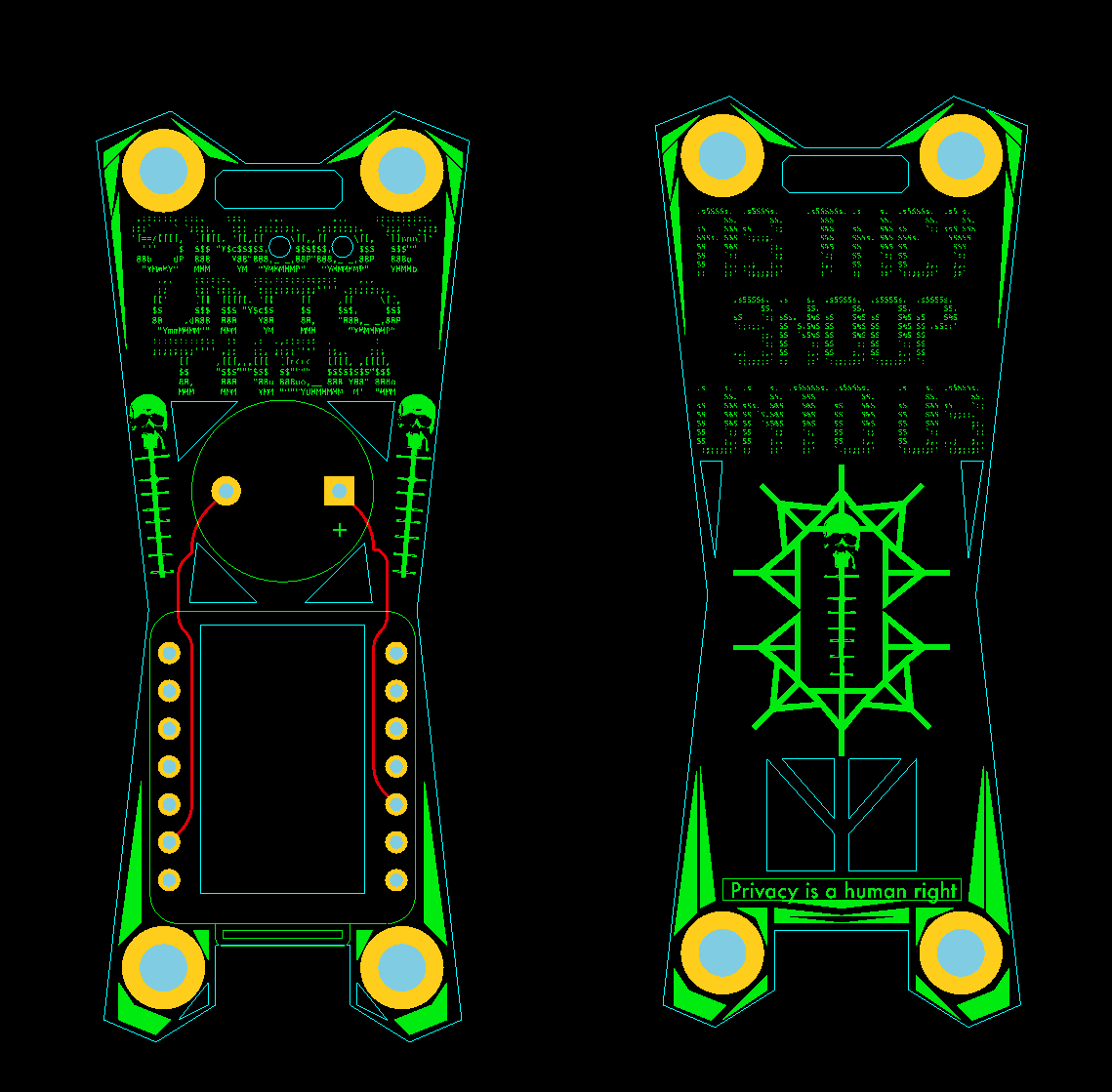
Image: colonelpanichacks (GitHub).
8.1 About this Volume
Every other Blue module in this ecosystem answers one question: is a target
device present? ouispy-foxhunter answers the next one: where is it? It is the
ecosystem’s direction-finding firmware — a single-target RSSI proximity
tracker that turns the buzzer and LED into a Geiger-counter-style distance meter,
so an operator can physically walk to the emitter.
This is the piece that genuinely differentiates OUI-SPY from the broad named-signature detectors it is usually compared against. SquachWatch, Nyan Box and HaleHound will all tell you a Flock camera or a body cam is nearby; none of them will walk you to it. Foxhunter does, with nothing but received-signal strength, a cadence curve, and — crucially — a directional antenna.
This volume covers Foxhunter end to end: the target-entry UX, the seven RSSI-to-beep-cadence bands and their exact thresholds, why a directional (Yagi-style) antenna is the whole game, the field method for closing on an emitter, and how all of this relates to the amateur-radio sport of foxhunting that gives the firmware its name. Because direction finding is a physical activity, several passages describe field technique in the abstract reference voice — no bench session is on record.
Everything here is built from the ouispy-foxhunter README (colonelpanichacks,
fetched 2026-10-16) and the shared-core facts established in Vols 3–7.
8.2 From detection to localisation
Detection and localisation are different problems that happen to share a radio. A detector asks a yes/no question per device and is happy with an omnidirectional antenna — it wants to hear everything in range so nothing slips past. A direction finder asks a continuous question — am I getting warmer? — and wants the opposite of omnidirectional: it wants an antenna that hears strongly in one direction and weakly in the others, so that pointing it becomes information.
 DETECTION DIRECTION FINDING
 ───────── ─────────────────
 "Is target X present?" "Where is target X?"
 omnidirectional antenna directional antenna (gain + nulls)
 many devices at once ONE device, locked by MAC
 output: alert / no alert output: continuous proximity signal
 range matters GRADIENT matters
 (Detector, flock-you, axeoff) (Foxhunter)
Foxhunter sits downstream of detection. The normal workflow is: a detector (Vol 6/7) tells you something is here and gives you its MAC; you then flash or switch to Foxhunter, type that MAC in, fit a directional antenna, and walk the gradient until you are standing next to the thing. The two halves are complementary, which is exactly why Unified Blue (Vol 7 §3) carries both in one image — detect in one mode, localise in another, no laptop in between.
8.3 What Foxhunter is
ouispy-foxhunter is a single-target BLE RSSI tracker. The operator enters
one BLE MAC address; the firmware locks onto it and converts the instantaneous
received-signal strength from that one device into a buzzer/LED cadence that
speeds up as the signal gets stronger (i.e. as the operator gets closer or points
the antenna better).
8.3.1 Target entry and the mode switch
 power on ──► AP "foxhunter" / "foxhunter" ──► http://192.168.4.1
 │
 enter ONE target MAC XX:XX:XX:XX:XX:XX
 (portal validates the format)
 │
 Save config
 │
 confirmation screen, 5 s auto-switch
 │
 ▼
 TRACKING MODE
 (continuous aggressive BLE scan, buzzer/LED)
The config AP is foxhunter / foxhunter (both SSID and password — fixed, not
editable, unlike the Detector’s credentials). The web portal at 192.168.4.1
takes a single MAC in XX:XX:XX:XX:XX:XX form and validates it. Saving shows a
confirmation screen and auto-switches to tracking after 5 seconds. From there the
device is a proximity meter.
[FIGURE SLOT — Vol 8 §3.1] Screenshot of the Foxhunter portal MAC-entry screen and the tracking-mode confirmation.
8.3.2 The scan
Foxhunter runs a continuous, aggressive BLE scan — 16 ms scan intervals at a 95% duty cycle. That near-continuous dwell is what makes the cadence responsive: a detector sampling a channel for 200 ms every few seconds cannot produce a smooth “warmer / colder” signal, but a tracker listening almost all the time can update many times a second. The target is declared lost after 5 seconds without a hit, at which point the LED turns off immediately and the cadence stops.
Caveat — Foxhunter’s scan is active. Like the Detector’s BLE phase (Vol 7 §4.2), Foxhunter’s “aggressive” scan is an active BLE scan: it transmits SCAN_REQ packets to solicit scan responses, which both improves the hit rate and makes the device briefly transmissive. This is the active-scan asterisk on the word “passive” — Foxhunter radiates during a hunt. The implication for operational posture is in Vol 10.
8.4 The RSSI-to-cadence engine
The heart of Foxhunter is a mapping from RSSI (a negative dBm figure — closer to zero is stronger) to a beep/flash interval (shorter is faster). It is quantised into seven bands, each with a name, so an operator learns the feel of the tool by ear rather than reading a number.
Table 1 — 4 The RSSI-to-cadence engine
| Band | RSSI window | Beep interval | Label | Meaning |
|---|---|---|---|---|
| 1 | −35 to −25 dBm | 10–25 ms | INSANE SPEED | essentially on top of it |
| 2 | −45 to −35 dBm | 25–75 ms | ULTRA FAST | within a metre or two |
| 3 | −55 to −45 dBm | 75–150 ms | VERY FAST | close, same room |
| 4 | −65 to −55 dBm | 150–250 ms | FAST | getting warm |
| 5 | −75 to −65 dBm | 250–400 ms | MEDIUM | in range, some distance |
| 6 | −85 to −75 dBm | 400–600 ms | SLOW | weak, far or obstructed |
| 7 | −85 dBm and below | 800 ms | VERY SLOW | at the edge of detection |
Rendered as a curve, the response is steep at the strong end — the cadence collapses from 800 ms to tens of milliseconds across a 50 dB span — which is what makes the last few metres of a hunt feel like a Geiger counter going wild:
 interval
 800 ms │● VERY SLOW (≤ −85)
 │
 600 ms │ ● SLOW
 400 ms │ ●
 250 ms │ ● MEDIUM
 150 ms │ ● FAST
 75 ms │ ● VERY FAST
 25 ms │ ●
 10 ms │ ●●● INSANE SPEED (≥ −35)
 └──────────────────────────────────► RSSI (−85 ········ −25 dBm)
 weaker / farther stronger / nearer
Within a band the interval is interpolated, so the cadence does not jump in steps — it slides, and a small movement that gains a few dB produces an audible speed-up. The buzzer is PWM on GPIO3; the LED flashes on the same cadence (on the XIAO ESP32-S3 the onboard LED is GPIO21 with inverted logic). Buzzer and LED have independent enable toggles, both persisted to NVS, so a silent-visual-only or audible-only hunt is a setting. A startup beep and a two-ascending-beep “ready” signal mark boot; three same-tone beeps mark target acquisition, each with LED sync; the LED goes dark the instant the target is lost.
8.4.1 Why the curve is steep — path loss
The seven-band curve is not arbitrary; it tracks the physics of radio propagation. Signal strength falls with the logarithm of distance, which is why the dBm scale (itself logarithmic) maps onto distance in a way that makes the final approach dramatic. The log-distance path-loss model, in its simplest free-space form, says received power drops about 6 dB each time the distance doubles:
 free space (n = 2): each doubling of range ≈ −6 dB
 indoors (n ≈ 3–4): each doubling of range ≈ −9 to −12 dB
 (walls, furniture, bodies add loss on top)

 so a move from 8 m → 4 m → 2 m → 1 m → 0.5 m
 adds roughly +6, +6, +6, +6 dB (free space) — four clean steps up the bands
Two consequences fall straight out of that log relationship and explain the cadence’s “feel”:
- The last few metres are where the action is. Going from 16 m to 8 m gains the same dB as going from 2 m to 1 m — but at the close end that same dB jump crosses faster bands (FAST → VERY FAST → ULTRA FAST), so the cadence accelerates hard right as you arrive. That is why a Foxhunt feels like a Geiger counter spiking: equal halvings of distance, compressed into the steep end of the curve.
- Environment changes the exponent, not the method. The path-loss exponent
nis ~2 outdoors in the open and ~3–4 inside a building. A highernmeans the signal collapses faster with distance — which actually helps a hunt, because the gradient is steeper and small moves register more. The absolute RSSI for a given range shifts, but the technique (follow the increasing cadence) is exponent-independent.
Callout — RSSI is quantised and noisy at the source. The ESP32 reports RSSI in whole-dBm steps and the figure jitters several dB from packet to packet even when nothing moves (fading, interference, the emitter’s own power control). Foxhunter’s band interpolation smooths this into a usable cadence, but it is why §6 insists on reading trends over several seconds of movement, never a single instantaneous beep rate.
Callout — RSSI is a proxy for distance, not a measurement of it. Every band above is a signal-strength window, not a distance window. RSSI and distance correlate, but the mapping is corrupted by antenna orientation, body shadowing, walls, multipath reflections, and the emitter’s own transmit power. A strong reading can mean “close” or “pointed right at it through a window”; a weak reading can mean “far” or “behind a filing cabinet.” The skill of a hunt (§6) is reading changes in the cadence as you move and turn, not trusting any single reading as a range.
Foxhunter’s cadence engine is a near-cousin of the axeoff lub-dub heartbeat
(Vol 7 §5): both turn RSSI into a time interval. The difference is scope —
axeoff tracks a fixed vendor signature with a two-band far/near heartbeat and
no target entry, while Foxhunter tracks one arbitrary MAC the operator types in
with a seven-band continuous curve tuned for closing the last few metres.
8.5 Antennas — why direction finding needs a directional element
The single most important thing about Foxhunter is not in the firmware — it is on the U.FL connector. The README’s hardware advice is blunt: “Use directional antenna for triangulation.” It names no specific type; a Yagi (or a simpler patch / biquad) is the community-obvious choice for 2.4 GHz BLE because it is what gives the antenna pattern a usable front-to-back difference.
8.5.1 Why omnidirectional fails for DF
An omnidirectional antenna hears roughly equally from every direction. Point it north or south and the RSSI barely changes, so turning the device tells you nothing about bearing — only walking around changes the reading, and slowly. A directional antenna has gain in one direction and nulls (sharp dropouts) elsewhere, so rotating it sweeps the RSSI up and down. That sweep is the direction information.
 OMNIDIRECTIONAL DIRECTIONAL (Yagi)
 ╱▔▔▔╲ →→→→→ main lobe (gain)
 │ • │ hears all ◄──• ═══► (• = antenna)
 ╲___╱ directions ~equally ↑ deep nulls to the sides/back
 turning → no RSSI change turning → big RSSI change = BEARING
With a directional element the hunt becomes: rotate on the spot until the cadence peaks; that is the bearing to the emitter. Walk that way; re-peak; repeat. The XIAO ESP32-S3’s U.FL connector (Vol 3) is what makes this possible at all — it lets the ceramic chip antenna be bypassed for an external directional one. A build without U.FL (or using the onboard antenna) can still detect, but it cannot really direction-find.
Callout — the ESP32 does not do phase-based DF. This is amplitude (RSSI) direction finding, not the angle-of-arrival (AoA/AoD) direction finding in the Bluetooth 5.1 spec, which needs an antenna array and phase measurement the XIAO’s single front end cannot do. Foxhunter’s “direction” comes entirely from how you point one directional antenna and read the strength change. It is the oldest, simplest, and — in a cluttered RF environment — often the most robust DF method there is.
8.5.2 Which directional antenna
The README names no type, so the choice is the operator’s. The practical options at 2.4 GHz, from simplest to most directional:
Table 2 — at 2.4 GHz, from simplest to most directional
| Antenna | Gain (typical) | Beamwidth | Front-to-back | For Foxhunting |
|---|---|---|---|---|
| Onboard ceramic chip | ~0 dBi | omnidirectional | none | detection only — cannot DF |
| Patch / panel | ~6–9 dBi | ~60–80° | moderate | good general-purpose DF element |
| Biquad | ~10–12 dBi | ~50° | good | cheap, DIY-friendly, strong lobe |
| Yagi (2.4 GHz) | ~12–16 dBi | ~30–40° | strong, sharp nulls | best for pinpointing — the sharp nulls localise |
| Dish / grid | ~18–24 dBi | ~10–20° | very strong | overkill at BLE ranges; awkward to swing |
A Yagi is the community-obvious pick because its narrow main lobe and sharp nulls are exactly what §6’s null-steering technique exploits. A patch or biquad is a fine, more compact alternative; the chip antenna is for detection only. Gain helps reach but beamwidth and front-to-back ratio are what actually make a hunt work — an antenna that hears equally in two directions cannot resolve a bearing no matter how much gain it has.
8.5.3 Community hardware
There is no official enclosure. Community designs include a mini-Yagi mount that puts a small 2.4 GHz Yagi on the XIAO, and keychain/travel cases for the detector-only roles. For Foxhunting specifically, the directional antenna is the accessory that matters; the case is cosmetic.
[FIGURE SLOT — Vol 8 §5.2] Photo of a XIAO ESP32-S3 with a 2.4 GHz Yagi on its U.FL connector (community mini-Yagi build), showing the directional element.
8.6 Field technique — walking to the emitter
The method below is the standard amplitude-DF closing technique, stated in reference terms. It is how one would run a Foxhunter hunt; it is not a log of a hunt performed.
8.6.1 The loop
 1. ACQUIRE detector (Vol 6/7) gives you the target's BLE MAC.
 2. LOAD switch to Foxhunter, enter that one MAC, fit the Yagi.
 3. COARSE stand still; rotate 360° slowly. Note the bearing where the
 cadence is FASTEST. That is the rough direction.
 4. ADVANCE walk that bearing. The cadence should speed up. If it slows,
 you guessed the back-lobe — turn 180° and re-check.
 5. RE-PEAK every 10–20 m, stop and rotate again to re-find the peak
 bearing (it drifts as you move and as multipath shifts).
 6. CLOSE as the cadence enters FAST → VERY FAST → ULTRA FAST, shorten
 your stride. Near the emitter the reading saturates (RSSI stops
 rising) — now use the antenna's NULL, not its peak, to pinpoint.
 7. PINPOINT rotate to find the sharp null; the emitter is along the antenna
 axis. INSANE SPEED means you are effectively on top of it.
8.6.2 The two refinements that separate a good hunt from a frustrating one
Attenuate as you close. Near the emitter the RSSI pins to the top band and the cadence maxes out, so peak-seeking stops discriminating — every direction reads INSANE. The classic fix is to reduce sensitivity: de-tune the antenna (point the null roughly at the target), step back, or shield the antenna with a hand/body, so the reading drops back into a band where small movements still change it. A directional antenna’s nulls are sharper than its peak, so final pinpointing is done by finding the direction where the signal drops out, which is a narrower, more precise feature than the broad main lobe.
Read changes, not values. Because RSSI is a corrupted proxy for distance (§4 callout), no single reading is trustworthy. The information is in the delta: did the cadence speed up when I stepped here or turned there? A hunt is a sequence of small moves, each tested against the cadence change. Body-shadowing is real — turning your own body between the antenna and a weak emitter can kill the signal — so operators learn to keep the antenna clear and to move the antenna, not just themselves.
8.6.3 A worked approach (reference walkthrough)
The following traces how the cadence would behave across a single outdoor approach, to make the band table concrete. It is an illustrative reconstruction from the published thresholds, not a logged hunt.
 step action reading band / cadence
 ──── ────────────────────────────────── ───────────── ─────────────────────
 0 MAC entered, Yagi fitted −84 dBm VERY SLOW (800 ms)
 1 rotate 360°, find peak bearing −78 @ peak SLOW (~500 ms) at NE
 2 walk NE ~15 m −70 dBm MEDIUM (~350 ms)
 3 cadence slowed → wrong lobe? −80 dBm SLOW — turn 180°, re-peak
 4 corrected, walk ~10 m −62 dBm FAST (~200 ms)
 5 re-peak; cadence sharpens −54 dBm VERY FAST (~120 ms)
 6 close to ~2 m; reading saturates −38 dBm ULTRA FAST — attenuate
 7 step back, null-steer the antenna null found pinpoint along axis
 8 emitter in reach −30 dBm INSANE (10–25 ms)
Step 3 is the instructive one: a cadence that slows while you advance is the signature of walking toward the antenna’s back lobe or into a shadow — the fix is to re-peak, not to keep walking. Step 6 is the other: once the reading pins to the top band, peak-seeking stops discriminating and the operator switches to attenuation and null-steering (§6.2) for the final metre.
8.6.4 What this localises
Anything Foxhunter can lock a single BLE MAC onto: a Flock Penguin battery pack, a body camera, a Meta-glasses wearer, a hidden BLE camera, a tracker tag — whatever the detector flagged. It localises the radio, which is usually the device, but occasionally a separate radio module inside a larger installation. For a Flock-style ALPR node the BLE emitter (the Penguin battery pack) and the camera are co-located, so walking to the BLE MAC walks you to the installation.
A note on what you cannot trust the range to be: because the reading is signal strength, a target behind a thin wall can read stronger than one farther but in open air, and a metal surface behind you can reflect a usable “ghost” peak off a bearing with nothing on it. Experienced direction finders treat a suspiciously strong reading from an implausible direction as a reflection until a second bearing from a different spot confirms it — the one-reading-is-not-a-fix rule again. Two bearings taken from two positions that actually cross at the target is the triangulation the README alludes to; Foxhunter gives the bearings, the operator’s feet give the baseline.
8.7 Relation to classic foxhunting
The firmware’s name is a direct borrow from amateur-radio foxhunting — also called radio direction finding (RDF), T-hunting, or ARDF (Amateur Radio Direction Finding, a timed sport with international competition). In a classic foxhunt a hidden low-power transmitter (the “fox”) beacons periodically, and competitors use directional antennas and receivers with signal-strength or audio-tone feedback to find it as fast as possible.
Table 3 — 7 Relation to classic foxhunting
| Classic foxhunt (ARDF / T-hunt) | OUI-SPY Foxhunter |
|---|---|
| Hidden HF/VHF/UHF beacon transmitter | Any BLE device (2.4 GHz) emitting adverts |
| Handheld receiver + S-meter or tone | XIAO ESP32-S3 + buzzer cadence |
| Yagi / loop / phased antenna | Directional antenna on U.FL |
| Signal strength → “warmer/colder” | RSSI → beep cadence (7 bands) |
| Attenuator to avoid overload near fox | Reduce sensitivity / use the null near target |
| Sport, training, and real RDF (finding interference, downed aircraft ELTs) | Surveillance-device localisation |
The techniques transfer almost one-for-one: peak-seek for a coarse bearing, re-peak as you move, switch to null-steering and attenuation for the final pinpoint. Foxhunter is, in effect, a single-purpose 2.4 GHz BLE fox receiver with the “warmer/colder” feedback baked into a buzzer — which is why the amateur-radio name fits so cleanly, and why anyone who has done an ARDF event already knows how to run a Foxhunter hunt. The one honest difference is band and purpose: ARDF is a licensed-hobby sport on amateur allocations, while Foxhunter operates in the unlicensed 2.4 GHz ISM band to localise consumer/surveillance BLE devices.
What a seasoned foxhunter brings that no firmware supplies is judgement: the instinct that a too-strong reading off an odd bearing is a reflection, that body position is shadowing the signal, that the fox is probably near the metal thing the signal keeps bouncing off. Foxhunter automates the instrument — the receiver, the S-meter, the attenuator-by-ear — but the hunt is still a human skill, and the 2.4 GHz band is in some ways harder than the HF/VHF of classic ARDF because the short wavelength multipaths off everything. The upside is that short wavelength also makes a compact, high-gain directional antenna (the mini-Yagi of §5) small enough to swing one-handed, which is the trade that makes handheld BLE direction finding practical at all.
8.8 Limits, caveats and where it fits
Foxhunter is narrow by design, and its limits follow from that:
- One target at a time. It tracks a single MAC. To localise a second device you re-enter its MAC. There is no multi-target view; that is the detector’s job (Vol 7 §4).
- BLE only. Foxhunter tracks a BLE MAC. A Wi-Fi-only emitter — a camera that only ever transmits probe requests, say — is not a Foxhunter target. The Wi-Fi side of the ecosystem detects; it does not foxhunt. Localising a Wi-Fi-only device would need a Wi-Fi RSSI tracker Foxhunter does not provide.
- RSSI is a proxy. As §4 and §6 stress, the reading is signal strength, not range. Multipath in a building can produce a strong false peak off a reflecting wall. Skill is in reading deltas and using nulls.
- The scan is active. Foxhunter transmits SCAN_REQ during a hunt (§3.2). It
is not one of the genuinely-passive modules (
axeoff, PCAP, BLE-Sniff). This matters for the operational posture discussion in Vol 10 and anywhere local rules distinguish transmitting from receiving. - A directional antenna is effectively mandatory. With the onboard omnidirectional antenna Foxhunter degrades to “the cadence gets faster when I happen to walk closer,” which works but is slow and ambiguous. The whole value — turning to find a bearing — requires the directional element on U.FL.
Where it fits in the family: Foxhunter is the localisation stage that sits after any detector in the workflow. It is the single capability none of the broad-catalogue competitors (SquachWatch, Nyan Box, HaleHound) offer — they detect and, with GPS, log where you were when you detected, but they do not walk you to the emitter in real time. That real-time RSSI direction finding, on a $7.50 board with a $10 Yagi, is OUI-SPY’s distinctive contribution and the reason the ecosystem is “narrower but deeper” than its rivals (the full head-to-head is in Vol 10).
One last framing: Foxhunter is the ecosystem’s answer to the “so what?” that every detector eventually provokes. A beep that says “a Flock camera is within 30 m” is useful; a tool that then walks you to it so you can photograph it, document it, or simply confirm what it is, closes the loop from awareness to evidence. That is the capability that makes OUI-SPY a field instrument rather than a desk gadget, and it costs a $7.50 board plus a $10 directional antenna. The competitors (Vol 10) log where you were when you detected; Foxhunter takes you the rest of the way.
Vol 9 turns to the two remaining edges of the ecosystem: Sky-Spy, the passive
drone Remote-ID detector and mapper, and — at category level only — the offensive
Red Edition pair.
Comments (0)