PWNagotchi · Volume 10
PWNagotchi Volume 10 — Operations & Field Use
AUTO / MANU / AI modes, the pwngrid social layer and its privacy implications, wardriving workflow, and the legal envelope of every Pwnagotchi deployment
Pwnagotchi has three top-level modes, set via [personality].mode in config.toml:
Table 1 — Pwnagotchi has three top-level modes, set via [personality].mode in config.toml
| Mode | What runs | When to use |
|---|---|---|
| MANU (manual) | Static bettercap config; you set the parameters in config.toml, the daemon enacts them, no learning | Bench-testing; reproducible capture experiments; when you want predictable behavior |
| AUTO | Daemon cycles bettercap parameters according to a hand-coded heuristic — no RL but still autonomous | Stationary deployments (gotchi sits on a shelf); good for ~80% of cases |
| AI | The A2C agent (Vol 6) tunes parameters from learned experience | Mobile / variable deployments; gotchi rides on a backpack, visits different environments |
The AI vs AUTO question was resolved in Vol 6 §7: AI wins when the environment varies; AUTO is fine when it doesn’t. MANU is for development / debug — you wouldn’t typically deploy in MANU mode for a long-running capture.
Switching modes:
[personality]
mode = "ai"           # or "auto" or "manu"
sudo systemctl restart pwnagotchi. The mode shows on the e-ink face status row.
10.1 The state machine — what the gotchi is “feeling”
The Pwnagotchi daemon runs a small state machine that maps observed Wi-Fi conditions to “emotional states” surfaced on the e-ink face. These aren’t just decorative — the state drives which actions the agent takes.
Table 2 — 2. The state machine — what the gotchi is "feeling"
| State | Trigger | What changes |
|---|---|---|
| Awake | Default — environment has APs + clients | Standard scan + capture loop |
| Bored | N epochs (~5-15 min) with no new APs / clients / handshakes | Shortened dwell times; more aggressive channel hopping |
| Sad | N epochs with no handshakes despite seeing APs | Increases deauth aggression; tries quieter channels |
| Lonely | N hours with no pwngrid peers seen | Increases pwngrid broadcast rate |
| Excited | Just captured multiple handshakes in quick succession | Stays on the current channel briefly to mine more |
| Friend | Just discovered a new pwngrid peer | Brief animation; resumes scanning |
| Angry | Repeated bettercap RPC failures | Logs warnings; AI agent gets negative reward |
| Asleep | Battery low (via PiSugar) | Stops scanning; e-ink dims; awaits charge |
The state names map to face PNG sprites in mainline (/usr/local/share/pwnagotchi/ui/faces/). Fancygotchi (Vol 7) lets you override them. The actual behavior tied to each state lives in the daemon code, not the theme.
10.2 The capture pipeline — what happens during a successful handshake
For a complete EAPOL 4-way handshake capture:
Time T+0:    Gotchi's bettercap sees AP "MyHomeNet" beacon on channel 6
T+0.5:       Gotchi hops to channel 6 (agent's choice — high AP density there)
T+1.0:       Bettercap sends targeted deauth frames to clients of MyHomeNet's BSSID
T+1.5:       A client (say, a laptop) receives deauth, drops association
T+2.0:       Client re-associates with MyHomeNet — initiates 4-way handshake
T+2.0-2.1:   Bettercap, still in monitor mode, captures all four EAPOL frames
T+2.2:       Bettercap writes the .pcap to /root/handshakes/MyHomeNet_aa:bb:cc:dd:ee:ff.pcap
T+2.2:       Bettercap emits wifi.client.handshake event on RPC stream
T+2.3:       Pwnagotchi daemon receives event, increments capture counter
T+2.4:       Gotchi face changes to "excited", e-ink refresh kicks off
T+2.5:       The handshake hook script runs — copies file, optionally uploads
T+2.5-4.5:   e-ink refresh completes (depends on panel)
T+4.5:       Agent reward signal +1 (handshake captured); gradient update on next batch
T+5.0:       Plugins fire their on_handshake hooks (gps tags the file with GPS, wpa-sec uploads if enabled, etc.)
The whole pipeline is ~5 seconds end-to-end. In a busy environment, multiple handshakes can be in-flight simultaneously — bettercap is concurrent on the capture path.
For a PMKID-only capture (no client interaction needed):
Time T+0:    Gotchi's bettercap sees AP "GuestNet" beacon
T+0.1:       Bettercap sends a forged Association Request to GuestNet
T+0.2:       GuestNet (if it supports PMK caching) responds with an Association Response containing the PMKID in the RSN IE
T+0.3:       Bettercap captures the PMKID, saves as .pcap
T+0.4:       Same daemon event path as above
PMKID capture is faster + quieter — no deauth required, the AP cooperates. ~50-70% of WPA2 APs are vulnerable in practice. This is the preferred capture path when it works.
10.3 The pwngrid social layer
Two Pwnagotchis within ~50 m of each other (line-of-sight 2.4 GHz range) will discover each other within ~minutes:
- Each broadcasts pwngrid beacons (Vol 5 §4) on rotating channels.
- Each listens for incoming beacons on its current scan channel.
- When a recognizable pwngrid beacon arrives, the listener parses the public key + pseudonym, checks if the peer is known.
- If new: adds to
/root/peers/, “friend” face state briefly, log entry. - If known: bumps the last-seen timestamp and encounter count.
This produces the “social Pwnagotchi” experience at hacker conferences — your gotchi accumulates a list of every other gotchi it saw at the event. Reddit threads of “I saw 47 unique gotchis at DEF CON” are common.
Figure 4.1 — A wireless router. Via Wikimedia Commons.
10.3.1 Privacy implications
pwngrid beacons carry:
- The gotchi’s pseudonym (you set this; “MyFirstGotchi” or whatever)
- A 32-byte Curve25519 public key (effectively permanent unless you delete
~/peer_idand regenerate) - The peer’s last known mode + AI metadata
- The peer’s rough age (uptime) + capture count
In aggregate, two Pwnagotchis exchanging beacons over a day at a venue produce a fingerprintable, attributable trail in each other’s databases. If you carry the same gotchi to multiple events, those events are linkable via the gotchi’s pubkey.
For most users this is fine — the social loop is the fun part. At a security-research-sensitive venue (academic conference where you don’t want to telegraph affiliation, a sensitive corporate visit) disable pwngrid before walking in:
[personality]
advertise = false
sudo systemctl restart pwnagotchi. The gotchi continues to capture but no longer broadcasts or listens for peers.
10.3.2 Cleaning up peers data
If you’ve collected a peers DB at an event and want to scrub:
sudo rm -rf /root/peers/*
sudo systemctl restart pwnagotchi
The next pwngrid frames will rebuild from scratch.
10.4 Wardriving workflow
A common Pwnagotchi use-case: carry the gotchi (with GPS plugin enabled, Vol 9 §4) along a route, accumulate captures + GPS-tagged AP observations, build a map of Wi-Fi coverage / capture opportunities.
End-to-end flow:
-
Confirm GPS plugin is enabled and the GPS module has a fix (
journalctl -u pwnagotchi | grep gpsshould show satellite count + position). -
Drive / walk / cycle the route. The gotchi runs in AI or AUTO mode; the GPS plugin tags every event.
-
Periodically check the
webgpsmapview in the web UI — visualizes captures on a Leaflet map. -
After the route,
rsync/root/handshakes/(with.gps.jsonsidecars) to your workstation. -
(Optional) Convert to KML / GeoJSON for use in Google Earth or QGIS:
# Quick KML export import json, glob from xml.etree.ElementTree import Element, tostring kml = Element('kml') doc = Element('Document') kml.append(doc) for gps_file in glob.glob('/path/to/loot/*.gps.json'): with open(gps_file) as f: g = json.load(f) pm = Element('Placemark') coords = Element('Point') coords.text = f'{g["Longitude"]},{g["Latitude"]},{g["Altitude"]}' pm.append(coords) doc.append(pm) print(tostring(kml).decode()) -
(Optional) Upload to Wigle (Vol 9 §7) — make this an active choice, not a default.
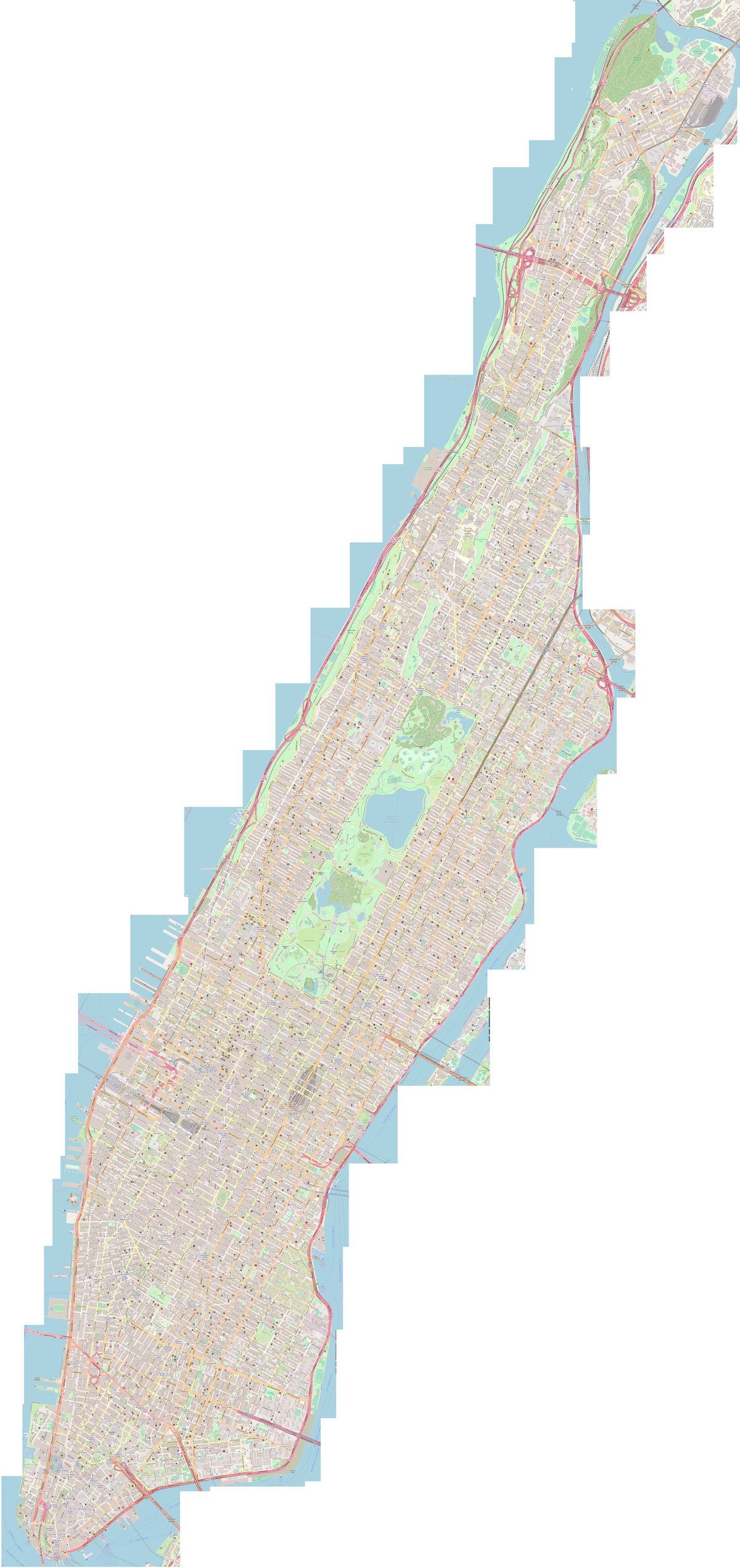
webgpsmap and post-route KML/GeoJSON workflows.Figure 5.1 — OpenStreetMap-style basemap. Via Wikimedia Commons.
10.5 The legal envelope (the part you can’t skip)
The Pwnagotchi captures handshakes by transmitting deauthentication frames at third-party access points and their clients. In nearly every jurisdiction, this is illegal when:
- The target network is not yours
- You don’t have written authorization from the operator
- The capture is incidental to an otherwise-unauthorized purpose
Specific jurisdictions:
Table 3 — Specific jurisdictions
| Region | Statute | Penalties (typical) |
|---|---|---|
| US (federal) | 18 U.S.C. § 1030 (Computer Fraud and Abuse Act); 18 U.S.C. § 2511 (Wiretap Act) | Fines + up to 10 years for first offense |
| US (state) | Varies — most states criminalize unauthorized access | Varies |
| UK | Computer Misuse Act 1990 §§ 1-3 | Fines + up to 14 years for §3 |
| EU | GDPR (Article 5 + 6 — unlawful data collection); national CFA equivalents | Fines + criminal liability under member-state law |
| Canada | Criminal Code § 342.1 (unauthorized use of a computer) | Fines + up to 10 years |
| Australia | Criminal Code Act 1995 (Cth) §§ 477-478 | Fines + up to 10 years |
The Pwnagotchi’s AUTO and AI modes are especially legally hazardous — by definition the operator did not pre-select the targets, so claims of “I was just testing my own network” become harder to substantiate when the device autonomously deauth’d half the block.
The mainline main.whitelist configuration is the practical mitigation — but it’s a deny-list, not an allow-list. Networks not in the whitelist are attacked by default. There is no allow-list mode in mainline Pwnagotchi. Custom plugins to implement allow-list-only attack exist; they’re community contributions, not bundled.
10.5.1 Acceptable use, summarized
Table 4 — 6.1 Acceptable use, summarized
| Scenario | Legal? |
|---|---|
| Capture against your own home network (whitelist temporarily removed for testing) | Yes |
| Capture against a network on a property where you have explicit written permission | Yes |
| Capture against a pen-testing engagement with a signed SOW | Yes |
| Capture against a CTF-provided network | Yes |
Capture from your apartment that incidentally catches the neighbor’s traffic in /root/handshakes/ | No — delete those captures immediately |
| ”I was just walking around with it on” → autonomous capture of nearby networks | No |
| Capture against a hotel / cafe / coworking Wi-Fi (even if you’re a guest) | No (you don’t have permission to attack their network, even if you have permission to use it) |
| Capture against a corporate / venue Wi-Fi (you’re an attendee) | No |
| Capture into the air with no specific target — pure RF testing — and immediate deletion | Maybe (jurisdiction-specific; high risk) |
When in doubt, whitelist aggressively and capture passively. PMKID-only mode (no deauth — just listening + sending occasional unsolicited association requests) is less hazardous than full deauth mode but is not zero-risk. See _shared/legal_ethics.md for the project-wide framing.
10.5.2 Physical OPSEC at venues
Even when usage is fully legal (your own networks, written authorization), the appearance of carrying a Pwnagotchi at a venue can prompt complaints, ejection, or police interaction. A Tamagotchi-cute device blinking attack patterns from a backpack at DEF CON is normal; the same device on a city bus during morning commute is going to make someone uncomfortable. Use your judgement.
If you’re a security professional and you must carry a Pwnagotchi as part of your role, carry an engagement letter in your bag stating the scope. The letter is not legal magic — it doesn’t immunize you against arbitrary statutes — but it’s the right document to hand a venue security officer.
10.6 Deployment patterns
Table 5 — 7. Deployment patterns
| Pattern | Description | Notes |
|---|---|---|
| Bench | Always-plugged-in, sits on a desk. Mostly used for development or short-range capture against your own networks. | MANU or AUTO mode. Web UI used heavily. |
| Backpack | Rides in / on a backpack for a route or commute. GPS plugin on. | AI or AUTO mode. Battery-runtime matters. |
| Park | Hangs from a balcony / fence / windowsill at a deliberate location for hours-to-days. | AUTO mode. PiSugar 3 essential for long runs. |
| Convention | Live at a hacker con for 2-4 days. Maximum pwngrid social. | AUTO or AI. Be ready to scrub /root/peers/ after. |
| Pen-test deployment | Hidden at a client site for the duration of an engagement. | MANU mode with specific target list. Engagement letter on hand. |
The Mike J. Kelly Motorola Advisor mod (Vol 4 §6) is optimized for the “convention” pattern — the cultural / belt-clip aesthetic.
10.7 Daily / weekly maintenance
Table 6 — 8. Daily / weekly maintenance
| Cadence | Task |
|---|---|
| Daily (while deployed) | Check web UI for capture count + battery + plugin health. |
| After every route | rsync /root/handshakes/ to workstation. |
| Weekly | Review the journal for recurring warnings (`journalctl -u pwnagotchi —since “1 week ago” |
| Monthly | Check disk usage (df -h /); confirm fstrim cron is running. |
| Every 3-6 months | Re-flash latest jayofelony image; carry over config + handshakes. |
| Whenever | If apt upgrade was run accidentally, check monitor mode (iw dev) — fix_brcmf normally handles this but verify. |
10.8 Combined workflow: Pwnagotchi → cracking → result
End-to-end, what you actually do with captured handshakes:
# 1. Pull off the device
rsync -avz [email protected]:/root/handshakes/ ~/pwnagotchi-loot/

# 2. Convert pcap to hashcat 22000 (hashcat-utils package)
hcxpcapngtool -o all.22000 ~/pwnagotchi-loot/*.pcap

# 3. Try a small dict first (RockYou)
hashcat -m 22000 all.22000 ~/wordlists/rockyou.txt

# 4. Try a wordlist + rule
hashcat -m 22000 all.22000 ~/wordlists/big.txt -r /usr/share/hashcat/rules/best64.rule

# 5. Last resort — masks (numeric, then alphanumeric)
hashcat -m 22000 all.22000 -a 3 ?d?d?d?d?d?d?d?d?d?d            # 10 digits
hashcat -m 22000 all.22000 -a 3 ?l?l?l?l?l?l?l?l                  # 8 lowercase

# 6. Show cracked results
hashcat -m 22000 --show all.22000
A modest GPU (RTX 3060) does ~600 kH/s on -m 22000. RockYou + best64 takes ~minutes; a focused brute force on 8-char alpha takes ~hours.
Note on the Pwnagotchi’s own quickdic plugin (§ Vol 9): runs on-device with a tiny dictionary. Useful for “did I capture a password123-level network?” The result is a fun e-ink notification (“cracked aabbccddeeff!”). For real cracking, the workstation GPU is the answer.
10.9 Fairy-tale workflow vs reality
The marketing version of the Pwnagotchi workflow:
- Build cute device.
- Carry it around.
- AI captures everything autonomously.
- Crack passwords, dominate the world.
The reality:
- Build device (2-4 hours).
- Configure carefully, whitelist your own networks aggressively (1 hour first time).
- Run in a deliberate location for hours before you see meaningful captures (the AI mode takes weeks to converge).
- Most captures are weak — handshake completion rates are 30-60% depending on environment.
- Most cracked passwords are useless (your neighbor’s Wi-Fi key doesn’t get you anything — and you shouldn’t crack them anyway).
- The real value of the device, for most users, is the build experience + the e-ink aesthetic + the conversation it starts.
Set expectations accordingly. The Pwnagotchi is a wonderful project — a cute, focused, well-engineered hobby device. As an attack tool against actual targets, it’s fine but not magic, and the legal/operational constraints make “I’m just exploring” a poor description of any meaningful usage.
10.10 Cheatsheet updates from this volume
Items to roll into Vol 12 (laminate-ready cheatsheet):
- “AI > AUTO when mobile; AUTO is fine stationary; MANU is for dev/debug.” (§1)
- “PMKID capture is faster + quieter than full handshake — preferred when AP cooperates.” (§3)
- “Disable pwngrid (
advertise = false) at sensitive venues.” (§4.1)- “Whitelist your own SSIDs — there is no allow-list mode.” (§6)
- “Pull captures off device weekly:
rsync [email protected]:/root/handshakes/.” (§8)- “Crack with hashcat -m 22000 after
hcxpcapngtoolconversion.” (§9)
Comments (0)