PWNagotchi · Volume 3
PWNagotchi Volume 3 — The Display Ecosystem
Waveshare 2.13" v1-v4, Pimoroni Inky pHAT, IT8951 large panels, and the color e-paper options that Fancygotchi unlocks
The Pwnagotchi displays a face, a name, a battery indicator, a list of nearby APs, and a small status log. None of that needs 60 fps. E-ink (technically electrophoretic display / EPD) is the right substrate for the use case for four reasons:
- Zero power between refreshes. The display retains its image with the power off. A Pwnagotchi can show “sleeping” forever on a dead battery.
- Outdoor-readable. Reflective, not emissive. Sunlight makes it more legible, not less. Useful for a device that often rides on a backpack.
- The aesthetic. The slow partial-refresh + the slight ghosting + the limited palette is visually distinctive. A LiPo-OLED Pwnagotchi looks like every other handheld; an e-ink Pwnagotchi looks like a Pwnagotchi.
- Driver simplicity. The Pwnagotchi UI redraws maybe once a minute (more if a handshake fires; less in sleep). The SPI-bus communication with the e-ink controller is straightforward — no DMA, no complex framebuffer pipeline.
The cost is refresh rate (full-frame redraw is 0.5-4 sec depending on panel) and panel fragility (the glass is thin; edges are vulnerable to torque).
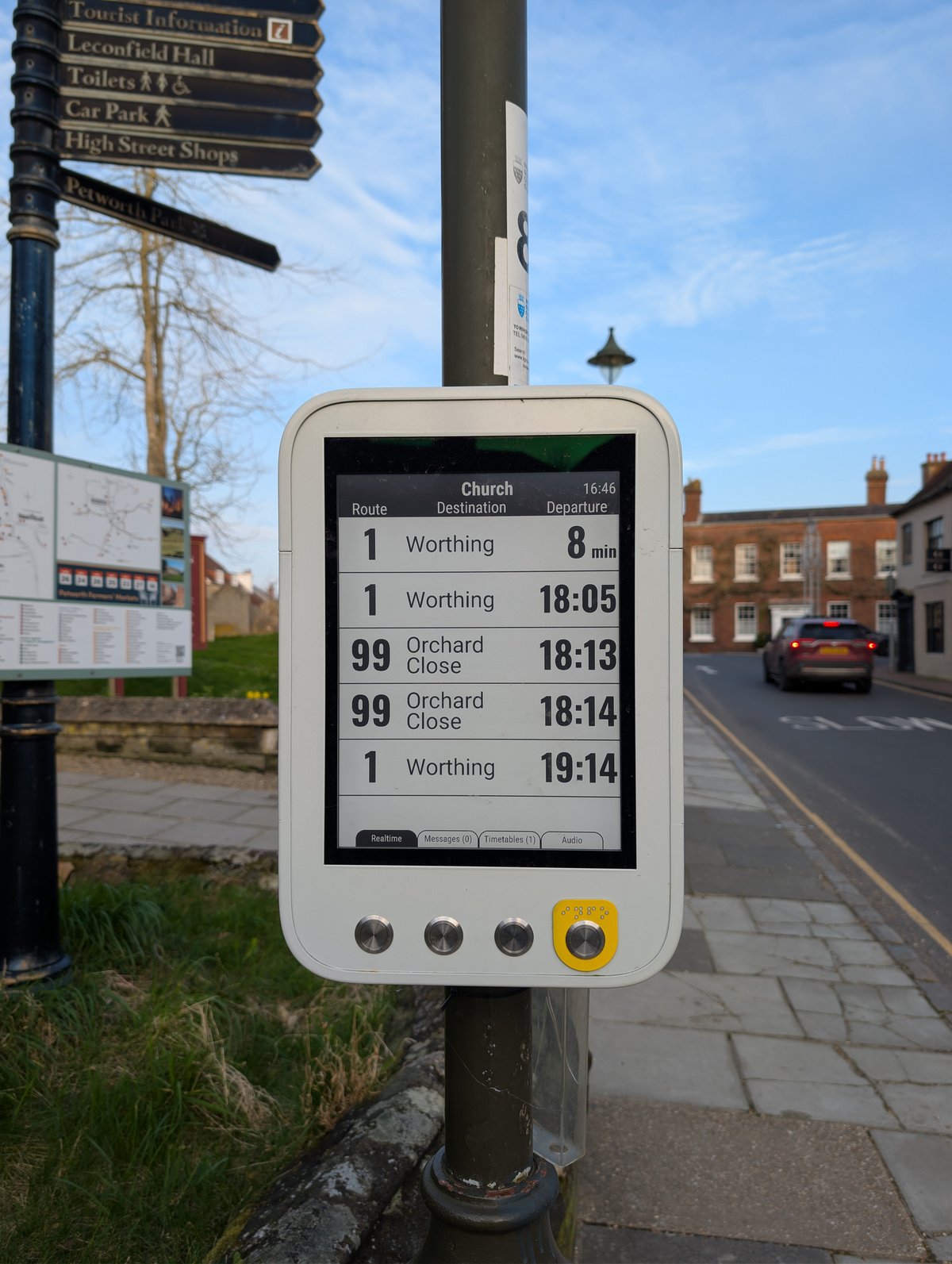
Figure 1.1 — File:E-paper display at bus stop (Church, Petworth) 2026-03-03.jpg by Andy Li. License: CC0. Via Wikimedia Commons.
3.1 The Pwnagotchi UI footprint
The mainline Pwnagotchi face is 128×250 pixels (the native resolution of the most common Waveshare 2.13” panel) at 1-bit (black-and-white) color depth. The layout:
   ┌──────────────────────────────────────────────────────┐
   │ <name>            ¡         ?    100%   3.4V         │  ← status row
   │ ─────────────────────────────────────────────────── │
   │                                                      │
   │         (◕    ◕)                                    │  ← the face (the "gotchi")
   │            ω                                         │     evilsocket's pixel-art set
   │                                                      │
   │ APs:    12     STAs:    3     SHK:    7 ▲          │  ← scan counters
   │ MODE:   AUTO   CH:    6,11    UPT:   2h 14m         │  ← mode + active channel + uptime
   │ ──────────────────────────────────────────────────  │
   │ > saw new AP MyCoolNetwork                          │  ← scrolling event log
   │ > captured handshake aa:bb:cc:dd:ee:ff              │
   │ > pwngrid: spotted JimsGotchi (peer +2 since 12:00) │
   └──────────────────────────────────────────────────────┘
The face is the visually-dominant element. The pixel-art set in mainline Pwnagotchi includes ~20 expressions (happy, sad, sleeping, angry, lonely, excited, broken, etc.) keyed to internal state machine transitions. Fancygotchi (Vol 7) replaces this fixed set with an arbitrary user-supplied set of PNG sprites.
3.2 Waveshare 2.13” e-paper HAT — the canonical display
The Waveshare 2.13” black-and-white e-paper HAT is the de facto Pwnagotchi display. It comes in four hardware revisions that look identical from the front and use four different drivers. This is the #1 frustration of first-time Pwnagotchi builders.
Table 1 — 3. Waveshare 2.13" e-paper HAT — the canonical display
| Revision | Resolution | Controller | Refresh time | ui.display.type value | Discriminator |
|---|---|---|---|---|---|
| v1 | 122×250 (1bpp) | UC8151 | ~2.5 s full | waveshare_1 | ”Rev 2.0” or “Rev 2.1” silkscreen — older PCB. White back. |
| v2 | 122×250 (1bpp) | IL3895 | ~2 s full | waveshare_2 | ”Rev 2.2” silkscreen. White or black back. |
| v3 | 122×250 (1bpp) | SSD1675B | ~2 s full, ~0.3 s partial | waveshare_3 | ”Rev 2.3” silkscreen. Partial refresh works. |
| v4 | 122×250 (1bpp) | SSD1680 | ~2 s full, ~0.3 s partial | waveshare_4 | ”Rev 2.4” silkscreen. Current production. Buy this. |
The differences matter:
- v1 and v2 lack reliable partial-refresh support. Every face transition is a full-frame redraw; the screen visibly flashes black-then-white-then-content for 2-3 seconds. This wears thin fast.
- v3 and v4 support partial refresh — face changes redraw only the changed pixels in ~300 ms with no flashing. v4 is the current production part. The clear correct choice is v4.
- The driver in jayofelony’s Pwnagotchi distribution must match the panel revision. If you flash an image configured for v2 and install a v4 panel, you get a perfectly white display and a confused user. Check the silkscreen on the back of the panel — it explicitly says “Rev 2.X”.
3.2.1 Configuring the panel revision
Edit /etc/pwnagotchi/config.toml:
[ui.display]
enabled = true
type = "waveshare_4"      # or waveshare_3 / waveshare_2 / waveshare_1
color = "black"           # for the v4 b/w panel; "red" for the b/w/red v4
rotation = 0              # 0/90/180/270 — typical case-mounts want 0 or 180
Then systemctl restart pwnagotchi. Watch journalctl -u pwnagotchi -f for a confirmation that the display initialized; if the driver fails to talk to the panel you’ll see an SPI or epd traceback.
3.2.2 The Waveshare 2.13” 3-color (b/w/red) variant
Waveshare also ships a 2.13” v4 panel in a 3-color black/white/red flavor. The red is achieved with a second pigment in the e-ink capsules. From Pwnagotchi’s perspective:
- Same physical PCB, same controller (SSD1680).
type = "waveshare_4"+color = "red"enables red rendering.- Red refresh time is ~15 seconds full-frame. Significantly slower than the 2-color variant.
- Mainline Pwnagotchi has no idiomatic use of red — it’s mostly a Fancygotchi feature (red accents in custom themes).
The 3-color variant is a curiosity, not a recommendation. Stick with the standard 2-color v4 unless you have a specific Fancygotchi theme that uses red.
3.3 Pimoroni Inky pHAT
The Pimoroni Inky pHAT is a 212×104 (4-color) e-paper HAT in the Pi-pHAT form factor (half the size of a full HAT). Three Inky pHAT generations exist:
Table 2 — The Pimoroni Inky pHAT is a 212×104 (4-color) e-paper HAT in the Pi-pHAT form factor (half the size of a full HAT). Three Inky pHAT generations exist
| Generation | Resolution | Colors | Notes |
|---|---|---|---|
| Original (UC8159) | 212×104 | black/white + red OR black/white + yellow | Discontinued |
| 2018 refresh | 212×104 | black/white + red, yellow, OR red/yellow/white | The “tri-color” series |
| Inky pHAT 3.7” (later sibling) | 480×280 | b/w only | Not a pHAT-form-factor; different mount |
Pimoroni’s inky Python library was integrated into mainline Pwnagotchi via the inkyphat display driver. To use:
[ui.display]
enabled = true
type = "inkyphat"
color = "red"             # or "yellow" or "black"
rotation = 0
The Inky pHAT differentiation from Waveshare:
- Smaller (212×104 vs 250×122) — less screen real estate, the face is tighter.
- Multi-color out of the box.
- Pimoroni’s library is well-maintained and ships through
pipcleanly; Waveshare’s vendor library has historical packaging issues that the jayofelony fork patches around. - More expensive (~$25-32 vs Waveshare’s ~$22).
Use case fit: the Inky pHAT is the right pick if you want a smaller form factor, multi-color from day one, or if you’re building a Fancygotchi (Vol 7) and want the color palette for your custom theme.
3.4 The IT8951 large-panel path
For displays larger than ~4” diagonal, the SPI-direct controllers (SSD1680 etc.) run out of bandwidth. The standard workaround is the Waveshare IT8951 USB / SPI controller board — a dedicated EPD timing controller chip that drives panels up to 10” / 1872×1404 resolution.
Some hobbyist Pwnagotchi builds use a Waveshare 7.5” or 9.7” panel via an IT8951 controller. The face is enormous. The use case is desktop Pwnagotchi (sitting on a shelf as conversation piece) rather than portable.
Mainline + jayofelony Pwnagotchi do not ship an IT8951 driver out of the box. The community has authored it8951 plugins (see Vol 11 §6 for the authoring pattern); they work but are unmaintained. For a portable Pwnagotchi, this is the wrong path. For a desktop trophy, fine.
3.5 Color e-paper — Pimoroni Inky Impression family
This is where Fancygotchi earns its name. The Pimoroni Inky Impression series ships 7-color e-paper:
Table 3 — This is where Fancygotchi earns its name. The Pimoroni Inky Impression series ships 7-color e-paper
| Model | Resolution | Diagonal | Colors | Notes |
|---|---|---|---|---|
| Inky Impression 4” | 640×400 | 4” | Black, white, red, yellow, blue, green, orange | The original 7-color hobbyist EPD. |
| Inky Impression 5.7” | 600×448 | 5.7” | same 7-color | Larger, more SoM presence. |
| Inky Impression 7.3” | 800×480 | 7.3” | same 7-color | The big sibling — Pi-3-class power posture. |
The 7-color refresh is slow — full-frame is ~25-30 seconds. There is no partial refresh. The aesthetic payoff is enormous: gorgeous, screen-printed-poster-quality output.
Mainline Pwnagotchi has no Inky Impression driver. Fancygotchi adds one. The Fancygotchi theme JSON lets you specify how the gotchi face renders into the 7-color palette (and which palette positions are which named color — there’s an indirection layer because the EPD’s color order is non-obvious).
If you want a color Pwnagotchi, the path is: install jayofelony first, install Fancygotchi on top (Vol 7 §3), select an Inky Impression theme.
3.6 The Waveshare color e-paper alternatives
Waveshare also ships color e-paper HATs that compete with Pimoroni:
Table 4 — Waveshare also ships color e-paper HATs that compete with Pimoroni
| Model | Resolution | Colors | Pwnagotchi support |
|---|---|---|---|
| Waveshare 2.13” b/w/red (v4) | 122×250 | 3 | Mainline (via waveshare_4 + color = "red") |
| Waveshare 2.13” 4-color | 122×250 | 4 (b/w/red/yellow) | Community driver; not mainline |
| Waveshare 4.01” 7-color ACEP | 640×400 | 7 | Fancygotchi (Vol 7); rough community drivers in mainline |
| Waveshare 5.65” 7-color ACEP | 600×448 | 7 | Fancygotchi |
| Waveshare 7.5” ACEP | 800×480 | 7 | Fancygotchi |
Pimoroni vs Waveshare for color e-paper:
- Pimoroni’s drivers and docs are better.
- Waveshare is cheaper (~$60 vs ~$85 for similar panels) and has more form factors.
- Mounting (hat vs flat-cable) varies — Pimoroni Inky Impression family is HAT-mount and clean; some Waveshare large-color models are bare panel + FFC cable + external controller, requiring more enclosure work.
For Fancygotchi-on-color the convenient pick is Pimoroni Inky Impression 4”. For a budget-conscious build, the Waveshare 4.01” 7-color works once you fight through driver setup.
3.7 The OLED footnote (don’t do it)
You can technically point Pwnagotchi at a small SSD1306 / SH1106 OLED display via the sh1106 or ssd1306 plugin. Don’t. OLEDs:
- Burn in. The Pwnagotchi face is largely static; the OLED will ghost permanently after ~3-6 months.
- Are emissive — your battery life drops noticeably (a 128×64 SSD1306 at full brightness pulls 20-30 mA continuous; that’s 10-15% off your runtime).
- Are 128×64 — too small for the standard face layout. The face is squished.
The OLED path exists for “I had an SSD1306 in the parts bin” builds. For a fresh build, use an e-paper HAT.
3.8 Display choice — recommendation matrix
Table 5 — 9. Display choice — recommendation matrix
| Goal | Recommended display | Why |
|---|---|---|
| Default modern Pwnagotchi | Waveshare 2.13” v4 b/w | Cheap, mainline-supported, partial refresh, matches all 3D-printed brick cases |
| Color showcase, desktop | Pimoroni Inky Impression 4” 7-color | Best color, larger, slow refresh OK on desktop |
| Smallest portable + color | Pimoroni Inky pHAT (3-color) | pHAT form factor, color, mainline driver |
| Motorola Advisor mod (Vol 4 §6) | Waveshare 2.13” v4 b/w | Fits behind the original LCD aperture with minimal trimming |
| Build budget < $60 | Waveshare 2.13” v4 b/w | Cheapest viable option |
| Build is research only (bench) | Anything — they all work | The face is the same; the choice is aesthetic |
3.9 Display + case interactions (preview of Vol 4)
The display choice constrains the case choice. The standard 3D-printed Pwnagotchi cases come in three families:
- 2.13” brick — sized for Waveshare 2.13” or Pimoroni Inky pHAT, no taller than the Pi Zero footprint.
- 2.13” clamshell — flips open like a small notebook; the e-ink panel is on the lid, the Pi + battery in the base.
- Inky Impression 4” — a much larger case (~110×80 mm), often a wall-mount or shelf-stand rather than a portable.
The Motorola Advisor case-mod uses the 2.13” v4 b/w panel specifically because it (a) is the right physical size to fit behind the original Advisor LCD aperture (after a few mm of trim) and (b) is mainline-supported. A Pimoroni Inky pHAT in the Advisor would also fit but Kelly’s published STLs target the Waveshare; using anything else means re-doing the inserts.
3.10 Diagnostics — “my display is white / weird / wrong”
Table 6 — 11. Diagnostics — "my display is white / weird / wrong"
| Symptom | Cause | Fix |
|---|---|---|
| Solid white | Wrong driver (waveshare_2 configured but waveshare_4 panel mounted) | Read the back-of-board silkscreen; set type correctly |
| Solid white | SPI bus disabled in raspi-config | sudo raspi-config → Interface Options → SPI → Enable |
| Solid white | Loose HAT — header pins not seated | Power down, reseat firmly, watch for bent pins |
| Half-image / mirrored | rotation wrong | Try 0, 90, 180, 270 sequentially |
| Slow refresh / flashing | v1 / v2 panel — partial refresh not supported | Upgrade to v3 / v4 panel for partial refresh |
| Ghosting after weeks of use | Normal; the face’s static pixels accumulate residual charge | Force a full-frame redraw periodically (the panel’s built-in “deep clean” cycle; configurable via ui.refresh_interval) |
| Red text never renders | color = "black" set but panel is 3-color | Set color = "red" |
| Display works, Pwnagotchi daemon doesn’t start | Driver loads but bettercap is failing — not a display problem | journalctl -u bettercap; this is Vol 5 §6 territory |
3.11 Cheatsheet updates from this volume
Items to roll into Vol 12 (laminate-ready cheatsheet):
- “Waveshare 2.13” v4 =
waveshare_4. Check silkscreen ‘Rev 2.X’ for revision.” (§3)- “v3 + v4 support partial refresh; v1 + v2 do not.” (§3)
- “For color, use Fancygotchi + Pimoroni Inky Impression 4”.” (§6, §7)
- “Don’t use OLED — burn-in.” (§8)
- “If display is white: check driver match, SPI enabled, HAT seated.” (§11)
Comments (0)