Ruckus Game Over · Volume 5
Game Over Module — Volume 5
Flipper-Firmware Compatibility Matrix
The question this volume answers: which Flipper Zero firmware should the host Flipper run for Game Over to work well, and what changes when you switch?
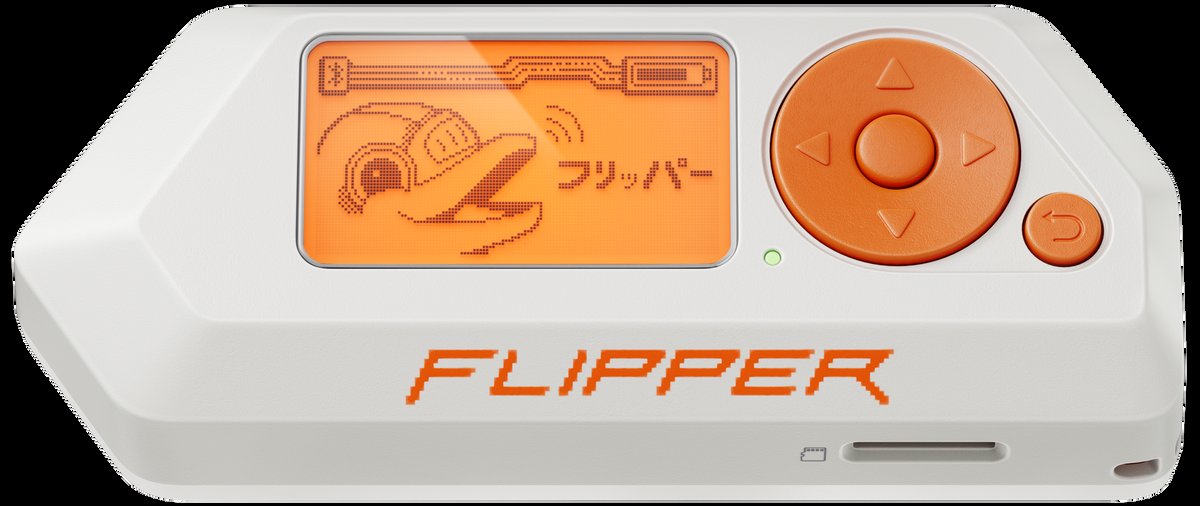
This matters more for Game Over than for AWOK because:
- The vendor explicitly states a tested firmware. The Tindie page says: “GAME OVER has been extensively tested on the Flipper Zero running the latest Unleashed firmware, compatibility with other third-party firmware has not been tested… any forks of Unleashed should be compatible.” This is concrete information you can act on.
- Game Over uses the Flipper UART bridge actively — both for command/control (via the Marauder companion FAP) and for the flash-from-Flipper path (Vol 4 § 4). Firmware quirks in UART handling matter.
- The Flipper power rail is what brownouts during attack work (Vol 2 § 8 and Vol 7 § 1). Different Flipper firmwares manage power slightly differently — some throttle, some don’t.
5.1 The Flipper-firmware lineage
To make sense of “forks of Unleashed should be compatible”, a quick map of how the major Flipper firmwares are related:
   ┌──────────────────────────────────────┐
   │  Official (Flipper Devices)          │
   │  - upstream                          │
   │  - flipperdevices/flipperzero-       │
   │    firmware                          │
   └──────────┬───────────────────────────┘
              │ (fork)
              ▼
   ┌──────────────────────────────────────┐
   │  Unleashed (DarkFlippers)            │
   │  - region/regulation removed         │
   │  - extra protocols                   │
   │  - DarkFlippers/unleashed-firmware   │
   └──────────┬───────────────────────────┘
              │ (fork)
              ▼
   ┌──────────────────────────────────────┐
   │  Xtreme (former)                     │
   │  - Unleashed + extras                │
   │  - now superseded                    │
   └──────────┬───────────────────────────┘
              │ (fork → continuation)
              ▼
   ┌──────────────────────────────────────┐
   │  Momentum (Next-Flip)                │
   │  - continuation of Xtreme            │
   │  - largest JS module surface         │
   │  - Next-Flip/Momentum-Firmware       │
   └──────────────────────────────────────┘

   ┌──────────────────────────────────────┐
   │  RogueMaster                         │
   │  - parallel fork                     │
   │  - bundles many community apps       │
   │  - RogueMaster/flipperzero-          │
   │    firmware-wPlugins                 │
   └──────────────────────────────────────┘
When the vendor says “any forks of Unleashed”, that lineage is: Unleashed → Xtreme → Momentum, plus RogueMaster (parallel fork that pulls from Unleashed). Official is not a fork of Unleashed (it’s the parent of Unleashed) — so the vendor’s claim does not extend to Official.
5.2 Per-firmware compatibility table
Table 1 — 3. Per-firmware compatibility table
| Flipper FW | Vendor tested? | Marauder companion FAP | Module-firmware pairing | Recommendation |
|---|---|---|---|---|
| Unleashed | ✅ Yes (vendor’s reference) | ✅ first-class | ✅ | First choice if you want vendor-tested |
| Momentum | Inferred ✅ (fork of Unleashed lineage) | ✅ first-class (mntm-012+) | ✅ | Recommended as a starting point — broadest JS surface, current dev |
| RogueMaster | Inferred ✅ (sibling fork) | ✅ first-class | ✅ | Choose if you prefer RogueMaster’s bundled apps |
| Xtreme | Inferred ✅ (predecessor of Momentum) | ✅ | ✅ | Superseded by Momentum — no reason to pick this today |
| Official | ❌ Not tested by vendor | ⚠️ FAP exists but quirks | ⚠️ partial | Skip unless you specifically need first-party support |
5.2.1 Why Official is in the “skip” column
The Marauder companion FAP does exist on Official firmware (since
the official Apps catalog gained it via the
0xchocolate/flipperzero-wifi-marauder upstream). But there are real
gaps:
- No “Update ESP32” flash-bridge mode in the Official Marauder FAP port until recently — meaning you can’t flash Game Over from the Flipper bridge on Official (Vol 4 § 4 path is unavailable). You’d have to flash from Game Over’s own USB-C only.
- Region/regulatory enforcement is active on Official — sub-GHz TX above the legal limit for your region is gated. Game Over’s CC1101 daughter respects this when commands route through the FAP. (You can still TX from the OLED standalone, where the Flipper isn’t in the loop.)
- The JS runtime (which some Marauder companion features rely on for live decoding) is leaner on Official than on Momentum.
- No region bypass for the Flipper’s internal CC1101 — meaning if you want to do parallel sub-GHz with both Game Over’s daughter CC1101 and the Flipper’s onboard, the Flipper-side is regulated.
These aren’t blockers for casual use, but for serious Game Over operation they all push toward a Momentum or Unleashed Flipper instead.
5.2.2 Why Momentum is recommended
Momentum is what TJ411 (the daily-driver Flipper unit) already runs. It inherits all of Unleashed’s compatibility (so the vendor’s “any fork of Unleashed” claim covers it), and adds:
- Largest JavaScript module surface —
gpio,subghz,nfc,usbdisk,storage, etc. — more JS hooks for custom Marauder- adjacent apps. - Better Marauder companion FAP integration — Momentum bundles the FAP and keeps it patched against the latest companion-protocol changes.
- Active maintenance — releases every 1–3 months as of this writing (mntm-012 is the current target).
- First-class flash-bridge mode — the “Update ESP32” path works cleanly.
For a security-aware Hack Tools posture that prefers customizability, with TJ411 already on Momentum, running the Game Over host on Momentum too keeps the fleet consistent.
5.2.3 Why Unleashed is the alternative recommendation
If you specifically want vendor-tested behavior — meaning you trust the vendor’s “extensively tested on Unleashed” statement and want to match that as closely as possible — flash the Game Over host with Unleashed instead of Momentum. Functional differences from Momentum are small (Momentum is a Unleashed descendant), but matching the vendor’s test environment minimizes the risk of edge-case incompatibilities.
The tradeoff: less JS surface, slightly slower release pace, smaller bundled-app catalog.
5.3 The Marauder companion FAP per firmware
The Marauder companion FAP (flipperzero-wifi-marauder, a.k.a.
“WiFi Marauder” in some apps catalogs) is what makes Game Over a
Flipper-bridged tool rather than just a standalone OLED widget. Per-
firmware status:
Table 2 — firmware status
| FW | FAP source | Bundled? | Update mode? | UART speed |
|---|---|---|---|---|
| Momentum mntm-012+ | Bundled | ✅ | ✅ | 115200 default; 921600 supported |
| Unleashed (latest) | Bundled | ✅ | ✅ | 115200 default |
| RogueMaster | Bundled | ✅ | ✅ | 115200 default |
| Xtreme (legacy) | Bundled | ✅ | ✅ | 115200 default |
| Official | App catalog | install needed | partial | 115200 default |
The “UART speed” column matters: default Marauder UART is 115200; some Game Over batches and some Flipper firmwares can negotiate 921600 for faster log retrieval. If the FAP setting allows higher speeds and you’re seeing dropped characters, fall back to 115200 — that’s the universally-known-good rate.
5.4 The flash-from-Flipper bridge path per firmware
Vol 4 § 4 introduced the bridge path for flashing the Game Over from the Flipper’s USB-CDC. Per-firmware specifics:
5.4.1 Momentum
- Marauder FAP → Settings → “Flash Mode” or “Update ESP32”.
- Flipper enters USB-CDC bridge mode.
- ESP32-S3 BOOT/RESET driven via Flipper GPIO 7 / 17 (Vol 2 § 9).
- Web flasher / dirty_flasher / esptool.py all see the chip.
5.4.2 Unleashed
- Same as Momentum (Momentum inherits this from Unleashed).
- Slight UI difference in the FAP — “ESP32 → Flash” vs Momentum’s “Flash Mode.”
5.4.3 RogueMaster
- Same as Unleashed.
- RogueMaster’s bundled FAP version may lag latest companion-protocol features; if a brand-new Marauder release introduces a flash protocol change, RogueMaster may need a FAP update first.
5.4.4 Official
- Marauder FAP from Official catalog may not expose flash-bridge mode depending on FAP version. If you’re on Official and the bridge doesn’t work, fall back to Game Over’s own USB-C (Vol 4 § 2).
- This is the most common practical reason to switch off Official for the Game-Over-host Flipper.
5.5 BLE re-pair gotchas when switching firmware
If you change Flipper firmware while Game Over is mounted, you’ll go through a BLE re-pair cycle on the Flipper’s side. The 3-step procedure documented in the parent Flipper Zero Vol 3 (§ 9) applies:
- Forget the Flipper on the phone.
- Reset BLE bond on the Flipper (Settings → Bluetooth → Forget all devices).
- Re-pair fresh.
Game Over itself is not BLE-paired with the phone — it operates ESP32-S3-native BLE for scanning/spam/etc., not as a paired peripheral. But the Flipper’s own BLE bond is fragile across firmware changes, and if you’re using the Flipper Mobile App for IR/keycard work alongside Game Over wardriving, expect to re-pair after any firmware swap.
5.6 Region / regulatory implications by firmware
Game Over’s CC1101 daughter (when installed) can transmit on 433 MHz and 868/915 MHz at user-controlled power levels. Per-firmware behavior when commands route via the Marauder companion FAP:
Table 3 — when commands route via the Marauder companion FAP
| FW | Region enforcement on FAP path | OLED standalone path |
|---|---|---|
| Official | ✅ enforced (FCC/ETSI) | OLED bypasses Flipper UI; less constrained |
| Unleashed / Momentum / RogueMaster / Xtreme | ❌ removed | OLED similar |
Practical consequence: on regulated firmwares (Official) the FAP path is region-enforced; on permissive firmwares (Momentum etc.) it isn’t. The OLED standalone path is the same regardless of Flipper firmware — it routes commands through the ESP32-S3 directly without going through Flipper UI.
This is legal cover, not a hardware constraint — see Vol 8 for the legal/ethics framing.
5.7 Multi-firmware switching strategy
If you want to run multiple Flipper firmwares on the Game-Over-host Flipper to compare behavior, the Multi-Firmware Switching guide in the parent series covers the workflow:
- Multi-bundle staging on the SD card under
/ext/update/. - BLE re-pair procedure each switch.
- Recovery via DFU + qFlipper.
For Game Over specifically, a useful triplet:
- Momentum (primary) — the daily-driver firmware.
- Unleashed (vendor-tested reference) — for confirming whether a bug is firmware-specific or board-specific.
- Official (sanity check) — to verify behavior matches first-party expectations.
You don’t need this triplet to use Game Over; it’s only for debugging. Most users stick with one firmware permanently.
5.8 Recommendation
For the third Flipper unit (working name: game-over-host, registered
in MY_GEAR per Vol 8 § 4):
- Flash Momentum mntm-012 or current latest. Same as TJ411.
- Install the Marauder companion FAP (bundled in Momentum).
- Verify flash-bridge mode works before relying on the Vol 4 § 4 path.
- Pair the Flipper with your phone (for IR/keycard sideband work, if used).
- Power Game Over via its own USB-C during any attack session, per Vol 2 § 8.
Fall-back firmware: Unleashed, if Momentum has a regression that breaks Game Over interaction.
Avoid: Official (companion FAP gaps), Xtreme (superseded).
5.9 What’s next
Vol 6 covers operating workflows — how to actually use Game Over day-to-day in standalone mode, Flipper-bridged mode, and via the web-server / SoftAP UI.
Comments (0)