SquachWatch · Volume 10
SquachWatch Volume 10 — Cheatsheet, Legal and Comparison
Laminate-ready field cards, the numbers worth remembering, the legal and ethical envelope, and where a $15 detector sits next to the nyanBOX, the CameraDetection build, the tracker detectors, Marauder, the AWOK and the Flipper
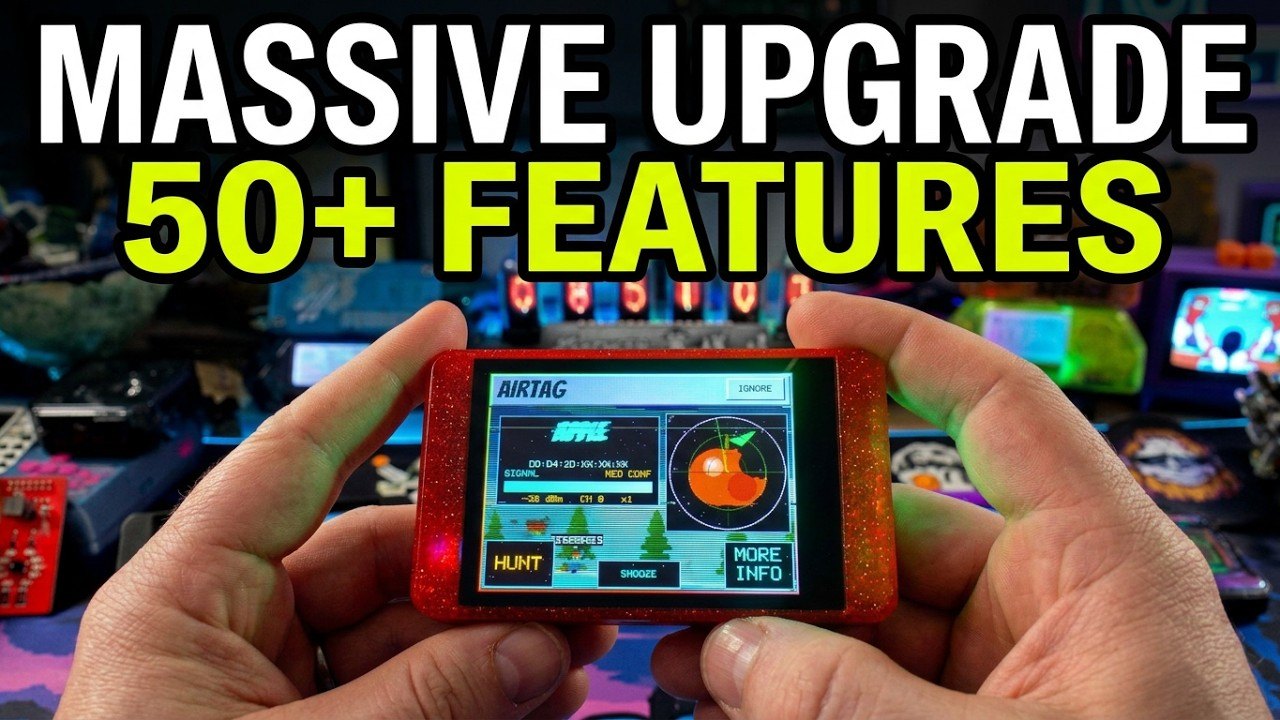
10.1 Field cards
Eight cards, each sized to print on a half-sheet and laminate. Values are from SquachWatch-CYD v1.36.0; Vols 7–9 carry the sources.
┌─ CARD 1 — POWER-ON AND FIRST HOUR ───────────────────────────────────────────┐
│ 1  USB-C in. Splash ~1.5 s shows the version.                                 │
│ 2  First boot: calibrate (tap-and-HOLD 5 targets) → colour check → intro.     │
│    Bad calibration? Reboot, hold finger on screen at the "Hold anywhere" text.│
│ 3  Set clock: flasher "Set Time & Zone", or saved WiFi (NTP at boot).         │
│ 4  Settings → ALERT FILTER = MED+.   AUTO SNOOZE = AFTER 5.                   │
│ 5  IGNORE own gear: AirTags, doorbell, Flipper, other SquachWatch.            │
│ 6  microSD in (optional): /squachwatch-YYYYMMDD.log, CSV.                      │
│ 7  SECURITY: PIN + DURESS PIN if the board will travel.                        │
│ White screen after flashing a 2.8"? Untick 80 MHz; else the OTHER driver.     │
└───────────────────────────────────────────────────────────────────────────────┘

┌─ CARD 2 — READING AN ALERT ──────────────────────────────────────────────────┐
│ Header colour = type.  VENDOR = which table row.  NAME = what it calls itself.│
│ CONF  HIGH = maker's own block/UUID or exact format → take it seriously       │
│       MED  = parent co. / shared UUID / heuristic   → corroborate             │
│       LOW  = chip/module vendor (Espressif…)        → probably not the thing  │
│ FIRST OF ITS KIND = new type for this board.  AT NIGHT = 23:00–05:00.          │
│ SPAM: N FAKE TAGS = flood; that type goes quiet 5 min (watched still alerts). │
│ Buttons: MORE INFO · IGNORE (forever) · SNOOZE (till reboot) · HUNT            │
│ Card clears on tap or after 10 s.  It is EVIDENCE OF A RADIO, nothing more.   │
└───────────────────────────────────────────────────────────────────────────────┘

┌─ CARD 3 — WHAT EACH TYPE USUALLY MEANS ──────────────────────────────────────┐
│ FLOCK    HIGH: B4:1E:52 / exact "Flock" / BLE names.  LOW: any ESP32 nearby. │
│ AXON     AB2-/AB3-/AB4- SSID = body cam in pairing mode. 00:25:DF = Taser.     │
│ GLASS    RayBanMeta (0xFD5F) = glasses. "Meta" company ID = any Meta radio.   │
│ SKIMMER  HC-05/06/03, RN42, BT04-A name at a pump/ATM → don't touch, report.  │
│ RAVEN    5 UUIDs 0x3100..0x3500 step 0x100; unverified on a real unit.         │
│ TRACKER  AirTag (AirPods also match), SmartTag, Google (Eddystone too), Tile. │
│ DRONE    Remote ID decoded: serial, position, altitude, OPERATOR position.    │
│ ALPR     Motorola Solutions / Genetec block — vendor certain, product not.    │
│ CAM/RING Vendor OUI. Amazon blocks = MED (Echo, Fire TV share them).          │
│ DEAUTH   ≥6 deauths in 3 s.  EVIL (in HACK) = open twin of locked network.   │
│ HACK     Flipper (0x3081-3, 0x0E29, 0C:FA:22) · Pwnagotchi beacon · Pineapple_│
│ BCON     iBeacon — OFF by default; shop beacons, not trackers.                │
└───────────────────────────────────────────────────────────────────────────────┘

┌─ CARD 4 — TOO MANY ALERTS ───────────────────────────────────────────────────┐
│ ALERT FILTER  ALL / MED+ / HIGH ONLY     → still LOGGED, just no takeover      │
│ AUTO SNOOZE   OFF / AFTER 5 / AFTER 10   → then must come 7 dB closer than    │
│               its best; allowance back after 30 min                           │
│ IGNORE / SNOOZE  per device                                                    │
│ TYPE FILTER   whole type OFF = DROPPED, NOT LOGGED (use sparingly)             │
│ T-Watch       TAGS + RINGS = LOG ONLY (default)                                │
│ Watched device always gets through.                                            │
└───────────────────────────────────────────────────────────────────────────────┘

┌─ CARD 5 — FINDING IT (HUNT) ─────────────────────────────────────────────────┐
│ Start: HUNT on the alert card, or hold a LOG row → HUNT.                      │
│ No compass. Turn slowly 360°: weakest = your body is between you and it.      │
│ Walk AWAY from the weakest heading. WARMER/COLDER = ±3 dB change.             │
│ CAUGHT! = ≥ −48 dBm twice (≈ arm's length); light flashes green.              │
│ Rotating-address gear (AirTags, phones) may drop out mid-hunt.               │
│ STOP HUNT ends it; BACK keeps the target (HUNTING pill on main screen).       │
│ WATCH (hold LOG row) → LOCKED ON radar next time it appears.                  │
└───────────────────────────────────────────────────────────────────────────────┘

┌─ CARD 6 — SQUAD ─────────────────────────────────────────────────────────────┐
│ Settings → SQUACHMESH.  DETECT = listen only.  TRANSMIT = TRACKABLE (fixed    │
│ BLE address every 1.5 s).  MESSAGES → PHRASE: ROLL 5 words, read aloud,       │
│ other board ENTERs them (~3 s freeze is the key stretch).                     │
│ Or ADD from the SQUAD screen → COMPARE THE 4 DIGITS ALOUD → ADDED.            │
│ Messages: 24 canned or 48 chars. HEADS-UP: serious catches, 8 s, ≤1/min.      │
│ Encrypted: contents.  Not encrypted: that/when you sent, the advert itself.   │
│ Five words = house key.  New phrase = new squad (clears roster).               │
└───────────────────────────────────────────────────────────────────────────────┘

┌─ CARD 7 — FLASH, UPDATE, RECOVER ────────────────────────────────────────────┐
│ First flash: squachwatch.com, desktop Chrome/Edge/Firefox, DATA cable.        │
│ No port? CH340 driver.  Won't connect? Hold BOOT while plugging in.            │
│ Update: Settings → SYSTEM → UPDATE FIRMWARE → OVER WIFI (all boards)          │
│         OVER BLUETOOTH (S3 boards only) · USB flasher always works.            │
│ Signed (ECDSA P-256), per-board, no downgrade. Leave ON 30 s after update.    │
│ Bad version? SWITCH TO = other slot.  Boot loop? Flasher → older release.     │
│ Squad: update ONE by hand → UPDATE SQUAD.  REMOTE UPDATE off to refuse.       │
└───────────────────────────────────────────────────────────────────────────────┘

┌─ CARD 8 — STAYING QUIET ─────────────────────────────────────────────────────┐
│ RF out: BLE scan requests (quiet rooms, no switch) · boot WiFi check          │
│         (UPDATE CHECK off) · updates (on request) · mesh TRANSMIT (off).       │
│ Light:  STATUS LIGHT off.   Screen: BOOT short-press = POCKET MODE.            │
│ Photos: PRIVACY MODE first (screen only; stored data unchanged).               │
│ Seized: DURESS PIN wipes phrase, WiFi, ignore list, logs (flash + SD + GPS).  │
│ PIN stops a snoop, NOT someone reading the flash over USB.                     │
└───────────────────────────────────────────────────────────────────────────────┘
10.2 Quick-reference tables
10.2.1 Signatures at a glance
Table 1 — 2.1 Signatures at a glance
| Type | WiFi signature | BLE signature | Grade |
|---|---|---|---|
| FLOCK | 49 OUIs (B4:1E:52 High, 48 Low); SSID Flock exact, flock-/FLOCK- | Company 0x09C8; 128-bit e8ccbb38-…-1814df172e6f; names Flock, Penguin, Pigvision, Flock_Setup, FS Ext Battery, ten-digit serial (Low) | Per signature |
| AXON | 00:25:DF High, E4:05:40, 28:24:FF Low; SSID AB2- AB3- AB4- AXON- | Name contains Axon | High |
| META | — | UUID 0xFD5F; company 0x01AB, 0x058E, 0x0D53, 0x03C2 | Medium |
| SKIMMER | 3 module OUIs, Low | Names HC-03/05/06, RN42, BT04-A; UUID 0x1101 | High |
| RAVEN | — | UUIDs 0x3100, 0x3200, 0x3300, 0x3400, 0x3500 | Medium |
| AIRTAG | — | Company 0x004C + 1E FF 4C 00 or 4C 00 12 19 | Medium |
| SAMSUNG_TAG / GOOGLE_TAG / TILE | — | 0xFD5A / 0xFEAA / 0xFEED, 0xFEEC | High / Medium / High |
| DRONE | Beacon vendor element FA:0B:BC type 0x0D | Service data 0xFFFA | Medium |
| ALPR | 5 Motorola Solutions + 2 Genetec OUIs | — | Medium (rows High) |
| CAMERA / RING | 17 / 15 OUIs | — | Per row |
| IBEACON | — | 4C 00 02 15 + 21 bytes | High, off by default |
| DEAUTH | ≥ 6 deauth frames / 3 s | — | Medium |
| EVILTWIN | Same SSID, different vendor, Privacy bit differs | — | High |
| HACKER | 0C:FA:22 High; 02:C0:CA, 02:13:37 Low; Pwnagotchi pwnd_tot beacon High; SSID Pineapple_, pwned Medium | UUIDs 0x3081–0x3083, company 0x0E29 High; name Flipper Medium | Per signature |
10.2.2 Numbers worth remembering
Table 2 — 2.2 Numbers worth remembering
| Quantity | Value |
|---|---|
| OUI rows / High / Medium / Low | 97 / 33 / 4 / 60 |
| BLE scan interval / window | 100 / 75 |
| Go passive above | 300 adverts/s; 30 s between mode changes |
| WiFi sweep, channels 1–13 | ≈ 3.9 s, weighted 4 : 2 : 1 by busyness |
| Alert card auto-dismiss | 10 s |
| AUTO SNOOZE margin / decay | 7 dB / 30 min |
| HUNT trend / catch | ±3 dB / ≥ −48 dBm on two samples |
| Spam flood | ~7 one-shot addresses or 40 new/min trips; 5 min quiet ends |
| Deauth burst | 6 frames / 3 s; 15 s cooldown |
| Evil-twin table | 24 SSIDs, round-robin |
| LOG (RAM) / black box (flash) | 64 rows / ~1,800 sightings, 200 devices restored |
| Mesh advert / peer timeout | 1.5 s / 20 s |
| Phrase | 5 of 314 words ≈ 41.5 bits; PBKDF2 × 20,000 |
| Message | 24 canned or 48 chars in 3 parts; AES-128-CCM, 8-byte tag |
| Squad roster | 16 |
| HEADS-UP | 8 s, ≤ 1 per minute |
| OTA probation | ~30 s |
| T-Watch wardrive capacity | 125,000 sightings |
| LoRa US / EU | 906.875 & 910.525 / 869.525 & 869.618 MHz |
| CYD serial console | 2,000,000 baud |
10.2.3 Settings paths
Table 3 — 2.3 Settings paths
| Task | Path |
|---|---|
| Alert threshold | Settings → ALERT FILTER |
| Repeat-offender damping | Settings → AUTO SNOOZE |
| Turn a type on/off (incl. iBeacon) | Settings → TYPE FILTER (screen: DETECTION FILTER) |
| Review ignored devices | Settings → IGNORED |
| 5 GHz on ESP32-C5 boards | Settings → WIFI BANDS |
| Squachy off | Settings → BORING MODE |
| Counter style XP / CLASSIC | Settings → APPEARANCE → DETECTIONS |
| Status light | Settings → APPEARANCE → STATUS LIGHT |
| Mesh, squad, messages | Settings → SQUACHMESH |
| Lock, duress, remote update | Settings → SECURITY |
| Privacy masking | Settings → SYSTEM → PRIVACY MODE |
| Update, rollback, squad update | Settings → SYSTEM → UPDATE FIRMWARE |
| Saved networks / boot check | Settings → SYSTEM → WIFI NETWORKS / UPDATE CHECK |
| Touch / colours | Settings → SYSTEM → CALIBRATE TOUCH / CHECK COLORS |
| Battery test | Settings → SYSTEM → LAST RUN |
| Watch: LoRa, buzz, wardrive, tags | Settings → WATCH SETTINGS |
| Time zone | Settings → DESK MODE page → TIME ZONE |
10.2.4 Boards at a glance
Table 4 — 2.4 Boards at a glance
| Board | Flasher | Notable |
|---|---|---|
| 2.8” CYD ESP32-2432S028R (ST7789 or ILI9341) | Yes | The reference board; ~$15 |
| 3.2” capacitive ESP32-2432S032C | Yes | Next step up, no BETA label |
| 3.2” resistive Freenove FNK0103 | Yes | |
| RL Phantom 2.4” ESP32-2432S024R | Yes | Status light on the front; the “Phantom by Rabbit Labs” pre-built |
| AWOK 2.4” (ESP32 Marauder v6.1) | Yes | Not the AWOK Dual Touch V3 |
| 3.5” ESP32-3248S035R / C | BETA | |
| Freenove ESP32-S3 2.8” / 3.5” / 4.0” | BETA (4.0” build-only) | Battery, speaker, power switch |
| Elecrow CrowPanel Advance 7.0 | BETA | Buzzer, LoRa research platform |
| RockBase NM-CYD-C5 | BETA | 5 GHz |
| Marauder V8 | BETA | 5 GHz, GPS wardriving, battery gauge |
| LilyGo T-Deck Plus | BETA | Keyboard, GPS wardriving |
| M5Stack StickS3 / Cardputer ADV | BETA | Buttons / keyboard instead of touch |
| LilyGo T-Watch S3 / S3 Plus | BETA | LoRa RX; GPS wardriving on the Plus |
Source: README “Boards”; docs/FAQ.md “Which board should I buy?” Vol 2 compares the hardware.
10.3 The legal and ethical envelope
This section is not legal advice. Law on receiving, recording and acting on radio signals differs by country and, in the United States, by state. The hub-wide rules in _shared/legal_ethics.md apply to SquachWatch as to every tool here; this section maps them onto what this particular device does.
10.3.1 What the project says
The FAQ’s whole answer to “Is this legal?”:
“Listening to radio that devices are already broadcasting into public air is not hacking into anything. It doesn’t break into networks or decrypt anyone’s traffic. As covered above, it does send a few things of its own, the same kind of thing any phone does when it looks for Bluetooth devices or joins WiFi. That said, I’m a hairy cryptid mascot, not a lawyer. Know your local laws, use your brain, don’t do anything stupid.”
10.3.2 Receiving
Table 5 — 3.2 Receiving
| Activity | Character | Notes |
|---|---|---|
| Matching OUIs, SSIDs, UUIDs, company IDs, names | Reading header fields every nearby phone also reads | No payload content is stored except names, SSIDs and the fixed formats below |
| Decoding Remote ID | Reading a broadcast designed to be public | Remote ID exists so that the public and authorities can identify aircraft; the operator position is part of the standard message |
| Reading a Pwnagotchi’s self-announcement | Reading a broadcast the device sends to strangers on purpose | |
| LoRa public channels (T-Watch) | Reading traffic encrypted under published default keys | Private channels and DMs are not read. Republishing other people’s chat content raises privacy questions the receiving does not |
| Wardriving (S3 Plus, GPS builds) | Logging networks and devices with positions | A geotagged record of third parties; uploading to WiGLE makes it public |
10.3.3 Transmitting
The hub’s RF-transmit rules (_shared/legal_ethics.md) cover power, band and duty cycle. SquachWatch’s own transmissions (Vol 9 §10) are ordinary 2.4 GHz WiFi association and BLE scanning/advertising of the kind any phone performs, with no user control over power or channel and no jamming, deauthentication or injection capability in the firmware. LoRa transmit exists only in a bench environment that is never released. The ethical question that remains is the one the firmware itself raises: TRANSMIT makes the carrier trackable.
10.3.4 Acting on a detection
The device produces evidence that a radio is nearby. What follows is where legal exposure actually lies.
Table 6 — 3.4 Acting on a detection
| Detection | Reasonable response | Do not |
|---|---|---|
| FLOCK, ALPR, CAMERA, RING | Note location and time; compare with public records or community ALPR-mapping efforts such as the DeFlock work credited in SquachWatch’s sources | Tamper with, obstruct, damage or climb to infrastructure that belongs to someone else |
| AXON | Be aware that a body camera is nearby and may be recording | Interfere with an officer’s equipment |
| GLASS | Be aware that a camera-capable wearable may be present | Assume recording from a company-ID hit alone |
| SKIMMER | Use another pump/terminal; tell the merchant or police | Open, remove or “test” the device yourself |
| Tracker (any) | Follow the AirTags deep dive’s “preserve, then neutralize” order; involve police where stalking is suspected | Destroy evidence before documenting it |
| DRONE | Note serial and operator position for a complaint to the relevant aviation authority | Confront the operator or interfere with the aircraft |
| DEAUTH, EVILTWIN | Avoid the network; tell the venue | Counter-attack; the hub’s WiFi rules forbid deauth against networks not owned |
| HACKER | Note it — owning a Flipper or Pwnagotchi is lawful in most places | Treat a detection as proof of a crime, or accuse its owner |
Caution — Low-confidence matches are wrong most of the time by construction (Vol 7 §4.1). Every response above assumes corroboration — a High match, a visible device, a second observation — before anyone is told anything. The project’s own audit history (Sonos logged as “Vigilant” for eleven releases) is the reason.
10.3.5 Data the device keeps
The board stores MAC addresses, names, SSIDs and timestamps of third-party devices, and on GPS builds their positions. That is personal data in some jurisdictions. Practical rules: keep the SD card and wardrive file under the owner’s control; use PRIVACY MODE for any image that will be shared; delete logs that are no longer needed; and treat the five-word squad phrase as a credential. The DURESS PIN exists precisely because the log is also a record of where its owner has been.
10.4 Comparison with the rest of the hub
Figures for the other tools come from the Vol 1 of each sibling deep dive in this repo and from SquachWatch’s own sources. Where they disagree with each other, that is noted.
10.4.1 The matrix
Table 7 — 4.1 The matrix
| SquachWatch (2.8” CYD) | nyanBOX | CameraDetection DIY build | AirTags-dive detectors (AirGuard, OS alerts) | ESP32 Marauder on AWOK Dual Touch V3 | Flipper Zero (stock) | |
|---|---|---|---|---|---|---|
| Hub status | Aspirational | Aspirational | Designed, not built | Phone apps | Owned | Owned |
| Cost | ~$13–15 board | $220 assembled | Parts-only build | Free on a phone | $140–180 board | — |
| Purpose | Name surveillance gear by signature | Education-first multi-radio toolkit | Find hidden cameras | Find unwanted trackers | Wi-Fi/BLE audit and attack | Sub-GHz, RFID/NFC, IR multitool |
| Radios | 2.4 GHz WiFi + BLE 4.2 (one ESP32) | ESP32 + 3× NRF24 | ESP32-S3 WiFi (+ optional add-ons) | Phone BLE | 2× ESP32 WiFi + BLE, GPS | CC1101 sub-GHz, NFC, 125 kHz, IR, BLE |
| 5 GHz | Only on ESP32-C5 boards | No | No | n/a | No | No |
| Display / standalone | 320×240 touch, yes | 0.96” OLED, yes | ST7789, yes | Phone | 2.8” touch, yes | 128×64, yes |
| ALPR / Flock / Axon signatures | Yes, graded | Not stated | No | No | No | No |
| Hidden cameras | OUI match (17 + 15 Ring) | Signature DB, 20+ brands | OUI + traffic-rate correlation + RSSI walk | No | Generic scan only | No |
| Trackers | AirTag, SmartTag, Google, Tile + spam flood | BLE scan | No | Yes, purpose-built, rotating-key aware | Fork-only AirTag detect | Via apps/FAPs |
| Remote ID | Decoded (BT Legacy + WiFi beacon) | Yes | No | No | No | No |
| Card skimmers | BLE name + SPP UUID | Not stated | No | No | Cited by SquachWatch as a Marauder feature | No |
| Pentest-gear detection | Flipper, Pwnagotchi, Pineapple, deauthers | Not stated | No | No | Pwnagotchi/Flipper sniffing not confirmed here | No |
| Attack features | None | Jam, spoof, replay | None | None | Deauth, evil portal, BLE spam (forks) | Many |
| Peer mesh | SquachMesh (opt-in) | Device Networking | No | No | No | No |
| GPS / wardrive | T-Watch S3 Plus, Marauder V8, T-Deck Plus | No | No | No | Yes, WiGLE | No |
| Source | GPL-3.0 | MIT per SquachWatch credits; “closed (likely)” per the Nyan Box deep dive | Hub-authored | Varies | GPL (Marauder) | GPL firmware |
10.4.2 Against the nyanBOX
The two share more than a chip. SquachWatch’s AirTag payload check is ported from nyanBOX by jbohack, credited in the README under the MIT licence, and SquachWatch’s DETECTIONS.md names nyanBOX’s “Device Networking” broadcast as the next HACKER signature to add once someone captures it from real hardware. The nyanBOX is a broad toolkit — three NRF24 radios for parallel 2.4 GHz work, jam/spoof/replay, Remote ID and camera detection among 40+ tools — at roughly fifteen times the price. SquachWatch is a single-purpose detector whose distinguishing assets are the graded, sourced signature tables for law-enforcement and municipal surveillance gear (Flock, Axon, Raven, ALPR), which the Nyan Box deep dive does not list.
Note — The Nyan Box deep dive’s Vol 1 records nyanBOX firmware as “closed-source likely.” SquachWatch’s README links
github.com/jbohack/nyanBOXand credits it as MIT. That points to a public repository and suggests the Nyan Box deep dive’s licensing note is out of date; it has not been rechecked for this volume.
10.4.3 Against the CameraDetection build
The CameraDetection deep dive’s DIY design uses the same core technique as SquachWatch’s CAMERA and RING types — promiscuous WiFi capture plus OUI matching — and adds what SquachWatch does not attempt: traffic-rate and motion-correlation tells for cameras whose OUI is unknown, and a structured room-sweep methodology. Its Vol 1 states the hard limit both share: SD-only cameras emit nothing, and analog or cellular cameras need different radios. SquachWatch is the cheaper, already-written firmware for the “is there a known camera vendor’s radio here” question; the CameraDetection build is the deeper instrument for a deliberate sweep of one room.
10.4.4 Against the AirTags detectors
The AirTags deep dive’s own positioning is that the hard part of tracker detection is not seeing advertisements but “classifying a churning set of rotating addresses as ‘one tag following me’” — the problem AirGuard and the OS alerts solve. SquachWatch does not attempt that classification. It identifies tracker types by advert format, catches a tag early (at the price of AirPods false positives), and handles spoofed-tag floods, but an AirTag’s rotating address defeats its watch list and HUNT continuity. For “am I being followed,” the phone-side detectors remain the first tool; SquachWatch is a second, independent, always-on opinion that also covers SmartTag, Google-network and Tile formats in one place.
10.4.5 Against ESP32 Marauder and the AWOK Dual Touch V3
Marauder is a wireless-audit firmware with attack capability; SquachWatch is a detector with none. The projects are connected: Marauder’s author (justcallmekoko) is credited for the Marauder V8 board support and the Marauder project itself, SquachWatch runs on a Marauder V8 and on the “AWOK 2.4"" (ESP32 Marauder v6.1) board, and DETECTIONS.md cites Marauder’s “Detect Card Skimmers” wiki page and AirTag sniffer as sources — while also correcting Marauder’s Flipper company-ID constant (0x0FBA → 0x0E29).
Caution — The board SquachWatch calls “AWOK 2.4"" is AWOK’s ESP32-Marauder v6.1 hardware (240×320, shared-bus touch), not the owned AWOK Dual Touch V3 (two ESP32-WROOMs, 2.8” ILI9341 + XPT2046, Flipper header). SquachWatch is not offered for the Dual Touch V3 on the flasher, and whether either of the V3’s ESP32s would run one of the existing builds is untested. The ESP32 Marauder Firmware deep dive also records AirTag detection as fork-only (Bruce, Ghost ESP), not mainline; SquachWatch’s citation of a Marauder AirTag sniffer is not reconciled with that here.
10.4.6 Against the Flipper Zero
The Flipper and SquachWatch barely overlap. The Flipper’s strengths — sub-GHz, NFC, 125 kHz RFID, infrared — are bands SquachWatch cannot hear, and the Flipper has no WiFi without an add-on board. The overlap runs the other way: SquachWatch detects the Flipper, by three exact signatures (service UUID, SIG company ID 0x0E29, OUI 0C:FA:22) and one weak one (its name). An owner carrying both should IGNORE their own Flipper on day one.
10.5 Which to carry when
 What is the question?
   │
   ├─ "Is there surveillance infrastructure here?" (ALPR, body cams, Raven, cameras)
   │      └─► SquachWatch. Nothing else in the hub carries graded Flock/Axon/ALPR tables.
   │
   ├─ "Is a tracker following me?"
   │      ├─ have a phone ─► OS alert / AirGuard first (AirTags deep dive)
   │      └─ want a second opinion, or SmartTag/Google/Tile in one place ─► SquachWatch
   │
   ├─ "Is there a hidden camera in this room?"
   │      └─► CameraDetection method + build; SquachWatch as a quick known-vendor pass;
   │          optics/thermal for SD-only cameras (no radio tool sees them)
   │
   ├─ "Is there a drone, and where is its pilot?"
   │      └─► SquachWatch (decoded) or nyanBOX. Neither hears BT5 Long Range.
   │
   ├─ "Is someone attacking WiFi here?" (deauth, evil twin, Pineapple, Pwnagotchi)
   │      └─► SquachWatch to notice; Marauder on the AWOK V3 to investigate (own networks only)
   │
   └─ "Sub-GHz, NFC, RFID, IR?"
          └─► Flipper Zero. SquachWatch cannot hear those bands.
Table 8 — 5. Which to carry when
| Scenario | Carry | Why |
|---|---|---|
| Daily commute / errands | SquachWatch in POCKET MODE, ALERT FILTER MED+ | Cheap, quiet, always on; logs for later |
| Travel, hotel or rental | SquachWatch + CameraDetection sweep kit + phone tracker detector | Infrastructure, cameras and trackers are three different problems |
| Protest, public meeting | SquachWatch, TRANSMIT off, DURESS PIN set, STATUS LIGHT off | Detects body cams/ALPR without becoming a beacon; log protected |
| Hacker conference | SquachWatch with TYPE FILTER on trackers or AUTO SNOOZE AFTER 5 | The spam-flood detector was written after one |
| Group outing with friends who have boards | SquachWatch pair, squad phrase, TRANSMIT on | HEADS-UP, messages, fox hunt — accepting the tracking cost |
| Wardriving | T-Watch S3 Plus (or AWOK V3 with Marauder) | GPS + WiGLE export |
| Lab RF work | Flipper, HackRF, Marauder | SquachWatch is not a lab instrument |
10.6 Open questions and unverified items
Table 9 — 6. Open questions and unverified items
| Item | State |
|---|---|
| RAVEN signatures | Not verified against a physical Raven by the project itself |
| README “What it detects” row for RAVEN | Still says “any UUID 0x3100–0x3500”; superseded by the five-value fix |
| AIRTAG headline grade | DETECTIONS.md headline High; body and code Medium — Medium is what shows |
| Flock non-OUI matches | Carry the type’s High base grade in code; not individually graded in DETECTIONS.md |
| Substring BLE name matching | Flock, Penguin, Pigvision, Axon, Flipper match anywhere in a name; consequences unquantified |
| Companion phone app | Referenced in include/squachmesh.h; not documented or linked |
| Wardriving | Marked not road-tested at v1.25.0 |
cyd-gps builds | Not released; await a hardware test |
| nyanBOX licence | MIT per SquachWatch credits vs “closed (likely)” in the Nyan Box deep dive |
| Marauder AirTag detection | Fork-only per the ESP32 Marauder Firmware deep dive; cited as a Marauder sniffer by SquachWatch |
| SquachWatch on the AWOK Dual Touch V3 | Not on the flasher; untested |
| Bench numbers (range, battery life, false-positive rate in the field) | None measured in this hub; no unit has been built |
Comments (0)