LakeShark · Volume 7
LakeShark Volume 7 — Mesh, LoRa & Direction-Finding
MeshCore on SX1262/LR2021, the LoRa bench, and the honest compass
7.1 About this Volume
This volume covers the three things LakeShark does with its onboard LoRa-band radio: carry a MeshCore mesh, expose a raw-LoRa bench (LORA LABS), and drive a tilt-compensated compass that can plot received signal strength by heading. The last of these is the firmware’s single most over-interpreted feature, so it is treated at length and with the author’s own caveat attached verbatim.
Everything here runs without an RTL-SDR dongle, and on the LR2021 board variant it runs without any external radio at all. That is the dividing line from the rest of the receive chain (Vols 3–6), which leans on the USB-hosted RTL-SDR for P25, FM, pagers and ADS-B. The LoRa radio is soldered to the board; it is the one RF path that is always present.
Two companion volumes bracket this one. Vol 2 covers the board hardware — which LoRa transceiver is fitted, the 9-axis ICM20948 that makes the compass possible, and the GPS that geo-tags everything the compass logs. Vol 8 covers the other RF tools (sub-GHz, NFC, the MIX-RF add-on) that share the “RF tools” menu group with the mesh features but are functionally unrelated.
Note. LakeShark ships near-daily releases; this volume reflects the repo state at v2.15.0 (2026-10-15). The COMPASS is marked EXPERIMENTAL in the firmware itself, and several LoRa-side features carry explicit “not verified” notes. Those labels are the author’s, not an editorial hedge — they are quoted where they appear.
7.2 The two LoRa radios, and why the choice cascades
LakeShark is built for the LilyGO T-Display P4, and that board ships in two mutually-exclusive LoRa configurations. The firmware auto-detects which transceiver is populated at boot and lights up a different feature set accordingly. This one hardware choice cascades through the whole dive — it decides whether a bare board is a scanner or just a mesh node — so it is restated here from the radio’s point of view.
Table 1 — 2. The two LoRa radios, and why the choice cascades
| SX1262 (HPD16A module) | LR2021 | |
|---|---|---|
| Role | Classic LoRa transceiver | Newer transceiver with raw-IQ RX |
| MeshCore / LoRa | Yes | Yes |
| POCSAG (onboard) | Yes | Yes |
| FM / P25 / ADS-B | Needs an RTL-SDR | Onboard, no dongle |
| SDR RX path | — | 125 kcomplex/s IQ over SPI |
| Band-scan / waterfall from this radio | No | Yes (narrow) |
| P25 Phase II via this radio | No | No (Phase I C4FM only) |
The SX1262 is the conventional path: it is a LoRa radio, full stop. A board with the SX1262 and no RTL-SDR plugged in is a MeshCore node with a pager decoder — a perfectly useful thing, but not a scanner. Add the RTL-SDR on the USB-A host port and the rest of the receive chain comes alive.
The LR2021 is the interesting one. It streams raw IQ to the P4 at 125 kcomplex/s over SPI, which the firmware resamples (125→240 kHz) and runs through the same C4FM/DSP/DSD pipeline the RTL-SDR path uses (Vol 4 §6). That gives a bare LR2021 board on-device P25 Phase 1, FM, ADS-B and pager decode with no dongle at all — at the cost of a narrow capture bandwidth, no wide band-scan, and no Phase II. For a direction-finding workflow this matters: the LR2021 board can hunt a signal and demodulate it on the same radio, where the SX1262 board plots bearings only on what the LoRa transceiver itself can hear (mesh and LoRa-band traffic).
 ┌──────────────── T-Display P4 ────────────────┐
 SX1262 → │ LoRa + MeshCore + POCSAG │ + RTL-SDR (USB-A)
 board │ (scanner features require the dongle) │ → FM/P25/ADS-B
 └───────────────────────────────────────────────┘
 ┌──────────────── T-Display P4 ────────────────┐
 LR2021 → │ LoRa + MeshCore + POCSAG │ no dongle needed
 board │ + raw-IQ RX → P25 P1 / FM / ADS-B / pagers │ for narrow-band RX
 └───────────────────────────────────────────────┘
Tip. If direction-finding is the primary interest, the LR2021 variant is the one to buy: it can both bear a signal and decode it on the same transceiver. The SX1262 is the better pick for someone whose main use is mesh comms plus an RTL-SDR scanner, where the two radios cover different jobs.
7.3 MeshCore — the mesh layer LakeShark actually speaks
A word of precision up front, because the LoRa-handheld space is crowded with near-synonyms: LakeShark’s mesh is MeshCore, not Meshtastic. The two are different protocol stacks that both ride LoRa. MeshCore uses a flood-plus-routing model with explicit repeater/room-server roles and a lighter per-node state than Meshtastic’s managed channels. LakeShark implements the MeshCore client role directly in firmware over the onboard SX1262 or LR2021 — there is no separate mesh daemon, and no Meshtastic interoperability is claimed.
What that buys the operator, from the MESH menu:
- Messaging — text to a named node or to the mesh at large.
- Node discovery — the mesh is self-announcing; heard nodes populate a list with last-seen time and link quality.
- Notifications and spoken messages — an inbound message can raise an on-screen notice and be read aloud through the ES8311 codec and speaker (the same audio path P25 voice uses, Vol 4 §7).
- Route inspection — the path a packet took through repeaters.
- Node telemetry — battery, position and sensor fields a node chooses to advertise.
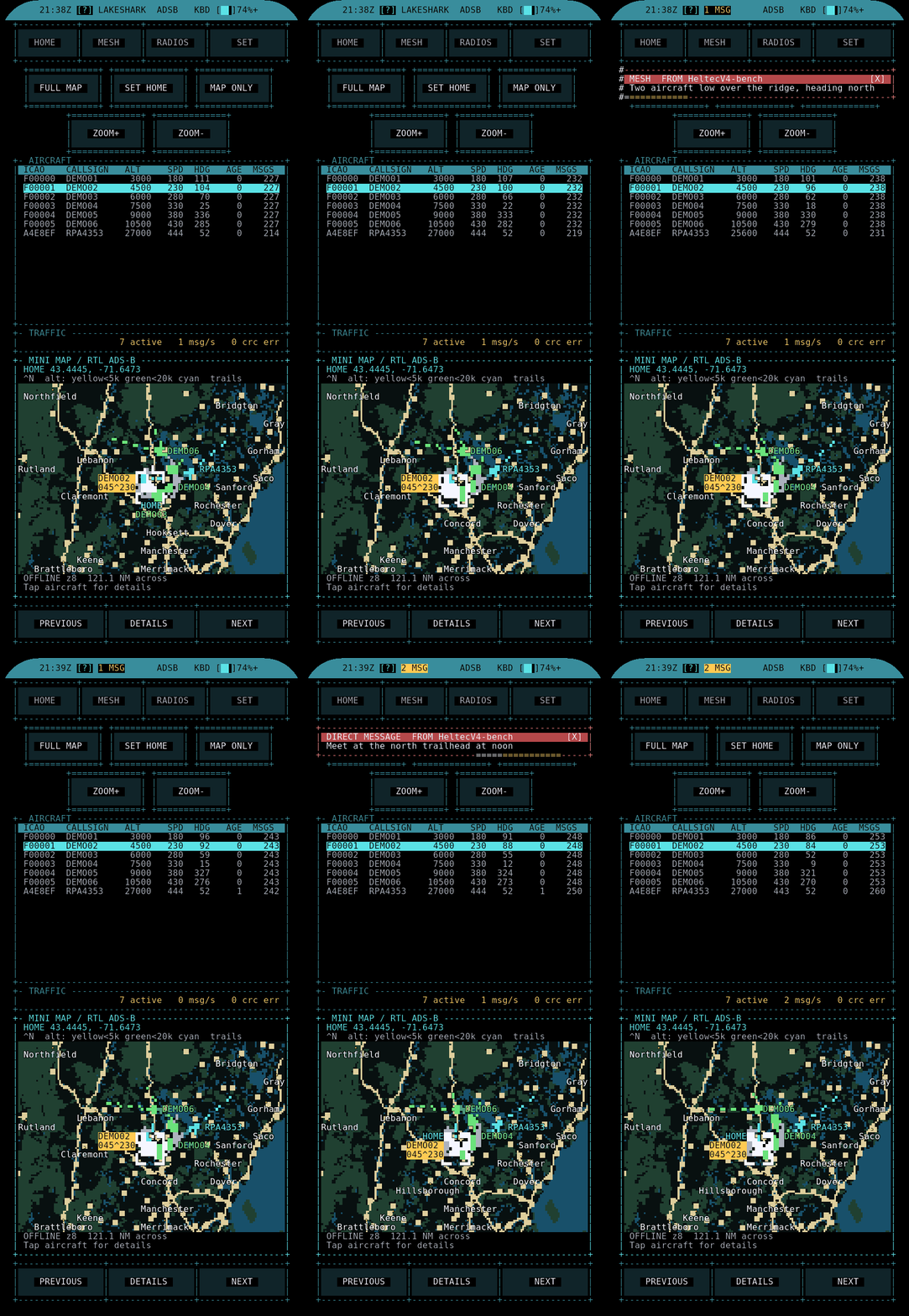
Because the mesh node is also a GPS-equipped mapping device (Vol 6), the two subsystems cross-feed: a node’s advertised position drops a marker on the offline MAP, and markers placed by touch on the MAP can be shared back out over MeshCore. That loop — place a pin, push it to the mesh, have teammates see it on their own offline maps — is the firmware’s headline collaborative-navigation trick, and it works with no internet and no cell service.
That combination is genuinely distinctive in the handheld-radio space: a group of
LakeShark users in an area with no cellular coverage still shares text, positions
and map markers over a self-forming LoRa mesh, each device rendering the shared
picture on its own offline PMTiles basemap. It is the feature that makes LakeShark
a group tool rather than a solo scanner — and it is the main reason the mesh
half of the LoRa radio earns its place alongside the scanner half. The author’s
companion CartoTUI/ZeroMesh work (Vol 6) is what renders those maps offline;
the honesty ledger flags the CartoTUI integration as “not validated against recent
firmware,” so treat the map-rendering edge as the softer part of an otherwise
solid collaborative loop.
Note. Band is a hardware fact, not a setting. US boards are the 915 MHz part (the H753 SKU is 915 US); EU-region modules are 868 MHz. A 915 node and an 868 node will not hear each other, and transmitting on the wrong band for a region is a licensing problem — see §8.
7.4 The MESH app and node telemetry
The MESH app sits in the firmware’s “Mesh and LoRa” menu group alongside LORA LABS. Where LORA LABS is a radio bench, MESH is the human-facing messenger and roster. The telemetry view is the part an engineer will spend time in, because it is effectively a live link-budget readout for every node in earshot.
A heard node’s record carries, at minimum:
Table 2 — A heard node's record carries, at minimum
| Field | What it tells you |
|---|---|
| Node name / ID | Identity as advertised into the mesh |
| Last seen | Age of the most recent packet |
| RSSI | Received signal strength, the raw bearing input (§7) |
| SNR | LoRa signal-to-noise; negative is normal and still decodable |
| Hops / route | Direct vs relayed, and through which repeater |
| Position | If the node advertises GPS, drops a MAP marker |
| Battery / sensors | Whatever the node chooses to publish |
RSSI and SNR are the two numbers that make the compass feature possible: the bearing plot in §7 is nothing more than this per-node RSSI, binned by the heading the ICM20948 reported when each packet arrived. Reading the telemetry view and reading the compass are the same data shown two ways.
MeshCore’s store-and-forward behaviour means a message to an offline node is not necessarily lost — a repeater may hold and relay it — but LakeShark makes no delivery guarantee and surfaces no read receipts beyond what the protocol itself provides. Treat the mesh as best-effort, which is what it is.
A short note on how MeshCore differs from the Meshtastic stack most LoRa handhelds speak, because the two look alike from the outside and the difference decides interoperability:
Table 3 — decides interoperability
| MeshCore (LakeShark) | Meshtastic (for contrast) | |
|---|---|---|
| Routing | Flood + explicit repeater/room-server roles | Managed-flood over named channels |
| Per-node state | Light; roles are explicit | Heavier; channel config distributed |
| Server/room concept | Yes (room servers) | Channels |
| LakeShark interop | Native | None claimed |
The practical upshot: a LakeShark will not join a Meshtastic network, and a Meshtastic node will not appear in its roster. The two are separate ecosystems on the same physical band, and mixing them is not a configuration away — it is a different protocol. For a group standardising on LakeShark, that is a non-issue; for a group with existing Meshtastic gear, it is the decision point.
Tip. The spoken-message feature is more useful in the field than it sounds on paper. With the device in a pocket and an earpiece on the audio out, inbound mesh traffic is announced without the screen ever coming on — the same hands-and-eyes-free posture that makes the spoken ADS-B callouts (Vol 6) and spoken P25 metadata worth having.
7.5 LORA LABS — the raw-radio bench
LORA LABS is the low-level counterpart to MESH: it talks to the LoRa transceiver directly rather than through the MeshCore stack. It is where the radio stops being a messenger and becomes an instrument. The menu exposes:
- Direct radio controls — frequency, spreading factor, bandwidth, coding rate and TX power, set by hand rather than inherited from a mesh profile.
- Packet visualization — raw frames as they arrive, not just decoded text.
- Signal history — RSSI/SNR over time, a rolling record of what the radio has heard.
- Compass — the direction-finding view (§6–7), reached from here as well as from the mapping group, because its input is LoRa RSSI.
This is the right tool for characterising a link before trusting a mesh to it: sweep spreading factor against observed SNR, watch the packet-error behaviour at a given bandwidth, confirm a node is actually on the frequency you think it is. It is also where a LoRa-band interferer would show up as packet-rate collapse with no decodable frames — a useful, if crude, spectrum-occupancy sense on the mesh band itself.
The LoRa parameters the direct controls expose, and what each trades:
Table 4 — The LoRa parameters the direct controls expose, and what each trades
| Parameter | Range (typical) | Up → | Down → |
|---|---|---|---|
| Spreading factor (SF) | SF7–SF12 | More range, more airtime, slower | Faster, shorter range |
| Bandwidth (BW) | 125 / 250 / 500 kHz | Faster, less sensitive | Slower, more sensitive |
| Coding rate (CR) | 4/5–4/8 | More FEC overhead, more robust | Less overhead, faster |
| TX power | up to regional limit | More range + interference + battery | Less of each |
| Frequency | within 868/915 band | — | — |
The non-obvious interaction is SF against airtime: each step up in SF roughly doubles the time a packet occupies the channel. On a shared unlicensed band that is not free — it raises collision probability for the whole local mesh and, in duty-cycle-limited regions, eats the allowance faster. LORA LABS is where an operator can see that trade empirically rather than guessing, by watching observed SNR and packet-error rate as the parameters move.
 LORA LABS
 ├── Direct controls: freq / SF / BW / CR / TX power
 ├── Packet view: raw frames, RSSI/SNR per packet
 ├── Signal history: RSSI & SNR vs time
 └── Compass: RSSI-by-heading bearing plot (§6–7)
Warning. The direct controls can key the transmitter. On the LR2021, raw IQ transmit is flagged experimental in the repo, and the general rule for any onboard TX applies: an antenna must be attached, the band must be legal for your region (§8), and external transmit is re-armed and must be reconfirmed after every reboot. LORA LABS makes it easy to transmit on a whim; the legal envelope does not relax because the UI is one tap away.
7.6 The COMPASS: a tilt-compensated heading, and an honest DF aid
The COMPASS app is the most misunderstood feature in LakeShark, so this volume treats it carefully and leads with the author’s own disclaimer, quoted exactly as it appears in the firmware:
“Not a validated direction-finding system.”
That sentence is on the page in the app. Everything below is written to respect it. The COMPASS is a fox-hunting aid — a tool that helps a human close on a transmitter by walking and watching a number — not a calibrated DF instrument that resolves a bearing to a line on a map. The distinction is the whole point of the feature, and getting it wrong is how people end up trusting a direction the hardware cannot actually promise.
The heading half is real engineering. The T-Display P4 carries a 9-axis ICM20948 (3-axis accelerometer, gyro and magnetometer). LakeShark fuses them into a tilt-compensated heading: the accelerometer establishes the gravity vector, which lets the firmware project the magnetometer reading onto the true horizontal plane, so the heading stays honest even when the handheld is not held flat. It reports true north (not just magnetic), which means a declination correction is being applied. A plain magnetometer compass tips its reading badly the moment you tilt it; tilt-compensation is what makes a handheld compass usable at all.
The COMPASS app’s own feature list:
Table 5 — The COMPASS app's own feature list
| COMPASS feature | What it is |
|---|---|
| Tilt-compensated heading | 9-axis fusion, usable off-level |
| True north | Declination-corrected heading |
| Transmitter finding (FIND) | Walk-and-watch RSSI closing aid |
| Channel scanning | Step through LoRa channels while hunting |
| Dual-radio monitoring | Watch two radios at once |
| Hit logs | Timestamped record of what was heard where |
| RADAR / HEAT views | Two visualizations of the RSSI-by-heading data |
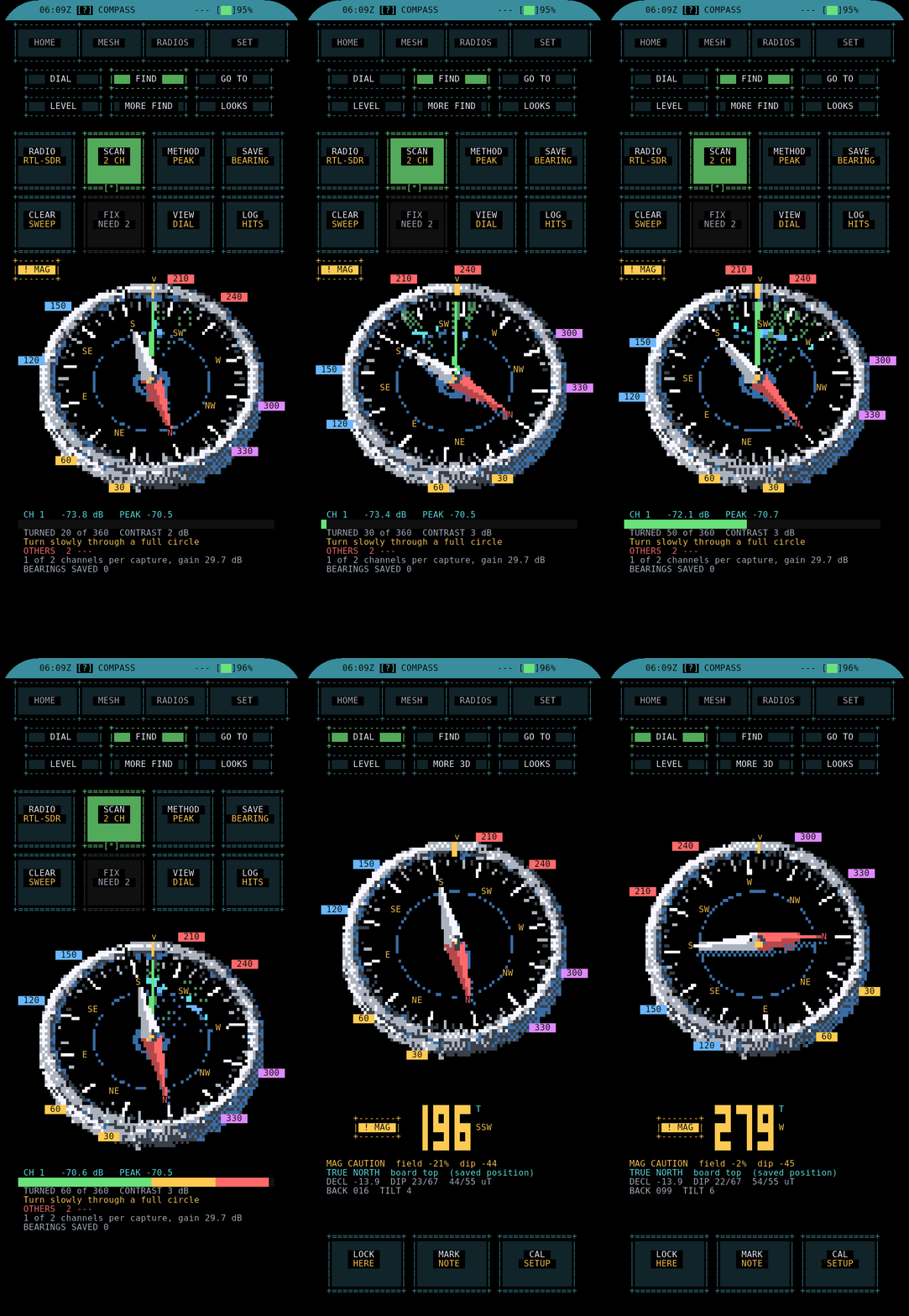
The heading is trustworthy. The bearing to a transmitter is the part the author disclaims, and §7 explains exactly why.
How the tilt compensation actually works, in brief, because it is the part that is real engineering and worth understanding. A bare magnetometer measures the Earth’s field as a 3-vector in the device’s own frame. If the device is held flat, the horizontal components give heading directly. Tip it, and the vertical component of the Earth’s field (substantial at mid-latitudes — the field dips steeply into the ground) bleeds into the horizontal axes and the heading swings wildly. Tilt compensation uses the accelerometer’s measurement of gravity to establish the device’s pitch and roll, rotates the magnetometer vector back into the Earth’s horizontal plane, and then computes heading from the corrected horizontal components:
 raw mag (device frame) ──┐
 ├─► rotate by pitch/roll ──► horizontal mag ──► heading
 accel = gravity vector ──┘ (from accel) (Earth frame)
 │
 + declination ──────┘──► TRUE north
The declination correction (magnetic-to-true) is what lets the app report true north rather than magnetic north — a fixed offset for a given location, applied after the heading is computed. The 9-axis part (the gyro, the third sensor) stabilises the fused heading against the jitter a raw accel+mag solution shows when the device is moving. None of this is novel — it is textbook AHRS (Attitude and Heading Reference System) fusion — but it is done properly, and it is why the heading half of the COMPASS can be trusted while the bearing half cannot.
7.7 RSSI-by-heading bearing plots and the fox-hunt workflow
Here is the mechanism in full, because understanding it is what tells you when to trust it and when not to.
LakeShark does not have a phased array, a rotating directional antenna, a Doppler DF ring, or any means of measuring the angle of arrival of a radio wave. What it has is one omnidirectional antenna, one RSSI reading per received packet, and a compass that knows which way the device was pointing when each packet arrived. The “bearing plot” simply groups RSSI by compass heading:
 RSSI binned by heading (schematic — an omni antenna has no true null)

 N
 │ · weak
 · ● · ● strongest observed bin
 · │ ·
 W ────┼──── E bars = mean RSSI while the device
 · │ · faced that heading bin
 · │ ·
 · stronger
 S
Rotate in place and the bars fill in. If one heading consistently shows a higher RSSI, the transmitter is probably roughly that way — but only because the operator’s own body, the handheld, and multipath happen to attenuate the signal differently in different directions. That is a real effect fox-hunters exploit (the “body-fade” or “null-your-body” technique), and it genuinely helps. It is not a measurement of arrival angle, and the plot’s apparent “null” is an artifact of the operator’s shadow, not an antenna pattern.
Why it cannot be trusted as a true bearing:
- An omni antenna has no directional null to steer. The directionality is entirely environmental — your body, reflections, nearby metal.
- Multipath lies. In any built environment the strongest heading can point at a reflecting wall, not the source. Bearings swing as you move.
- RSSI is coarse and slow. It is a scalar per packet, not a continuous field; sparse mesh traffic gives a sparse, noisy plot.
The fox-hunt workflow the feature actually supports:
- Start the RSSI-by-heading view (RADAR or HEAT) and let it populate while turning slowly in place.
- Note the heading that trends strongest and walk that way a short distance.
- Re-plot. The strong heading should sharpen and the absolute RSSI rise as you close.
- Repeat — iterate toward rising signal, not toward a computed bearing line. The hit log timestamps each reading so the track can be reviewed later against the GPX trail on the MAP.
The two visualizations the app offers for the same data:
Table 6 — The two visualizations the app offers for the same data
| View | What it shows | When it helps |
|---|---|---|
| RADAR | RSSI bars arranged around the compass rose by heading | Seeing which heading trends strong at a glance |
| HEAT | A heading/time heat-map of RSSI | Watching a bearing firm up (or wander) over a hunt |
| Hit log | Timestamped RSSI+heading samples | Reviewing the hunt against the GPX trail afterward |
RADAR is the live “where is it roughly” view; HEAT is the “is this bearing stabilising as I move, or is it multipath noise” view. The hit log is the after-action record — because every sample is timestamped and the device has GPS, a hunt can be replayed on the MAP against the track actually walked, which is the single best way to learn whether a given environment was DF-friendly or a multipath trap.
Note. Channel scanning plus dual-radio monitoring let the COMPASS hunt a target while keeping an ear on the mesh. On an LR2021 board the hunted signal can be demodulated on the same radio (§2); on an SX1262 board the bearing plot only works on signals the LoRa transceiver itself can receive.
A realistic expectation-set for the fox-hunt, since it is easy to over- or under-sell: in open terrain, with a cooperative (frequently transmitting) target and body-fade technique, the RSSI trend genuinely points you the right way and tightens as you close — this is the technique’s home ground. In dense urban clutter or indoors, the “strong” heading can point confidently at a reflector and stay wrong for a block. The tool does not know which situation it is in, and it will present a crisp-looking RADAR plot in both. The operator supplies the judgement; the firmware supplies a number and the author’s disclaimer.
7.8 Antennas, range and the legal envelope for mesh TX
Mesh and LoRa are transmit features, and LakeShark’s RX-focused posture (Vol 1, Vol 10) does not extend to them — when you send a MeshCore message or key the radio from LORA LABS, you are an active transmitter and the licensing rules apply.
Band is set by the hardware. US boards carry the 915 MHz module; EU-region modules are 868 MHz. In the US the 902–928 MHz ISM band hosts LoRa under the unlicensed Part 15 rules; in the EU the 863–870 MHz band carries duty-cycle and power limits. Transmitting a 915 MHz board in an 868-only jurisdiction, or vice versa, is a licensing violation regardless of what the firmware allows.
Antenna discipline is a firmware-enforced ritual. Selecting an external antenna path (RADIOS > ANTENNA, MMCX1) requires an antenna to be attached first, and external transmit must be reconfirmed after every reboot — the firmware deliberately does not persist an armed-TX state across power cycles. Keying a LoRa PA into an open connector risks the output stage.
Table 7 — 8. Antennas, range and the legal envelope for mesh TX
| Factor | Effect on mesh range |
|---|---|
| Spreading factor (SF) | Higher SF → longer range, slower, more airtime |
| Bandwidth | Narrower → more sensitive, slower |
| TX power | Higher → range + more interference + more battery |
| Antenna / height | The single biggest real-world lever |
| Terrain / repeaters | MeshCore relays extend beyond line-of-sight |
The honest summary: ground-level handheld-to-handheld LoRa is typically a few
hundred metres to a couple of kilometres in clutter, and tens of kilometres only
with height and line of sight. MeshCore’s repeater model is how the network
reaches past any single node’s horizon. The legal-envelope note that governs all
RF activity in this hub applies here in full — see ../_shared/legal_ethics.md.
A back-of-envelope link budget, because “range” is meaningless without one. LoRa’s reach comes from processing gain: a high spreading factor trades data rate for a lower required signal-to-noise, pushing the usable sensitivity floor down toward −130 dBm and below. A rough budget for a modest handheld pair:
 TX power +14 dBm (typical unlicensed handheld)
 TX antenna gain + 2 dBi
 RX antenna gain + 2 dBi
 RX sensitivity (SF) −130 dBm (high SF, narrow BW)
 ─────────────────────────────
 Link budget 148 dB available path loss
148 dB of path loss is enormous on paper — free-space that is tens of kilometres at 915 MHz. The gap between that and the few-hundred-metres reality is entirely clutter and height: foliage, walls, and the fact that two handhelds at waist height are each in the other’s ground-reflection null. Raising one node a few metres, or dropping a repeater on a rooftop, buys more range than any amount of SF tuning. The lever order in the table above is correct — antenna and height dominate; TX power and SF are second-order and cost battery and airtime respectively.
Tip. High spreading factor is tempting because it “adds range,” but it multiplies airtime per packet, which on a shared unlicensed band means more collisions and, in some regions, a duty-cycle limit reached faster. For a dense local mesh, a lower SF with a repeater often beats a high SF point-to-point.
7.9 What is proven, what is a bench toy
Keeping the author’s honesty ledger visible is a stated strength of this dive, so the mesh/LoRa/DF features are sorted the same way the rest of the firmware is: what has been shown to work, and what is explicitly flagged as unverified.
Table 8 — 9. What is proven, what is a bench toy
| Feature | Status (per repo, v2.15.0) |
|---|---|
| MeshCore messaging / discovery / telemetry | Working; core advertised feature |
| Spoken inbound messages | Working (shared audio path) |
| LoRa direct controls / packet view / history | Working bench instrument |
| Tilt-compensated true-north heading | Working — real 9-axis fusion |
| COMPASS RSSI-by-heading bearing | Explicitly “not a validated DF system” — fox-hunt aid only |
| LR2021 I/Q transmit | Experimental (repo flag) |
| SX1262 band coverage | MeshCore + LoRa + POCSAG only; no SDR RX |
| LR2021 narrow-band RX (P25 P1 / FM / ADS-B / pagers) | Works via the shared DSP path (Vol 4 §6) |
A few practical levers that genuinely improve the fox-hunt, none of which make it a validated DF system but all of which make the RSSI-by-heading aid more useful:
- Attenuate on purpose as you close. Near a strong transmitter the RSSI saturates and every heading looks equally strong. Reducing antenna gain (or using your body to block the signal deliberately) restores a usable gradient.
- Move, re-plot, compare. A single standing plot is the least trustworthy reading; a bearing that holds across two or three positions a block apart is worth more than one crisp-looking RADAR sweep.
- Trust rising absolute RSSI over the plotted bearing. The reliable signal that you are getting closer is the overall level climbing, not the direction the needle points.
- Review the hit log on the MAP afterward. Correlating the timestamped samples against the GPX trail is how an operator learns which environments the technique works in.
The takeaway for a decision: the mesh is a genuine, usable MeshCore implementation, and the compass heading is properly engineered. The direction-finding is a walk-toward-stronger-signal aid with the author’s own disclaimer attached — valuable in the field, worthless as a surveyed bearing. Treating it as the former and never the latter is the correct posture, and it is the posture the firmware itself asks for.
One closing framing, because it is the thread through the whole volume: the onboard LoRa radio is the one RF path LakeShark always has, and it wears three hats — messenger (MESH), instrument (LORA LABS), and hunting aid (COMPASS). The first two are solid and the third is deliberately, explicitly bounded. An operator who keeps those three roles distinct, and remembers that only the heading (not the bearing) in the third is trustworthy, is using the feature exactly as its author intended.
Vol 8 picks up the other half of the “RF tools” menu — sub-GHz capture and replay, the MIX-RF add-on radios, NFC, and the two surveillance-adjacent apps (DETECTOR and CELL WATCH) — where the honesty-ledger discipline matters even more.
Comments (0)