M5Stick S3 · Volume 5
M5Stack M5StickS3 Volume 5 — Audio Subsystem Deep Dive (the standout feature)
ES8311 codec + MEMS mic + AW8737 amp + 8 Ω 1 W speaker — voice recording, FFT, wake-word, walkie-talkie, internet radio
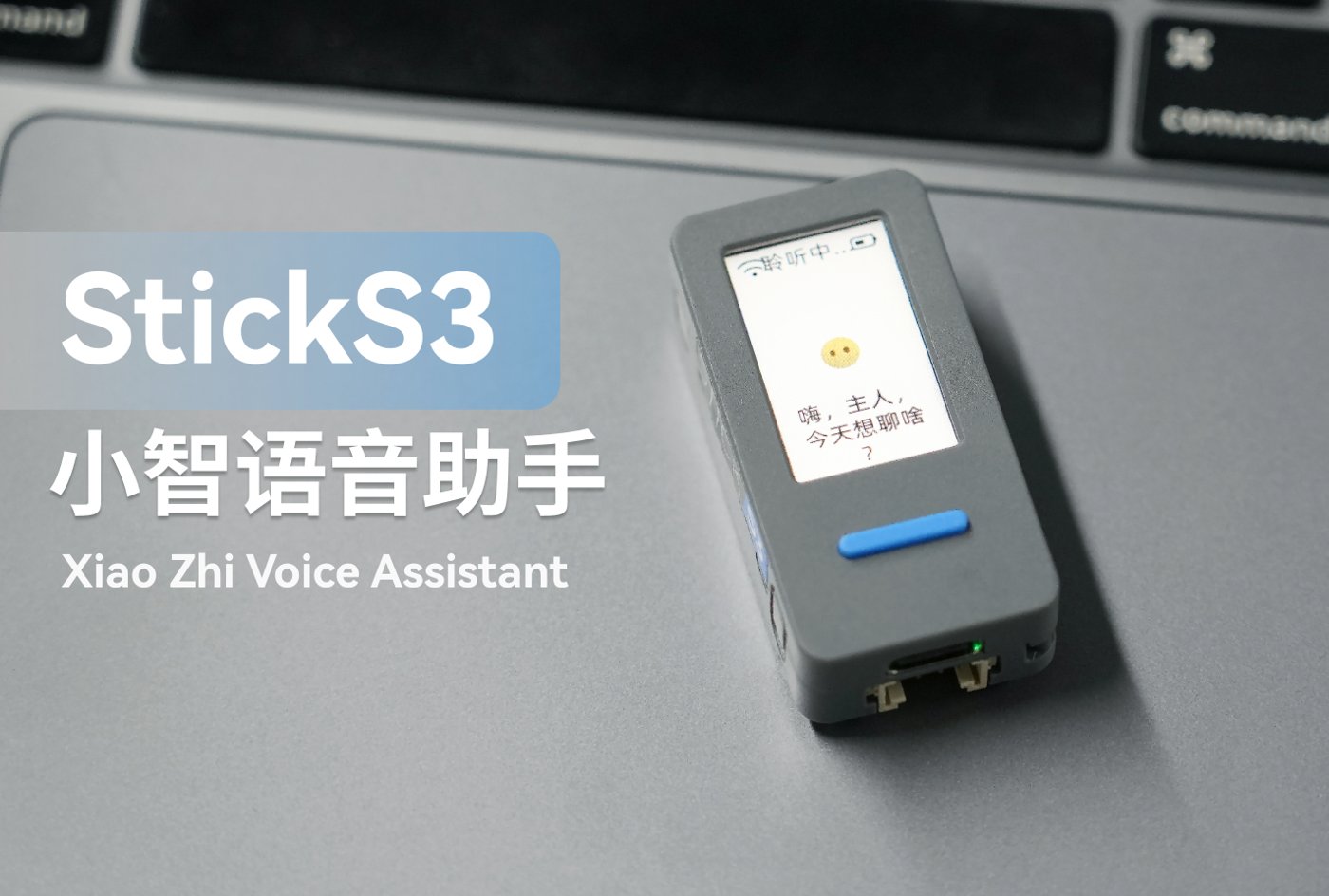
5.1 About this volume — why audio matters
Vol 5 is the audio subsystem deep dive — the unique-value-proposition volume for the M5StickS3. The audio chain is the single feature that differentiates the M5StickS3 from every other stick in M5Stack’s lineup and from most pentest handhelds generally:
- M5StickC Plus 2 (classic ESP32): passive buzzer only — can produce tones, not voice
- Cardputer ADV (ESP32-S3): has the same ES8311 + speaker chain — but the larger form factor sacrifices the wearable/covert use case
- AWOK Dual Touch V3: no audio subsystem
- Game Over: no audio subsystem
- Flipper Zero: passive buzzer (PWM tones) — no microphone, no speaker for voice
The M5StickS3 is the only wearable-form-factor device in the lineup with voice-quality recording and playback. That operational niche is the subject here.
What the audio chain enables (with sections in this volume):
- Voice recording (§ 4) — MEMS mic → ES8311 codec → 8 MB flash or PSRAM. Audible-quality voice memos.
- Real-time audio FFT (§ 5) — visualization of frequency content.
- Wake-word detection (§ 6) — voice-activated features via esp-skainet’s Multinet5 / WakeNet.
- ESP-NOW walkie-talkie (§ 7) — push-to-talk between two M5StickS3s.
- Internet radio receiver (§ 8) — Shoutcast / Icecast / direct MP3 URLs.
- Audio FX / DAW prototyping (§ 9) — limited but possible.
- Covert audio recording (§ 10) — operationally hazardous; legal caveats apply.
Power profile under sustained audio (§ 11) is the load-bearing operational constraint — the 250 mAh battery + 1 W speaker is a tight envelope.
5.2 The audio chain (block diagram + components)
           ┌──────────────┐
           │  MEMS mic    │ 65 dB SNR omnidirectional
           │  (bottom-firing typical)
           └──────┬───────┘
                  │ analog
                  ↓
           ┌──────────────┐         ┌────────────────────┐
           │   ES8311     │ ←───── │   ESP32-S3 LX7      │
           │   24-bit I²S │  I²C   │   I²S peripheral    │
           │   codec      │ (0x18) │   FreeRTOS audio    │
           │              │ ─────→ │   task              │
           └──────┬───────┘  I²S   └────────────────────┘
                  │ analog out
                  ↓
           ┌──────────────┐
           │   AW8737     │ Class-D amp, 1 W into 8 Ω
           │   PD pin     │ (firmware can mute via PD)
           └──────┬───────┘
                  │ amplified
                  ↓
           ┌──────────────┐
           │   8 Ω 1 W    │ Small mylar cone driver
           │   speaker    │ Audible in quiet rooms
└──────────────┘Components:
Table 1 — Components
| Component | Part | Function | Notes |
|---|---|---|---|
| MEMS microphone | Generic 65 dB SNR | Voice capture, ambient audio recording | Specific part not vendor-documented; likely Knowles / InvenSense class |
| ES8311 codec | Everest Semiconductor ES8311 | I²S 24-bit codec + I²C config (0x18). Sample rates 8 kHz - 96 kHz | Same chip as Cardputer ADV; M5Unified handles both transparently |
| Audio amplifier | Awinic AW8737 | Class-D, 1 W into 8 Ω, lower noise floor than budget class-D | Has PD (power-down) pin for firmware-controlled mute |
| Speaker | 8 Ω 1 W mylar cone | Audible in quiet rooms (~60 dB SPL @ 30 cm), not loud enough for noisy environments | Small driver; bass response limited |
| (Future) 3.5 mm jack via Hat2 | TBD | Headphone output | Not on M5StickS3 base unit |
Optional: a future Hat2 audio-jack accessory would route ES8311 output to a 3.5 mm TRRS jack. Not currently available. If discreet audio is needed, plug a small Bluetooth speaker into the M5StickS3’s BLE (uses different audio path: M5StickS3 streams via BLE audio profile to external speaker — less covert but lower visible footprint).
5.3 ES8311 codec — control + sample-rate matrix
The ES8311 is configured via I²C (address 0x18) and streams audio via I²S.
Sample rate / bit depth matrix:
Table 2 — Sample rate / bit depth matrix
| Sample rate (kHz) | Bit depth | Bytes / sec mono | Typical use case | M5Unified default? |
|---|---|---|---|---|
| 8 | 16-bit | 16 KB/s | Telephony-quality voice; ESP-NOW walkie-talkie μ-law | Sometimes |
| 16 | 16-bit | 32 KB/s | Voice memos (good intelligibility, compact) | Yes — default for M5.Mic |
| 22.05 | 16-bit | 44 KB/s | ”Voice quality” plus some music headroom | Optional |
| 44.1 | 16-bit | 88 KB/s | CD-quality stereo (1 channel each) | Optional |
| 48 | 16-bit | 96 KB/s | DVD-quality stereo | Optional |
| 48 | 24-bit | 144 KB/s | Studio-quality | Power-heavy |
| 96 | 24-bit | 288 KB/s | High-resolution studio | Max ceiling; rarely used |
Choosing the rate:
- Voice memo recording → 16 kHz / 16-bit mono. Intelligible voice, ~32 KB/sec storage. 8 MB flash → ~4 minutes; 8 MB PSRAM → another ~4 minutes; 8 MB total → ~8 minutes recording.
- ESP-NOW walkie-talkie → 8 kHz / 16-bit μ-law mono. Compresses well over Wi-Fi raw frames.
- Audio FFT → 16 kHz / 16-bit mono. Adequate for 16-band visualization.
- Internet radio receiver → match the source stream rate (typically 44.1 or 48 kHz). Audio decoded by libhelix-mp3 or similar.
M5Unified API:
#include <M5Unified.h>

void setup() {
    auto cfg = M5.config();
    M5.begin(cfg);

    // Mic: 16 kHz default
    M5.Mic.begin();

    // Speaker: M5Unified handles ES8311 + AW8737 init
    M5.Speaker.begin();
}

void loop() {
    M5.update();

    // Record buffer
    int16_t buf[256];
    M5.Mic.record(buf, 256);    // Fills buffer with 16-bit mono samples

    // Or play tone
    M5.Speaker.tone(440, 100);  // 440 Hz for 100 ms

    // Play raw audio buffer
    M5.Speaker.playRaw(buf, 256);
}
Lower-level API via ESP-IDF esp_codec_dev:
For applications that need finer control (e.g., simultaneously stream mic input + speaker output for a walkie-talkie pattern), use esp_codec_dev directly:
#include "esp_codec_dev.h"

audio_codec_data_if_t *data_if;
audio_codec_ctrl_if_t *ctrl_if;
esp_codec_dev_handle_t codec_dev;

// Init codec
data_if = audio_codec_new_i2s_data(...);
ctrl_if = audio_codec_new_i2c_ctrl(...);
codec_dev = esp_codec_dev_new(...);

esp_codec_dev_set_in_gain(codec_dev, 30.0);  // 30 dB mic gain
esp_codec_dev_set_out_vol(codec_dev, 70);    // 70% volume

// Open for input + output
esp_codec_dev_open(codec_dev, &fs_in);
esp_codec_dev_read(codec_dev, mic_buf, sizeof(mic_buf));
esp_codec_dev_write(codec_dev, speaker_buf, sizeof(speaker_buf));
This is more verbose but enables full-duplex audio for walkie-talkie patterns.
5.4 Voice recording workflow
End-to-end recipe for recording voice to flash:
5.4.1 Step-by-step
- Initialize codec at desired sample rate (16 kHz mono is standard).
- Allocate audio buffer in PSRAM (8 MB available — plenty).
- Start I²S input task — ES8311 streams samples into circular buffer.
- Main loop drains buffer — writes to flash, SD-via-Hat2, or RAM.
- Stop button → flush buffer, close file, return to menu.
5.4.2 Code skeleton
#include <M5Unified.h>
#include <SPIFFS.h>

const int SAMPLE_RATE = 16000;
const int BUFFER_SIZE = 256;
const size_t MAX_RECORDING_BYTES = 8 * 1024 * 1024;  // 8 MB max in PSRAM

int16_t *audio_buffer = nullptr;
size_t buffer_offset = 0;
bool recording = false;
File output_file;

void setup() {
    auto cfg = M5.config();
    M5.begin(cfg);
    SPIFFS.begin();

    // Allocate large recording buffer in PSRAM
    audio_buffer = (int16_t *)ps_malloc(MAX_RECORDING_BYTES);
    if (!audio_buffer) {
        M5.Display.println("PSRAM alloc failed!");
        while (1) delay(100);
    }

    M5.Mic.begin();
    M5.Display.println("Press A to record");
}

void loop() {
    M5.update();

    if (M5.BtnA.wasPressed() && !recording) {
        // Start recording
        recording = true;
        buffer_offset = 0;
        output_file = SPIFFS.open("/voice_memo.wav", "w");
        write_wav_header(output_file, SAMPLE_RATE);  // (helper function — RIFF header)
        M5.Display.println("Recording...");
    }

    if (recording) {
        int16_t buf[BUFFER_SIZE];
        M5.Mic.record(buf, BUFFER_SIZE);

        size_t bytes_to_copy = BUFFER_SIZE * sizeof(int16_t);
        if (buffer_offset + bytes_to_copy < MAX_RECORDING_BYTES) {
            memcpy(audio_buffer + (buffer_offset / 2), buf, bytes_to_copy);
            buffer_offset += bytes_to_copy;
        }
    }

    if (M5.BtnA.wasReleased() && recording) {
        // Stop recording
        recording = false;
        output_file.write((uint8_t *)audio_buffer, buffer_offset);
        finalize_wav_header(output_file, buffer_offset);
        output_file.close();
        M5.Display.printf("Saved %d bytes", (int)buffer_offset);
    }

    delay(10);
}
Storage paths:
- SPIFFS / LittleFS (on-chip flash): ~5 MB usable after partitions. Limit ~3 minutes at 16 kHz mono 16-bit.
- PSRAM (in-RAM buffer): ~7 MB usable. Limit ~3.5 minutes. Lost on reboot — for short captures only.
- Hat2 microSD (if accessory present): essentially unlimited (limited by card capacity). Best for sustained recording.
File format: WAV (RIFF) is the standard. Helper function write_wav_header() writes a 44-byte RIFF header at the start of the file; finalize_wav_header() patches the byte-count field at end-of-recording.
5.5 Real-time audio FFT visualization
The LX7 dual-core handles 16-band FFT at 16 kHz comfortably (<10% CPU). Pattern:
#include <arduinoFFT.h>

const int SAMPLES = 256;
const int SAMPLING_FREQUENCY = 16000;

double vReal[SAMPLES];
double vImag[SAMPLES];
arduinoFFT FFT = arduinoFFT(vReal, vImag, SAMPLES, SAMPLING_FREQUENCY);

void loop() {
    M5.update();

    // Read SAMPLES samples
    int16_t buf[SAMPLES];
    M5.Mic.record(buf, SAMPLES);

    // Copy to FFT buffers
    for (int i = 0; i < SAMPLES; i++) {
        vReal[i] = (double)buf[i];
        vImag[i] = 0.0;
    }

    // Run FFT
    FFT.Windowing(FFT_WIN_TYP_HAMMING, FFT_FORWARD);
    FFT.Compute(FFT_FORWARD);
    FFT.ComplexToMagnitude();

    // Render 16-band bar graph
    M5.Display.fillScreen(BLACK);
    int bin_width = SAMPLES / 32;  // Use first half of FFT bins (Nyquist)
    int bar_width = 135 / 16;
    for (int i = 0; i < 16; i++) {
        double magnitude = 0;
        for (int j = 0; j < bin_width; j++) {
            magnitude += vReal[i * bin_width + j];
        }
        magnitude /= bin_width;
        int bar_height = (int)(magnitude * 0.05);
        if (bar_height > 240) bar_height = 240;
        M5.Display.fillRect(i * bar_width, 240 - bar_height,
                            bar_width - 1, bar_height, RED);
    }

    delay(50);  // ~20 fps update
}
The m5Cardputer_audiospectrum community port works on M5StickS3 with portrait-orientation re-flow. 16-band bar graph fills the screen cleanly.
Use cases:
- Audio spectrum visualization (party trick)
- Frequency analysis for tone detection
- Educational tool for understanding audio frequency content
5.6 Wake-word detection with esp-skainet
Espressif’s esp-skainet library provides on-device wake-word detection and speech-command recognition:
- Multinet5 model: ~800 KB. Recognizes ~40 English commands + custom wake words.
- WakeNet8 / 9 models: smaller, wake-word only.
The M5StickS3’s 8 MB PSRAM is plenty for these models — they load into PSRAM at boot, leaving flash free for application code.
Workflow:
   MEMS mic ─→ ES8311 ─→ I²S ─→ esp-skainet wake-word detector
                                      │
                          Detects "Hey Jarvis" or similar
                                      ↓
                          Trigger application action
                          (e.g., "scan Wi-Fi")
LX7 dual-core hits the wake-word detector at <5% CPU. The wake-word detection can run continuously without materially impacting other tasks or battery life.
Integration:
#include "esp_skainet.h"

esp_skainet_handle_t skainet;

void setup() {
    M5.begin(M5.config());
    M5.Mic.begin();

    esp_skainet_config_t cfg = ESP_SKAINET_DEFAULT_CONFIG();
    cfg.wake_word = "hi jarvis";    // Use built-in wake words list
    skainet = esp_skainet_create(&cfg);
}

void loop() {
    M5.update();

    int16_t audio_chunk[ESP_SKAINET_AUDIO_CHUNK_SIZE];
    M5.Mic.record(audio_chunk, ESP_SKAINET_AUDIO_CHUNK_SIZE);

    int command_id = esp_skainet_detect(skainet, audio_chunk);
    if (command_id == ESP_SKAINET_WAKE_WORD_DETECTED) {
        M5.Display.println("Hey Jarvis detected!");
        // Trigger app action
    } else if (command_id >= 0) {
        M5.Display.printf("Command: %d\n", command_id);
        // Execute the recognized command
    }
    delay(10);
}
Available wake-words (Multinet5 default vocabulary): “Hi Lexin”, “Hi ESP”, “Alexa”, “Hi Jarvis”, “Hey Siri”, etc. Custom wake-word training is possible via Espressif’s ESP-Skainet training pipeline (offline process, requires audio dataset).
Common command vocabulary: ~40 English words covering basic device control — “turn on”, “turn off”, “stop”, “play”, “volume up”, “volume down”, “next”, “previous”, etc. Useful for hands-free menu navigation.
Use cases for M5StickS3:
- “Hey Jarvis, scan Wi-Fi” → triggers Marauder / Bruce / Evil-M5 scan
- “Hey Jarvis, record” → starts voice memo recorder
- “Hey Jarvis, time” → display speaks current time via TTS (M5StickS3 has on-board TTS via
M5.Speaker.tone(...)sequences or external TTS library) - Voice navigation of NEMO/Bruce menus when buttons are inconvenient (e.g., during a presentation)
5.7 ESP-NOW walkie-talkie protocol
ESP-NOW is Espressif’s broadcast-style Wi-Fi raw-frames protocol — no AP, no router, no protocol stack overhead beyond raw 802.11 frames. Two M5StickS3s on the same channel + same broadcast MAC = a real walkie-talkie.
5.7.1 Protocol overview
Frame format:
ESP-NOW frame:
  Channel: User-set (1-13)
  Source MAC: Sender's MAC (or broadcast)
  Dest MAC: Broadcast FF:FF:FF:FF:FF:FF
  Payload: Up to 250 bytes per frame
    - Sequence number (1 byte)
    - Audio data (μ-law encoded, ~249 bytes per frame)
Audio encoding:
- Sample rate: 8 kHz mono (telephony quality)
- Bit depth: 16-bit → compressed to 8-bit μ-law (~2:1 compression)
- 8 kbps → ~1 KB/sec audio data → ~250-byte ESP-NOW frame every 250 ms
Push-to-talk workflow:
- Button A pressed: M5StickS3 enters TX mode
- MEMS mic → ES8311 captures audio at 8 kHz
- μ-law encodes each sample
- Buffers 250-byte chunks
- Each chunk transmitted as one ESP-NOW frame (~250 ms latency end-to-end)
- Button A released: M5StickS3 enters RX mode
- Listens for ESP-NOW frames
- μ-law decodes incoming audio
- Plays to speaker via ES8311 + AW8737
Pair / multi-cast: ESP-NOW frames are broadcast — every M5StickS3 on the same channel receives them. Up to ~10 devices in audible range can hear the transmission.
5.7.2 Range
Table 3 — Range
| Environment | Range (typical) |
|---|---|
| Indoor, walls between devices | ~30-50 m |
| Indoor, line-of-sight | ~100 m |
| Outdoor, line-of-sight (open field) | ~150-200 m |
| Outdoor, with obstacles | ~50-100 m |
(Standard Wi-Fi range at 2.4 GHz, +20 dBm TX power.)
5.7.3 Audio quality
8 kHz / 16-bit μ-law mono sounds like a 1990s walkie-talkie — voice intelligible, no hi-fi, slight compression artifacts on plosives. Not for music; perfectly fine for tactical comms.
5.7.4 Implementation
esp-now-talkie is the community firmware. Cross-compatible with Cardputer ADV (same codec) — M5StickS3 ↔ Cardputer ADV walkie-talkie pairs work.
#include <esp_now.h>
#include <WiFi.h>

void onDataRecv(const uint8_t *mac, const uint8_t *data, int len) {
    // Decode μ-law, play via M5.Speaker
    int16_t pcm[len];
    for (int i = 0; i < len; i++) {
        pcm[i] = mulaw_decode(data[i]);
    }
    M5.Speaker.playRaw(pcm, len);
}

void setup() {
    M5.begin(M5.config());
    WiFi.mode(WIFI_STA);
    esp_now_init();
    esp_now_register_recv_cb(onDataRecv);
}

void loop() {
    if (M5.BtnA.isHeld()) {
        // Push-to-talk: record + broadcast
        int16_t pcm[250];
        M5.Mic.record(pcm, 250);

        uint8_t mulaw_data[250];
        for (int i = 0; i < 250; i++) {
            mulaw_data[i] = mulaw_encode(pcm[i]);
        }

        uint8_t broadcast_mac[6] = {0xFF, 0xFF, 0xFF, 0xFF, 0xFF, 0xFF};
        esp_now_send(broadcast_mac, mulaw_data, 250);
    }
    M5.update();
    delay(30);   // ~33 chunks/sec = ~8 kbps audio
}
5.7.5 Operational use
- Tactical comms: small group on same channel, simple push-to-talk
- Conference / event coordination: M5StickS3s on lanyards
- Multi-device demo synchronization: trigger demos across multiple M5StickS3s
Privacy: traffic is unencrypted by default. For sensitive comms, add software-layer AES (pre-shared key).
5.8 Internet radio receiver
Workflow:
- Wi-Fi station connect to home network.
- Open HTTP/HTTPS stream from Shoutcast / Icecast / direct MP3 URL.
- Stream → libhelix-mp3 decoder → ES8311 → speaker.
- Display station name + track metadata (Shoutcast metadata embedded in stream).
Bandwidth: 128 kbps MP3 stream is typical. M5StickS3’s 2.4 GHz Wi-Fi handles this easily.
Audio quality: at the 8 Ω 1 W speaker, acceptable for casual listening in quiet rooms. Better via Bluetooth speaker (M5StickS3 streams via BLE Audio profile to external speaker).
Community firmware: RHesus-RAdio (DrRhesus) is the canonical implementation. Originally for Cardputer ADV; M5StickS3 port likely requires minor UI re-flow.
Architecture:
[Wi-Fi station]
       │
       ↓ HTTPS GET on stream URL
[ESP32-S3 HTTP client]
       │
       ↓ MP3 frame buffer (in PSRAM — 64 KB typical)
[libhelix-mp3 decoder]
       │
       ↓ Decoded PCM samples (44.1 kHz 16-bit stereo)
[Audio mixer (downmix to mono if needed)]
       │
       ↓ I²S
[ES8311 codec]
       │
       ↓ Analog
[AW8737 amp]
       │
       ↓
[Speaker (or 3.5 mm jack if Hat2 accessory present)]
Stream sources:
- Public Shoutcast / Icecast directories: shoutcast.com, internet-radio.com, radio-browser.info
- Specific public streams: NPR, BBC, college radio, themed playlists
- Self-hosted: any HTTP-served MP3/AAC file or Icecast server
The M5StickS3 becomes a tiny “kitchen radio” / “shower radio” / “office music” device — battery-powered (250 mAh → ~1-2 hours playback) or USB-tethered for unlimited duration.
5.9 Audio FX / DAW prototyping
The LX7 dual-core handles modest real-time audio processing. Possible (but limited):
Table 4 — The LX7 dual-core handles modest real-time audio processing. Possible (but limited)
| Effect | Feasibility | Notes |
|---|---|---|
| Low-pass / high-pass filter | ✓ trivial | Simple IIR filter on incoming samples |
| Echo / delay | ✓ easy | Circular buffer + mix |
| Reverb (basic) | ✓ moderate | Multi-tap delay with feedback |
| Pitch shift | ⚠ heavy | CPU-bound; expect 50-70% CPU at 16 kHz |
| Vocoder | ⚠ very heavy | Multi-band filter bank; pushes CPU limits |
| Real-time mixing 4+ tracks | ⚠ borderline | PSRAM helps with buffers |
| Hardware-class synth | ✗ no | LX7 lacks DSP-specific instructions; dedicated DSP chips outperform |
| Studio-class DAW | ✗ no | Cardputer ADV with QWERTY is better for any text-driven workflow |
For real audio prototyping: use a Cardputer ADV (same codec + better UI), or a dedicated platform (Teensy 4.x + Audio Library, Bela board, modular synth modules).
The M5StickS3’s audio chain is good for proof-of-concept and niche audio recording — not for serious music production.
5.10 The “covert audio recorder” use case (with legal caveat)
The M5StickS3’s wearable form factor + magnetic back + 20 g weight + voice-quality recording + 1 W audio playback = the physical and capability profile of a covert audio recorder.
The operator must understand the legal landscape before deploying this capability.
5.10.1 US federal law
Federal Wiretap Act (Title III, 18 USC §§ 2510-2522): prohibits interception of “oral communications” — defined as private communications spoken with reasonable expectation of privacy.
Federal interpretation: “one-party consent” — if one party to the conversation (the operator) consents to recording, recording is legal under federal law. Most federal investigations proceed under this.
Federal exceptions: recording where no party consents is always illegal under federal law, regardless of state law.
5.10.2 US state law (more restrictive than federal)
Two-party / all-party consent states: 11 US states (as of 2026-05-13) require all parties to consent before recording. Operating without all-party consent in these states is a criminal offense, typically a felony:
- California — CA Penal Code §§ 631, 632
- Florida — FL Stat. § 934.03
- Illinois — 720 ILCS 5/14-2
- Maryland — MD Cts. Jud. Proc. § 10-402
- Massachusetts — Mass. Gen. Laws ch. 272 § 99
- Montana — Mont. Code Ann. § 45-8-213
- Nevada — NRS 200.620
- New Hampshire — NH Rev. Stat. § 570-A:2
- Pennsylvania — 18 Pa. Cons. Stat. § 5704
- Vermont — Vermont Supreme Court rulings
- Washington — RCW 9.73.030
The other 39 US states use one-party consent. Operating in these is legal as long as the operator is a party to the conversation.
5.10.3 EU + UK
GDPR (Regulation 2016/679): voice is personal data. Recording voice without lawful basis (consent / legitimate interest / legal obligation) is a regulatory violation. Penalties up to 4% of global revenue for organizations; criminal exposure under national laws for individuals.
UK Investigatory Powers Act 2016: regulates electronic interception. Strict; criminal penalties for unauthorized interception.
National variations: each EU member state has slightly different rules. Germany (StGB § 201) is particularly strict on speech without consent.
5.10.4 Other jurisdictions
- Australia: state-by-state. Generally restrictive (similar to two-party consent).
- Canada: Criminal Code § 184 — one-party consent.
- Japan: Wiretap Act prohibits private-conversation recording without consent.
- Russia / China / restrictive regions: assume strict prohibitions and severe consequences.
5.10.5 Operational rule for M5StickS3 covert-audio use
The M5StickS3 can technically be deployed as a covert audio recorder. The operator must not, except under explicit authorization.
Practical operational discipline:
- Know your jurisdiction — US state of operation drives the rule. EU jurisdiction drives the rule.
- Document authorization — written, signed, scope-specified, before engagement.
- Time-box — shorter is safer.
- Don’t deploy in spaces where third parties might be present without all-party consent: schools, hospitals, courthouses, public accommodations have additional rules.
- Sanitize recordings post-engagement — chain-of-custody discipline (Vol 11 § 11).
- For personal bench use: recording yourself / your own equipment / your own private spaces = legal everywhere. This is the safe operating envelope.
For personal use (voice memos, audio note-taking, sound recording of your own activities): no legal exposure.
For engagement work: get authorization, document, time-box, sanitize.
For public-space deployment (magnetic-back-stick on the side of a server rack with audio recording): only with explicit authorization from the venue + all parties present. Otherwise: don’t.
5.11 Audio power profile
Per-mode current draw + battery-life math:
Table 5 — Per-mode current draw + battery-life math
| Audio mode | Current (mA) | 250 mAh battery life |
|---|---|---|
| Idle (no audio) | ~80 mA | ~3 hours |
| Recording at 16 kHz 16-bit mono | ~95-105 mA | ~2.4 hours |
| Recording at 96 kHz 24-bit stereo | ~140 mA | ~1.8 hours |
| Playback at low speaker volume | ~150-200 mA | ~1.3-1.7 hours |
| Playback at full 1 W speaker output | ~280-320 mA peak | ~45-50 minutes |
| ESP-NOW walkie-talkie active | ~200-250 mA average | ~1.0-1.2 hours |
| Wake-word detection continuously | ~85 mA | ~2.9 hours (almost free) |
| Internet radio reception | ~150-180 mA | ~1.4-1.6 hours |
| FFT audio analysis | ~120 mA | ~2 hours |
Key insights:
- Wake-word detection has minimal power overhead — can run continuously without materially shortening battery life.
- Sustained playback at full volume drains the battery in <1 hour — much faster than Cardputer ADV (1750 mAh battery + same audio chain → ~5 hours playback).
- Recording-only is power-efficient — ~2-3 hours.
- Walkie-talkie sustained is borderline — under 1.5 hours at 250 mAh.
Thermal consideration: continuous high-volume playback for >10-15 minutes makes the M5StickS3 case palpably warm. ESP32-S3 die temp climbs but doesn’t throttle until ~125°C. Speaker driver cone displacement starts to drift after sustained high SPL.
Operational guidance:
- For sustained audio work (long internet radio listening, extended walkie-talkie session), plug in USB-C rather than relying on battery.
- For voice-memo workflows (record-as-needed), battery is fine.
- For wake-word-activated workflows, battery is fine for many hours.
5.12 Resources
Library / driver references
- M5Unified
M5.Mic/M5.SpeakerAPIs: https://github.com/m5stack/M5Unified esp_codec_devframework: https://github.com/espressif/esp-adfesp-skainetwake word + audio AI: https://github.com/espressif/esp-skainet- Arduino-ESP32 I²S API: https://docs.espressif.com/projects/arduino-esp32/en/latest/api/i2s.html
- arduinoFFT library: https://github.com/kosme/arduinoFFT
- libhelix-mp3: https://github.com/pschatzmann/arduino-libhelix
Hardware datasheets
- ES8311 codec: https://www.everest-semi.com/
- AW8737 class-D amp: Awinic
Use-case firmwares
RHesus-RAdio(internet radio): GitHub searchm5Cardputer_audiospectrum(FFT visualizer): GitHub searchesp-now-talkie(walkie-talkie): GitHub search
Legal references
- US Federal Wiretap Act: https://www.law.cornell.edu/uscode/text/18/2510
- US two-party consent state laws: cited individually in § 10
- EU GDPR Article 4 (definition of personal data): https://gdpr.eu/article-4-definitions/
- UK Investigatory Powers Act 2016: https://www.legislation.gov.uk/ukpga/2016/25
Forward references
- Recipe workflows: Vol 9 § 4 (audio-specific recipes)
- Operational posture / battery realism: Vol 11 § 4
- Custom firmware patterns for audio: Vol 10 § 7
This is Volume 5 of a twelve-volume series. Next: Vol 6 covers the firmware ecosystem — Evil-M5Project family, Bruce-for-stick, Marauder ports, MicroHydra, UiFlow 2, ESPHome, retro emulators, audio-niche firmwares.
Comments (0)