GL-iNet GL-BE3600 · Volume 11
GL-iNet GL-BE3600 Volume 11 — Operations, Power, and Travel-Kit Discipline
Travel checklists, hotel/conference patterns, backup/restore, power budgeting, troubleshooting decision tree
11.1 About this Volume
How to actually use this thing in the field. Less driver-level theory; more “I just landed at a hotel and want to be on the kit network in three minutes”. Includes the daily/weekly/per-trip checklists, the power budget, the most common failure modes and their fixes, and the troubleshooting decision tree.
Reads:
- Vol 4 §7 for the backup/restore mechanics this volume operationalizes.
- Vol 7 §6 for kill-switch verification.
- Vol 8 §6 for the hotel sequence this volume turns into a checklist.
11.2 Travel-Kit Bring-Up — One-Time Setup
Done once when the device arrives, before the first trip. Covered in Vol 4 §5 for the firmware side; this section covers the operational side.
11.2.1 The first-boot wizard
Out of the box:
- Unbox; plug in via USB-C PD.
- Connect a laptop to the factory SSID (
GL-BE3600-ae2), password from the bottom tag. - Browse to
192.168.8.1— the first-boot wizard runs. - Set the admin password (this is what you’ll use for SSH and the Admin Panel; remember it).
- Set the timezone (mismatched timezones break NTP-driven workflows like cert validation).
- Optionally enable cloud (don’t, unless you specifically need GL-iNet’s cloud service).
- Optionally do a firmware-update check (good idea on first boot).
11.2.2 The customizations to do up front
Once the wizard finishes, in the Admin Panel:
Table 1 — Once the wizard finishes, in the Admin Panel
| Setting | Recommended value | Why |
|---|---|---|
| Wi-Fi SSID | Custom (e.g., @TJ55219) | Don’t broadcast GL-BE3600-* — that tells anyone scanning what the device is |
| Wi-Fi password | Strong, generated, in your password manager | Factory default is fine for travel; many users rotate |
| Hostname | Memorable + region (e.g., beryl-travel) | Shows up in network logs and DHCP server logs |
| Encryption | sae-mixed (default) | WPA3 for capable clients, WPA2 fallback for old ones |
| Country code | Match where you’re starting from | Affects channel availability and TX power |
| Cloud management | Disabled | Privacy default unless you want it |
| LED brightness | Reduced (Settings → LED) | Bright LEDs in a hotel room at night are annoying |
| OLED timeout | 30 s | Saves battery if running off USB-C from a phone |
| SSH | Enable on LAN | Required for the rest of these volumes’ workflows |
| WireGuard client | Configured (your provider’s config) | Turn on auto-connect-on-boot |
| Kill-switch | Active and verified | One-time setup, but verify on each trip |
11.2.3 Save the baseline
After bring-up, save a “known-good” backup:
ssh [email protected]
sysupgrade -b /tmp/baseline-$(date +%Y%m%d).tar.gz

# Off the device
scp [email protected]:/tmp/baseline-*.tar.gz ~/Documents/Backups/
This is the snapshot to restore from when something goes sideways and you need a clean known-good state. Update it any time you change something significant (new VPN provider, new mwan3 cascade, new device on the kit).
11.3 The Travel Checklist (Per-Trip)
Print this. Keep it in the kit bag. Vol 12 has the laminate-ready version.
11.3.1 Pre-departure (at home)
- Router firmware is current (Admin Panel → System → Overview shows latest build)
- Wi-Fi password verified (test joining from a phone)
- Backup taken in last 30 days
- VPN config valid (test by connecting on home network)
- Kill-switch verified (
ip link set wgclient down, confirm no traffic,ip link set wgclient up) - DNS over VPN verified (
tcpdump -i wan port 53, trigger query, no traffic on WAN) - mwan3 members configured for the WANs you’ll use (Ethernet at minimum; cellular if applicable)
- Travel charger supports USB-C PD ≥ 9V/3A (Anker Nano-3 65W or similar)
- Charger cable is USB-C-to-USB-C with PD support (some old USB-C cables are 5V-only)
- Spare cable in the kit
- Phone tether tested at least once (so you know it works on this phone)
11.3.2 On arrival (per venue)
- Router powered up (status LED settles to solid green)
- Connect input — Ethernet or repeater-to-Wi-Fi or phone-tether
- Captive portal cleared if present (laptop or panel helper)
- Verify internet works on laptop without VPN active (tests upstream)
- Bring up VPN (Admin Panel → VPN → Connect)
- Verify VPN:
curl -4 ifconfig.meshows VPN endpoint, not venue - Verify kill-switch one more time
- Phone, Flipper, etc. join kit SSID
11.3.3 Daily (during trip)
- If there was a captive-portal re-auth prompt overnight, re-authenticate (laptop browser)
- If WireGuard handshake is older than
PersistentKeepaliveallows, reconnect - Periodically check
mwan3 status— make sure the cascade is in the expected state
11.3.4 Departure (per venue)
- Disconnect Ethernet / leave Wi-Fi range
- mwan3 should fail over gracefully to phone tether
- If you’re done with venue connectivity, power down the router (saves power until next venue)
11.3.5 Post-trip (back home)
- Update any temporary config back to home defaults (LAN subnet, hostname, etc. — usually none needed)
- Backup the post-trip state if anything changed
- Charge the kit’s spare batteries / phone
11.4 Power Budget
The BE3600 draws what its workload demands, with peaks during Wi-Fi 7 TX bursts. Numbers under different loads:
Table 2 — The BE3600 draws what its workload demands, with peaks during Wi-Fi 7 TX bursts. Numbers under different loads
| Workload | Draw |
|---|---|
| Idle, Wi-Fi off | ~1.5 W |
| Idle, Wi-Fi on, no clients | ~2.5 W |
| Browsing on phone via kit Wi-Fi | ~3.5 W |
| Routing 1 Gbps NAT (no VPN) | ~5 W |
| Routing 500 Mbps WireGuard | ~6 W |
| Wi-Fi 7 320 MHz TX max + WireGuard line rate | up to 12 W |
Power source notes:
- 5 V/3 A USB-C — handles everything except sustained Wi-Fi 7 max-TX. Fine for typical travel use.
- 9 V/3 A USB-C PD — handles all workloads. Recommended.
- 12 V/2.5 A USB-C PD — same as 9 V profile from a load standpoint, but the buck converter is slightly more efficient at 12 V; minor heat reduction.
- 5 V from a USB-A → USB-C cable — works at idle, but the device may throttle TX power under sustained Wi-Fi 7 load.
11.4.1 Battery-bank operation
For runtime away from wall power:
Table 3 — For runtime away from wall power
| Battery bank | Hours of typical kit use |
|---|---|
| 10000 mAh USB-C PD bank (37 Wh) | ~6 hours typical, ~3 hours full-load |
| 20000 mAh USB-C PD bank (74 Wh) | ~12 hours typical, ~6 hours full-load |
| 26800 mAh airline-allowed (99 Wh) | ~16 hours typical |
The BE3600 doesn’t have an internal battery. For “I need this to work in the rental car for an hour” use cases, a small 10000 mAh USB-C PD bank handles it.
11.5 Troubleshooting Decision Tree
When something is broken, walk this in order:
Is the router on (status LED solid)?
├── No  → Check power. Try different cable. Try different charger.
└── Yes → Continue.

Is the kit SSID broadcasting?
├── No  → Mode → Ethernet (default mode). Check `iw dev` from SSH for radio state.
└── Yes → Continue.

Can a laptop join the kit SSID?
├── No  → Wrong password? Wi-Fi adapter issue? Try the phone instead.
└── Yes → Continue.

Does the laptop have IP from DHCP?
├── No  → SSH to router, check dnsmasq logs (`logread | grep dnsmasq`).
└── Yes → Continue.

Can the laptop reach 192.168.8.1?
├── No  → Firewall rule problem. Check Vol 5 §5 for default zones.
└── Yes → Continue.

Does the laptop have internet (no VPN)?
├── No  → Upstream issue. Check WAN interface state, captive portal status.
│         `ip route show table all` from the router.
└── Yes → Continue.

Is the VPN up?
├── No  → Check WireGuard state: `wg show`. Last handshake recent? Endpoint reachable?
│         Vol 7 §3.3 has the verification sequence.
└── Yes → Continue.

Does the laptop reach the internet via VPN?
├── No  → Routing problem. `ip route get 8.8.8.8` should show wgclient device.
│         Check kill-switch is letting VPN traffic through (Vol 7 §6).
└── Yes → Continue.

Does DNS work?
├── No  → Check `dnsmasq` is forwarding to in-tunnel resolver. Vol 7 §7.
└── Yes → Done; whatever the symptom is, it's not network-layer.
The ip route get 8.8.8.8 step is the diagnostic gold. It tells you what device the kernel will use for traffic to 8.8.8.8. If it says wgclient you’re tunneled; if it says wan you’re not.
11.6 Common Problems and Fixes
Table 4 — 6. Common Problems and Fixes
| Symptom | Cause | Fix |
|---|---|---|
| ”Captive portal redirect not working” | DNS over HTTPS active, intercepting venue’s portal-redirect DNS | Temporarily disable DoH; clear portal; re-enable |
| ”VPN connects but no traffic flows” | Venue blocks VPN; or kill-switch is over-aggressive | Verify with ip route get 8.8.8.8; check nft list ruleset |
| ”Wi-Fi rate is way slower than expected” | Country code wrong (limiting TX power); antennas folded | iw reg get; extend antennas |
| ”Phone tether not detected” | RNDIS vs NCM mismatch; phone-side hotspot off | Check dmesg after plugging in; toggle hotspot off-on |
| ”Cellular dongle keeps resetting” | Power draw > USB port can supply | Power-inject the dongle externally |
| ”Repeater mode loses connection every few minutes” | Venue uses 802.11r fast-roam; router doesn’t track | Install dawn, or pin to a single AP’s BSSID |
| ”Ethernet WAN is up but no internet” | Captive portal not yet auth’d; or wrong gateway | Browser to anything → captive page → auth |
| ”Kill-switch blocks everything when VPN is up” | Forwarding rule says LAN → VPN, but VPN zone is wrong | Check firewall config; vpn zone should have forward ACCEPT from lan |
| ”Cannot SSH to router” | LAN IP changed; or you’re on the venue side | Connect to kit SSID first, ensure laptop has 192.168.8.0/24 IP |
11.6.1 The “factory reset for sanity” path
When everything is broken and you’re not sure why:
- Backup current config (in case reset is overkill).
- Hold Reset for ~5 seconds while the router is running (not powering on — that’s recovery mode).
- Status LED will flash; release.
- Wait ~60 seconds.
- Router comes back at
192.168.8.1with factory defaults — you’ll re-do bring-up.
This wipes the overlay, resets all UCI to defaults, and starts clean. Fast (no flashing, just an overlay clear). Painful if you had a lot of customization.
11.7 The Kit-Bag Setup
What’s actually in the bag, in order of priority:
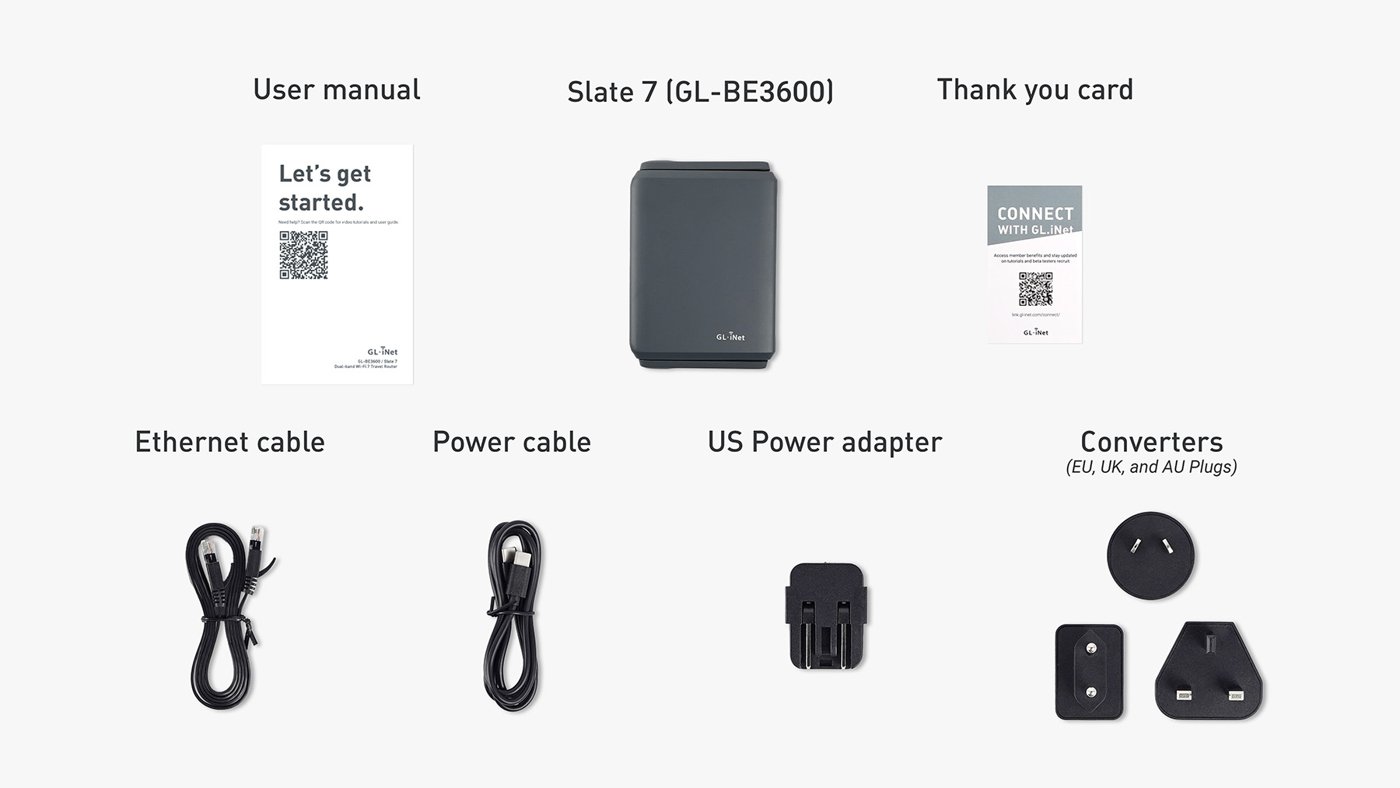
- The router itself (Beryl AX Pro / GL-BE3600).
- USB-C charger with PD, 65 W minimum (handles laptop + router + phone simultaneously).
- USB-C-to-USB-C cable (PD-rated, 1 m).
- Spare USB-C-to-USB-C cable (PD-rated, 1 m).
- Ethernet cable (Cat 6, 2 m — folded in the bag).
- USB-C-to-USB-A cable (for the phone-tether path).
- A small USB stick or SSD (for kismet captures, etc.).
- A printed cheatsheet (Vol 12) tucked in the bag.
- The Flipper Zero TJ411 in its silicone case.
Total kit weight: ~600 g, fits in a small organizer bag. Extras as the trip dictates (cellular dongle, external Wi-Fi adapter, USB-A drive, etc.).
11.8 Cheatsheet Updates
Inputs to Vol 12:
- The travel checklist (§3) is the central artifact — laminate this.
- Decision tree (§5) is the second laminate.
- Power budget (§4) — minimum 5V/3A, ideally 9V/3A USB-C PD.
ip route get 8.8.8.8is the diagnostic gold for “is my traffic going through the tunnel”.- Backup before risky changes; restore from baseline after factory-reset.
Comments (0)