GL-iNet GL-BE3600 · Volume 8
GL-iNet GL-BE3600 Volume 8 — Captive Portals, Repeater Mode, and Cloned-MAC Patterns
Hotel/airport portal handling, MAC-cloning bypasses, repeater mode for Wi-Fi-only venues
8.1 About this Volume
The mundane reality of travel networking: the venue forces you through a captive portal before letting your traffic out. This volume documents the patterns that turn that into a once-per-venue inconvenience instead of a per-device redo every time someone reconnects.
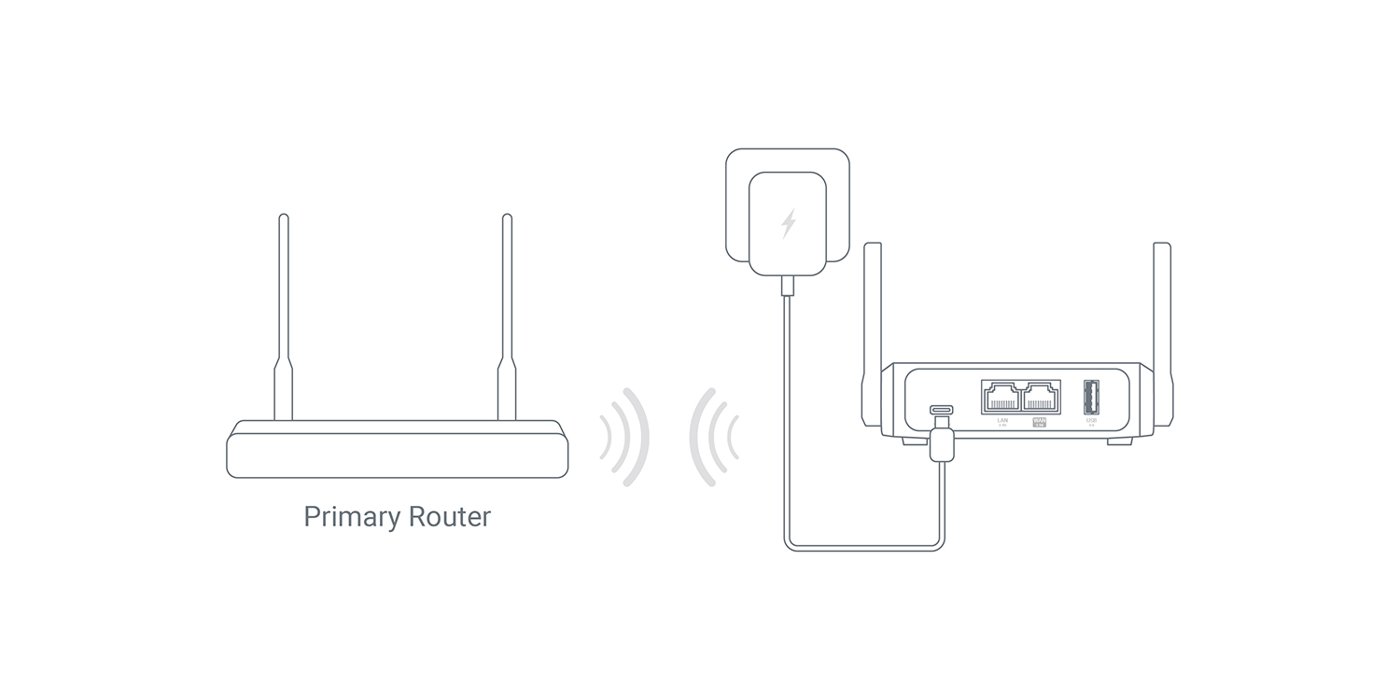
Plus Repeater mode — using the BE3600’s Wi-Fi 7 antennas to attach to the venue’s Wi-Fi as a client, then re-broadcast a private SSID for the kit. The whole “single SSID across hotels” idea hinges on this.
Reads:
- Vol 5 §5 for the firewall rules that captive-portal helpers hook into.
- Vol 6 for the Wi-Fi config that repeater mode shares with AP mode.
8.2 What Captive Portals Actually Do
Mechanically, a captive portal works by DHCP/DNS/HTTP interception at the venue’s gateway:
- You connect to the venue Wi-Fi or Ethernet. DHCP gives you an IP, gateway, and DNS server.
- You open a webpage. Two things can happen:
- DNS interception: the venue resolver returns the captive-portal page IP for any A query you make.
- HTTP interception: TCP/80 connections to anywhere get rewritten to point at the captive portal.
- You authenticate (click the T&Cs button, enter a room number, take the survey, watch an ad).
- The venue gateway adds your client’s MAC to a “allow” list on the firewall.
- From that point, traffic from your MAC is forwarded normally.
The critical piece is step 4 — the auth state is bound to the MAC, not the IP, not the cookie, not anything else. Reconnect the same MAC, you’re allowed; reconnect a different MAC, you’re back to the portal.
This is the lever for the cloned-MAC pattern.
8.3 The Cloned-MAC Pattern
Goal: authenticate one MAC to the venue (the router’s WAN MAC), and have every device on your LAN ride that authentication.
How it works:
- The BE3600’s WAN MAC is what the venue gateway sees from the router’s WAN port. The venue’s portal authenticates this MAC.
- NAT on the router rewrites every LAN client’s source MAC to the WAN MAC (this is what NAT does anyway — it doesn’t preserve source MAC across the L3 boundary).
- The venue gateway sees one MAC that’s authenticated; all LAN traffic from any device looks the same.
- Plug an ethernet cable in, fire up the browser on the laptop, click the captive-portal T&Cs once. Every device on the kit then has internet.
This is not an attack — it’s the natural consequence of NAT. It’s just that the kit benefits from concentrating the captive-portal pain into one click.
8.3.1 What if a venue specifically blocks routers?
Some hotels (Marriott in particular, historically) detect router-class traffic patterns (multi-NAT TTL signatures, multi-source-MAC at the gateway, suspicious DHCP behavior). Workarounds:
Table 1 — Some hotels (Marriott in particular, historically) detect router-class traffic patterns (multi-NAT TTL signatures, multi-source-MAC at the gateway, suspicious DHCP behavior). Workarounds
| Detection signature | Workaround |
|---|---|
| Lower TTL on outbound packets (router decrements TTL) | Set nft add rule inet fw4 mangle_postrouting oif "wan" ip ttl set 64 to fix TTL |
| Multiple source MACs visible (your devices on the LAN have unique MACs upstream) | NAT already hides this — should not be visible from venue side |
| Specific Wi-Fi MAC OUI patterns flagged | Set the WAN MAC to your laptop’s MAC (the laptop you used to set up the room) — see §4 |
| HTTP user-agent showing multiple devices | Genuinely hard to fix; use HTTPS for everything |
The TTL fix is the most useful. Most hotels don’t bother with the harder detection; the TTL signature is the easy one to look for.
8.3.2 Cloning a specific MAC to the WAN
To make the BE3600 present a specific MAC on its WAN port (e.g., the laptop’s), instead of its factory WAN MAC:
# /etc/config/network
config interface 'wan'
    option device 'wan'
    option proto 'dhcp'
    option macaddr '00:11:22:33:44:55'    # the MAC you want to clone
Then /etc/init.d/network restart.
Use case: you’re at a venue where the laptop already authenticated before the router was set up. Clone the laptop’s MAC to the router; the venue thinks the laptop is just continuing to use the network. Then take the laptop off the venue Wi-Fi (back behind the router) and the auth state continues.
8.4 Repeater Mode — Wi-Fi-as-WAN
For Wi-Fi-only venues (most cafes, conferences, every airline lounge), the BE3600 needs to attach to the venue Wi-Fi as a client and re-broadcast its own SSID.
8.4.1 Through the Admin Panel
- Internet → Repeater.
- Scan for nearby networks; select the venue’s SSID.
- Enter the venue Wi-Fi password (or step through the captive portal in the panel’s helper browser).
- The router associates with the venue, brings up an IP via DHCP from the venue gateway, and creates a new WAN-class interface (
sta_wlan0or similar). - Your kit SSID continues to broadcast as before; LAN clients see no change.
8.4.2 The UCI underneath
Repeater mode adds a wifi-iface in mode 'sta' (station/client) and configures the device to use that interface as a WAN-class network:
# /etc/config/wireless
config wifi-iface 'wwan'
    option device 'radio1'
    option mode 'sta'
    option ssid 'HotelWifi'
    option encryption 'psk2'
    option key '...'
    option network 'wwan'

# /etc/config/network
config interface 'wwan'
    option proto 'dhcp'
Then /etc/config/firewall puts wwan in the wan zone so it gets NAT and forwarding.
8.4.3 Captive portals through repeater mode
Identical to Ethernet — the auth state is on the venue’s MAC table, but now the MAC is the router’s Wi-Fi station MAC (not the WAN-port MAC). The router still NATs LAN traffic out through that interface, so one click in the auth browser still clears it for the kit.
The Admin Panel has a built-in “captive portal helper” that:
- Detects the redirect.
- Opens an iframe on the panel page where you complete the auth.
- Once auth completes, the helper goes away.
It works for ~80% of captive portals. The remaining 20% have JavaScript-heavy UIs that don’t render correctly in the embedded browser. For those, use the laptop browser, point it at the captive-portal IP directly (LuCI Network → DHCP and DNS can show you the upstream gateway IP), authenticate, then the router carries the auth state.
8.4.4 Repeater + roaming
Two repeater-class quirks on the BE3600:
- The router doesn’t roam between venue APs by default. If the hotel has multiple APs with the same SSID, the router latches onto whichever one was strongest at scan time and stays there. To roam, install
dawn(the OpenWrt 802.11k/v/r daemon) and configure it; it will move the station-mode connection between APs as signal strength changes. - Single-band repeater is the default. If the venue offers both 2.4 and 5 GHz, the router picks one band for the upstream and uses the other band’s radio for your kit SSID. To use both bands of your kit SSID, you need to do a slightly more advanced “Wi-Fi extender with both bands” config — see GL-iNet’s doc page for the BE3600 for the multi-band repeater walk-through.
8.4.5 Mode-button shortcut
The front Mode button cycles to Repeater as one of its modes — pressing it walks the OLED through Ethernet → Repeater → Tethering → Cellular. Selecting Repeater on the OLED triggers the panel’s repeater config flow if no scan-result is cached, or re-applies the last repeater config if there is one.
8.5 Captive-Portal Edge Cases
The kinds of captive portals that genuinely break the pattern:
Table 2 — The kinds of captive portals that genuinely break the pattern
| Edge case | Symptom | Fix |
|---|---|---|
| MAC randomization on the laptop (modern macOS/Windows defaults) | Each reconnect looks like a new device → portal each time | Disable MAC randomization for the venue SSID, OR connect the router (which doesn’t randomize) |
| Per-device limits (auth caps the number of devices per room/account) | Some devices work, others get auth-required | Cloned-MAC: only the router needs auth; everything else is behind NAT |
| HTTPS-only captive portals with HSTS-everything (rare but spreading) | Browser can’t intercept; you have to manually go to the portal IP | The router’s panel detects this with a small unencrypted probe; manually browse to the gateway IP if needed |
| Captive portal that requires you to keep a tab open (heartbeat) | Auth times out after 5–10 minutes if no traffic from “your” client | Run a small ping-the-portal cron job on the router to keep the heartbeat alive |
| Daily re-authentication (most hotel chains) | Auth works for ~24 hours then prompts again | Acceptable; one click per day is normal |
| VPN-blocking captive portals (a few high-profile chains) | After auth, VPN connects but no traffic flows | Some hotels actively block known VPN endpoints. Use OpenVPN-over-TCP-443 or Tor with bridges as workaround. |
The “VPN-blocking” case deserves more attention: the workflow is (1) get past the captive portal first (no VPN active), then (2) bring up the VPN. The kill-switch from Vol 7 §6 prevents traffic-leak during the transition window.
8.6 Putting It Together — The Hotel Setup Sequence
The clean workflow on arrival, in order:
- Plug the router into hotel Ethernet (or Mode-button → Repeater → connect to hotel Wi-Fi).
- Open
192.168.8.1on the laptop (already on the kit SSID from previous setup). - Click through the captive-portal helper in the Admin Panel — or open the laptop browser, browse to anything, get redirected, click T&Cs.
- Verify internet works on the laptop, no VPN yet (test before adding the VPN layer).
- Bring up VPN: Admin Panel → VPN → Connect.
- Verify VPN:
curl -4 ifconfig.meshould show the VPN endpoint IP, not the hotel’s. - Verify kill-switch: bring
wg0down briefly, traffic should fail; bring it back up, traffic resumes. - Verify DNS:
tcpdump -i wan port 53should show nothing while you trigger a DNS query. - Phone, Flipper, etc. join the kit SSID and ride the tunnel.
Total time once practiced: ~3 minutes. Vol 11 §3 turns this into a printable checklist.
8.7 Cheatsheet Updates
Inputs to Vol 12:
- NAT hides multi-device pattern — captive portal authenticates once on the router’s WAN MAC, all devices behind it ride the auth.
- TTL fix for the few hotels that detect router patterns:
nft add rule ... ip ttl set 64. - Mode button → Repeater is the no-laptop way to switch from Ethernet to Wi-Fi-as-WAN.
- VPN goes up AFTER the captive portal — captive auth needs cleartext HTTP/HTTPS to the venue.
- Kill-switch verified before trusting — every venue, not just first time.
Comments (0)