GL-iNet GL-BE3600 · Volume 5
GL-iNet GL-BE3600 Volume 5 — Networking & Switch Architecture: DSA, VLAN, nftables, multi-WAN
How packets actually move through the box: DSA topology, bridge VLAN filtering, firewall rules, mwan3
5.1 About this Volume
A packet’s-eye view of the BE3600 — from physical port through DSA, into a bridge, through nftables, out the WAN. Plus the multi-WAN policy layer (mwan3) that handles “Ethernet → Wi-Fi → tether → cellular” failover cascades on the road.
Reads from:
Feeds:
- Vol 6 Wi-Fi config sits on top of
networkinterfaces. - Vol 7 VPN tunnels use the firewall zones defined here.
- Vol 9 tethering and cellular plug into the mwan3 policies in §6.
5.2 DSA — The OpenWrt Switch Model
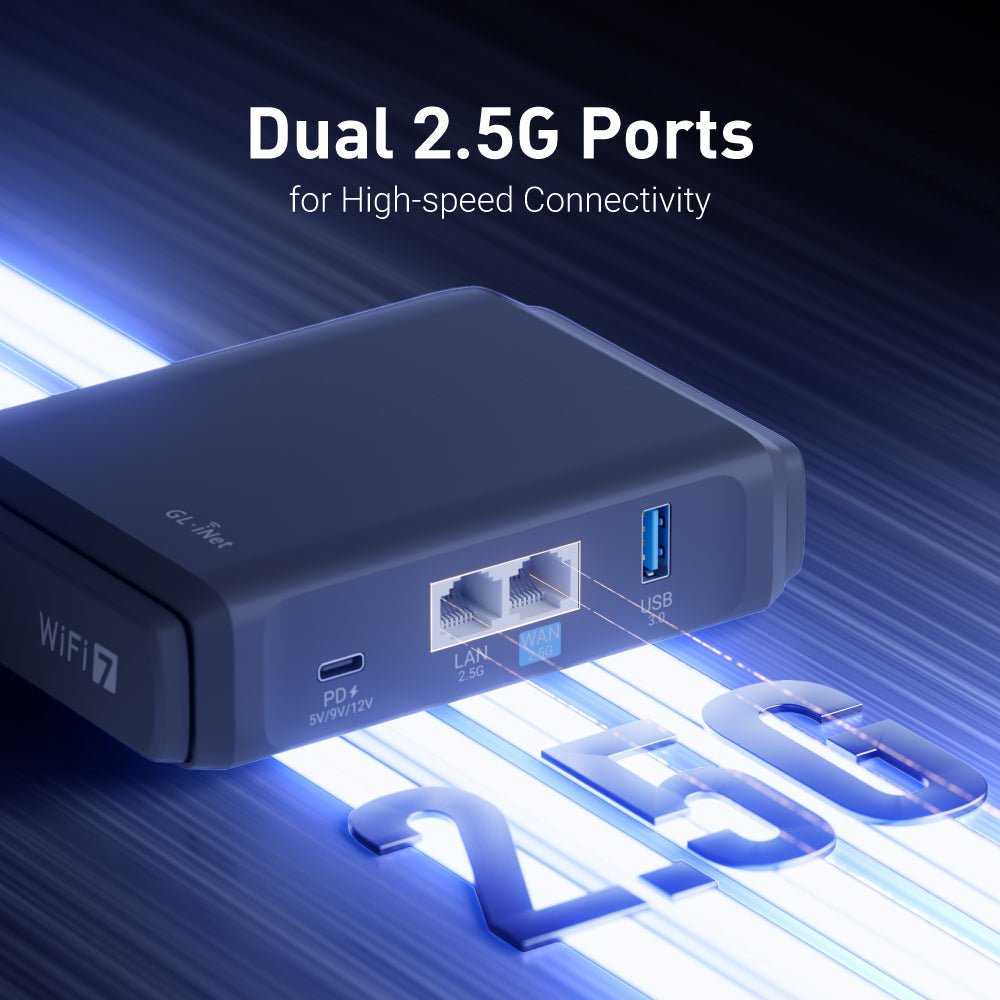
OpenWrt 22.03+ uses DSA (Distributed Switch Architecture) to model integrated switches. Each physical port becomes a Linux network device under the SoC’s CPU port; bridges are built in userspace; VLAN filtering is per-bridge.
For the BE3600:
              ┌────────────────────────────────────────────────────┐
              │  CPU port (eth0)                                   │
              │  ┌────────┐    ┌────────┐                           │
              │  │ lan1   │    │ wan    │   physical 2.5 GbE ports  │
              │  └────────┘    └────────┘                           │
              │      │             │                                │
              └──────┼─────────────┼────────────────────────────────┘
                     │             │
                     │             │ (and Wi-Fi radios feed in here too)
                ┌────┴────┐   ┌───┴───────┐
                │  br-lan │   │  wan      │
                │ (bridge)│   │(interface)│
                └─────────┘   └───────────┘
Each physical port is a separate eth* device. The bridge br-lan typically contains lan1 plus the Wi-Fi virtual interfaces (wlan0, wlan1). The WAN port stays its own interface and carries the upstream connection.
5.2.1 Inspecting the topology
ip link show                    # all interfaces
ip -d link show br-lan          # bridge details, including member ports
bridge link show                # bridge memberships
bridge vlan show                # per-port VLAN filtering state
A typical view:
$ bridge link show
2: lan1@eth0: ... master br-lan
3: wlan0: ... master br-lan
4: wlan1: ... master br-lan
5.2.2 Why DSA matters
The pre-DSA OpenWrt model used swconfig — a separate switch-config tool, with VLAN tagging done by the hardware switch outside the Linux netdev layer. DSA brings everything into mainline Linux: every port is a eth*, you bridge them with ip link add br0 type bridge, you tag VLANs with bridge vlan or ip link add link eth0 name eth0.10 type vlan id 10. This is more powerful, slightly more complex, and matches how Linux modeling works generally — useful when you cross-reference with kernel docs.
5.3 The Default network UCI
config interface 'loopback'
    option device 'lo'
    option proto 'static'
    option ipaddr '127.0.0.1'
    option netmask '255.0.0.0'

config device
    option name 'br-lan'
    option type 'bridge'
    list ports 'lan1'

config interface 'lan'
    option device 'br-lan'
    option proto 'static'
    option ipaddr '192.168.8.1'
    option netmask '255.255.255.0'
    option ip6assign '60'

config interface 'wan'
    option device 'wan'
    option proto 'dhcp'

config interface 'wan6'
    option device 'wan'
    option proto 'dhcpv6'
The bridge br-lan has one Ethernet member (lan1); Wi-Fi gets attached dynamically when the radios come up via the wireless config. WAN is a separate interface on the WAN port speaking DHCP upstream.
5.4 Bridges + VLANs
For most travel use you don’t need VLANs — single LAN, single WAN, the simple model works. But several scenarios benefit:
Table 1 — For most travel use you don't need VLANs — single LAN, single WAN, the simple model works. But several scenarios benefit
| Scenario | VLAN need |
|---|---|
| Hotel Ethernet that’s already VLAN-tagged | Yes — accept the tag on WAN |
| Guest network isolated from your devices | Yes — separate VLAN, separate firewall zone |
| Inline pentest mode (mirror to laptop) | Yes — port-mirror VLAN |
| Just plug-and-play in a hotel | No |
5.4.1 Adding a guest network on the LAN port via VLAN
Goal: tagged VLAN 10 on lan1, separate IP range, isolated firewall zone.
# 1. Enable bridge VLAN filtering on br-lan:
uci set network.@device[0].vlan_filtering='1'
uci add_list network.@device[0].vid='1'   # default LAN
uci add_list network.@device[0].vid='10'  # guest

# 2. Create the guest interface:
uci set network.guest=interface
uci set network.guest.proto='static'
uci set network.guest.device='br-lan.10'
uci set network.guest.ipaddr='192.168.20.1'
uci set network.guest.netmask='255.255.255.0'

# 3. Update the firewall (§5) to put 'guest' in its own zone

uci commit network
/etc/init.d/network restart
LuCI exposes the same operations under Network → Switch / Bridge VLAN filtering.
5.5 The Firewall (fw4 / nftables)
OpenWrt 22.03+ uses fw4 — an nftables-backed firewall front-end that consumes /etc/config/firewall and produces nftables rules.
5.5.1 Default zone topology
Three zones out of the box:
Table 2 — Three zones out of the box
| Zone | Members | Default policy |
|---|---|---|
lan | LAN interface, Wi-Fi SSIDs | accept input/output/forward |
wan | WAN interface | reject input, accept output, accept forward (with masquerade) |
guest | (when configured) | accept input (DHCP/DNS), reject forward to lan, accept forward to wan |
Forwarding between zones is explicitly enabled per pair (e.g., lan → wan).
5.5.2 Inspecting effective rules
nft list ruleset
# Or just the relevant chains:
nft list table inet fw4
nft list chain inet fw4 input
The output is dense but readable. The chains you care about for a router:
input— packets terminating at the device itself (SSH, web UI, DNS server)forward— packets crossing the device (LAN ↔ WAN)output— packets originating on the device
5.5.3 Adding a custom rule
Through UCI:
# /etc/config/firewall
config rule
    option name 'Allow_SSH_from_LAN'
    option src 'lan'
    option dest_port '22'
    option proto 'tcp'
    option target 'ACCEPT'
Through firewall.user for ad-hoc additions that won’t survive a fw4 reload:
# /etc/firewall.user
nft add rule inet fw4 input tcp dport 8080 accept
5.6 mwan3 — Multi-WAN Failover
mwan3 is the policy-routing daemon that handles multiple WAN paths with failover, load-balancing, or per-host routing. The travel-kit case is the failover one: cascade through Ethernet → Wi-Fi-as-WAN → tethered phone → cellular dongle, in priority order.
5.6.1 The default mwan3 config (GL-iNet build)
config interface 'wan'
    option enabled '1'
    option family 'ipv4'
    option track_method 'ping'
    list track_ip '8.8.8.8'
    list track_ip '1.1.1.1'
    option reliability '1'
    option count '1'
    option timeout '2'
    option interval '5'
    option down '3'
    option up '8'

config policy 'wan_only'
    list use_member 'wan_m1_w3'
    ...
Each interface is tracked by ping; if it goes down for down consecutive checks, mwan3 marks it dead and stops routing through it. When it comes back for up checks, it re-enables.
5.6.2 Travel-kit failover policy
Add the cascade in the order you’d want them used:
# /etc/config/mwan3
config interface 'wan_eth'
    option enabled '1'
    list track_ip '8.8.8.8'
    option reliability '1'

config interface 'wan_wifi'
    option enabled '1'
    list track_ip '8.8.8.8'

config interface 'wan_tether'
    option enabled '1'

config interface 'wan_cell'
    option enabled '1'

config member 'eth_pri'
    option interface 'wan_eth'
    option metric '1'
    option weight '3'

config member 'wifi_pri'
    option interface 'wan_wifi'
    option metric '2'
    option weight '3'

config member 'tether_pri'
    option interface 'wan_tether'
    option metric '3'
    option weight '3'

config member 'cell_pri'
    option interface 'wan_cell'
    option metric '4'
    option weight '3'

config policy 'travel_cascade'
    list use_member 'eth_pri'
    list use_member 'wifi_pri'
    list use_member 'tether_pri'
    list use_member 'cell_pri'
    option last_resort 'unreachable'
metric ascending = preference order. mwan3 picks the lowest-metric live member; if it goes down, traffic moves to the next.
The interfaces themselves (wan_wifi, wan_tether, wan_cell) are configured in /etc/config/network to point at the appropriate underlying devices — the GL-iNet gl-mode daemon (Vol 3 §6) handles the device-bring-up part, while mwan3 just picks the route.
5.6.3 Status commands
mwan3 status                    # interface state, policy, hops
mwan3 interfaces                # tracked interfaces, current up/down
mwan3 use wan_eth                # force a specific member up (testing)
mwan3 reload                    # reload after a config change
5.7 DNS
The default DNS server is dnsmasq listening on the LAN side. It serves DHCP clients and forwards upstream to whatever the WAN-side DHCP gave it.
5.7.1 The DoH (DNS over HTTPS) option
Admin Panel → Network → DNS → “Encrypted DNS” toggles https-dns-proxy (a small daemon that proxies DNS queries to a DoH endpoint like Cloudflare, Quad9, NextDNS).
UCI equivalent:
config https-dns-proxy 'cloudflare'
    option resolver_url 'https://cloudflare-dns.com/dns-query'
    option listen_addr '127.0.0.1'
    option listen_port '5053'
Then dnsmasq is told to forward to 127.0.0.1#5053 and https-dns-proxy does the actual DoH work.
5.7.2 DNS leaks under VPN
This is where DNS bites you. A WireGuard tunnel typically pushes a DNS server inside the tunnel. If dnsmasq is still configured to forward to the WAN-side resolver, you have a DNS leak — queries go out before the tunnel routes them.
The fix is in Vol 7 §7.
5.8 SQM — Bufferbloat Control
For travel networks the buffer bloat of cheap ISP gear is a real annoyance. sqm-scripts (the OpenWrt SQM package) shapes traffic on the WAN to keep latency under control.
opkg install sqm-scripts luci-app-sqmThen LuCI → Network → SQM QoS: set the WAN as the interface, pick CAKE as the queue discipline, set ingress/egress to ~80% of the upstream link’s negotiated rate. CAKE handles the rest.
For the BE3600 with hardware NAT offload disabled (SQM can’t see traffic that’s been HNAT-offloaded), expect throughput ceiling ~1.5–2 Gbps on a 2.5 GbE link with SQM active. For travel-kit use, that’s fine — venue Wi-Fi is rarely the bottleneck.
5.9 Cheatsheet Updates
Inputs to Vol 12 from this volume:
- DSA model: each port is
eth*; bridges in userspace;bridge vlan showfor state. - Default zones:
lan(open),wan(NAT’d, locked down), optionalguest. - mwan3 cascade: Ethernet → Wi-Fi → tether → cellular by metric ascending.
- DNS-leak fix lives in Vol 7 §7, not here.
nft list rulesetis the universal “what’s actually in the firewall” check.
Comments (0)