Nyan Box · Volume 7
Nyan Box Volume 7 — Hidden Camera Detection
The RF-fingerprinting theory, the 20+ camera-brand signature database, the false-positive landscape, the sweep methodology
7.1 About this volume
Hidden-camera detection is the second of the two capabilities nothing else in the lineup covers (RemoteID, Vol 6, is the first). This volume is the engineer-grade reference: the RF-fingerprinting theory behind it, what the “20+ camera brands” signature database actually is, the false-positive reality, and a disciplined sweep methodology that makes the tool useful rather than a noise generator.
The honest framing up front: RF-based hidden-camera detection is a heuristic, not a guarantee. It catches a meaningful class of cameras (Wi-Fi-connected ones, mainly) and misses others entirely (§ 7). Used with discipline (§ 8), it’s a genuinely useful sweep tool. Used naively, it produces false positives on every IoT device in the building. This volume is mostly about using it with discipline.
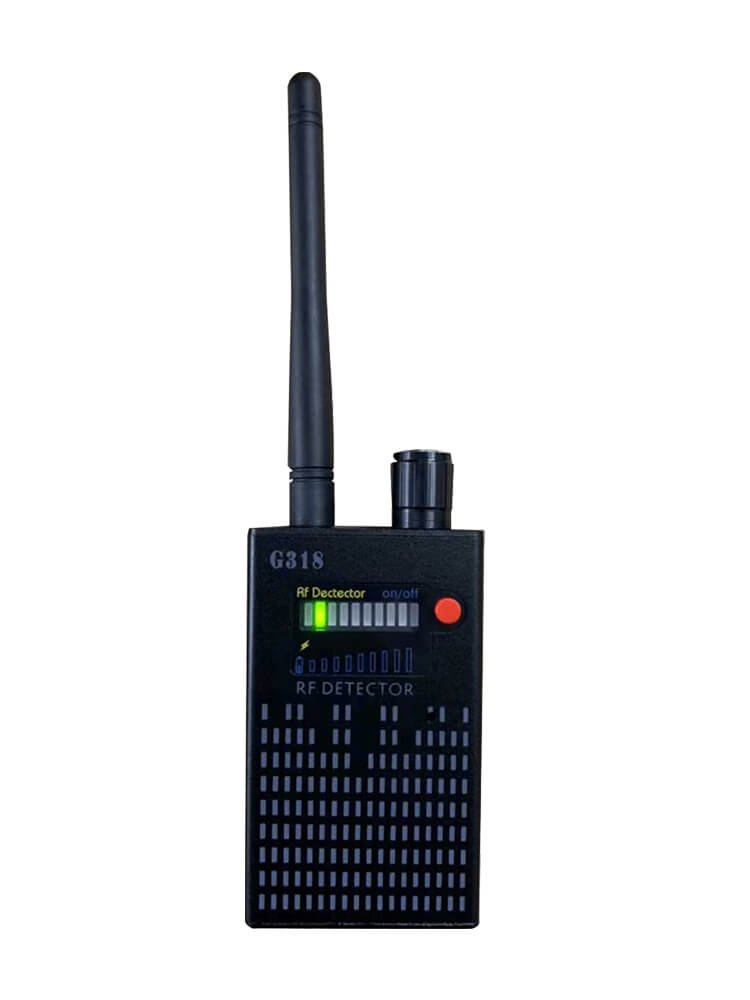
7.2 The problem — what a hidden camera looks like in RF
A “hidden camera” worth detecting is, almost always, a wireless camera — one that streams or uploads video over RF. (A purely-local camera that records to an SD card with no radio is RF-invisible — see § 7.) The detectable population:
Table 1 — A "hidden camera" worth detecting is, almost always, a wireless camera — one that streams or uploads video over RF. (A purely-local camera that records to an SD card with no radio is RF-invisible — see § 7.) The detectable population
| Camera type | RF behavior | nyanBOX-detectable? |
|---|---|---|
| Wi-Fi IP camera (streams over Wi-Fi) | Associates to an AP, streams video → continuous, fairly high data rate | Yes — the strongest case |
| Wi-Fi camera in AP mode (you connect to it) | Broadcasts its own SSID, streams to a viewer | Yes |
| 2.4 GHz analog/digital video transmitter (FPV-style) | Continuous video carrier on a 2.4 GHz channel | Yes — shows as a strong continuous emitter |
| Bluetooth camera | BT advertising + streaming | Partially |
| Cellular (4G/5G) camera | Streams over a cellular modem — no 2.4 GHz signature | No — wrong band entirely |
| SD-card-only camera (no radio) | No RF at all | No — nothing to detect |
| Wired camera | No RF | No |
So the nyanBOX’s hidden-camera tool is really a “wireless 2.4 GHz camera detector”. That’s a real and common threat class — most cheap hidden cameras sold as “spy cameras” are Wi-Fi — but it is not “any camera.”
7.2.1 Why RF, not optics
There are two ways to hunt hidden cameras:
Table 2 — There are two ways to hunt hidden cameras
| Method | How | Pros / cons |
|---|---|---|
| Optical (lens-glint detection) | Shine light, look for the retroreflection off a lens | Catches any camera with a lens, including RF-silent ones; but slow, manual, needs line-of-sight to the lens |
| RF (emission detection) | Listen for the camera’s radio | Fast, can sweep a room without seeing every surface; but only catches wireless cameras |
The nyanBOX does RF. The two methods are complementary — a thorough sweep uses both (the nyanBOX for the wireless ones, an optical lens-finder for the RF-silent ones). § 8 builds this into the methodology.
7.3 RF fingerprinting theory
The nyanBOX doesn’t just say “there’s 2.4 GHz energy here” — that would be useless (2.4 GHz energy is everywhere). It tries to classify the energy as camera-like.
7.3.1 What makes a camera’s RF distinctive
A streaming wireless camera has a characteristic emission pattern:
   A streaming Wi-Fi camera vs other 2.4 GHz devices
   ═══════════════════════════════════════════════════

   Streaming camera:
   power │████████████████████████████████████│  ← sustained,
         │████████████████████████████████████│     fairly HIGH
         │████████████████████████████████████│     data rate,
         └────────────────────────────────────→     CONTINUOUS
         (video is a constant bitstream — the radio
          is busy nearly all the time)

   Phone / laptop on Wi-Fi:
   power │██░░░░░██████░░░░░██░░░░░░░░████░░░░░│  ← BURSTY —
         └────────────────────────────────────→     idle gaps,
         (web browsing, email — traffic comes in        traffic
          bursts with idle gaps)                         spikes

   BLE sensor / IoT beacon:
   power │█░░░░░░░░░░░░░░░█░░░░░░░░░░░░░░░█░░░░│  ← tiny,
         └────────────────────────────────────→     PERIODIC,
         (advertises every second or so, tiny           sparse
          packets)

   The camera's signature: HIGH + SUSTAINED + CONTINUOUS.
   That's the heuristic core.
7.3.2 The fingerprint dimensions
A camera “fingerprint” is built from several measurable dimensions:
Table 3 — A camera "fingerprint" is built from several measurable dimensions
| Dimension | What it captures | Why cameras differ |
|---|---|---|
| Duty cycle | Fraction of time the radio is transmitting | Streaming video → very high duty cycle |
| Bitrate band | Rough data rate | Video is in a characteristic high-rate range |
| Burst structure | Packet timing pattern | Cameras have a video-frame cadence (e.g. 30 fps → structure) |
| Channel behavior | Fixed channel vs hopping | Most stream on a fixed channel |
| MAC OUI (for Wi-Fi cameras) | The manufacturer prefix of the MAC address | This is the strongest single tell — see § 4.2 |
| SSID pattern (for AP-mode cameras) | The broadcast network name | Many cameras have characteristic default SSID patterns |
| Association behavior | How it talks to the AP | Camera-specific quirks |
7.3.3 The MAC OUI — the strongest signal
For a Wi-Fi camera, the single most reliable fingerprint dimension is the MAC address OUI (Organizationally Unique Identifier — the first 3 bytes, which identify the manufacturer). If a device on the Wi-Fi has a MAC OUI registered to a known camera-module maker, that’s a strong “this is probably a camera” signal — far stronger than emission-pattern heuristics alone.
   MAC OUI fingerprinting
   ════════════════════════

   Device MAC: 3C:33:00:A1:B2:C3
               └──┬───┘
                  OUI = 3C:33:00
                  │
                  └─→ lookup in OUI database
                      → "registered to [camera module vendor]"
                      → STRONG camera indicator

   This is why the nyanBOX's camera tool is most reliable
   against Wi-Fi cameras that are ASSOCIATED to a network
   (so their MAC is visible in normal Wi-Fi frames) — the
   OUI is a near-deterministic tell, where pure emission-
   pattern heuristics are probabilistic.
The “20+ camera brands fingerprinted” (§ 4) is, in significant part, a curated list of camera-vendor MAC OUIs plus emission-pattern signatures.
7.4 The signature database
The vendor advertises detection of “20+ camera brands.” Here’s what that database actually is and how it ages.
7.4.1 What’s in the database
Table 4 — 4.1 What's in the database
| Component | What it is | How it’s used |
|---|---|---|
| Camera-vendor MAC OUIs | The manufacturer prefixes of known camera-module makers | Match against MACs seen in Wi-Fi frames (§ 3.3) |
| Default SSID patterns | The characteristic network names cheap cameras broadcast in AP mode | Match against scanned SSIDs |
| Emission-pattern signatures | Duty-cycle / bitrate / burst profiles for known camera models | Classify the RF energy pattern |
| Known-model quirks | Device-specific behaviors | Refine the classification |
7.4.2 The “20+ brands” — context
“20+ camera brands” sounds like a lot, but the hidden-camera market is dominated by a relatively small number of camera modules that get rebranded endlessly. A handful of OEM camera modules (often Chinese-made Wi-Fi camera SoCs) appear under dozens of brand names. So “20+ brands” likely maps to a smaller set of underlying modules — which is actually good news for detection: catching the common modules catches most of the rebranded products.
7.4.3 Database freshness — the critical caveat
   The signature database AGES
   ═════════════════════════════

   Firmware v1.0  (shipped)        → knows cameras A,B,C...T
        │
        │  6 months pass
        │  new camera modules ship with new OUIs,
        │  new SSID patterns, new emission profiles
        ▼
   Firmware v1.0  (still on device) → STILL only knows A..T
                                       → misses the new ones

   The signature database is only as good as the last
   firmware update. A nyanBOX running year-old firmware
   has a year-old camera database. UPDATE CADENCE MATTERS.
From the project DEVELOPMENT.md, flagged directly: “‘20+ camera brands fingerprinted’ is a snapshot — new camera models won’t be in old firmware versions. Update cadence matters.”
Practical discipline: before relying on the camera tool for a real sweep, update the firmware (Vol 8 § 3). And understand that even current firmware can’t know about a camera module released after that firmware was built.
7.5 How the nyanBOX runs a detection
7.5.1 The detection pipeline
   nyanBOX hidden-camera detection pipeline
   ══════════════════════════════════════════

   ┌────────────────────────────────────────────┐
   │ Phase 1 — broad RF survey                  │
   │  ESP32 Wi-Fi scan (APs + clients + SSIDs)  │
   │  + NRF24 RPD spectrum sweep (Vol 5 § 2)    │
   │  = "what 2.4 GHz devices are here at all"  │
   └──────────────────┬─────────────────────────┘
                      │
                      ▼
   ┌────────────────────────────────────────────┐
   │ Phase 2 — fingerprint matching             │
   │  For each device seen:                     │
   │   - MAC OUI vs camera-vendor OUI list      │
   │   - SSID vs default-camera-SSID patterns   │
   │   - emission pattern vs signature profiles │
   └──────────────────┬─────────────────────────┘
                      │
                      ▼
   ┌────────────────────────────────────────────┐
   │ Phase 3 — score + flag                     │
   │  Combine the matches into a confidence:    │
   │   OUI hit + SSID hit + pattern hit = HIGH  │
   │   pattern hit only = LOW (likely false +)  │
   └──────────────────┬─────────────────────────┘
                      │
                      ▼
   ┌────────────────────────────────────────────┐
   │ OLED: flagged-device list + confidence     │
   │  + RSSI (proximity cue for the sweep)      │
   └────────────────────────────────────────────┘
7.5.2 Confidence tiers
Not every flag is equal. A disciplined reading of the nyanBOX’s output:
Table 5 — Not every flag is equal. A disciplined reading of the nyanBOX's output
| Confidence | What triggered it | How to treat it |
|---|---|---|
| High | MAC OUI match + (SSID and/or emission pattern) | Treat as a real lead — investigate physically |
| Medium | OUI match alone, or SSID + emission | Worth investigating; could still be a false positive |
| Low | Emission pattern only, no OUI/SSID match | Likely a false positive (§ 6) — note it, don’t chase it first |
The triple-radio RSSI principle (Vol 3 § 8) helps here: a flagged device whose RSSI rises as you walk toward a specific spot is far more credible than one with flat, noisy RSSI.
7.6 The false-positive landscape
This is the section that makes the tool usable. The nyanBOX’s camera detector will flag things that aren’t cameras. Knowing what those are turns a noisy tool into a useful one.
7.6.1 The usual false positives
Table 6 — 6.1 The usual false positives
| False positive | Why it trips the detector | How to rule it out |
|---|---|---|
| Wi-Fi streaming devices (Chromecast, Fire TV, smart TVs) | Sustained high-rate Wi-Fi traffic — looks like video streaming (it is video streaming) | Check the OUI — it’ll be a TV/streaming vendor, not a camera vendor. Check location — is it behind the TV? |
| Video doorbells / legit security cams | They are cameras — but they’re the known, authorized ones | Cross-reference: is this the doorbell you know about? Not every camera is a hidden camera. |
| Baby monitors | Streaming video over 2.4 GHz | Same — a known device, not a hidden one |
| Wi-Fi range extenders / mesh nodes | Continuous high-duty backhaul traffic | OUI check — networking vendor, not camera |
| 2.4 GHz cordless devices (some phones, audio) | Continuous 2.4 GHz emission | OUI / pattern mismatch on closer look |
| Other people’s phones actively video-calling | Sustained high-rate traffic during the call | Transient — the flag disappears when the call ends |
| Bursty IoT (Zigbee hubs, BLE-mesh) | Some IoT bursts trip emission heuristics | Low confidence; OUI mismatch |
7.6.2 The cross-reference discipline
The DEVELOPMENT.md states the core discipline directly: “False positives include any 2.4 GHz IoT device with similar bursty emissions; sanity-check by also running a Wi-Fi scan and correlating.”
The method:
   Cross-reference discipline
   ════════════════════════════

   Camera tool flags a device
            │
            ▼
   Run a plain Wi-Fi scan — is the flagged device
   a normal, identifiable network device?
            │
       ┌────┴─────┐
      YES         NO / unclear
       │           │
       ▼           ▼
   Probably a   Stronger lead —
   false +      investigate physically
   (it's a      (RSSI-walk toward it,
   TV / mesh /  optical lens check
   doorbell)    at the location)
7.6.3 The reframe — false positives aren’t a flaw, they’re the workflow
The right mental model: the nyanBOX camera tool is a lead generator, not a verdict generator. It says “these N devices have camera-like RF; go look at them.” The discipline of cross-referencing + physical investigation is the actual detection process. A tool that produced zero false positives but also missed real cameras would be worse.
7.7 What the nyanBOX can’t catch
The honest-boundaries section, as in Vol 6 § 7.
Table 7 — 7. What the nyanBOX can't catch
| Not detectable | Why |
|---|---|
| SD-card-only cameras (no radio) | Nothing to detect. These are RF-silent. An optical lens-finder is the only RF-free option. |
| Wired cameras | No RF. |
| Cellular (4G/5G) cameras | They stream over a cellular modem — that’s not 2.4 GHz. The nyanBOX is 2.4 GHz only. |
| 5 GHz-only Wi-Fi cameras | The nyanBOX has no 5 GHz radio. A camera streaming purely on 5 GHz is invisible to it. (This is a growing gap as 5 GHz cameras become common.) |
| Cameras that are powered off / not streaming | A camera that’s recording locally and not transmitting right now has no live RF signature. |
| Cameras using a module released after the firmware | The signature database can’t know about it (§ 4.3). |
| Cameras deliberately RF-disguised | A determined adversary can make a camera’s RF look like something else. Rare, but possible. |
7.7.1 The summary
   What hidden-camera detection IS and ISN'T
   ════════════════════════════════════════════

   IS:   "A fast RF sweep that flags WIRELESS 2.4 GHz
          cameras as leads to investigate."

   ISN'T: "A guarantee the room is camera-free."
          (RF-silent, cellular, 5GHz, powered-off cameras
           are all invisible)

   ISN'T: "A verdict generator."
          (it produces leads; cross-referencing + physical
           investigation is the actual detection)

   A thorough anti-surveillance sweep uses the nyanBOX
   for the wireless-camera class AND an optical lens-
   finder for the RF-silent class AND a physical search.
   The nyanBOX is one disciplined layer, not the whole job.
7.8 The sweep methodology
A disciplined hidden-camera sweep using the nyanBOX. This is the operational core of the volume.
7.8.1 Before you start
- Update the firmware (Vol 8 § 3) — the signature database is only as fresh as the firmware
- Charge the device — a thorough sweep is long-dwell; the 2500 mAh cell gives ~17 h (Vol 2 § 5.4), plenty
- Know the legitimate devices — if it’s a space you control, inventory the known cameras/streamers first, so you can rule them out fast
- Have an optical lens-finder for the RF-silent class (§ 7)
7.8.2 The sweep
   Disciplined hidden-camera sweep
   ═════════════════════════════════

   STEP 1 — Baseline scan (stationary, center of room)
     Run camera detection + plain Wi-Fi scan together.
     Note every flagged device + every Wi-Fi device.
     This is your candidate list.

   STEP 2 — Triage the candidates
     For each flagged device:
       High confidence + unknown OUI → priority lead
       Medium → secondary lead
       Low / known-device OUI → probably false +, note and move on

   STEP 3 — RSSI-walk the priority leads
     Walk the room with the device. For each priority
     lead, watch RSSI. RSSI rising toward a location
     = the emitter is there. (Vol 3 § 8 principle —
     here on the ESP32 radio.)

   STEP 4 — Physical investigation at the RSSI peak
     At the location RSSI points to: physical search.
     Look at objects that face the bed/desk/seating.
     Smoke detectors, clocks, USB chargers, picture
     frames, air purifiers — the classic hiding spots.

   STEP 5 — Optical pass (the RF-silent layer)
     Separate from the nyanBOX: a lens-glint check of
     the room catches RF-silent cameras the nyanBOX
     can't (§ 7).

   STEP 6 — Document
     Record what was flagged, what was investigated,
     what was found, what was ruled out. (Pull the
     nyanBOX RAM log over USB-serial — Vol 9 § 4 —
     since the EEPROM can't hold a long log.)
7.8.3 The travel-sweep short version
For a quick hotel-room / Airbnb sweep (the most common real use):
1. Walk in. Run camera detection for ~2-3 minutes.
2. Anything High confidence → RSSI-walk it, physically check.
3. Quick optical lens-check of the obvious spots facing
   the bed (smoke detector, clock, TV area, vents).
4. Done. ~10 minutes. Not exhaustive — but it catches
   the common cheap-Wi-Fi-camera threat, which is the
   realistic one.
7.8.4 Managing expectations
The nyanBOX hidden-camera tool is good at the common case (cheap Wi-Fi spy cameras — the realistic threat in a hotel/Airbnb) and blind to several other classes (§ 7). A clean nyanBOX sweep means “no wireless 2.4 GHz camera is currently streaming” — it does not mean “no camera.” Used with that understanding, it’s a genuinely useful tool. Sold or used as “the room is now provably clean,” it’s dangerous overconfidence.
7.9 Legal + ethical posture
7.9.1 Detecting cameras is legal — and defensive
Running an RF sweep to detect cameras aimed at you is a defensive, legal act. You’re listening for emissions in your own space (a hotel room you’ve rented, your home, a space you control). No transmission, no intrusion — passive RX. This is the most unambiguously-legitimate tool in the entire nyanBOX catalog.
7.9.2 The edges
Table 8 — 9.2 The edges
| Scenario | Posture |
|---|---|
| Sweeping a space you occupy (hotel, Airbnb, your home, your office) | Clearly fine — defensive |
| Sweeping a space you’re a guest in, with the host’s awareness | Fine |
| Sweeping a space you don’t control, covertly | Gray — you’re listening to RF that isn’t “yours”; generally still passive-RX-legal, but the context matters |
| Using a detected camera’s stream | Different question entirely — accessing someone’s camera feed is unauthorized access, regardless of how you found it |
| Disabling a detected camera (jamming) | Illegal — jamming is illegal (Vol 5 § 5.2, Vol 11 § 3). Detecting ≠ neutralizing. |
7.9.3 The “found a camera, now what” question
If a sweep finds an actual hidden camera in a space you occupy:
- Document it — photos, the nyanBOX detection log, the physical location
- Do not disable it by jamming — illegal
- Do not access its feed — illegal
- The appropriate responses are non-technical — depending on context: contact the platform (Airbnb), the venue management, law enforcement, leave the space. The nyanBOX’s job ended at “detection + documentation.”
7.9.4 The nyanBOX framing
The nyanBOX’s education firmware presents camera detection as a personal-privacy / defensive tool — which is exactly the right framing. It’s the one tool in the catalog where the intended use and the ethical use are the same thing. Vol 11 § 5 carries the full posture.
7.10 Resources
RF-fingerprinting + camera-detection background
- MAC OUI database (IEEE registry — the basis of vendor identification): https://standards-oui.ieee.org/
- Academic work on RF-based hidden-camera detection (e.g. “DeWiCam”, “LAPD: Hidden Camera Detection” — research literature on Wi-Fi camera detection)
- Community hidden-camera-detection tool writeups
Optical (the complementary method)
- Lens-glint detection technique references — the optical layer the nyanBOX doesn’t cover
Vendor
- Nyan Devices: https://nyandevices.com
- Vendor GitHub — the camera signature database notes / changelog: linked from the site
Posture
- Hack Tools shared legal/ethics:
../../../_shared/legal_ethics.md - Vol 11 of this series — operational posture
End of Vol 7. Next: Vol 8 covers the firmware ecosystem — the closed-source stock firmware, the gamified XP system in detail, whether/how the XP gating is bypassable, and the alternative-firmware paths (ESP32 Marauder, Ghost ESP).
Comments (0)