Parrot OS · Volume 1
Parrot OS Volume 1 — Overview, History, Editions, and the Parrot-vs-Kali Question
What it is, where it came from, which edition matters for which job, and why it is going on the T480
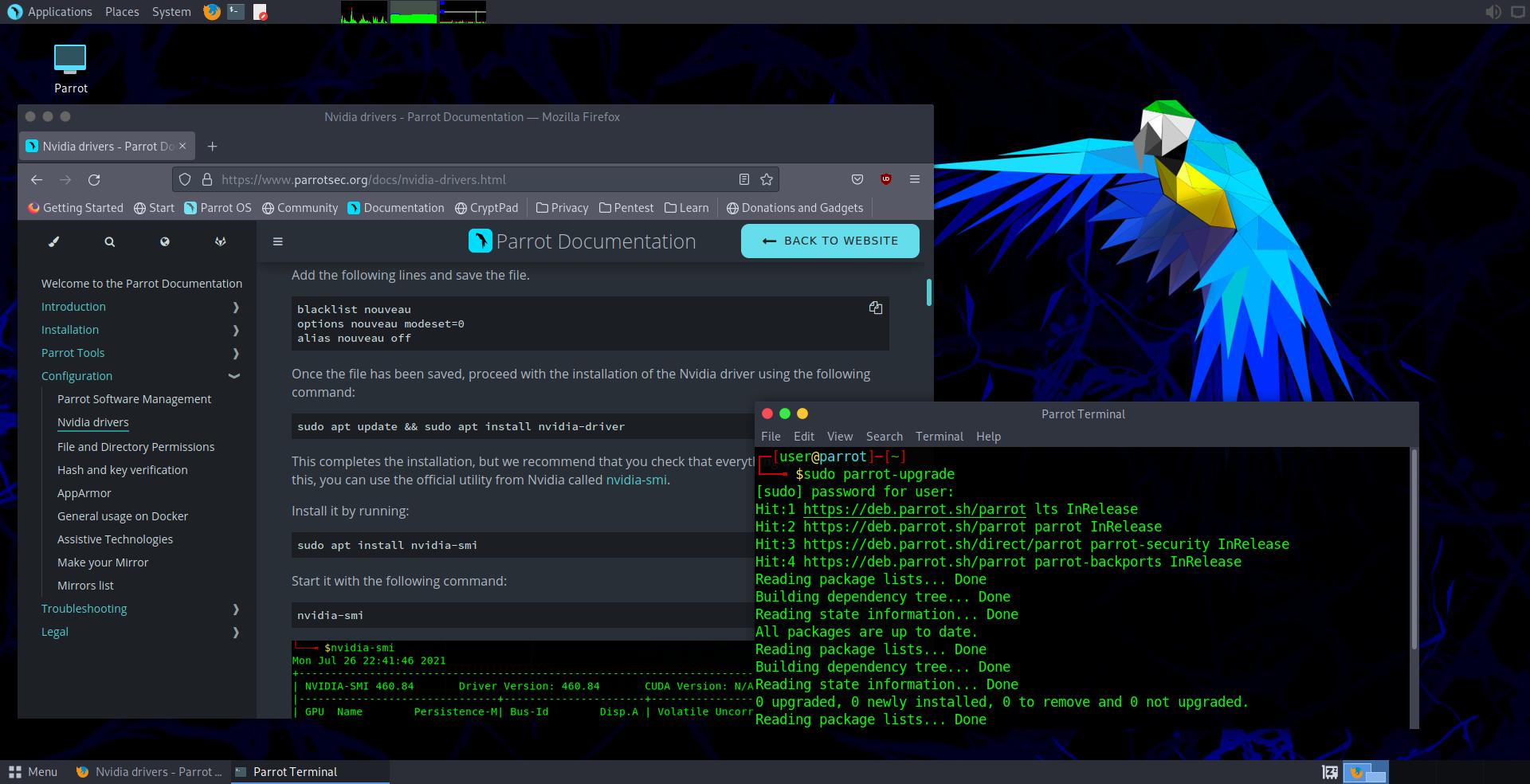
1.1 What Parrot OS is
Parrot Security OS (often shortened to Parrot OS or just Parrot, occasionally written ParrotSec in older docs) is a Debian-based GNU/Linux distribution maintained by the Parrot Security Team. It is purpose-built around six overlapping use cases that the upstream team has held constant since 2013:
- Penetration testing — the marquee use case. Parrot ships hundreds of pre-installed offensive-security tools, kept current against a rolling Debian Testing base.
- Digital forensics — a “Forensics Mode” boot option that disables swap, disables auto-mount, and avoids touching attached storage so a powered-on system can be triaged without contaminating evidence.
- Reverse engineering — Ghidra, radare2, rizin/cutter, IDA Free, and the full Binutils/GDB/strace/ltrace stack ship in the Security edition by default.
- Privacy and anonymity — AnonSurf (a Parrot-original tool that routes the entire system’s traffic through Tor with a kill-switch), Tor Browser, the Onion Circuits panel, default-private DNS, and a hardened firewall preset.
- Cryptography — GPG keychain UI integration, KeePassXC, VeraCrypt, gocryptfs, the full openssl/gnutls toolchain.
- Daily use — and this is what distinguishes Parrot from Kali in 2026: the upstream team explicitly designs the system to be a viable daily-driver desktop, not just a tool-pulling live-USB. LibreOffice, a hardened Firefox, Thunderbird, Bitwarden, KeePassXC, Telegram, Signal, and the standard GNOME / MATE applets are all first-class. You can install Parrot, never run a pentest tool, and use it as a private-by-default desktop Linux.
The reference desktop is MATE — the GNOME-2 fork that prioritizes traditional menu-driven UI, low memory footprint, and customization knobs over modern aesthetic. KDE Plasma and Xfce editions also ship; the choice rationale is in § 5 below.
Parrot is rolling on top of Debian Testing — meaning new versions ship continuously rather than as discrete numbered point releases, though the team does cut named milestones (the current major milestone as of late 2025 is Parrot 6.x, with 6.3 released October 2024 and a 6.4 candidate cycling through testing as of early 2026). A small number of Parrot-specific packages (the parrot-* metapackages, AnonSurf, the Parrot artwork, the Parrot kernel hardening patches) come from the Parrot package archive at https://deb.parrot.sh/; everything else is upstream Debian.
1.2 Who builds it — Frozenbox and the palinuro lineage
Parrot OS originated inside Frozenbox, an Italian IT-security collective founded around 2008 by Lorenzo “palinuro” Faletra. Frozenbox shipped the Frozenbox OS Live in 2010-2011 — an Ubuntu-derived live system aimed at pentesting and forensics work — and that project became Parrot Security OS when palinuro and the team forked away from Ubuntu and pivoted onto a Debian Testing base in April 2013.
The “Parrot” name comes from the same place every other parrot-themed hacker reference does: parrots talk, parrots mimic, parrots are colorful. The official logo is a stylized blue parrot in profile. The color palette across the artwork is parrot-blue primary, deep navy and cyan accents, with a hint of magenta in the AnonSurf widget — by 2026 it has become recognizable enough that a Parrot desktop screenshot is hard to confuse with any other distro.
Lorenzo “palinuro” Faletra remains the project lead in 2026. He is publicly visible through the Parrot blog, the Parrot Discord/Matrix presence, and a longstanding @palinuro account on X/Twitter and GitHub. The development team is small (under twenty regular contributors in 2025-2026 per the Parrot blog’s annual transparency reports) but consistent — the same names appear on the project commits year over year.
Funding has come from a mixture of Parrot Enterprise consulting work, a (now-sunset) hardware-sales arm that briefly shipped a “Parrot Phone” Android-derivative device around 2019-2020, donations, and the modest revenue from the Parrot Cloud and Parrot ESS (Enterprise Security Suite) services that the team operates for paying customers. The community version (the one that matters here) is and has always been free and Open Source. The Parrot Security Team distributes the ISOs under the same model Debian uses: free download, free use, no registration.
1.3 Release history at a glance
This is the short version — § 4 covers what each edition gives you in detail. The dates and milestones below are what an engineer wants to scan once.
Table 1 — 3. Release history at a glance {#release-history}
| Year | Milestone | Notes |
|---|---|---|
| 2010-2012 | Frozenbox OS Live (precursor) | Ubuntu-based live system, the foundation that palinuro’s team built on. Not yet “Parrot.” |
| 2013-04 | Parrot 1.0 | First named release. Debian Testing base. Initial tool selection. |
| 2014-2015 | Parrot 1.x → 2.x | The Tor / AnonSurf focus crystallizes. MATE chosen as default desktop. |
| 2016 | Parrot 3.0 — “CyberFrog” | Rename of “Parrot Security OS” → “Parrot OS” for some marketing; “Parrot Security” still used for the pentest edition. KDE edition introduced. |
| 2018 | Parrot 4.0 | Move to systemd-by-default (Debian 9 + systemd era). Custom-built kernel with the Parrot hardening patches. Anti-forensic boot mode landed. |
| 2020 | Parrot 4.10 / Parrot 5.0 betas | Wayland experimentation. The IoT edition (for Raspberry Pi / ARM SBC) split out as a formal sibling. |
| 2022-04 | Parrot 5.0 — “Electro Ara” | Major. Debian 11 (Bullseye) base. Big metapackage reorganization (the parrot-tools-* namespace). Linux 5.16. Improved nvidia and signed-shim support. |
| 2022-2023 | 5.1 → 5.3 | Calamares installer becomes the default (away from Debian-installer for most flows). MATE Edition the flagship. KDE Plasma 5.27. HTB Edition collaboration with Hack The Box. |
| 2024-03 | Parrot 6.0 — “Lorikeet” | Debian 12 (Bookworm) base. Linux 6.5. PipeWire default audio. AnonSurf v3 rewrite. |
| 2024-10 | Parrot 6.3 | LTS-grade pinning of key crypto/pentest tools. New CIS-hardened Architect edition profile. |
| 2026 (early) | 6.4 cycling | Latest as of this writing. Linux 6.10+, Debian 12 still the base, parrot-tools metapackages re-pinned to current upstream versions. |
The practical takeaway: in 2026, install a 6.x ISO, run parrot-upgrade regularly, and you’re on the same baseline every other Parrot user is. The team does not gate on numbered releases the way Debian does.
1.4 Editions — Security, Home, HTB, IoT, Architect, ARM, Cloud
Parrot ships under multiple “editions,” and the names are confusable. Here is the full set in 2026, what each is for, and which one fits the T480.
Table 2 — 4. Editions — Security, Home, HTB, IoT, Architect, ARM, Cloud {#editions}
| Edition | Default tools | Default desktop | When to choose |
|---|---|---|---|
| Parrot Security Edition | Full pentest toolset (all parrot-tools-* metapackages installed) | MATE | The primary choice. Daily-driver pentest workstation. ISO is ~5 GB. |
| Parrot Home Edition | No pentest tools — just the privacy + daily-use baseline | MATE | Privacy-focused desktop Linux for users who don’t want hundreds of offensive tools sitting on disk. ISO is ~3 GB. |
| Parrot Hack The Box (HTB) | Pentest tools + curated HTB lab integrations (the Hack The Box workspace, OpenVPN profile importer, pre-configured Burp, etc.) | XFCE | When you’re primarily doing HTB or similar CTF-style lab work. Collaboration edition with the Hack The Box team. |
| Parrot Architect Edition | Base Debian-flavored Parrot, no tools, no desktop pre-installed | (none — choose at install) | When you want to build up from minimum. Great for hardened-server use or for custom desktop choices (Sway, i3, BSPWM). |
| Parrot IoT (ARM) | Pentest tools, lightweight | XFCE / no-X | For Raspberry Pi, ROCKPro64, Pine64 — the SBC range. Headless and headed builds available. |
| Parrot Cloud | Server-class pentest tools, no desktop | (server) | For cloud VMs — DigitalOcean / AWS / Azure-friendly. |
| Parrot Splash Edition (rare) | Live-only forensics, no installer | MATE | Forensics triage on a powered-on system. Used as a live USB; not for permanent install. |
For the T480: Parrot Security Edition, MATE, downloaded from the official ISO mirror at https://deb.parrot.sh/direct/parrot/iso/ or one of the academic mirrors listed on the Parrot website. The ISO is approximately 5 GB in 2026 — accommodate a USB stick of at least 8 GB, ideally 16 GB (Vol 4 covers the Ventoy multi-ISO option which makes 32-64 GB sticks the more pragmatic choice).
Always verify the SHA-256 sum and the GPG signature of the ISO against the values published on the Parrot download page. The download workflow is documented in Vol 4 § 2.
1.5 Why MATE — the desktop choice and its philosophy
Parrot’s MATE edition is the flagship. The choice is a deliberate philosophical statement, not an accident of timing.
MATE is a fork of GNOME 2, the desktop environment that GNOME 3 (now GNOME 4x) replaced in 2011 with the radical “Shell” redesign. A subset of GNOME 2 users — Linux Mint, Ubuntu MATE, and the Parrot team among them — rejected the GNOME 3 redesign and continued the GNOME 2 lineage as MATE. The philosophy is:
- Traditional menu-driven UI — an applications menu in the top-left, a task list at the bottom, a system tray on the right. No “Activities Overview” hot corner.
- Lightweight — MATE comfortably runs on 1-2 GB of RAM, which matters when Parrot is also running Burp Suite (Java, 1-2 GB resident) and a couple of browsers (each browser tab 50-200 MB).
- Stable — MATE has not had a “rewrite the desktop” moment in a decade. The 1.26+ branches add functionality without breaking workflows.
- Customizable — every keybinding, every panel applet, every theme is configurable through the standard MATE control center. Windows-era keybindings (Super+L, Super+D, Win+Number for switching apps) can be replicated without much fuss.
Parrot’s specific MATE customizations on top of the upstream MATE include:
- Parrot-blue theme — the AnonSurf widget, the parrot-shell prompt theme, the Plymouth boot splash.
- AnonSurf control panel applet — system-tray button to toggle Tor routing on/off with the kill-switch.
- Parrot menu layout — pentest tools grouped under “Pentesting” → “Information Gathering / Vulnerability Analysis / Exploitation / etc.” — same scheme Kali uses, so muscle memory transfers.
- Parrot-shell prompt — a custom zsh prompt that calls out hostname, working directory, git branch, AnonSurf state, and VPN state in a single line.
Alternative desktops (covered in Vol 7):
- KDE Plasma — heavier (4-6 GB working set with KWin compositor), but the more polished modern desktop. Parrot KDE Edition exists. KDE’s KWin compositor has the best HiDPI fractional-scaling story of any Linux desktop.
- Xfce — lighter than MATE (1 GB working set), more minimalist. Parrot HTB Edition uses Xfce.
- i3 / Sway / Hyprland — tiling window managers for users who live in keybindings. Install on Architect Edition.
For the T480 with 8 GB → 32 GB: MATE first; revisit KDE if/when nicer HiDPI handling on an external 4K monitor is needed.
1.6 The Parrot-vs-Kali question
This is the single most common question newcomers ask about Parrot, and the answer is more nuanced than the internet usually claims. The two distros are close peers. Most “Kali” pentest tools work identically on Parrot. The decision between them comes down to defaults, philosophy, and feel — not to capability.
1.6.1 What’s the same
- Underlying base. Both distros are Debian Testing derivatives in their current generation (Parrot 6.x on Debian 12; Kali 2024.x / 2025.x on Debian 12 + Kali’s own backports). The Linux kernel, glibc, systemd, the GNU coreutils, OpenSSH, OpenSSL, and the full LSB userland are the same on both.
- Tool catalog. The headline pentest tools — nmap, Metasploit Framework, Burp Suite Community, sqlmap, Hydra, John the Ripper, hashcat, Aircrack-ng, Wireshark, Nikto, Gobuster, ffuf, dirb, Hydra, Hashcat, Ghidra, radare2, rizin/cutter, OWASP ZAP, Bettercap, Responder, mitm6, BloodHound, Empire/Starkiller, theHarvester, Maltego Community, Recon-NG, SET, BeEF, Wireshark, Wifite — are all available on both, usually at the same upstream version.
- Repository discipline. Both use APT, both pin Debian Testing, both ship their own metapackages for tool selection (parrot-tools-* on Parrot, kali-tools-* on Kali).
- Live-USB capability. Both ship as live ISOs that can run without installation. Both support installed mode with persistence on a USB.
- Forensics mode. Both ship a no-touch boot option that mounts no drives, runs no swap, and is safe for triage of a powered-on system.
1.6.2 What’s different
Table 3 — 6.2 What's different
| Axis | Parrot | Kali |
|---|---|---|
| Default desktop | MATE (flagship) — also KDE, XFCE editions | XFCE (since 2019.4) — also GNOME, KDE editions |
| Default user | Live user with sudo; installed user is created at install with sudo | Default user is kali:kali post-install (changed from root:toor after 2020.1); root login disabled by default; sudo required |
| Daily-driver friendliness | Explicit design goal. Office suite, mail client, password manager all default. | De-emphasized. Kali’s docs explicitly advise against daily-driver use (“Kali Linux is not intended to be used as a general-purpose desktop OS”). |
| Privacy stance | AnonSurf shipped and integrated. Tor Browser optional but easy. Default browser is Firefox with privacy-leaning preferences. | No bundled “route-everything-through-Tor” tool. Kali expects you to install Tor / Tails / Whonix separately for that. |
| Sandboxing | Firejail profiles for many default applications. AppArmor enabled. | AppArmor enabled. No Firejail by default; can be added. |
| System size | Slightly heavier desktop (MATE + Parrot’s privacy tools). | Slightly leaner desktop (Xfce baseline). |
| Release cadence | Rolling on Debian Testing; named milestones cut a few times a year. | Rolling on Debian Testing; quarterly named releases (2025.1, 2025.2, 2025.3, 2025.4) — slightly more structured. |
| Kernel hardening | Custom Parrot kernel patches (mostly anti-forensic and additional namespaces). | Stock Debian kernel + Kali patches (mostly driver and Wi-Fi). |
| Community / docs / training | Documentation is good but smaller community. No commercial certification offering. | Offensive Security (OffSec) backs Kali; OSCP/OSEP/etc. certifications are taught on Kali. Larger Reddit/Discord communities. Documentation is excellent. |
| Brand recognition | Recognized in the pentest community, less outside. | Universally recognized; “Kali” is shorthand for “pentest distro” in non-technical media. |
| Container / cloud / WSL story | Parrot Cloud edition exists; WSL package available; Docker image official. | Kali has a polished WSL distribution (kali-linux from the Microsoft Store), Docker image, ARM / Raspberry Pi builds, AWS / Azure marketplace images. The cloud story is more mature. |
| Forensics tooling | Strong; the forensics edition has the curated set. | Strong; some additional commercial-grade tools shipped (Volatility, Autopsy, Sleuth Kit, etc.). |
| AnonSurf | Native — palinuro’s tool, originally Parrot-specific (later forked to a kali-anonsurf port for Kali) | Available as kali-anonsurf from a third-party repo, less integrated. |
1.6.3 Where they meaningfully diverge in capability
For everyday pentest tasks the two are interchangeable. The places where the distro itself changes the workflow:
- AnonSurf integration is a real Parrot advantage for quick-toggle Tor routing without thinking about it. Setting up the same routing on Kali is a half-day project; on Parrot it’s a checkbox in the system tray.
- Daily-driver desktop polish is a real Parrot advantage. Parrot’s MATE feels like a Linux desktop you’d put in front of a non-pentester. Kali’s Xfce feels like a tool palette.
- Cloud / WSL / ARM ecosystem is a real Kali advantage when a Parrot-style environment is needed in places other than the T480. Kali has more polished WSL, Docker, and Raspberry Pi images.
- Certification track is a real Kali advantage for OSCP or similar Offensive Security certifications. OffSec courses assume Kali. The tool selection is mostly portable but instructions in OffSec materials say “open Kali, do X” — easier to follow on Kali.
- AppImage / Flatpak tool installation is a real wash. Both ship Flatpak; both can run AppImages. Tool authors who release as AppImage (e.g., Burp Suite Pro, OWASP ZAP) work on both identically.
1.6.4 Decision tree
                  ┌─────────────────────────────────┐
                  │ Need OSCP / OSEP / OffSec       │ ──Yes──> Kali
                  │ training compatibility?         │
                  └─────────────────────────────────┘
                                  │
                                  No
                                  ▼
                  ┌─────────────────────────────────┐
                  │ Daily-driver desktop OS         │ ──Yes──> Parrot
                  │ (use it for non-pentest work    │
                  │ too)?                           │
                  └─────────────────────────────────┘
                                  │
                                  No
                                  ▼
                  ┌─────────────────────────────────┐
                  │ Want AnonSurf-style one-click   │ ──Yes──> Parrot
                  │ Tor routing built in?           │
                  └─────────────────────────────────┘
                                  │
                                  No
                                  ▼
                  ┌─────────────────────────────────┐
                  │ Want WSL2 / Docker / ARM /      │ ──Yes──> Kali
                  │ cloud-marketplace images?       │
                  └─────────────────────────────────┘
                                  │
                                  No
                                  ▼
                  Either works. Pick on aesthetic preference;
                  the toolsets converge in practice.
The T480 setup maps cleanly to Parrot: daily-driver desktop, AnonSurf valued, no OffSec training planned in the near term, T480-as-primary-host (not WSL or cloud). Vol 6 covers how to install the Kali-only tools cleanly when something Parrot doesn’t ship by default is needed — the gap is small and well-understood.
1.7 Why Parrot for the T480
Beyond the generic “Parrot is good for daily-driver use” point in § 6, there are T480-specific reasons:
- 8 GB RAM at install time. MATE comfortably fits inside 2 GB; KDE Plasma wants 4-6 GB. Once the Vol 2 § 3 upgrade to 32 GB happens, KDE becomes feasible, but at install time MATE is the right call.
- Intel-only graphics on the i5-8250U. T480 ships with Intel UHD 620 integrated graphics (no discrete NVIDIA option without the T480 + nVidia hybrid model). Parrot’s stock kernel + Mesa works perfectly out of the box; no proprietary driver dance.
- TPM 2.0 + Secure Boot + signed shim+grub support. Parrot ships signed shim+grub binaries that boot under Microsoft’s UEFI certificate chain, meaning Secure Boot can stay enabled alongside Windows 11. This matters for the dual-boot story in Vol 3.
- The 8265 Wi-Fi card’s quirks. Both Parrot and Kali use the Linux kernel’s
iwlwifidriver for the 8265, and both inherit the same limitations (monitor mode is hit-or-miss). The Vol 2 § 3.4 AX200/AX210 upgrade fixes this on both distros equally — not a Parrot-vs-Kali tiebreaker. - Daily-driver-ness. The T480 is the daily driver — Linux side of the dual-boot for hacking, learning, experimentation. Parrot’s design assumes that. Kali’s docs actively warn against it.
1.8 Where Parrot sits in the broader pentest-distro space
To anchor Parrot relative to its neighbors:
Table 4 — To anchor Parrot relative to its neighbors
| Distro | Base | Default desktop | Defining feature | When you’d pick it instead |
|---|---|---|---|---|
| Parrot OS | Debian Testing | MATE | Daily-driver-friendly + AnonSurf | (the primary choice here) |
| Kali Linux | Debian Testing | Xfce | Tool catalog + OffSec ecosystem | OSCP training; WSL / cloud use cases |
| BlackArch Linux | Arch | XFCE / multiple WMs | Largest tool catalog (~2700 tools); Arch-style rolling | When you want everything; when you prefer Arch’s package manager |
| Pentoo | Gentoo | XFCE | Hardened-toolchain Gentoo; live-CD primary | When you want a Gentoo-flavored, source-build-everything pentest live |
| Tails | Debian | GNOME | Amnesic — all changes wiped at reboot; routes everything through Tor | Anti-forensic, anonymity-first; never installed permanently; live USB only |
| Whonix | Debian | XFCE | Gateway+workstation VM pair; all traffic forced through Tor at the gateway | When you want Tor isolation enforced at the VM-routing layer |
| Qubes OS | Xen + Fedora dom0 | XFCE (multiple per-VM) | Compartmentalization via lightweight Xen VMs per task | When the threat model warrants per-app isolation; mature laptop required (Qubes has strict HCL) |
| Caine | Ubuntu | MATE | Italian-team digital-forensics specialist live distro | When the job is forensics; not pentest |
| CommandoVM | Windows 10/11 | Windows | Pentest “distro” on Windows base | When the engagement requires Windows-only tools (Cobalt Strike, SharpHound running in-process) |
| REMnux | Ubuntu | GNOME | Malware reverse-engineering specialist | When the job is RE / malware triage; pair with Parrot |
| Athena OS | Arch | KDE Plasma | Newer Arch-based pentest distro with HTB integration | Arch fans who want HTB workflow |
Parrot’s niche in this space: the pentest distro that’s also a comfortable daily-driver desktop. Kali optimizes for tool catalog at the expense of daily-driver feel; Tails optimizes for amnesic anonymity at the expense of installed-use; Qubes optimizes for compartmentalization at the expense of casual use. Parrot is the general-purpose pick.
1.9 How to read this twelve-volume series
Table 5 — 9. How to read this twelve-volume series {#how-to-read}
| Reading goal | Path |
|---|---|
| ”I want to install Parrot on the T480 today” | Vol 2 → Vol 3 → Vol 4. Skip the rest until install is done. |
| ”I want to understand Parrot before deciding” | Vol 1 → Vol 6 → Vol 12. The “what” + “tool gap vs Kali” + “vs neighbors” view. |
| ”I just installed — what do I do first?” | Vol 5 → Vol 7. Hardening + workflow. |
| ”I need Wireshark expertise” | Vol 8 → Vol 9. The two-volume Wireshark unit is self-contained and stands alone without the rest of the series. |
| ”I want to use Parrot to drive my HackRF / Flipper / Bus Pirate” | Vol 11. udev rules + USB passthrough + GNU Radio install. |
| ”I want the laminate-ready cheatsheet” | Vol 12 § 7. The field card. |
Volumes are designed to be read in any order — they are a graph, not a sequence. Forward and backward references like “see Vol 8 § 3.1 for capture filters” keep the cross-references current.
1.10 Conventions
- Names of people are real names where the person is publicly identifiable in the project’s history (palinuro, Faletra, Gerald Combs for Wireshark, Mati Aharoni for Offensive Security / Kali, Stefan Esser for some of the kernel-hardening lineage). Handles are quoted where they’re the more common form.
- Commands are POSIX bash unless the command is Windows-specific (in which case PowerShell or
cmdis called out explicitly). - Paths use forward slashes for Linux examples, backslashes for Windows. Mixed-OS sections in Vol 8/9 always say which.
- Versions called out are the latest known as of 2026 unless a historical version is the point (e.g., “Kali 2020.1 changed the default user away from root”).
- No emoji, no decorative Unicode in body text. Box-drawing characters are fine in ASCII diagrams.
- Cross-references to other volumes look like “see Vol 6 § 4.1” or
[Vol 11 § 3](#)-style anchor links in the rendered HTML. - Footnotes for forum threads, datasheets, official docs.
1.11 What’s next
Volume 2 walks the T480 — every spec, every modification path, every BIOS setting that matters for Linux dual-boot. Read it before opening the laptop and before downloading the Parrot ISO.
Vol 1 cheatsheet additions:
- Parrot is Debian-Testing rolling, MATE default, daily-driver-grade.
- Editions: Security (primary), Home, HTB, Architect, IoT, Cloud.
- Founder + project lead: Lorenzo “palinuro” Faletra (Italy, ex-Frozenbox).
- Vs Kali: same tools, different desktop philosophy + AnonSurf integration. Parrot for daily-driver; Kali for OffSec training / WSL / cloud.
Comments (0)